Les kiosques d'information sur les bus servent de premier point de contact pour les passagers à la recherche d'itinéraires, horaires, et les détails des tarifs dans les centres de transit. Interfaces de kiosque pourtant obsolètes : boutons qui ne répondent pas, petits écrans, ou des informations statiques – laissent souvent les voyageurs frustrés. Les passagers perdent du temps à chercher des mises à jour en temps réel sur les arrivées des bus, pendant que le personnel de la station est submergé de questions répétitives. Ces points douloureux ralentissent les déplacements et nuisent à l'expérience globale du transport en commun pour les usagers quotidiens et les touristes. L'écran tactile du kiosque d'information sur les bus transforme ces kiosques en puissants, des centres de transport en commun conviviaux adaptés aux gares routières très fréquentées.
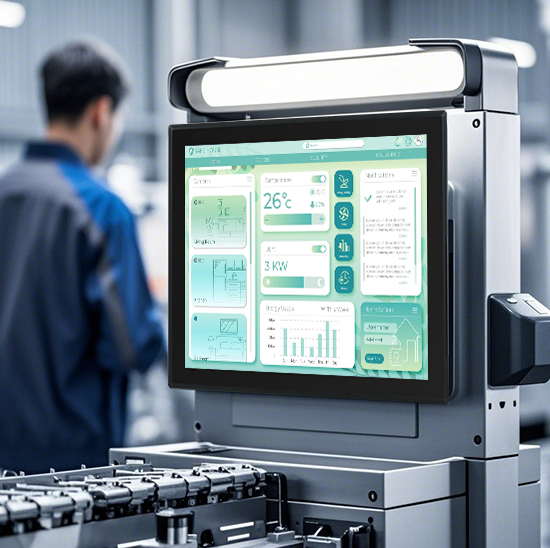
Conçu pour résister à un usage intensif, météo extérieure, et environnements à fort trafic, cet écran tactile offre un suivi des bus en temps réel, planification d'itinéraire, et des informations tarifaires en quelques clics. Cela élimine la confusion, réduit les temps d'attente, et permet aux passagers de trouver les informations dont ils ont besoin de manière indépendante. Que ce soit déployé dans les centres de transport urbain, arrêts de bus de banlieue, ou pôles touristiques, ce écran tactile est la clé pour rationaliser les opérations des gares routières et améliorer la satisfaction des passagers. Cet article détaille ses principales fonctionnalités, avantages, applications, et des FAQ pour montrer comment il révolutionne l'accès à l'information sur les transports en commun.
Caractéristiques principales de l'écran tactile du kiosque d'information sur les bus
1. Intégration des données de transport en temps réel & Afficher
Précis, des informations à jour constituent l'épine dorsale d'un kiosque de bus fiable, et cet écran les fournit de manière transparente:
Suivi des arrivées de bus en direct: Affiche les emplacements en temps réel et les heures d'arrivée estimées pour tous les itinéraires, avec des mises à jour tous les 10 secondes.
Outils de planification d'itinéraire: Permet aux passagers de saisir les points de départ et d'arrivée pour obtenir des itinéraires de bus étape par étape, points de transfert, et les temps de trajet.
Tarif & informations sur les billets: Affiche les prix des billets, options de paiement, et liens d'achat de billets pour les trajets simples, la journée passe, et abonnements mensuels.
Alertes de service & retards: Met en évidence les changements d'itinéraire, détours, ou des retards en gras, notifications à code couleur pour tenir les passagers informés.
Cette fonctionnalité garantit que les passagers disposent toujours des dernières données de transport en commun à portée de main., plus besoin de deviner quand arrivera le prochain bus.
2. Robuste, Conception résistante aux intempéries pour les environnements de transport en commun
Conçu pour résister aux conditions difficiles des gares routières extérieures et à fort trafic:
Protection IP65 du panneau avant: Scellé contre la pluie, poussière, et les déversements, parfait pour les arrêts de bus non couverts ou les centres de transport en commun extérieurs.
9Surface en verre trempé H: Résiste aux rayures des sacs, clés, et impacts accidentels, résister à une utilisation quotidienne intensive par des centaines de passagers.
Large tolérance de température: Fonctionne de manière fiable de -25°C à 70°C (-13°F à 158°F), s'adapte aux hivers froids et aux étés chauds sans problèmes de performances.
Anti-éblouissement & écran haute luminosité: 1,200 la luminosité des lentes assure une visibilité claire en plein soleil, tandis que le revêtement anti-éblouissant réduit les reflets pour une utilisation en intérieur.
Cette durabilité garantit 24/7 fonctionnement avec un minimum d'entretien, même dans les lieux de transit les plus fréquentés.
3. Interface utilisateur intuitive & Fonctionnalités d'accessibilité
Conçu pour les passagers de tous âges et de toutes compétences techniques, avec une courbe d'apprentissage nulle:
Navigation basée sur des icônes: Simple, icônes audacieuses (par exemple., « Arrivées en direct,» « Planificateur d'itinéraire," " Alertes de service ") remplacez les menus complexes pour un accès rapide.
Prise en charge multilingue: Offres 15+ langues (Anglais, Espagnol, Français, mandarin, arabe, etc.) pour répondre aux besoins des navetteurs locaux et des touristes internationaux.
Outils d'accessibilité: Mode contraste élevé, compatibilité texte-parole, et options de grandes polices pour les passagers malvoyants.
Compatibilité des options sans contact: S'intègre aux scanners de code QR, afin que les passagers puissent scanner des codes pour enregistrer des itinéraires ou des informations sur les billets sur leur téléphone sans toucher l'écran.
Cette conception conviviale garantit que chaque passager peut utiliser le kiosque de manière indépendante, quels que soient leurs antécédents ou leurs capacités.
4. Fonctionnalité hors ligne & Gestion à distance
Performances fiables même lorsque la connectivité Internet diminue, avec contrôle facile par l'opérateur:
Stockage de données hors ligne: Enregistre les horaires et les itinéraires à jour localement, donc le kiosque fonctionne même en cas de panne d'Internet ou de panne de réseau.
Mises à jour à distance & diagnostic: Permet aux opérateurs de transport en commun de pousser les changements d'horaires, alertes de service, ou mises à jour de logiciels à distance sans visites sur site.
Analyse d'utilisation: Suit les interactions des passagers (par exemple., itinéraires les plus recherchés, heures de pointe) pour optimiser le placement des kiosques et la conception des menus.
Mode de verrouillage à distance: Permet aux opérateurs de verrouiller l'écran en cas d'urgence ou de périodes de maintenance pour plus de sécurité.
Cette fonctionnalité réduit les temps d'arrêt et les coûts opérationnels pour les agences de transport en commun.
5. Intégration du transport multimodal
Se connecte à d'autres systèmes de transport en commun pour offrir une expérience de voyage fluide:
Planification d'itinéraire combinée: Relie les lignes de bus aux trains, métros, ou des tramways pour montrer aux passagers des plans de voyage multimodaux complets.
Informations sur les parkings relais: Affiche les parkings à proximité, stations de partage de vélos, et indications à pied pour rejoindre les arrêts de bus.
Informations d'accessibilité pour les transferts: Met en évidence les arrêts accessibles aux fauteuils roulants, ascenseurs, et rampes pour les passagers ayant des besoins de mobilité.
Disponibilité du stationnement en temps réel: Indique le nombre de places restantes dans les parcs-o-bus à proximité pour aider les passagers à planifier leurs déplacements..
Cette intégration transforme les kiosques de bus en centres de transit complets pour tous les types de voyageurs.
Principaux avantages de l'écran tactile du kiosque d'information sur les bus
1. Améliorer la satisfaction des passagers & Réduisez les demandes de renseignements
Les passagers satisfaits sont plus susceptibles de choisir les transports en commun, et cet écran offre une expérience fluide.:
Réduisez le temps de recherche d’informations en 50%: Les passagers trouvent les heures d'arrivée et les itinéraires en quelques secondes, plus besoin d'attendre l'aide du personnel.
Minimisez la frustration liée aux retards: Des alertes de service claires informent les passagers des détours ou des annulations avant d'attendre un bus..
Répondre à divers voyageurs: Les fonctionnalités de support multilingue et d'accessibilité rendent le transport en commun accessible aux touristes, passagers âgés, et les personnes handicapées.
Améliorer la réputation des agences de transport en commun: Moderne, des kiosques conviviaux donnent au transport en commun un sentiment de fiabilité et sont axés sur les passagers.
2. Coûts opérationnels réduits pour les agences de transport en commun
Économisez du temps et de l’argent avec une maintenance réduite, solution efficace:
Réduire la charge de travail du personnel: Moins de demandes de renseignements des passagers signifient que le personnel peut se concentrer sur des tâches plus critiques, comme aider les passagers handicapés ou gérer les foules.
Réduire les visites de maintenance: La conception robuste et les diagnostics à distance éliminent le besoin de réparations fréquentes sur site.
Optimiser le placement des kiosques: Les analyses d'utilisation montrent où placer les kiosques pour un impact maximal, réduire le gaspillage de ressources sur des emplacements sous-utilisés.
Prolonger la durée de vie du kiosque: Des composants de haute qualité signifient que l'écran tactile dure 6 à 8 ans, plus long que les écrans grand public standard.
3. Augmenter la fréquentation des transports en commun & Revenu
Une meilleure expérience passager incite davantage de personnes à choisir les bus plutôt que les voitures privées:
Attirer les cavaliers occasionnels: Les touristes et les usagers occasionnels se sentent en confiance dans l'utilisation des bus lorsqu'ils peuvent facilement accéder aux informations sur les itinéraires et les horaires..
Promouvoir la vente de billets: Des informations tarifaires claires et des liens vers les billets encouragent les passagers à acheter des pass journaliers ou mensuels au lieu de trajets simples..
Soutenir les voyages multimodaux: La planification d'itinéraires combinés facilite la commutation des passagers entre les bus et les autres systèmes de transport en commun, augmentation de la fréquentation globale.
Réduisez les absences: Les mises à jour des arrivées en temps réel permettent aux passagers de ne pas manquer les bus, réduire la frustration et encourager la fréquentation répétée.
4. Améliorer l'efficacité des stations & Sécurité
Un système de kiosque bien conçu prend en charge des, opérations de gare plus sûres:
Réduire la foule: Un accès plus rapide aux informations signifie que les passagers ne se regroupent pas autour des bureaux ou des kiosques du personnel, réduire le risque de surpeuplement.
Améliorer l'hygiène: L'intégration du code QR sans contact minimise le contact physique avec l'écran, promouvoir un environnement plus propre pour tous.
Accélérer l'embarquement: Les passagers qui connaissent leurs itinéraires et leurs tarifs montent plus rapidement dans les bus, réduire les temps d'arrêt et améliorer la ponctualité.
Soutenir les interventions d’urgence: Le mode de verrouillage à distance permet aux opérateurs de sécuriser rapidement les kiosques en cas d'incidents de sécurité ou de conditions météorologiques extrêmes..
Applications pratiques pour différents scénarios de transit
1. Centres de transport urbain
Pour les centres-villes animés avec des volumes de passagers quotidiens élevés et plusieurs lignes de bus:
Gérez les foules aux heures de pointe avec rapidité, des écrans réactifs qui maintiennent les passagers en mouvement.
Afficher les transferts en temps réel entre les bus, métros, et des trains pour des déplacements fluides.
Prise en charge d'interfaces multilingues pour répondre aux besoins de diverses populations urbaines.
2. De banlieue & Arrêts de bus ruraux
Pour les petits arrêts avec un personnel limité et des emplacements extérieurs non couverts:
Activer 24/7 informations en libre-service permettant aux passagers de planifier leurs voyages en dehors des heures de présence.
Résiste aux intempéries grâce à la protection IP65 et à une large tolérance de température.
Simplifiez les options de menu pour les passagers qui utilisent principalement quelques itinéraires locaux.
3. Touristique & Plateformes aéroportuaires
Pour les endroits avec un nombre élevé de voyageurs et de visiteurs internationaux:
Offrir un support multilingue (y compris des langues axées sur le tourisme comme le japonais, coréen, et allemand).
Afficher les attractions à proximité et les itinéraires de transport en commun vers des monuments populaires, hôtels, et zones commerciales.
Intégrer les horaires des navettes aéroportuaires pour aider les voyageurs à se connecter entre les bus et les vols.
4. Université & Campus d'entreprise
Pour les campus disposant de lignes de bus dédiées aux étudiants et aux employés:
Afficher les itinéraires spécifiques au campus et les horaires des navettes pour les heures de cours et les heures de travail.
Afficher les réductions tarifaires pour les étudiants, faculté, et le personnel.
Intégrer le partage de vélos et les sentiers pédestres pour soutenir les déplacements domicile-travail respectueux de l'environnement.
FAQ sur l'écran tactile du kiosque d'information sur les bus
T1: Cet écran tactile fonctionnera-t-il avec mes kiosques d'information sur les bus existants ??
A1: Oui! Il est compatible avec la plupart des modèles de kiosques des principaux fournisseurs d'équipements de transport en commun. Notre équipe vérifiera la compatibilité avec votre configuration actuelle et fournira un kit d'installation plug-and-play pour une intégration transparente.
T2: L'écran peut-il fonctionner à l'extérieur dans toutes les conditions météorologiques?
A2: Absolument. Il dispose d'une protection IP65 sur le panneau avant et d'une large plage de température. (-25°C à 70°C), donc ça marche de manière fiable sous la pluie, neige, chaleur, et la poussière : parfait pour les arrêts de bus non couverts.
T3: L'écran prend-il en charge les fonctionnalités d'accessibilité pour les passagers handicapés?
A3: Oui. Il comprend un mode à contraste élevé, compatibilité texte-parole, et des options de grandes polices pour accueillir les passagers malvoyants. Il fonctionne également avec les supports de kiosque accessibles aux fauteuils roulants.
T4: Comment les opérateurs mettent-ils à jour les horaires et les alertes de service à l'écran?
A4: Les opérateurs peuvent mettre à jour tout le contenu à distance via un système de gestion basé sur le cloud. Ils peuvent pousser les changements d'horaire, alertes de détour, ou des mises à jour logicielles en quelques minutes sans visiter l'emplacement du kiosque.
Q5: Quelle garantie accompagne l'écran tactile du kiosque d'information sur les bus?
A5: Tous les modèles incluent une garantie de 3 ans couvrant les défauts matériels, réactivité au toucher, et résistance aux intempéries. Des garanties prolongées de 5 ans sont disponibles pour les pôles urbains à fort trafic, avec 24/7 assistance technique.
Conclusion
L'écran tactile du kiosque d'information sur les bus est un outil de transformation pour les agences de transport en commun, transformer des kiosques d’information obsolètes en outils efficaces, des hubs axés sur les passagers. Son intégration de données en temps réel, design robuste, et une interface conviviale réduisent la frustration des passagers, réduire les coûts opérationnels, et augmenter la fréquentation des transports en commun. Que vous gériez des centres de transport urbain, arrêts de bus ruraux, ou pôles touristiques, cet écran tactile permet à chaque passager d'accéder aux informations dont il a besoin de manière rapide et indépendante.
Prêt à moderniser vos kiosques d'information sur les bus et à améliorer l'expérience des passagers? Remplissez le formulaire sur notre site Web pour entrer en contact avec nos experts en technologie de transport en commun. Nous évaluerons les besoins de votre station, vérifier la compatibilité avec vos kiosques existants, et recommander une solution personnalisée pour maximiser l’efficacité et la satisfaction. Construisons plus intelligemment, des gares routières plus conviviales pour les passagers – commencez dès aujourd'hui!