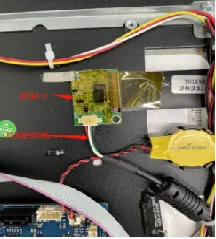
For medium-to-large-sized devices, issues like touch jumping or local touch failure—which usually recover after a reboot—are mostly caused when the device is powered on while lying flat or tilted, resulting in the distance between the LCD and the touch panel being too close.
When the chip is powered on, it captures the background value of the current environment, which is technically referred to as the “baseline.” If there is a significant difference between the baseline captured at power-on and the background value during actual operation, anomalies are likely to occur.
Place it flat and disconnect the power completely for 10 soicind. Keep the device flat, then test repeatedly to check for any abnormalities.