Walk into any modern hospital, and you’ll see screens at almost every workstation. Nurses admit patients on screens, doctors open imaging results with a tap, and technicians control devices through digital panels. Not every screen, međutim, is ready for this environment. Choosing the right medical touch screen monitor can be the difference between a smooth, reliable workflow and a system that frustrates staff and risks downtime.
U ovom članku, you’ll see why touch screens fit healthcare so well, which technologies and sizes are commonly used, and what to check when you select a medical-grade touch screen monitor for your own applications.
What Makes a Touch Screen Monitor the Best for Medical Applications
Faster and More Intuitive Clinical Workflows
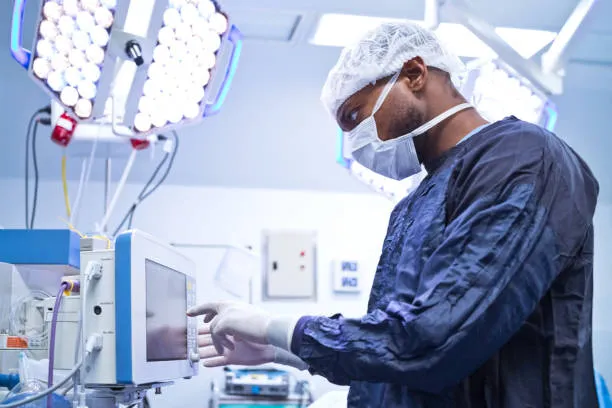
With keyboard and mouse, staff spend extra time steering a cursor and confirming each action, which adds up over a long shift. A medical touch screen lets them tap directly on orders, alarms, and controls, and use gestures like zoom and scroll on images. This shortens routine interactions, lowers training effort for new users, and reduces the chance of mis‑clicks in busy periods.
Better Hygiene Than Keyboards and Mice
Keyboards and mice have many gaps where fluids and dust collect, so cleaning them thoroughly is slow and often incomplete. A medical-grade touch screen monitor offers a flat glass front and sealed housing that staff can wipe quickly between patients. If the glass and housing use antimicrobial materials, the surface slows bacterial growth between cleaning cycles and supports your infection‑control targets on shared workstations.
Built for Connected and Data‑Driven Care
Most digital tools in hospitals rely on the display: EHR systems, imaging viewers, and device interfaces all appear there. The touch screen becomes a central access point for this information. From one panel, staff can review vital signs, approve orders, and adjust certain device settings without moving to another station. Patients also use these screens for check‑in, ankete, i obrazovanje, so one hardware choice influences both daily workflow and the patient experience.
Best Types of Touch Screen Monitors Used in Healthcare
Projektirani kapacitivni (PCAP) Touch Monitors for Modern Hospitals
PCAP is the technology people know from smartphones and tablets, adapted for professional use. It senses touch by changes in an electrical field across a fine grid inside the glass. Za bolnice, this offers a very smooth, flat surface with high image clarity and support for gestures like pinch, rotirati, and scroll.
Key advantages:
- Jasan, bright images thanks to high light transmission through the glass
- True‑flat, edge‑to‑edge front that is quick to wipe and disinfect
- Support for several touch points at the same time, useful for image manipulation and rich interfaces
You will often see PCAP medical touch screens at nurse stations, on advanced medical carts, and in clinical workrooms where staff spend many hours per day using electronic systems. If you are modernizing these areas, PCAP is usually the first technology to evaluate.
Resistive Touch Monitors for Glove‑Heavy Clinical Environments
Resistive touch works in a more mechanical way: pressure brings two thin conductive layers into contact. It does not rely on the conductivity of skin, which makes it very tolerant of gloves and tools.
Key advantages:
- Works reliably with thick gloves, styli, or other non‑conductive objects
- Less sensitive to small droplets of liquid on the surface
- Jednostavan, proven technology that is easy to integrate into dedicated medical devices
Because of these traits, resistive medical touch screens are common in laboratory analyzers, some OR equipment, and devices that sit close to fluids or reagents. If your application is more about guaranteed operation under harsh conditions than about multi‑touch gestures, resistive technology may still be the better fit.
Infracrveni (I) Touch Monitors for Medical Kiosks and Large Displays
Infrared systems place emitters and sensors around the bezel and create a grid of invisible beams in front of the display. When a finger or object breaks the beams, the controller calculates the touch position.
Key advantages:
- Scales well to large formats such as 32–43 inches or more
- Can be triggered without physical pressure, comfortable for public use
- Works with almost any pointer, including gloved hands and a stylus
This makes IR technology a good fit for hospital entrance kiosks, wayfinding walls, and patient information displays in public zones where size and accessibility matter more than full sealing. If you are planning a self‑service or signage project, IR touch is often the most practical approach.
Best Screen Sizes for Different Medical Workstations
15–17 Inches: For Bedside Systems
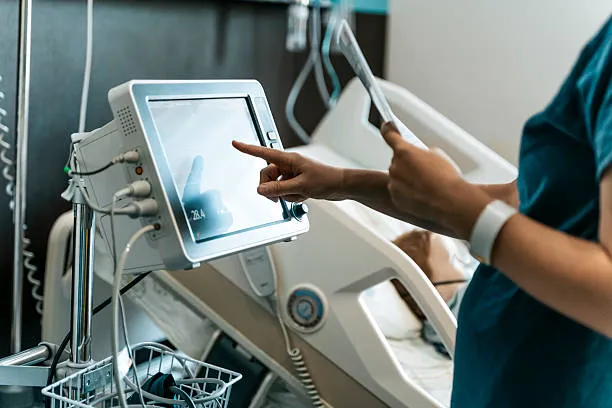
A 15–17-inch monitor fits well beside the bed, on a compact cart, or on a light wall arm. It is large enough to show vital signs, basic controls, and a few lines of patient data without crowding, yet small enough not to block physical access to the patient. If you are equipping bedside terminals or slim carts, this size range usually hits the balance between visibility and footprint.
19–22 Inches: For Nurse Stations
In a nurse station, staff usually look at several applications at once: elektronički zdravstveni kartoni, task lists, communication tools, and sometimes live monitoring views. A 19–22 inch medical touch screen, often at 21.5 inches with Full‑HD resolution, offers enough working area to keep two or three windows open side by side while still fitting on standard desks or wall rails.
24 Inches and Above: For Imaging Review
Image‑focused tasks, like reviewing X‑rays, CT scans, or ultrasound clips, benefit from larger, higher‑resolution panels. Displays in the 24–27 inch range, often with 4K resolution and calibrated grayscale performance, allow doctors to inspect fine details without constant zooming. When these units also include touch, radiologists can navigate image stacks and adjust views directly on the screen, which feels more direct than using only a mouse. If your project touches radiology or advanced imaging, this is the segment you will want to examine closely.
Regulatory Standards the Best Medical Monitors Must Meet
A screen used near patients is part of a regulated medical environment. Safety and interference rules are there to protect both people and other devices.
IEC 60601‑1: Medical Electrical Safety
IEC 60601‑1 defines how medical electrical equipment must be built and tested to limit the risk of electric shock and other hazards. A medical touch screen that follows this standard uses appropriate insulation, grounding, and power design, and it is tested under fault conditions. This gives clinical engineers confidence that adding the monitor to a system will not introduce unacceptable electrical risks.
EMC Compliance and Interference Control
Electromagnetic compatibility (EMC) testing checks two things: that the screen does not emit excessive interference and that it continues to work correctly in the presence of external electromagnetic fields. In a hospital, this matters because displays sit close to pumps, monitori, and other life‑support devices. If you need to deploy devices in technically crowded rooms, choosing EMC‑compliant monitors reduces the risk of hard‑to‑trace noise problems and random behavior.
How to Choose the Best Touch Screen Monitor for Your Medical Environment
When you move from comparing datasheets to making a real purchase decision, the question is no longer “which spec looks nicer,” but “which display will still be the right choice five years from now in this exact ward.” A good way to choose the best touch screen monitor for your medical environment is to walk through the decision like a small project, step by step.
1. Define Your Primary Application
Start with how the screen will actually be used, not only where it will be mounted. An operating room information board, a bedside infotainment terminal, and a lab analyzer HMI all have very different priorities.
Ask questions like:
- Is this screen mainly for clinical staff, for patients, or for both?
- Will it be used for monitoring and quick interactions, or for detailed image review?
- Does it need to run 24/7, or only during certain shifts?
Once the use case is clear, mapping the right technology (PCAP, otporan, or IR), veličina, and brightness level becomes much easier and avoids over‑ or under‑specifying the hardware.
2. Match Environment and Hygiene Requirements
Sljedeći, translate the environment into concrete design needs. An ICU or OR with strict infection‑control rules will push you toward fully sealed, fanless designs with antimicrobial housings and documented disinfectant resistance.
Na primjer:
- High‑sterility zones (ILI, ICU, central sterile): favor IP65 true‑flat fronts, fanless chassis, and proven resistance to common hospital cleaners over extreme optical performance.
- Diagnostic imaging or reading rooms: place more weight on optical clarity, točnost boja, and viewing angles, while still respecting medical safety standards.
- Public‑facing kiosks and wayfinding: prioritize vandal resistance, široki kutovi gledanja, and easy cleaning for heavy traffic.
This environment‑first approach helps you avoid buying a “nice” monitor that turns out to be painful to clean or unreliable under daily disinfection.
3. Check System Integration and IT Compatibility
A touch screen in a hospital rarely works alone. It talks to HIS, PACS, LIS, or specialized medical devices, and it must fit into your IT and network policies.
Consider:
- Video and data interfaces: Do you need HDMI, DisplayPort, legacy VGA, serijski, USB‑C, or LAN for remote management?
- Software and OS: Will it connect to a panel PC, thin client, or external box PC, and is the touch driver stable on your chosen OS and EHR platform?
- Interoperability standards: In imaging contexts, check DICOM‑related requirements; in broader hospital systems, consider whether the total otopina will integrate cleanly with HL7/FHIR‑based workflows.
Good integration reduces manual data entry and helps the touch screen become a true part of the clinical information flow, not just another isolated screen.
4. Evaluate Reliability and Warranty
Za bolnice, the real cost of a display is not just the purchase price; it is the total cost of ownership over the years of use. A model that fails often or goes end‑of‑life after two years can be more expensive than a premium unit with a longer lifecycle.
Key points to review:
- MTBF and operating range: industrial‑grade MTBF ratings, clear temperature and humidity specs, i 24/7 use claims backed by testing.
- Warranty and service: three‑year or longer warranties and clear service channels reduce downtime and surprise repair costs.
- Lifecycle roadmap: ask how long the exact panel and housing will stay in production and whether the vendor guarantees image and mechanical compatibility for future batches.
If you plan to roll out tens or hundreds of units, lifecycle stability can be just as important as brightness or contrast.
5. Consider Comfort and Daily Mounting Needs
A technically excellent monitor can still fail if it is uncomfortable or awkward to use. Think about daily workflows and small details:
- Mounting options: standard VESA patterns for carts, arms, and wall mounts; some applications may need panel‑mount or flush‑mount frames instead.
- Viewing ergonomics: can staff tilt, swivel, or height‑adjust the screen easily to avoid glare and neck strain during long shifts?
- Physical controls and cleaning modes: Features like hardware buttons, simple on‑screen controls, or a “cleaning mode” to lock the screen during a quick wipe make a huge difference in daily use.
These ergonomic touches don’t always show up in big bold text on spec sheets, but clinicians will feel the difference every single day.
6. Evaluate Long-Term Value and Vendor Support
When you buy a medical touch screen monitor, you are investing in a product that will likely stay in use for five to seven years. It is easy to find monitors with good specs on paper, but the true test is how the vendor supports you after the installation.
When comparing the best options, ask your supplier:
- Product lifecycle: How long will this exact monitor model remain in production? Frequent design changes force hospitals into costly re-validation.
- Warranty and repair: Do they offer a solid 3-year (or more) warranty and responsive technical support if a screen is damaged?
- Mogućnosti prilagodbe: Can the manufacturer adjust the touch sensitivity for your specific medical gloves or tune the firmware for your exact use case?
A great spec sheet gets a monitor on the shortlist, but reliable vendor support, long product lifecycles, and a low total cost of ownership (TCO) are what make it the best long-term choice for your facility.
Završne misli
Tako, what is the best touch screen monitor for medical applications? Ultimately, it is the one engineered to survive constant disinfection, respond flawlessly to gloved hands, and operate reliably 24/7 without failing your staff.
Na Touchwo, we design and manufacture these exact solutions. S preko 15 years of industry experience, we provide durable, medical-grade touch monitors and custom OEM/ODM displays that meet strict zdravstvene zaštite standardi. Reach out to our team today to find the perfect screen for your next clinical project.