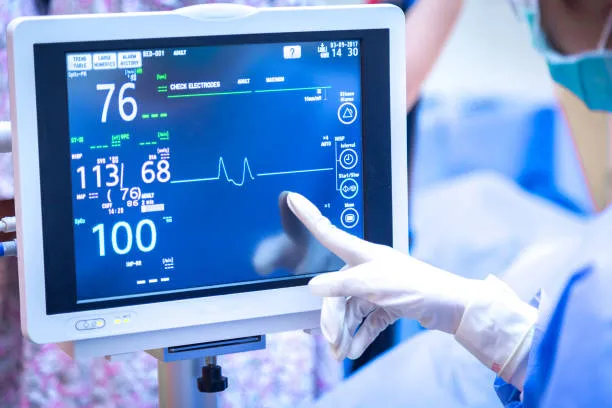
Touchscreen Kiosk, ເປັນຜະລິດຕະພັນທີ່ສໍາຄັນຂອງເຕັກໂນໂລຊີທີ່ທັນສະໄຫມ, ມີການປ່ຽນວິຖີຊີວິດຂອງພວກເຮົາຢ່າງເລິກເຊິ່ງ ແລະເຮັດວຽກດ້ວຍວິທີການໂຕ້ຕອບທີ່ເປັນເອກະລັກ ແລະແອັບພລິເຄຊັນທີ່ຫຼາກຫຼາຍ. ບົດຄວາມນີ້ຈະ delve ເຂົ້າໄປໃນລັກສະນະຕົ້ນຕໍຂອງ 21.5 inch Touchscreen Kiosk ແລະຄໍາຮ້ອງສະຫມັກທີ່ແຜ່ຂະຫຍາຍຂອງພວກເຂົາໃນຂົງເຂດຕ່າງໆ, ເປີດເຜີຍໃຫ້ເຫັນວ່າເທັກໂນໂລຍີນີ້ໄດ້ກາຍເປັນຂົວເຊື່ອມຕໍ່ໂລກດິຈິຕອລ ແລະໂລກທີ່ແທ້ຈິງ.

ລັກສະນະຕົ້ນຕໍຂອງ 21.5 ນິ້ວ Touchscreen Kiosk
intuitive ໂຕ້ຕອບ
ຄຸນນະສົມບັດທີ່ໂດດເດັ່ນທີ່ສຸດຂອງ ແຕະຕ້ອງການສະແດງ ແມ່ນ intuitiveness ຂອງເຂົາເຈົ້າ. ຜູ້ໃຊ້ພຽງແຕ່ຕ້ອງໄດ້ແຕະທີ່ໄອຄອນຫຼືຂໍ້ຄວາມໃນຫນ້າຈໍພຽງເລັກນ້ອຍດ້ວຍນິ້ວມືຂອງເຂົາເຈົ້າເພື່ອດໍາເນີນການເປັນເຈົ້າພາບ. ວິທີການໂຕ້ຕອບນີ້ແຍກອອກຈາກຂໍ້ຈໍາກັດຂອງແປ້ນພິມແບບດັ້ງເດີມແລະຫນູ, ເຮັດໃຫ້ການພົວພັນລະຫວ່າງມະນຸດກັບຄອມພິວເຕີໂດຍກົງແລະສະດວກກວ່າ.
ຄວາມອ່ອນໄຫວສູງ
ຈໍສະແດງຜົນສໍາຜັດທີ່ທັນສະໄຫມມັກຈະໃຊ້ເຕັກໂນໂລຢີການສໍາພັດແບບ capacitive ຫຼືຕ້ານທານ, ເຊິ່ງສາມາດຮັບຮູ້ໄດ້ໄວ ແລະຕອບສະໜອງຕໍ່ການກະທຳສຳຜັດ. ບໍ່ວ່າຈະເປັນການສໍາຜັດດຽວຫຼືຫຼາຍສໍາພັດ, ການດໍາເນີນງານທີ່ຊັດເຈນສາມາດບັນລຸໄດ້, ປັບປຸງປະສົບການຂອງຜູ້ໃຊ້.
ຜົນກະທົບການສະແດງຜົນທີ່ດີ
21.5 inch Touchscreen Kiosk ໂດຍທົ່ວໄປແລ້ວຈະໃຊ້ເທັກໂນໂລຍີຈໍສະແດງຜົນຜລຶກຂອງແຫຼວ, ມີສີສັນສົດໃສແລະຮູບພາບທີ່ຊັດເຈນ, ເຮັດໃຫ້ມັນເຫມາະສົມສໍາລັບການນໍາໃຊ້ໃນໄລຍະຍາວ. ເພີ່ມເຕີມ, ບາງຈໍສະແດງຜົນສໍາຜັດລະດັບສູງຍັງມີຄຸນສົມບັດເຊັ່ນ: ຄວາມລະອຽດສູງແລະມຸມເບິ່ງກວ້າງ, ເພີ່ມເຕີມຜົນກະທົບການສະແດງຜົນ.
ປະຢັດພື້ນທີ່
ຈໍສະແດງຜົນສໍາຜັດຈະປະສົມປະສານການສະແດງຜົນແລະການສໍາພັດເຂົ້າກັນໂດຍບໍ່ຈໍາເປັນຕ້ອງມີຫນູຫຼື touchpad ພາຍນອກ, ເຮັດໃຫ້ມັນເຫມາະສົມສໍາລັບ desktop ຫຼືອຸປະກອນມືຖືທີ່ມີພື້ນທີ່ຈໍາກັດ. ການອອກແບບປະສົມປະສານນີ້ບໍ່ພຽງແຕ່ຊ່ວຍປະຢັດພື້ນທີ່, ແຕ່ຍັງເຮັດໃຫ້ອຸປະກອນງ່າຍກວ່າ ແລະມີຄວາມພໍໃຈທາງດ້ານຄວາມງາມ.
ຄໍາຮ້ອງສະຫມັກທີ່ຫຼາກຫຼາຍ
ຈໍສະແດງຜົນສໍາຜັດມີລະດັບຄວາມກ້ວາງຂອງຄໍາຮ້ອງສະຫມັກ, ຈາກຜະລິດຕະພັນເອເລັກໂຕຣນິກຜູ້ບໍລິໂພກເຊັ່ນ: ໂທລະສັບສະຫຼາດແລະແທັບເລັດໄປຫາອຸປະກອນມືອາຊີບເຊັ່ນອຸປະກອນຄວບຄຸມອຸດສາຫະກໍາແລະສະຖານີບໍລິການຕົນເອງ. ຄໍາຮ້ອງສະຫມັກທີ່ຫລາກຫລາຍນີ້ເຮັດໃຫ້ການສະແດງການສໍາພັດເປັນສ່ວນຫນຶ່ງທີ່ຂາດບໍ່ໄດ້ຂອງເຕັກໂນໂລຢີທີ່ທັນສະໄຫມ.
ພື້ນທີ່ຄໍາຮ້ອງສະຫມັກຂອງ 21.5 ນິ້ວ Touchscreen Kiosk
ເຄື່ອງໃຊ້ໄຟຟ້າ
ຈໍສະແດງຜົນສໍາຜັດແມ່ນຫນຶ່ງໃນອົງປະກອບຫຼັກໃນໂທລະສັບສະຫຼາດແລະແທັບເລັດ. ຜູ້ໃຊ້ດໍາເນີນການຕ່າງໆໂດຍການສໍາຜັດກັບຫນ້າຈໍ, ເຊັ່ນ: ການທ່ອງເວັບ, ເບິ່ງວິດີໂອ, ການຫຼີ້ນເກມ, ປົງຄາຍ. intuitiveness ແລະຄວາມສະດວກສະບາຍຂອງຈໍສະແດງຜົນສໍາຜັດຊ່ວຍເພີ່ມປະສົບການຂອງຜູ້ໃຊ້ຂອງອຸປະກອນເຫຼົ່ານີ້ຢ່າງຫຼວງຫຼາຍ.
ອຸປະກອນເກມ
ອຸປະກອນເກມຍັງໃຊ້ຢ່າງກວ້າງຂວາງ 21 ນິ້ວ Touchscreen Kiosk. ຜູ້ນສາມາດຄວບຄຸມລັກສະນະຂອງເກມໂດຍການສໍາຜັດຫນ້າຈໍ, ບັນລຸການດໍາເນີນງານ intuitive ແລະຊັດເຈນກວ່າ. ວິທີການໂຕ້ຕອບນີ້ບໍ່ພຽງແຕ່ເສີມຂະຫຍາຍຄວາມມ່ວນແລະປະສົບການຂອງເກມ, ແຕ່ຍັງເຮັດໃຫ້ອຸປະກອນການຫຼິ້ນເກມສາມາດເຄື່ອນທີ່ ແລະເປັນມິດກັບຜູ້ໃຊ້ຫຼາຍຂຶ້ນ.
ການຄວບຄຸມອຸດສາຫະກໍາ
ໃນຂົງເຂດການຄວບຄຸມອຸດສາຫະກໍາ, ຈໍສະແດງຜົນສໍາຜັດມີບົດບາດອັນໃຫຍ່ຫຼວງ. ມັນສາມາດເຮັດໃຫ້ການໂຕ້ຕອບການດໍາເນີນງານຂອງອຸປະກອນອຸດສາຫະກໍາທີ່ເປັນມິດກັບຜູ້ໃຊ້ຫຼາຍຂຶ້ນ, ບັນລຸການຄວບຄຸມການດໍາເນີນງານໄວແລະຊັດເຈນ. ໃນເວລາດຽວກັນ, ຈໍສະແດງຜົນສໍາຜັດຍັງມີລັກສະນະເຊັ່ນ: ຂີ້ຝຸ່ນແລະການຕໍ່ຕ້ານນ້ໍາ, ແລະສາມາດປະຕິບັດໄດ້ຢ່າງຫມັ້ນຄົງໃນສະພາບແວດລ້ອມທີ່ຮຸນແຮງຕ່າງໆ. ນີ້ເຮັດໃຫ້ມັນຖືກນໍາໃຊ້ຢ່າງກວ້າງຂວາງໃນອຸປະກອນອຸດສາຫະກໍາເຊັ່ນ: ເຄື່ອງມືເຄື່ອງຈັກ CNC, ເຄື່ອງ ATM, ແລະອຸປະກອນສະແດງເຄື່ອງ.
ບໍລິການດ້ວຍຕົນເອງ
ອຸປະກອນບໍລິການຕົນເອງເຊັ່ນ: ເຄື່ອງຂາຍ ແລະທະນາຄານບໍລິການຕົນເອງຍັງໃຊ້ຈໍສໍາຜັດຢ່າງກວ້າງຂວາງ. ຜູ້ໃຊ້ສາມາດເລືອກຜະລິດຕະພັນ, ຊໍາລະເງິນ, ແລະປະຕິບັດການອື່ນໆໂດຍການສໍາຜັດຫນ້າຈໍ. ວິທີການບໍລິການຕົນເອງນີ້ບໍ່ພຽງແຕ່ປັບປຸງປະສິດທິພາບການບໍລິການເທົ່ານັ້ນ, ແຕ່ຍັງຫຼຸດຜ່ອນຄ່າໃຊ້ຈ່າຍແຮງງານ. ໃນຂະນະດຽວກັນ, intuitiveness ແລະຄວາມສະດວກສະບາຍຂອງຈໍສະແດງຜົນສໍາຜັດຍັງເຮັດໃຫ້ຜູ້ໃຊ້ສາມາດດໍາເນີນການຕ່າງໆໄດ້ສະດວກສະບາຍຫຼາຍ.
ການສຶກສາແລະການຝຶກອົບຮົມ
ໃນຂົງເຂດການສຶກສາແລະການຝຶກອົບຮົມ, ຈໍສະແດງຜົນສໍາຜັດຍັງມີບົດບາດສໍາຄັນ. ມັນສາມາດນໍາສະເຫນີເນື້ອໃນການສອນໃນວິທີການ intuitive ແລະ vivid ຫຼາຍ, ເສີມຂະຫຍາຍນັກຮຽນ’ ຄວາມສົນໃຈ ແລະປະສິດທິຜົນໃນການຮຽນຮູ້. ໃນຂະນະດຽວກັນ, ຈໍສະແດງຜົນສໍາຜັດຍັງສະຫນັບສະຫນູນຫຼາຍສໍາພັດແລະຫນ້າທີ່ໂຕ້ຕອບ, ອະນຸຍາດໃຫ້ນັກຮຽນມີສ່ວນຮ່ວມຢ່າງຈິງຈັງໃນຂະບວນການສອນ.
ບົດວິຕົກ
ຈໍສະແດງຫນ້າຈໍສະແດງຜົນຫນ້າຈໍ, ກັບການໂຕ້ຕອບ intuitive ຂອງເຂົາເຈົ້າ, ຄວາມອ່ອນໄຫວສູງ, ຜົນກະທົບການສະແດງຜົນທີ່ດີ, ປະຢັດພື້ນທີ່, ແລະຄໍາຮ້ອງສະຫມັກທີ່ຫຼາກຫຼາຍ, ກໍາລັງປ່ຽນແປງວິຖີຊີວິດ ແລະການເຮັດວຽກຂອງພວກເຮົາຢ່າງເລິກເຊິ່ງ. ຈາກເຄື່ອງອຸປະກອນເອເລັກໂຕຣນິກການຄວບຄຸມອຸດສາຫະກໍາ, ຈາກການບໍລິການຕົນເອງກັບການສຶກສາແລະການຝຶກອົບຮົມ, ຈໍສະແດງຜົນສໍາຜັດແມ່ນມີບົດບາດຂອງເຂົາເຈົ້າຢູ່ທົ່ວທຸກແຫ່ງ. ດ້ວຍການພັດທະນາຢ່າງຕໍ່ເນື່ອງຂອງເຕັກໂນໂລຢີ, ຈໍສະແດງຜົນສໍາຜັດຈະມີບົດບາດສໍາຄັນກວ່າໃນອະນາຄົດແລະກາຍເປັນສ່ວນຫນຶ່ງທີ່ຂາດບໍ່ໄດ້ໃນການກໍ່ສ້າງສັງຄົມທີ່ສະຫຼາດ.