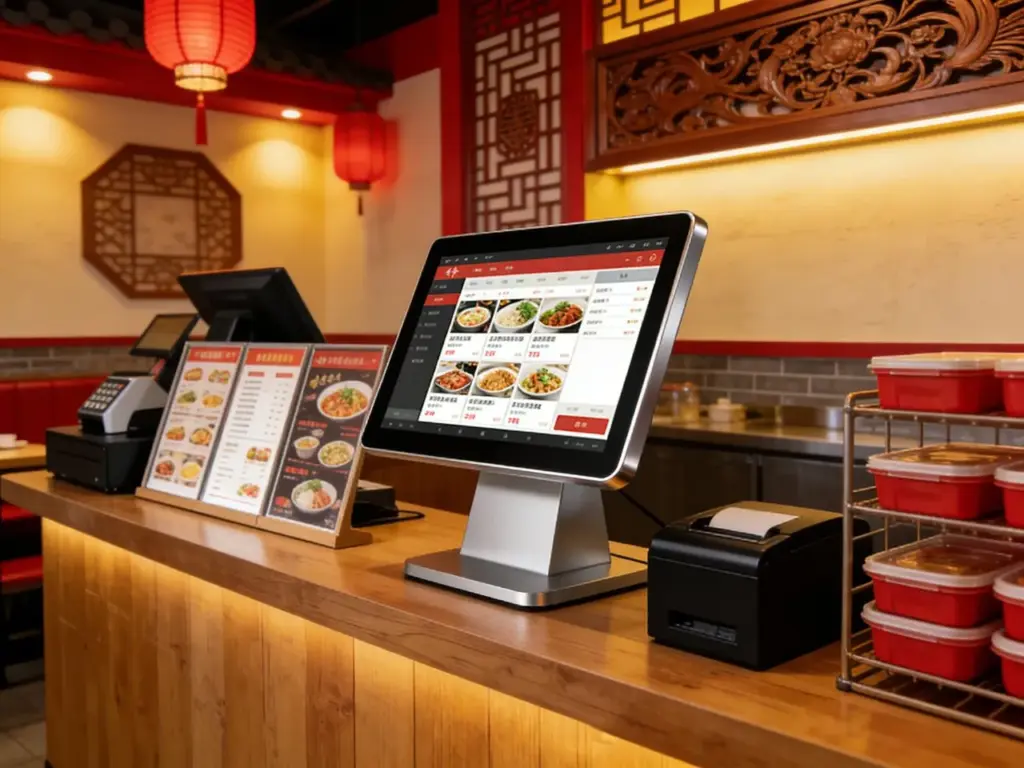
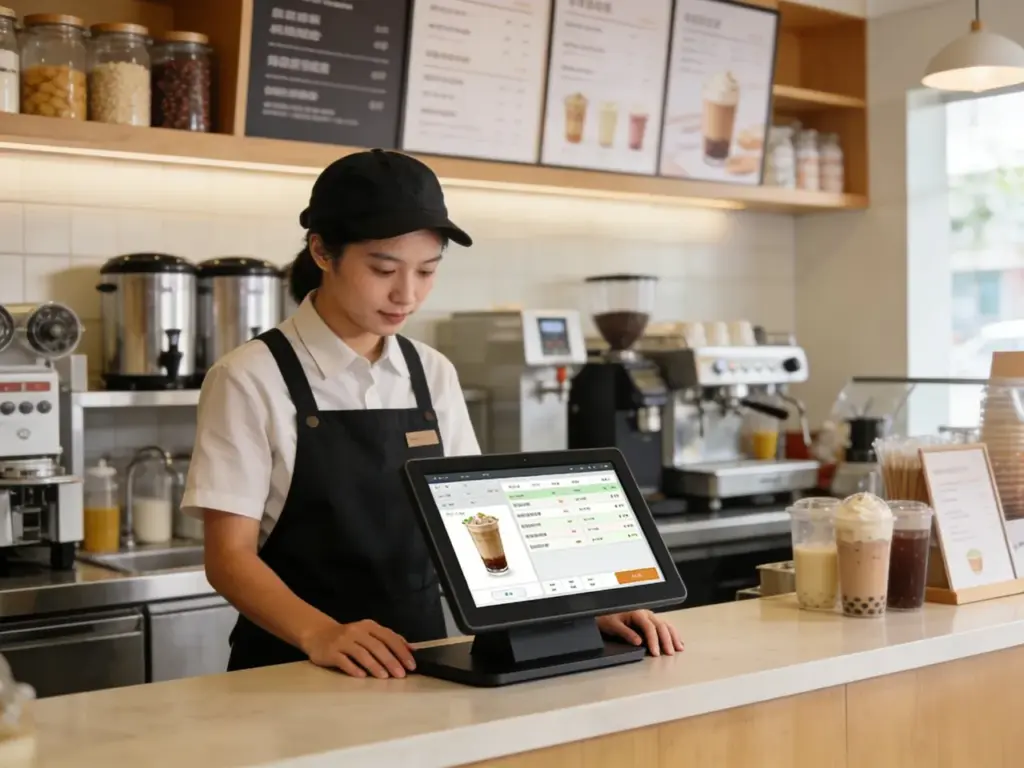
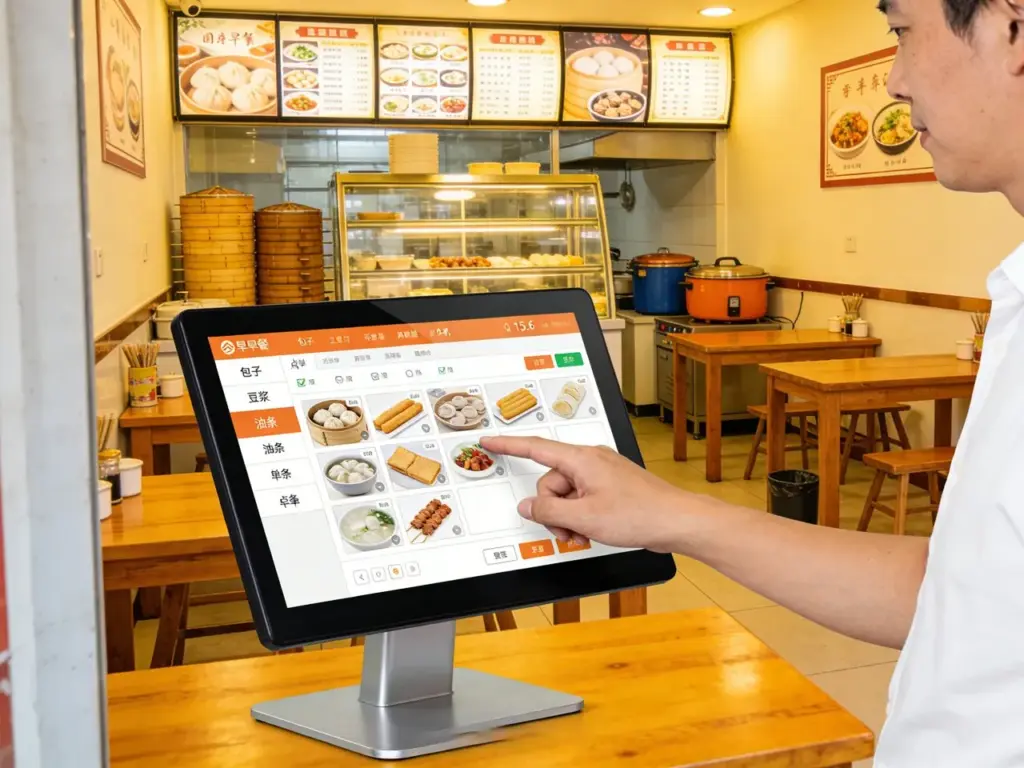
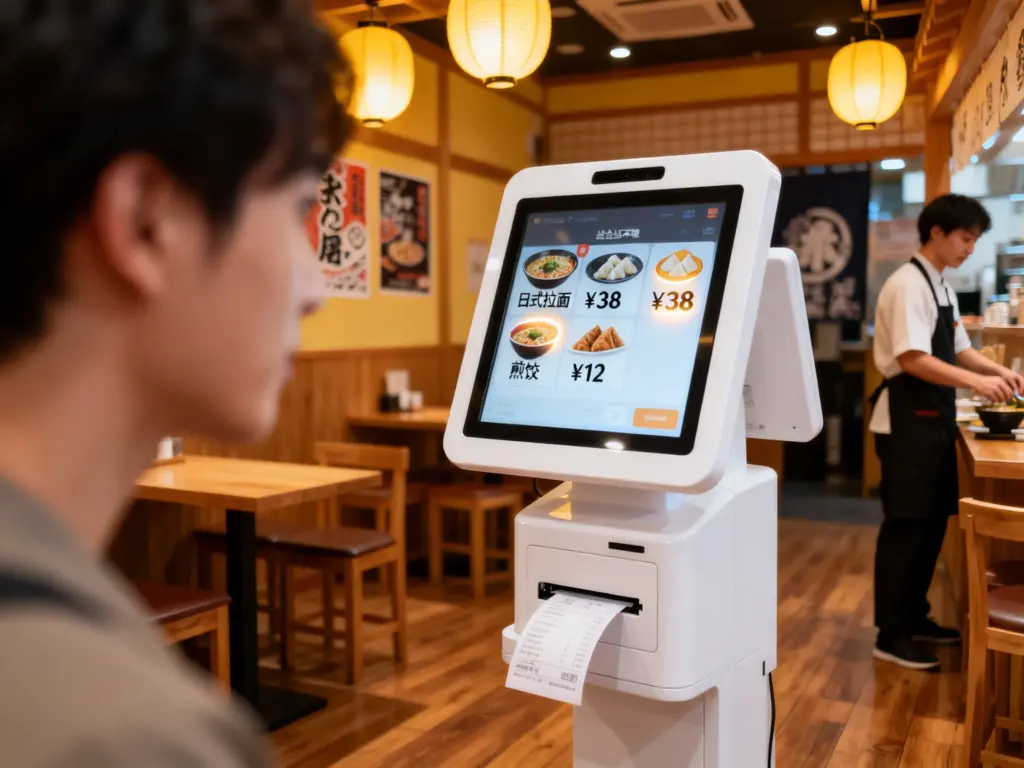
ລະບົບການຈອງຮ້ານອາຫານແມ່ນເຮັດໃຫ້ຫຼືພັກຜ່ອນເພື່ອຄວາມພໍໃຈຂອງແຂກ, ແຕ່ຂະບວນການລ້າສະໄຫມສ້າງຄວາມອຸກອັ່ງ: ລໍຖ້າດົນນານສໍາລັບພະນັກງານເພື່ອຢືນຢັນການຈອງ, ລະບົບໂທລະສັບທີ່ສັບສົນ, ຫຼືເຄື່ອງມືອອນໄລນ໌ທີ່ບໍ່ຕອບສະໜອງ. ບັນຫາເຫຼົ່ານີ້ເຮັດໃຫ້ລູກຄ້າສູນເສຍ, ຕາຕະລາງທີ່ຈອງເກີນ, ແລະພະນັກງານທີ່ເນັ້ນຫນັກ. ໃນພູມສັນຖານການກິນອາຫານທີ່ເລັ່ງດ່ວນຂອງມື້ນີ້, ແຂກຕ້ອງການໄວ, ວິທີການທີ່ເປັນເອກະລາດເພື່ອຮັບປະກັນສະຖານທີ່ຂອງພວກເຂົາ - ໂດຍບໍ່ຕ້ອງອີງໃສ່ເຄື່ອງແມ່ຂ່າຍທີ່ຫຍຸ້ງຢູ່ຫຼືແອັບຯທີ່ສັບສົນ. ການຈອງ ທຸຕ້າ ໜ້າຈໍສຳຜັດປ່ຽນວິທີທີ່ຮ້ານອາຫານຈັດການການຈອງ.
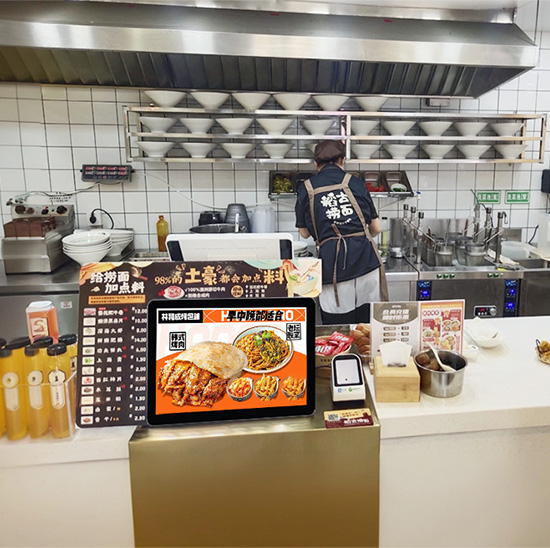
ອອກແບບມາເພື່ອຄວາມສະດວກໃນການບໍລິການຕົນເອງ, ໜ້າຈໍເຫຼົ່ານີ້ໃຫ້ແຂກຈອງໂຕະ, ເລືອກການຕັ້ງຄ່າບ່ອນນັ່ງ, ແລະຢືນຢັນເວລາມາຮອດໃນວິນາທີ—ທັງໝົດດ້ວຍການແຕະສອງສາມເທື່ອ. ພວກມັນທົນທານ, ງ່າຍທີ່ຈະທໍາຄວາມສະອາດ, ແລະເຫມາະສົມກັບສະພາບແວດລ້ອມຮ້ານອາຫານ (ການຮົ່ວໄຫລ, ການນໍາໃຊ້ຄົງທີ່, ການຈະລາຈອນຕີນສູງ). ບໍ່ວ່າທ່ານຈະດໍາເນີນຄາເຟ່ແບບທໍາມະດາ, bistro ຫຍຸ້ງ, ຫຼືການສ້າງຕັ້ງຮ້ານອາຫານດີ, ຫນ້າຈໍສໍາຜັດເຫຼົ່ານີ້ປັບປຸງການຈອງ, ຫຼຸດຜ່ອນວຽກງານພະນັກງານ, ແລະເຮັດໃຫ້ແຂກມີຄວາມສຸກ. ບົດຄວາມນີ້ແບ່ງອອກລັກສະນະທີ່ສໍາຄັນຂອງເຂົາເຈົ້າ, ຜົນປະໂຫຍດ, ຄໍາຮ້ອງສະຫມັກ, ແລະ FAQs ເພື່ອສະແດງໃຫ້ເຫັນວ່າພວກເຂົາປະຕິວັດການດໍາເນີນຮ້ານອາຫານແນວໃດ.
ຄຸນສົມບັດຫຼັກຂອງ Reservation Kiosk Touch Screen
1. ຂັ້ນຕອນການຈອງບໍລິການຕົນເອງທີ່ເຂົ້າໃຈງ່າຍ
ແຂກຕ້ອງການຄວາມລຽບງ່າຍ—ແລະໜ້າຈໍເຫຼົ່ານີ້ໃຫ້ປະສົບການທີ່ບໍ່ມີການຂັດຂ້ອງ:
ຂັ້ນຕອນການຈອງຂັ້ນຕອນ: ແຕະເພື່ອເລືອກວັນທີ, ເວລາ, ຂະຫນາດພັກ, ແລະຄວາມມັກບ່ອນນັ່ງ (e.g., “ພາຍໃນ,” “ກາງແຈ້ງ,""ບູດ") ໃນ 30 ວິນາທີຫຼືຫນ້ອຍກວ່າ.
ມີຕາຕະລາງເວລາຈິງ: ຊິ້ງກັບ POS ຫຼືລະບົບການຈອງຂອງທ່ານເພື່ອສະແດງຊ່ອງເປີດທີ່ຖືກຕ້ອງ, ປ້ອງກັນການຈອງເກີນ.
ການຢືນຢັນທັນທີ: ສົ່ງລາຍລະອຽດການຈອງໃຫ້ແຂກຜ່ານທາງ SMS ຫຼືອີເມລ໌ດ້ວຍການແຕະເທື່ອດຽວ, ລວມທັງລະຫັດ QR ສໍາລັບການກວດສອບໄວ.
ຕົວເລືອກທີ່ສາມາດປັບແຕ່ງໄດ້: ເພີ່ມຄໍາຮ້ອງຂໍພິເສດ (e.g., “ສະເຫຼີມສະຫຼອງວັນຄົບຮອບ,"ຕ້ອງການເກົ້າອີ້ສູງ") ເພື່ອປັບແຕ່ງປະສົບການຮັບປະທານອາຫານ.
ການອອກແບບທີ່ເປັນມິດກັບຜູ້ໃຊ້ນີ້ຫມາຍຄວາມວ່າແຂກທຸກເພດສາມາດຈອງໂຕະໄດ້ຢ່າງເປັນອິດສະຫຼະ, ບໍ່ຈໍາເປັນຕ້ອງມີການຊ່ວຍເຫຼືອພະນັກງານ.
2. ອະົາຫມັ້ນ, ການອອກແບບຫຼັກຖານສະແດງຮ້ານອາຫານ
ຮ້ານອາຫານແມ່ນສັບສົນ, ພື້ນທີ່ທີ່ມີການຈະລາຈອນສູງ - ແລະຫນ້າຈໍເຫຼົ່ານີ້ຖືກສ້າງຂື້ນເພື່ອທົນທານ:
IP65 / IP67 spill ແລະການຕໍ່ຕ້ານຝຸ່ນ: ຝາອັດປາກຂຸມປິດກັ້ນອາຫານ, ດື່ມນ້ຳຮົ່ວ, ແລະເຮັດຄວາມສະອາດສີດຈາກການທໍາລາຍອົງປະກອບພາຍໃນ.
ຕ້ານການຂູດ, ແກ້ວຕ້ານ stick: 9H ແກ້ວ tempered ມີສານເຄືອບທົນທານຕໍ່ຮອຍເປື້ອນ repels fingerprints, Ketchup, ແລະນໍ້າມັນ—ພຽງແຕ່ເຊັດໃຫ້ສະອາດດ້ວຍຜ້າຂ້າເຊື້ອ.
ກອບ rugged: ຂອບເສີມທົນທານຕໍ່ກັບການຕໍາໂດຍບັງເອີນຈາກເກົ້າອີ້, ຖາດ, ຫຼືແຂກທີ່ຄຶກຄື້ນ.
ການສະແດງເບິ່ງການເບິ່ງເຫັນສູງ: 800+ ຄວາມສະຫວ່າງ nit ຮັບປະກັນການອ່ານໄດ້ເຖິງແມ່ນວ່າຢູ່ໃນຫ້ອງຮັບປະທານອາຫານທີ່ມີແສງສະຫວ່າງຫນ້ອຍຫຼືທາງເຂົ້າບ່ອນມີແດດ.
3. ການເຊື່ອມໂຍງແບບບໍ່ຕິດຂັດກັບລະບົບຮ້ານອາຫານ
ພວກເຂົາເຊື່ອມຕໍ່ກັບເຄື່ອງມືທີ່ມີຢູ່ຂອງທ່ານເພື່ອຫຼີກເວັ້ນການເຮັດວຽກສອງເທົ່າ:
ຊິ້ງຊອບແວ POS/ຈອງ: ເຮັດວຽກກັບເວທີຊັ້ນນໍາ (ຈີ່, ຮຽບຮ້ອຍ, OpenTable, ສູນເສຍ) ເພື່ອປັບປຸງການມີຢູ່ໃນຕາຕະລາງໃນເວລາຈິງ.
ການແຈ້ງເຕືອນພະນັກງານ: ສົ່ງການແຈ້ງເຕືອນທັນທີໄປຫາເຊີບເວີຫຼືໂຮດຜ່ານ POS ຫຼືແອັບຯມືຖືເມື່ອມີການຈອງໃຫມ່.
ການເຊື່ອມໂຍງຖານຂໍ້ມູນຂອງລູກຄ້າ: ເກັບຮັກສາຄວາມມັກຂອງແຂກ (e.g., "ມັກບ່ອນນັ່ງປ່ອງຢ້ຽມ") ແລະຂໍ້ມູນຕິດຕໍ່ສໍາລັບການຕິດຕາມສ່ວນບຸກຄົນ.
ລາຍງານແຜງໜ້າປັດ: ຕິດຕາມແນວໂນ້ມການຈອງ (e.g., “ວັນສຸກທີ່ຫຍຸ້ງຢູ່ 7 PM”) ເພື່ອເພີ່ມປະສິດທິພາບຂອງພະນັກງານແລະບ່ອນນັ່ງ.
ການລວມເຂົ້າກັນນີ້ຮັບປະກັນວ່າລະບົບການຈອງຂອງທ່ານຢູ່ສະເໝີ—ບໍ່ມີການອັບເດດຄູ່ມື ຫຼືການຈອງທີ່ຂັດແຍ້ງກັນອີກຕໍ່ໄປ..
4. ຍີ່ຫໍ້ທີ່ສາມາດປັບແຕ່ງໄດ້ & ຄຸນສົມບັດເພີ່ມເຕີມ
ປັບ kiosk ໃຫ້ກັບ vibe ຂອງຮ້ານອາຫານຂອງທ່ານແລະຂະຫຍາຍການເຮັດວຽກ:
ການໂຕ້ຕອບຍີ່ຫໍ້: ເພີ່ມໂລໂກ້ຂອງເຈົ້າ, ສີສັນ, ແລະຈຸດເດັ່ນຂອງເມນູເພື່ອເສີມສ້າງເອກະລັກຂອງຮ້ານອາຫານຂອງທ່ານ.
ການຈັດການລາຍຊື່ລໍຖ້າ: ໃຫ້ແຂກທີ່ຍ່າງເຂົ້າມາເຂົ້າຮ່ວມລາຍຊື່ລໍຖ້າແບບດິຈິຕອລດ້ວຍການເຕືອນ SMS ເມື່ອໂຕະຂອງພວກເຂົາພ້ອມແລ້ວ.
ຕົວເລືອກການສັ່ງຈອງລ່ວງໜ້າ: ເພີ່ມການຂາຍໂດຍການໃຫ້ແຂກເລືອກເຄື່ອງຮັບປະທານ ຫຼື ເຄື່ອງດື່ມກ່ອນໃນລະຫວ່າງຂັ້ນຕອນການຈອງ.
ສະຫນັບສະຫນູນຫຼາຍພາສາ: ສະເໜີພາສາອັງກິດ, ສະເປນ, ຝຣັ່ງ, ແລະອື່ນໆອີກເພື່ອຕອບສະໜອງລູກຄ້າທີ່ຫຼາກຫຼາຍ.
5. ຕອບສະໜອງໄວ & ການເຂົ້າເຖິງ
ຄວາມໄວແລະຄວາມສໍາຄັນໃນການລວມເອົາ — ແລະຫນ້າຈໍເຫຼົ່ານີ້ນໍາໃຊ້ທັງສອງ:
Sub-10ms touch latency: ບໍ່ມີການຊັກຊ້າລະຫວ່າງ taps ແລະການປະຕິບັດ, ປ້ອງກັນຄວາມອຸກອັ່ງຂອງແຂກຈາກການຄວບຄຸມທີ່ບໍ່ຕອບສະຫນອງ.
ປຸ້ມ, ໄອຄອນທີ່ສາມາດອ່ານໄດ້: ຂໍ້ຄວາມຕົວໜາ ແລະກາຟິກທີ່ງ່າຍດາຍເຮັດໃຫ້ການນຳທາງໄດ້ງ່າຍສຳລັບຜູ້ສູງອາຍຸ ຫຼືແຂກທີ່ມີຄວາມບົກຜ່ອງທາງສາຍຕາ.
ຄຸນລັກສະນະການເຂົ້າເຖິງ: ສະຫນັບສະຫນູນສໍາລັບເຄື່ອງອ່ານຫນ້າຈໍແລະຂະຫນາດຂໍ້ຄວາມທີ່ສາມາດປັບໄດ້ເພື່ອປະຕິບັດຕາມມາດຕະຖານ ADA.
24/7 ການປະຕິບັດງານ: ຮັກສາ kiosks ເຮັດວຽກໃນລະຫວ່າງຊົ່ວໂມງຮ້ານອາຫານ (ແລະເຖິງແມ່ນວ່າຫຼັງຈາກປິດ) ສໍາລັບການຈອງຕອນເດິກ.
ຜົນປະໂຫຍດທີ່ສໍາຄັນສໍາລັບຮ້ານອາຫານ & ອາຫານຄ່ຳ
1. ປັບປຸງປະສົບການຂອງແຂກ & ຄວາມພໍໃຈ
ແຂກທີ່ມີຄວາມສຸກກາຍເປັນລູກຄ້າຊ້ຳໆ—ແລະໜ້າຈໍເຫຼົ່ານີ້ສົ່ງຄວາມສຸກໃນທຸກຂັ້ນຕອນ:
ຕັດເວລາລໍຖ້າສຳລັບການຈອງ: ແຂກຈອງໂຕະພາຍໃນວິນາທີ, ບໍ່ຕ້ອງຖືໂທລະສັບ ຫຼືລໍຖ້າພະນັກງານອີກຕໍ່ໄປ.
ຫຼຸດຜ່ອນການບໍ່ມີການສະແດງ: ຂໍ້ຄວາມ/ອີເມລ໌ຢືນຢັນ ແລະການແຈ້ງເຕືອນລ່ວງໜ້າການມາຮອດຫຼຸດອັດຕາການບໍ່ສະແດງໂດຍ 30–40%.
ສ້າງຄວາມເຂັ້ມແຂງທາງເລືອກຂອງແຂກ: ໃຫ້ຜູ້ກິນເຂົ້າເລືອກບ່ອນນັ່ງທີ່ເຂົາເຈົ້າຕ້ອງການ ຫຼືເພີ່ມຄຳຮ້ອງຂໍພິເສດ, ເຮັດໃຫ້ພວກເຂົາຮູ້ສຶກວ່າມີຄຸນຄ່າ.
ເຮັດໃຫ້ເຊັກອິນງ່າຍ: ການຢືນຢັນລະຫັດ QR ຊ່ວຍໃຫ້ເຈົ້າພາບນັ່ງໄດ້ທັນທີ, ຂ້າມ "ເຈົ້າມີການຈອງ?” ສາຍ.
2. ຫຼຸດຜ່ອນການເຮັດວຽກຂອງພະນັກງານ & ປັບປຸງປະສິດທິພາບ
ພະນັກງານສຸມໃສ່ການໃຫ້ບໍລິການອາຫານ - ບໍ່ແມ່ນການຈັດການການຈອງ - ດ້ວຍຫນ້າຈໍເຫຼົ່ານີ້:
ສ້າງພື້ນທີ່ຫວ່າງໂຮສ/ເຊີບເວີ: ລົບລ້າງເວລາທີ່ໃຊ້ໃນການຕອບການໂທການຈອງຫຼືການປ້ອນການຈອງເຂົ້າໄປໃນລະບົບດ້ວຍຕົນເອງ.
ປ້ອງກັນການຈອງເກີນ: ການຊິ້ງຂໍ້ມູນແບບສົດໆກັບ POS ຮັບປະກັນການນັບຕາຕະລາງທີ່ຖືກຕ້ອງ, ຫຼຸດຜ່ອນຄວາມກົດດັນຈາກຕາຕະລາງ double-booked.
ປັບບ່ອນນັ່ງໃຫ້ສະດວກສະບາຍ: ເຈົ້າພາບເບິ່ງລາຍລະອຽດການຈອງແລະຄໍາຮ້ອງຂໍພິເສດຢູ່ໃນອຸປະກອນຂອງພວກເຂົາ, ເຮັດໃຫ້ໄວຂຶ້ນ, ບ່ອນນັ່ງສ່ວນບຸກຄົນຫຼາຍຂຶ້ນ.
ຕັດເວລາການຝຶກອົບຮົມ: ຊອບແວທີ່ເຂົ້າໃຈໄດ້ຫມາຍຄວາມວ່າພະນັກງານສາມາດຮຽນຮູ້ການຈັດການ kiosk ໃນນາທີ, ບໍ່ມີທັກສະດ້ານວິຊາການທີ່ຈໍາເປັນ.
3. ເພີ່ມລາຍຮັບ & ການຫັນປ່ຽນຕາຕະລາງ
ການຈອງທີ່ມີປະສິດທິຜົນຫມາຍເຖິງບ່ອນນັ່ງຫຼາຍ - ແລະກໍາໄລທີ່ສູງຂຶ້ນ:
ຕື່ມຂໍ້ມູນໃສ່ຕາຕະລາງເປົ່າ: ບັນທຶກການຈອງໃນນາທີສຸດທ້າຍຈາກຄົນຍ່າງເຂົ້າ ຫຼືຄົນຍ່າງຜ່ານຜູ້ທີ່ອາດຈະອອກໄປ.
ປັບປຸງການຈັດວາງບ່ອນນັ່ງໃຫ້ເໝາະສົມ: ໃຊ້ຂໍ້ມູນການຈອງເພື່ອກໍານົດຕາຕະລາງຍຸດທະສາດ, ເພີ່ມທະວີການຜະລິດໂດຍ 15-20%.
ໂອກາດການຂາຍ: ທາງເລືອກການສັ່ງລ່ວງຫນ້າແລະການຮ້ອງຂໍພິເສດກະຕຸ້ນ (e.g., “ການຈັບຄູ່ເຫຼົ້າແວງເພື່ອຄົບຮອບ?") ເພີ່ມມູນຄ່າການກວດສອບສະເລ່ຍ.
ດຶງດູດແຂກທີ່ມີຄວາມຮູ້ດ້ານເຕັກໂນໂລຢີ: ເຄື່ອງມືການບໍລິການຕົນເອງທີ່ທັນສະໄຫມຂໍອຸທອນກັບ millennials ແລະ Gen Z, ປະຊາກອນທີ່ສໍາຄັນສໍາລັບຮ້ານອາຫານ.
4. ຄ່າໃຊ້ຈ່າຍໃນການປະຕິບັດງານຕ່ໍາ & ຂັບ ROI
ຫນ້າຈໍເຫຼົ່ານີ້ສະຫນອງການປະຫຍັດໃນໄລຍະຍາວທີ່ມີຜົນກະທົບເສັ້ນທາງລຸ່ມຂອງທ່ານ:
ຫຼຸດຜ່ອນການສູນເສຍທີ່ບໍ່ສະແດງ: ບໍ່ມີການສະແດງໜ້ອຍລົງໝາຍເຖິງລາຍໄດ້ຈາກຕາຕະລາງທີ່ເຕັມໄປ (ຮ້ານອາຫານທີ່ບໍ່ມີການສະແດງລາຄາ $10B ຕໍ່ປີໃນສະຫະລັດ.).
ຕັດຄ່າໃຊ້ຈ່າຍແຮງງານ: ໃຊ້ເວລາຫນ້ອຍລົງໃນການຈອງຫມາຍຄວາມວ່າທ່ານສາມາດຈັດສັນພະນັກງານໃຫ້ກັບວຽກງານທີ່ສ້າງລາຍໄດ້ (ການບໍລິການ, ການຂາຍ).
ຫຼຸດຄ່າທຳນຽມຊອບແວ: ປ່ຽນແທນແອັບການຈອງພາກສ່ວນທີສາມທີ່ມີລາຄາແພງດ້ວຍການລົງທືນ kiosk ຄັ້ງດຽວ (ROI ໃນ 6-12 ເດືອນສໍາລັບຮ້ານອາຫານສ່ວນໃຫຍ່).
ການອອກແບບທີ່ທົນທານ: ອົງປະກອບຂອງອຸດສາຫະກໍາຊັ້ນສູງ 5+ ປີ, ການຫຼຸດຜ່ອນຄ່າໃຊ້ຈ່າຍໃນການທົດແທນ vs. ແທັບເລັດຜູ້ບໍລິໂພກທີ່ອ່ອນແອ.
ຄໍາຮ້ອງສະຫມັກພາກປະຕິບັດສໍາລັບປະເພດຮ້ານອາຫານທີ່ແຕກຕ່າງກັນ
1. ຮັບປະທານອາຫານແບບສະບາຍໆ & ຮ້ານອາຫານທີ່ໄວ - ທໍາມະດາ
ສໍາລັບຈຸດທີ່ຫຍຸ້ງທີ່ມີການຈະລາຈອນຕີນສູງ (ຄາເຟ່, ຂໍ້ຕໍ່ burger, ບາສະຫຼັດ):
ເນັ້ນການຈອງດ່ວນ: ງ່າຍຂະບວນການສໍາລັບອາຫານ 15-30 ນາທີ turns, ໃຫ້ແຂກຈອງແລະເຊັກອິນໄວ.
ການເຊື່ອມໂຍງບັນຊີລໍຖ້າ: ສົມທົບການຈອງກັບລາຍຊື່ລໍຖ້າແບບດິຈິຕອນເພື່ອຈັດການທັງແຂກທີ່ຈອງແລ້ວ ແລະ ແຂກທີ່ເຂົ້າມາ.
ການສັ່ງກ່ອນການບໍລິການທາງໜ້າ: ໃຫ້ແຂກຈອງໂຕະ ແລະສັ່ງອາຫານລ່ວງໜ້າເພື່ອຂ້າມສາຍທັງໝົດ.
2. Fine-Dining & ຮ້ານອາຫານໂອກາດພິເສດ
ສໍາລັບສະຖານທີ່ສູງ (ຮ້ານສະເຕັກ, ຮ້ານອາຫານທະເລ, ເມນູລົດຊາດ):
ການປັບແຕ່ງບ່ອນນັ່ງຕາມໃຈມັກ: ສະເຫນີທາງເລືອກເຊັ່ນ "ຕາຕະລາງຂອງພໍ່ຄົວ,” “ອາຫານສ່ວນຕົວ,” ຫຼື “ມຸມງຽບ” ເພື່ອໃຫ້ກົງກັບປະສົບການທີ່ນິຍົມ.
ການຕິດຕາມຄໍາຮ້ອງສະຫມັກພິເສດ: ບັນທຶກຂໍ້ຈໍາກັດກ່ຽວກັບອາຫານ, ບັນທຶກຄົບຮອບ, ຫຼືຄວາມມັກເຫຼົ້າແວງເພື່ອປັບແຕ່ງການບໍລິການສ່ວນຕົວ.
ການຮັບຮູ້ແຂກ VIP: ທຸງແຂກທີ່ກັບມາ ຫຼືໂອກາດພິເສດຢູ່ໜ້າກະດານຂອງເຈົ້າພາບສຳລັບການປິ່ນປົວຜ້າພົມແດງ.
3. ບາ & Bistros
ສໍາລັບສະຖານທີ່ທີ່ມີບ່ອນນັ່ງແບບເຄື່ອນໄຫວ (patio ນອກ, ອາຈົມບາ, tops ສູງ):
ຂະໜາດຂອງງານລ້ຽງທີ່ມີຄວາມຍືດຫຍຸ່ນ: ຮອງຮັບກຸ່ມນ້ອຍໆ (2– 4 ຄົນ) ແລະພາກສ່ວນໃຫຍ່ (10+) ດ້ວຍການກໍານົດຕາຕະລາງທີ່ສາມາດປັບໄດ້.
ການຈັດການເວລາ-ຊ່ອງ: ຕັ້ງປ່ອງຢ້ຽມການຈອງ 90 ນາທີເພື່ອຮັບປະກັນການຫັນປ່ຽນຕາຕະລາງສໍາລັບການຟ້າວຕອນແລງ.
ດື່ມກ່ອນສັ່ງ: ໃຫ້ແຂກຈອງໂຕະໄວ້ກ່ອນ ແລະເລືອກຄັອກເທນ ຫຼືເຄື່ອງກິນເຂົ້າແລງກ່ອນເພື່ອເລີ່ມຕົ້ນຄືນໄວຂຶ້ນ.
4. ຮ້ານອາຫານຕ່ອງໂສ້ & ຍີ່ຫໍ້ຫຼາຍສະຖານທີ່
ສໍາລັບ franchises ຫຼືລະບົບຕ່ອງໂສ້ພາກພື້ນ:
ການຄຸ້ມຄອງສູນກາງ: ຕິດຕາມກວດກາການຈອງໃນທົ່ວທຸກສະຖານທີ່ຈາກ dashboard ດຽວ.
ຍີ່ຫໍ້ທີ່ສອດຄ່ອງ: ໃຫ້ແນ່ໃຈວ່າ kiosks ກົງກັບຕົວຕົນສາຍຕາຂອງລະບົບຕ່ອງໂສ້ຂອງທ່ານ (ສີສັນ, ໂລໂກ້, ຂໍ້ຄວາມ) ສໍາລັບການຮັບຮູ້ຍີ່ຫໍ້.
ການເຊື່ອມໂຍງທີ່ສາມາດຂະຫຍາຍໄດ້: ຊິ້ງກັບລະບົບ POS ໃນທົ່ວລະບົບຕ່ອງໂສ້ເພື່ອເຮັດມາດຕະຖານຂັ້ນຕອນການຈອງແລະການລາຍງານ.
FAQs ກ່ຽວກັບການຈອງ Kiosk Touch Screens
q1: kiosk ຈະ sync ກັບຮ້ານອາຫານ POS ທີ່ມີຢູ່ແລ້ວຂອງຂ້ອຍຫຼືຊອບແວການຈອງ?
A1: ແລ້ວ. ມັນເຂົ້າກັນໄດ້ກັບທຸກເວທີຊັ້ນນໍາ (ຈີ່, ຮຽບຮ້ອຍ, OpenTable, ສູນເສຍ) ແລະໃຊ້ APIs ມາດຕະຖານສໍາລັບການເຊື່ອມໂຍງກັບ seamless. ທີມງານຂອງພວກເຮົາທົດສອບຄວາມເຂົ້າກັນໄດ້ກ່ອນທີ່ຈະຕິດຕັ້ງເພື່ອຫຼີກເວັ້ນການລົບກວນ.
Q2: ມັນງ່າຍປານໃດທີ່ຈະເຮັດຄວາມສະອາດໜ້າຈໍໃນຮ້ານອາຫານທີ່ຫຍຸ້ງຢູ່?
A2: ງ່າຍຫຼາຍ! ທົນທານຕໍ່ smudge, ແກ້ວທີ່ມີລະດັບ IP65 ຊ່ວຍໃຫ້ທ່ານສາມາດເຊັດການຮົ່ວໄຫຼ ຫຼືລາຍນິ້ວມືດ້ວຍຜ້າຢາຂ້າເຊື້ອໂລກ—ບໍ່ຈໍາເປັນຕ້ອງປິດເຄື່ອງ ຫຼືໃຊ້ນໍ້າສະອາດພິເສດ.. ມັນຖືກອອກແບບມາສໍາລັບການທໍາຄວາມສະອາດທຸກຊົ່ວໂມງໃນສະຖານທີ່ທີ່ມີການຈະລາຈອນສູງ.
Q3: ແຂກສາມາດສັ່ງຈອງສຳລັບວັນທີໃນອະນາຄົດໄດ້, ຫຼືພຽງແຕ່ການຈອງໃນມື້ດຽວກັນ?
A3: ທັງສອງ! ແຂກສາມາດຈອງໂຕະໃນມື້ດຽວກັນ ຫຼືຈອງອາທິດລ່ວງໜ້າ-ອັນໃດກໍໄດ້ທີ່ຮ້ານອາຫານຂອງເຈົ້າອະນຸຍາດ. ໜ້າຈໍສະແດງເວລາຫວ່າງສຳລັບວັນທີທັງໝົດໃນໜ້າຈໍການຈອງຂອງທ່ານ.
Q4: kiosks ຕ້ອງການການເຂົ້າເຖິງອິນເຕີເນັດເພື່ອເຮັດວຽກ?
A4: ແລ້ວ, ພວກເຂົາຕ້ອງການ Wi-Fi ຫຼື Ethernet ເພື່ອ sync ກັບ POS ຂອງທ່ານແລະສົ່ງການຢືນຢັນ. ເຖິງຢ່າງໃດກໍ່ຕາມ, ພວກເຂົາເກັບຂໍ້ມູນການຈອງພື້ນຖານຢູ່ໃນທ້ອງຖິ່ນຖ້າການເຊື່ອມຕໍ່ຫຼຸດລົງ, ດັ່ງນັ້ນແຂກຍັງສາມາດຈອງໂຕະໄດ້ - ຊິ້ງອັດຕະໂນມັດເມື່ອອິນເຕີເນັດກັບມາ.
Q5: ການຮັບປະກັນອັນໃດມາພ້ອມກັບໜ້າຈໍສໍາຜັດ Kiosk ການຈອງ?
A5: ທຸກໆແບບປະກອບມີການຮັບປະກັນ 3 ປີເຊິ່ງກວມເອົາຂໍ້ບົກພ່ອງຂອງຮາດແວ, ຄວາມເສຍຫາຍຮົ່ວໄຫຼ, ແລະການຕອບສະຫນອງສໍາພັດ. ຂະຫຍາຍການຮັບປະກັນ 5 ປີມີໃຫ້ສໍາລັບຮ້ານອາຫານຫຼາຍສະຖານທີ່, ນໍາ 24/7 ສະຫນັບສະຫນູນດ້ານເຕັກນິກ.
ສະຫຼຸບ
Reservation Kiosk Touch Screen ແມ່ນຕົວປ່ຽນເກມສໍາລັບຮ້ານອາຫານທີ່ຊອກຫາເພື່ອເຮັດໃຫ້ການຈອງງ່າຍຂຶ້ນ, ດີໃຈແຂກ, ແລະຫຼຸດຜ່ອນຄວາມກົດດັນຂອງພະນັກງານ. ການອອກແບບ intuitive ຂອງຕົນ, ການກໍ່ສ້າງທົນທານ, ແລະການລວມເຂົ້າກັນຢ່າງບໍ່ຢຸດຢັ້ງກັບລະບົບຮ້ານອາຫານເຮັດໃຫ້ມັນເປັນເຄື່ອງມືທີ່ຕ້ອງມີຢູ່ໃນພູມສັນຖານຮ້ານອາຫານແບບບໍລິການຕົນເອງຂອງມື້ນີ້.. ບໍ່ວ່າເຈົ້າຈະເມື່ອຍກັບການຈອງເກີນ, ສູນເສຍການຈອງ, ຫຼືເຈົ້າພາບຄວາມກົດດັນ, ຫນ້າຈໍສໍາຜັດເຫຼົ່ານີ້ເຮັດໃຫ້ຂະບວນການຈອງເປັນໄວ, ປະສົບການທີ່ບໍ່ມີການຂັດແຍ່ງ—ສໍາລັບທັງແຂກແລະທີມງານຂອງທ່ານ.
ພ້ອມແລ້ວທີ່ຈະຍົກລະດັບຮ້ານອາຫານຂອງທ່ານດ້ວຍຕູ້ການຈອງແບບບໍລິການຕົນເອງ? ຕື່ມແບບຟອມຢູ່ໃນເວັບໄຊທ໌ຂອງພວກເຮົາເພື່ອເຊື່ອມຕໍ່ກັບຜູ້ຊ່ຽວຊານດ້ານເຕັກໂນໂລຢີການຕ້ອນຮັບຂອງພວກເຮົາ. ພວກເຮົາຈະປະເມີນຂະຫນາດຮ້ານອາຫານຂອງເຈົ້າ, ລະບົບທີ່ມີຢູ່ແລ້ວ, ແລະການສ້າງຍີ່ຫໍ້, ແນະນໍາຮູບແບບຫນ້າຈໍສໍາພັດທີ່ສົມບູນແບບ, ແລະສະຫນອງການສາທິດຟຣີ. ມາປ່ຽນຄວາມເຈັບຫົວຂອງການຈອງເປັນແຂກທີ່ມີຄວາມສຸກ—ເລີ່ມມື້ນີ້!