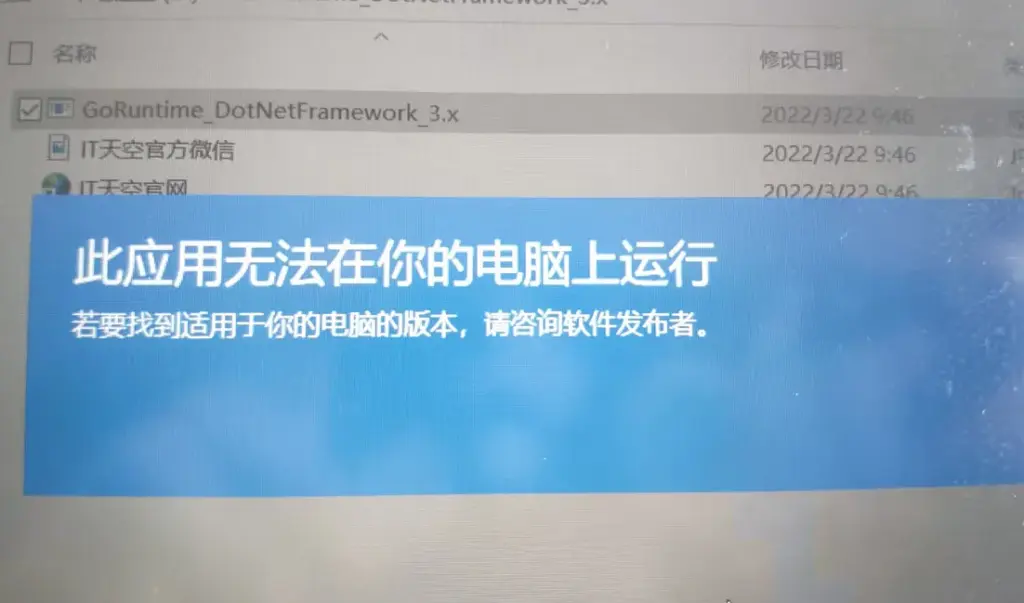
Reason:Blocked by the system
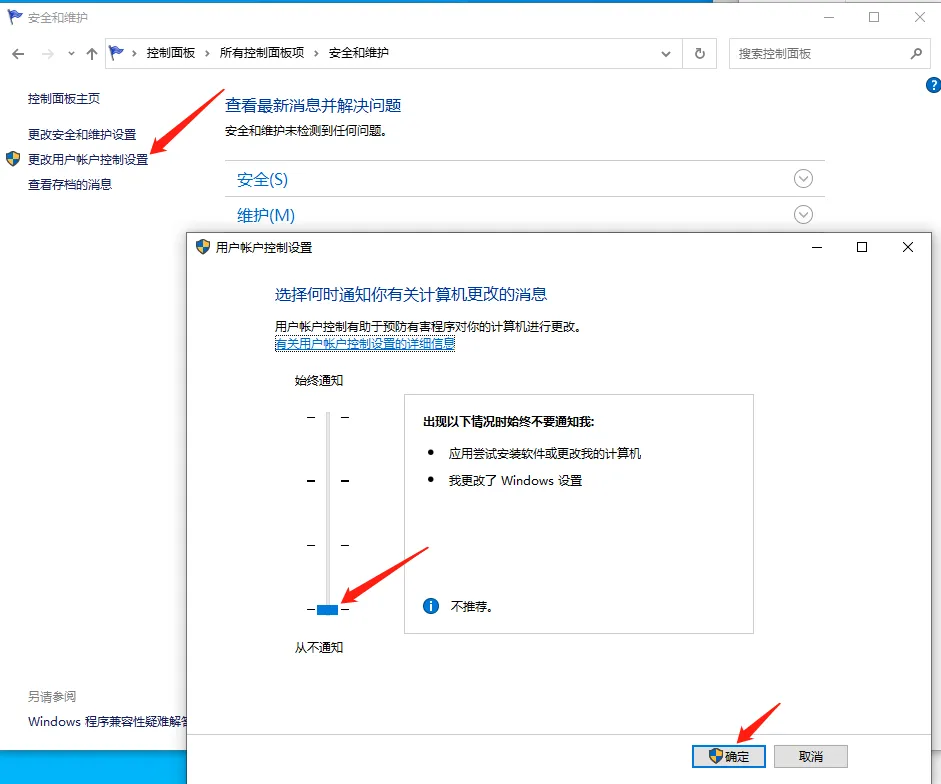
Penyelesaian:”Disable blocking:Control Panel → Security and Maintenance → Change User Account Control settings → Set to “Never notify””.
Reason:If you’re using Windows 10, it could be a compatibility issue.
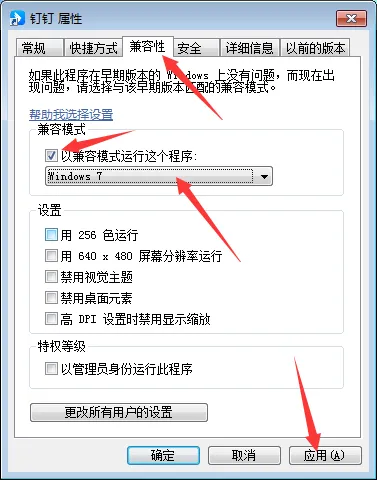
Penyelesaian:Right-click the installed application — select Properties from the menu — click the “Compatibility” tab in the Properties panel — check the box labeled “Run this program in compatibility mode” — set the system to Windows 7 — then click the Apply button.