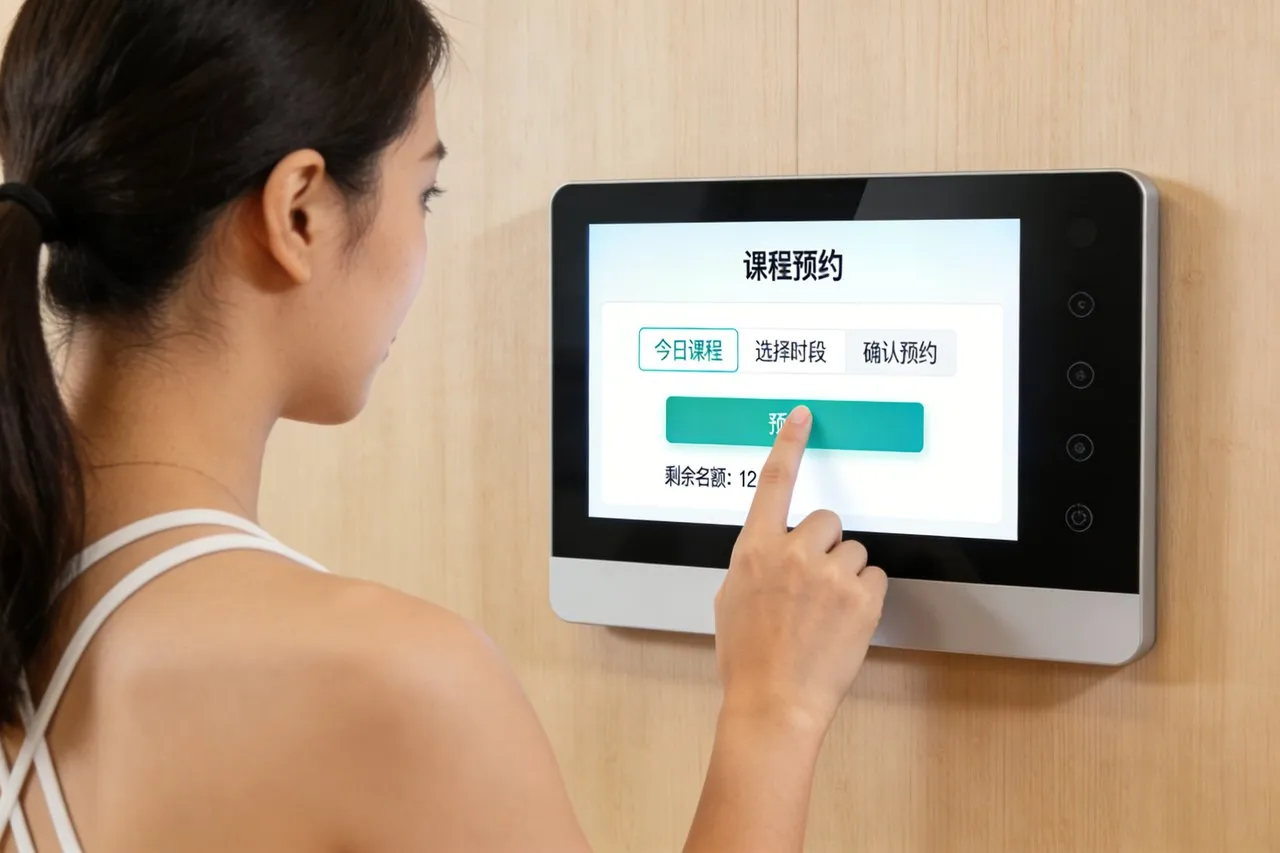
Penggunaan tenaga rumah membentuk keselesaan harian, belanjawan bulanan, dan kesan alam sekitar. Namun kebanyakan isi rumah menguruskan tenaga dengan alat yang terputus-putus: termostat berasingan, kawalan perkakas, dan bil utiliti yang menawarkan tidak jelas, pandangan bersatu tentang penggunaan. Anda mungkin terlalu panaskan bilik kosong, biarkan peranti lapar tenaga berjalan semalaman, atau terlepas peluang untuk mengalihkan penggunaan kepada waktu luar puncak. Ketidakcekapan ini mengalirkan dompet dan meningkatkan jejak karbon, tanpa cara mudah untuk mengesan atau membetulkannya. Skrin Sentuh Pengurusan Tenaga mengubah huru-hara ini menjadi kawalan, berfungsi sebagai hab pusat untuk sistem pengurusan tenaga rumah anda (HEMS).
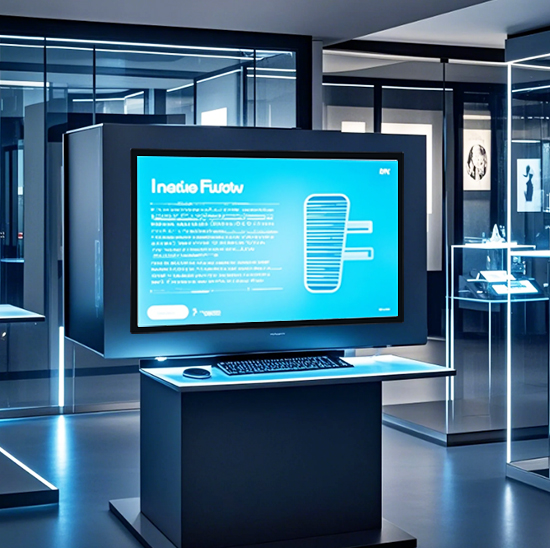
Direka bentuk untuk menyegerak dengan setiap peranti pintar—termostat, lampu, peralatan, panel solar, dan bateri—skrin sentuh ini menyampaikan data tenaga masa nyata, penjadualan automatik, dan pelarasan satu ketik. Ia menghilangkan tekaan, mengenal pasti tabiat membazir, dan membolehkan anda mengoptimumkan penggunaan tenaga tanpa mengorbankan keselesaan. Sama ada anda pemilik rumah yang mementingkan alam sekitar, penyewa berfokuskan bajet, atau peminat teknologi membina rumah pintar, skrin sentuh ini adalah kunci kepada cekap, pengurusan tenaga mampan. Artikel ini menguraikan ciri terasnya, faedah, aplikasi, dan Soalan Lazim untuk menunjukkan cara ia merevolusikan penggunaan tenaga rumah.
Ciri Teras Skrin Sentuh Pengurusan Tenaga
1. Pemantauan Tenaga Masa Nyata & Visualisasi Data
Jelas, data tenaga boleh tindakan ialah asas pengurusan pintar—dan skrin sentuh ini menyampaikannya:
Penjejakan tenaga seluruh rumah: Pantau jumlah elektrik, gas, dan penggunaan air dalam masa nyata, dikemas kini setiap 10 saat.
Pecahan peringkat peranti: Lihat berapa banyak tenaga peralatan individu (HVAC, peti ais, Pengecas EV) memakan, dengan carta berkod warna untuk analisis yang mudah.
Kalkulator kos: Tukar penggunaan tenaga kepada jumlah dolar, supaya anda tahu dengan tepat berapa banyak setiap peranti menambah bil utiliti anda.
Analisis trend sejarah: Lihat setiap hari, mingguan, atau corak penggunaan bulanan untuk mengesan tabiat membazir (mis., penggunaan AC yang berlebihan pada hujung minggu).
Keterlihatan ini menukar data tenaga abstrak menjadi langkah konkrit untuk penjimatan.
2. Kawalan Berpusat Semua Peranti Rumah Pintar
Satu ketikan menggantikan berpuluh-puluh alat kawalan jauh dan apl untuk mengurus pengguna tenaga rumah anda:
Pengoptimuman HVAC: Laraskan suhu termostat, tetapkan jadual, dan bertukar antara mod pemanasan/penyejukan daripada skrin sentuh.
Kawalan pencahayaan pintar: Malap, matikan, atau jadualkan lampu di setiap bilik untuk mengelak daripada membiarkannya menyala apabila ruang kosong.
Pengurusan perkakas: Pantau dan kawal peranti yang haus tenaga (mesin basuh, pengering, Pengecas EV) untuk berjalan hanya pada waktu luar puncak.
suria & penyegerakan bateri: Jejaki output panel solar, menguruskan storan bateri, dan tentukan masa untuk menggunakan kuasa tersimpan vs. elektrik grid.
Pemusatan ini memudahkan pengurusan tenaga untuk setiap ahli isi rumah.
3. Penjadualan Automatik & Pengurangan Permintaan Puncak
Program rumah anda untuk menggunakan tenaga dengan cekap tanpa pelarasan manual yang berterusan:
Rutin tenaga tersuai: Buat pratetap seperti "Mod Jauh" (matikan peranti yang tidak penting, termostat yang lebih rendah) atau "Rutin Pagi" (hidupkan lampu, dapur yang hangat).
Penjadualan luar puncak: Jalankan peralatan secara automatik (mesin basuh pinggan mangkuk, Pengecas EV) semasa kos rendah, waktu permintaan rendah untuk mengurangkan bil utiliti.
Makluman permintaan puncak: Terima amaran apabila permintaan grid meningkat, dan mencetuskan pengurangan beban automatik untuk mengelakkan caj permintaan yang mahal.
Pengoptimuman lebihan suria: Ubah hala lebihan tenaga suria untuk mengecas bateri atau peralatan kuasa dan bukannya menghantarnya kembali ke grid untuk kredit minimum.
Ciri-ciri ini menjadikan skrin sentuh menjadi a 24/7 pembantu kecekapan tenaga.
4. Integrasi Rumah Pintar Lancar & Keserasian
Ia berfungsi dengan peranti sedia ada anda untuk membina ekosistem tenaga bersatu:
Keserasian merentas jenama: Segerakkan dengan jenama rumah pintar terkemuka (sarang, Ecobee, Philips Hue, Tesla Powerwall) melalui Wi-Fi, Bluetooth, atau Zigbee.
Gandingan kawalan suara: Berhubung dengan Alexa, Pembantu Google, atau Siri untuk arahan bebas tangan (mis., “Hei Google, aktifkan Mod Jauh”).
Penyegerakan bil utiliti: Paut ke akaun utiliti anda untuk mengimport bil secara automatik dan menjejaki penjimatan dari semasa ke semasa.
Sokongan berbilang rumah: Urus penggunaan tenaga untuk berbilang sifat (rumah utama, rumah percutian, sewaan) daripada satu skrin sentuh.
Keserasian ini memastikan skrin sentuh muat dengan lancar ke dalam persediaan rumah pintar semasa anda.
5. Antara muka mesra pengguna & Kebolehcapaian
Direka untuk setiap isi rumah, tanpa mengira pengalaman teknologi:
Besar, paparan lampu belakang: Visual kontras tinggi dan ikon tebal menjadikan navigasi mudah, walaupun dalam bilik malap atau untuk pengguna yang kurang penglihatan.
Menu intuitif: Mudah, navigasi langkah demi langkah menghapuskan tetapan yang kompleks—kebanyakan pengguna menguasai antara muka dalam 5 minit atau kurang.
Sokongan pelbagai bahasa: Menawarkan Bahasa Inggeris, Sepanyol, Perancis, dan Mandarin untuk memenuhi keperluan isi rumah yang pelbagai.
Fungsi kunci kanak-kanak: Cegah perubahan tidak sengaja pada tetapan tenaga dengan mengunci skrin dengan PIN.
Reka bentuk ini memastikan pengurusan tenaga boleh diakses oleh semua orang.
Faedah Utama Skrin Sentuh Pengurusan Tenaga
1. Potong Bil Utiliti & Kurangkan Pembaziran Tenaga
Manfaat yang paling berkesan ialah penjimatan kos yang ketara untuk isi rumah anda:
Turunkan bil sebanyak 15–30%: Kenal pasti dan hapuskan tabiat membazir (mis., kuasa siap sedia, terlalu panas bilik kosong) dengan data peringkat peranti.
Elakkan caj permintaan: Kurangkan penggunaan waktu puncak untuk menjimatkan wang pada pelan utiliti yang menghukum tempoh permintaan tinggi.
Maksimumkan penjimatan solar: Gunakan kuasa suria yang disimpan semasa waktu puncak dan bukannya elektrik grid untuk mengurangkan pergantungan pada tenaga utiliti yang mahal.
Jejaki ROI untuk peranti pintar: Lihat berapa banyak wang panel solar anda, termostat pintar, atau peti ais jimat tenaga jimat setiap bulan.
2. Tingkatkan Kelestarian Alam Sekitar
Kurangkan jejak karbon anda tanpa mengorbankan keselesaan harian:
Kurangkan pelepasan gas rumah hijau: Kurangkan sisa tenaga untuk mengurangkan sumbangan rumah anda kepada perubahan iklim.
Optimumkan penggunaan tenaga boleh diperbaharui: Maksimumkan keluaran panel solar untuk lebih bergantung pada tenaga bersih dan kurang pada bahan api fosil.
Jejaki matlamat kemampanan: Tetapkan sasaran pengurangan tenaga bulanan dan pantau kemajuan dengan penjejak matlamat terbina dalam skrin sentuh.
Hasilkan laporan eko: Eksport data untuk dikongsi dengan program tenaga hijau atau untuk mendokumenkan usaha kemampanan isi rumah anda.
3. Permudahkan Rutin Harian & Jimat Masa
Pengurusan tenaga menjadi bahagian yang lancar dalam hari anda, bukan kerja kerja:
Hapuskan penukaran apl: Kawal semua peranti tenaga dari satu hab, tiada lagi menatal melalui berbilang apl.
Automatikkan tugasan berulang: Program rutin supaya rumah anda melaraskan penggunaan tenaga tanpa input manual (mis., matikan AC apabila anda keluar).
Kurangkan kerumitan bil utiliti: Segerakkan bil secara automatik untuk mengelakkan kemasukan manual dan pembayaran lewat.
Pelarasan pantas: Betulkan sisa tenaga dalam beberapa saat (mis., matikan ketuhar yang terlupa) dengan satu ketukan pada skrin sentuh.
4. Tingkatkan Keselesaan Rumah & Keselamatan
Penggunaan tenaga yang cekap berjalan seiring dengan yang lebih selesa, rumah selamat:
Suhu yang konsisten: Jadualkan termostat untuk memastikan bilik pada suhu pilihan anda hanya apabila anda berada di rumah.
Perlindungan beban berlebihan: Terima makluman jika litar berisiko terlalu panas, mencegah kebakaran elektrik dan kerosakan peranti.
Pemantauan jauh: Semak penggunaan tenaga dan laraskan tetapan dari mana-mana sahaja (mis., matikan pemanas ruang semasa bekerja).
Keterlihatan kuasa sandaran: Jejaki tahap bateri semasa gangguan untuk mengetahui berapa lama anda boleh menjalankan peranti penting (peti ais, lampu).
Aplikasi Praktikal untuk Gaya Hidup Isi Rumah Yang Berbeza
1. Pemilik Rumah Sedar Eko & Pengguna Panel Suria
Untuk isi rumah yang mengutamakan kelestarian dan tenaga boleh diperbaharui:
Pantau output panel solar dalam masa nyata untuk memastikan prestasi optimum.
Urus storan bateri untuk menjimatkan lebihan tenaga suria untuk kegunaan waktu malam atau terputus.
Jejaki pengurangan jejak karbon untuk mengukur kesan alam sekitar tabiat solar dan cekap tenaga.
2. Penyewa Berfokuskan Bajet & Keluarga
Bagi mereka yang ingin mengurangkan kos utiliti bulanan tanpa peningkatan rumah utama:
Kenal pasti peralatan yang haus tenaga untuk digantikan dengan model yang lebih cekap dari semasa ke semasa.
Jadualkan peranti penggunaan tinggi (mesin basuh, pengering) untuk waktu luar puncak untuk mengurangkan kos elektrik.
Tetapkan belanjawan tenaga dan terima makluman apabila penggunaan menghampiri had untuk mengelakkan kejutan bil.
3. Penggemar Rumah Pintar & Pengguna Awal Teknologi
Untuk isi rumah dengan set lengkap peranti pintar:
Buat rutin tenaga tersuai yang disegerakkan dengan ciri rumah pintar yang lain (mis., “Malam Filem” = lampu malap + laraskan termostat + jeda peralatan yang tidak penting).
Sepadukan pengecas EV untuk menjadualkan pengecasan semasa waktu luar puncak atau apabila output solar adalah tertinggi.
Gunakan arahan suara untuk mengawal tetapan tenaga tanpa mengangkat jari.
4. Pemilik Rumah Percutian & Pengurus Harta Jauh
Bagi mereka yang menguruskan pelbagai hartanah dari jauh:
Aktifkan "Mod Percutian" untuk mematikan peranti yang tidak penting dan menurunkan termostat untuk menjimatkan tenaga.
Pantau penggunaan tenaga dari jauh untuk mengesan anomali (mis., pemanas sebelah kiri) yang boleh membawa kepada bil yang tinggi atau risiko keselamatan.
Jejaki penggunaan tenaga hartanah sewa untuk memperuntukkan kos kepada penyewa atau mengenal pasti tingkah laku membazir.
Soalan Lazim Mengenai Skrin Sentuh Pengurusan Tenaga
Q1: Adakah skrin sentuh ini berfungsi dengan sistem pengurusan tenaga rumah saya yang sedia ada?
A1: Ya! Ia serasi dengan kebanyakan platform HEMS dan peranti pintar, termasuk termostat, panel solar, bateri, dan peralatan pintar daripada jenama terkemuka. Pasukan kami mengesahkan keserasian semasa persediaan untuk memastikan penyepaduan yang lancar.
S2: Adakah saya memerlukan pemasangan profesional untuk skrin sentuh?
A2: Tidak. Kebanyakan model adalah mesra DIY, dengan pelekap pelekat atau pelekap dinding mudah yang mengambil masa kurang daripada 20 minit. Skrin sentuh bersambung secara wayarles ke peranti anda, jadi tiada pendawaian semula diperlukan untuk kegunaan asas.
Q3: Bolehkah saya mengakses data tenaga apabila saya jauh dari rumah?
A3: Sudah tentu. Skrin sentuh disegerakkan dengan aplikasi mudah alih pendamping, membolehkan anda memantau penggunaan tenaga, menyesuaikan tetapan, dan aktifkan rutin dari mana-mana sahaja di dunia. Ini sesuai untuk pemantauan jarak jauh atau pelarasan saat akhir.
Q4: Sejauh manakah tepat penggunaan tenaga dan penjejakan kos?
A4: Skrin sentuh menggunakan penderia terkemuka industri dan integrasi data utiliti untuk memastikan ketepatan dalam 2–3%. Ia mengemas kini data penggunaan dalam masa nyata dan menukarnya kepada jumlah dolar yang tepat berdasarkan kadar utiliti semasa anda.
S5: Apakah jaminan yang disertakan dengan Skrin Sentuh Pengurusan Tenaga?
A5: Semua model termasuk waranti 2 tahun yang meliputi kecacatan perkakasan, sentuh respons, dan masalah sambungan. Waranti 3 tahun lanjutan tersedia, dengan 24/7 sokongan teknikal untuk penyelesaian masalah dan bantuan persediaan.
Kesimpulan
Skrin Sentuh Pengurusan Tenaga ialah hab utama untuk kawalan tenaga rumah moden, menggabungkan pemantauan masa nyata, pengurusan peranti berpusat, dan kecekapan automatik menjadi satu alat intuitif. Ia menukar sisa tenaga kepada penjimatan, kerumitan kepada kesederhanaan, dan tekaan ke dalam keputusan dipacu data—semuanya sambil meningkatkan keselesaan dan kemampanan rumah. Sama ada anda ingin mengurangkan bil utiliti, mengurangkan jejak karbon anda, atau membina rumah pintar sepenuhnya, skrin sentuh ini adalah asas pengurusan tenaga yang berkesan.
Bersedia untuk mengawal penggunaan tenaga rumah anda dan mula berjimat? Isi borang di tapak web kami untuk berhubung dengan pakar pengurusan tenaga kami. Kami akan menilai persediaan tenaga semasa rumah anda, sahkan keserasian dengan peranti anda, dan mengesyorkan penyelesaian tersuai untuk memaksimumkan penjimatan dan kecekapan. Mari bina yang lebih bijak, rumah yang lebih mampan—mulakan hari ini!