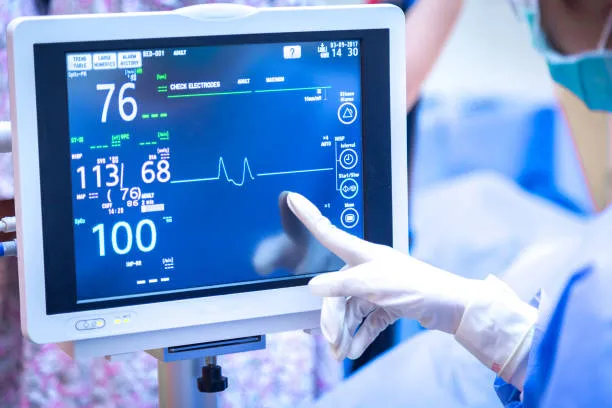
ตู้เย็นคือหัวใจของทุกครัว, เก็บวัตถุดิบสดใหม่, ของเหลือ, และสิ่งจำเป็นสำหรับเก็บอาหารไว้บนโต๊ะ. แต่การจัดการสินค้าคงคลังในตู้เย็นมักจะรู้สึกเหมือนเป็นเรื่องยุ่งยาก: ของที่ถูกลืมจะเสียที่ด้านหลัง, ร้านขายของชำที่ซ้ำซ้อนชั้นวางเกะกะ, และการเดินทางไปร้านค้าในนาทีสุดท้ายทำให้เสียเวลาและเงิน. ตู้เย็นแบบดั้งเดิมไม่สามารถมองเห็นสิ่งที่อยู่ภายในหรือเมื่ออาหารหมดอายุได้, ทำให้เจ้าของบ้านต้องติดอยู่กับเศษอาหารและห้องครัวที่ไม่เป็นระเบียบ. ในยุคของบ้านอัจฉริยะ, ผู้ใช้ต่างปรารถนาโซลูชันที่จะเปลี่ยนตู้เย็นให้ใช้งานง่าย, ศูนย์กลางการจัดระเบียบ. หน้าจอสัมผัสตู้เย็นอัจฉริยะเปลี่ยนวิธีที่เราจัดการสินค้าคงคลังในตู้เย็น, เปลี่ยนความวุ่นวายให้เป็นการควบคุม.
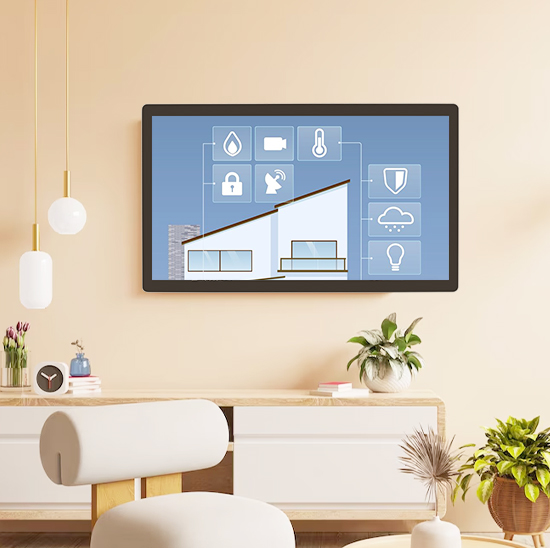
ออกแบบมาโดยเฉพาะสำหรับตู้เย็นอัจฉริยะ, หน้าจอสัมผัสนี้ติดตามรายการอาหารแบบเรียลไทม์, ส่งการแจ้งเตือนการหมดอายุ, และสร้างรายการซื้อของ ทั้งหมดนี้ทำได้ด้วยการแตะเพียงไม่กี่ครั้ง. มันซิงค์กับแอพมือถือ, สแกนบาร์โค้ด, และเรียนรู้นิสัยการกินของคุณเพื่อปรับปรุงการเตรียมอาหารและลดของเสีย. ไม่ว่าคุณจะเป็นพ่อแม่ที่มีงานยุ่ง, ผู้ที่ชื่นชอบการเตรียมอาหาร, หรือใครก็ตามที่ต้องการลดความซับซ้อนของกิจวัตรในครัว, หน้าจอสัมผัสนี้ทำให้การจัดการสินค้าคงคลังเป็นเรื่องง่าย. บทความนี้จะแจกแจงคุณสมบัติหลักต่างๆ, ประโยชน์, การใช้งาน, และคำถามที่พบบ่อยเพื่อแสดงให้เห็นว่าตู้เย็นอัจฉริยะปฏิวัติฟังก์ชันการทำงานของตู้เย็นอย่างไร.
คุณสมบัติหลักของหน้าจอสัมผัสตู้เย็นอัจฉริยะ
1. การติดตามสินค้าคงคลังแบบเรียลไทม์ & การสแกนบาร์โค้ด
การมองเห็นสินค้าคงคลังที่แม่นยำเป็นรากฐานของหน้าจอสัมผัสนี้ และให้การติดตามที่ราบรื่น:
การสแกนบาร์โค้ด/คิวอาร์โค้ด: สแกนรายการขายของชำในขณะที่คุณนำไปเก็บเพื่อบันทึกชื่อ, ปริมาณ, และวันหมดอายุโดยอัตโนมัติ.
รายการรายการด้วยตนเอง: เพิ่มอาหารที่ไม่ได้บรรจุหีบห่อ (เช่น, ผลไม้, ผัก, ของเหลือ) พร้อมป้ายกำกับที่ปรับแต่งได้และการแจ้งเตือนการหมดอายุ.
แดชบอร์ดสินค้าคงคลัง: ดูรายการตู้เย็นทั้งหมดได้อย่างรวดเร็ว, จัดเรียงตามหมวดหมู่ (ผลิตภัณฑ์นม, ผลิต, แช่แข็ง) หรือวันหมดอายุ.
การตรวจจับอัจฉริยะ: บางรุ่นใช้กล้องภายในเพื่อบันทึกรายการอัตโนมัติ, ทำให้ไม่จำเป็นต้องสแกนด้วยตนเอง.
คุณสมบัตินี้ช่วยให้คุณรู้อยู่เสมอว่ามีอะไรอยู่ในตู้เย็นของคุณ, ไม่ต้องขุดค้นชั้นวางเพื่อค้นหาส่วนผสมที่ซ่อนอยู่อีกต่อไป.
2. การแจ้งเตือนวันหมดอายุ & การลดขยะอาหาร
เศษอาหารมีค่าใช้จ่ายสูง และหน้าจอสัมผัสนี้จะช่วยย่อขนาดให้เหลือน้อยที่สุดด้วยการเตือนให้ทันเวลา:
การแจ้งเตือนการหมดอายุที่กำหนดเอง: รับการแจ้งเตือนบนหน้าจอและมือถือเมื่อรายการกำลังจะหมดอายุ (1–3 วันล่วงหน้า).
การเรียงลำดับหมดอายุ: กรองสินค้าคงคลังตาม "Soon to Expire" เพื่อจัดลำดับความสำคัญในการใช้สินค้าที่เน่าเสียง่ายก่อนที่จะเสีย.
การติดตามที่เหลือ: บันทึกของเหลือพร้อมวันหมดอายุและการแจ้งเตือนที่กำหนดเองเพื่อหลีกเลี่ยงการลืมอาหารที่เก็บไว้.
การวิเคราะห์ของเสีย: ติดตามรายการที่คุณเสียบ่อยเพื่อปรับนิสัยการซื้อของชำเมื่อเวลาผ่านไป.
ฟังก์ชั่นนี้ช่วยลดขยะอาหารได้ถึง 30%, ประหยัดเงินและลดผลกระทบต่อสิ่งแวดล้อมของคุณ.
3. รายการขายของชำอัจฉริยะ & บูรณาการการวางแผนมื้ออาหาร
การซื้อของชำและการเตรียมอาหารกลายเป็นเรื่องง่ายด้วยเครื่องมือเหล่านี้:
สร้างรายการขายของชำอัตโนมัติ: หน้าจอสัมผัสจะสร้างรายการตามสินค้าในสต็อกน้อยหรือหมดอายุ, คุณจึงไม่ลืมสิ่งสำคัญ.
ซิงค์การวางแผนมื้ออาหาร: เชื่อมโยงกับแอปวางแผนมื้ออาหารเพื่อเพิ่มส่วนผสมของสูตรอาหารลงในรายการซื้อของโดยตรง.
การซิงค์ข้ามอุปกรณ์: เข้าถึงรายการซื้อของในโทรศัพท์ของคุณขณะช้อปปิ้ง, พร้อมการอัพเดตแบบเรียลไทม์จากหน้าจอสัมผัสของตู้เย็น.
การแชร์รายการด้วยการแตะเพียงครั้งเดียว: แชร์รายการกับสมาชิกในครอบครัว เพื่อให้ทุกคนสามารถเพิ่มรายการที่ต้องการได้.
การผสานรวมนี้ช่วยให้การเตรียมอาหารคล่องตัวขึ้น และรับประกันว่าคุณจะซื้อเฉพาะสิ่งที่คุณต้องการเท่านั้น, ลดการซื้อแรงกระตุ้น.
4. อินเทอร์เฟซที่ใช้งานง่าย & การเชื่อมต่อสมาร์ทโฮม
ออกแบบมาเพื่อการใช้งานประจำวัน, หน้าจอสัมผัสผสมผสานอย่างลงตัวกับบ้านอัจฉริยะของคุณ:
การนำทางที่ใช้งานง่าย: ไอคอนขนาดใหญ่, ฟังก์ชันการลากและวาง, และการควบคุมด้วยเสียง (ผ่าน Alexa/Google Assistant) ทำให้การดำเนินงานเป็นเรื่องง่าย.
บูรณาการแอพมือถือ: ซิงค์กับแอป iOS/Android เพื่อตรวจสอบสินค้าคงคลัง, รับการแจ้งเตือน, และอัปเดตรายการได้จากทุกที่.
ความเข้ากันได้ของระบบนิเวศบ้านอัจฉริยะ: จับคู่กับลำโพงอัจฉริยะ, โทรศัพท์, และเครื่องมือวางแผนมื้ออาหารเพื่อประสบการณ์ครัวแบบครบวงจร.
จอแสดงผลที่ปรับแต่งได้: ปรับความสว่าง, เค้าโครง, และภาษาที่เหมาะกับความต้องการของครอบครัวคุณ.
การเชื่อมต่อนี้ช่วยให้มั่นใจได้ว่าหน้าจอสัมผัสจะเข้ากับกิจวัตรสมาร์ทโฮมที่คุณมีอยู่โดยไม่ต้องใช้ความพยายามเป็นพิเศษ.
5. ทนทาน, การออกแบบเฉพาะตู้เย็น
สร้างขึ้นเพื่อให้ทนทานต่อสภาพห้องครัว, หน้าจอสัมผัสมีทั้งฟังก์ชั่นการใช้งานและอายุการใช้งานยาวนาน:
กันน้ำ & ทนต่อคราบ: แผงด้านหน้าที่ได้รับการจัดอันดับ IP65 ป้องกันการหกของน้ำ, การควบแน่น, และสารเคมีทำความสะอาด.
จอแสดงผลป้องกันแสงสะท้อน: มองเห็นได้ชัดเจนแม้มีไฟภายในตู้เย็นหรือแสงแดดในห้องครัว.
การทำงานที่ใช้พลังงานต่ำ: ใช้พลังงานน้อยที่สุด, จึงไม่ทำให้พลังงานไฟฟ้าของตู้เย็นลดลง.
บาง, พอดีไร้รอยต่อ: ติดตั้งแบบฝังกับประตูตู้เย็น, จับคู่ความสวยงามของตู้เย็นอัจฉริยะสมัยใหม่ที่ไม่เทอะทะ.
การออกแบบนี้ช่วยให้หน้าจอสัมผัสสามารถรองรับการใช้งานในครัวทุกวัน และผสานรวมกับตู้เย็นของคุณได้อย่างราบรื่น.
ประโยชน์หลักของหน้าจอสัมผัสตู้เย็นอัจฉริยะ
1. ลดขยะอาหาร & ประหยัดเงิน
ข้อได้เปรียบที่ใหญ่ที่สุดของหน้าจอสัมผัสนี้คือความสามารถในการลดของเสียและต้นทุน:
ประหยัดเงิน $50–$100 ต่อเดือน: โดยใช้ไอเทมก่อนหมดอายุและหลีกเลี่ยงการซื้อซ้ำ.
ลดแรงกระตุ้นการซื้อให้เหลือน้อยที่สุด: รายการขายของชำตามความต้องการที่แท้จริงช่วยป้องกันการใช้จ่ายที่ไม่จำเป็น.
ใช้ของเหลือให้เกิดประโยชน์สูงสุด: การแจ้งเตือนการหมดอายุช่วยให้คุณรับประทานอาหารที่เก็บไว้แทนการทิ้ง.
ผลกระทบต่อสิ่งแวดล้อมลดลง: ขยะอาหารน้อยลงช่วยลดการฝังกลบและลดการปล่อยก๊าซคาร์บอน.
2. ลดความซับซ้อนของกิจวัตรในครัว & ประหยัดเวลา
งานในครัวจะเร็วขึ้นและมีประสิทธิภาพมากขึ้นด้วยการจัดการสินค้าคงคลังที่คล่องตัว:
ลดเวลาในการซื้อของชำโดย 40%: รายการที่สร้างไว้ล่วงหน้าช่วยลดการคาดเดาและลดการเข้าชมร้านค้า.
เร่งการเตรียมอาหาร: การมองเห็นสินค้าคงคลังทันทีช่วยให้คุณวางแผนมื้ออาหารตามปริมาณที่มีอยู่ในตู้เย็นได้.
หลีกเลี่ยงการเปิดร้านในนาทีสุดท้าย: การแจ้งเตือนสำหรับสินค้าในสต็อกต่ำช่วยให้คุณสามารถเติมสต็อกก่อนที่จะหมด.
ลดเวลาในการจัดระเบียบตู้เย็น: สินค้าคงคลังที่จัดหมวดหมู่หมายความว่าไม่ต้องค้นหาส่วนผสมที่ซ่อนอยู่อีกต่อไป.
3. เสริมสร้างความร่วมมือในครอบครัว & ความสะดวก
หน้าจอสัมผัสทำให้การจัดการครัวเป็นการทำงานเป็นทีม:
การเข้าถึงสินค้าคงคลังที่ใช้ร่วมกัน: สมาชิกในครอบครัวสามารถตรวจสอบตู้เย็นได้จากระยะไกล, หลีกเลี่ยง “เรามีนมไหม?” ข้อความ.
รายการขายของชำร่วมกัน: ทุกคนเพิ่มสิ่งของที่ต้องการ, รับรองว่าจะไม่มีอะไรพลาด.
การออกแบบที่เป็นมิตรกับเด็ก: อินเทอร์เฟซที่เรียบง่ายช่วยให้เด็กๆ บันทึกของว่างหรือแจ้งเตือนผู้ปกครองเมื่อรายการโปรดมีน้อย.
การมองเห็นระยะไกล: ตรวจสอบสินค้าคงคลังในตู้เย็นจากที่ทำงานหรือขณะเดินทางเพื่อวางแผนมื้ออาหารล่วงหน้า.
4. ยกระดับการบูรณาการบ้านอัจฉริยะ & ฟังก์ชั่นการทำงาน
เปลี่ยนตู้เย็นอัจฉริยะของคุณให้กลายเป็นศูนย์กลางครัวกลาง:
ประสบการณ์บ้านอัจฉริยะแบบครบวงจร: ซิงค์กับอุปกรณ์อื่นเพื่อสร้างกิจวัตร (เช่น, “โหมดเตรียมอาหาร” = ไฟสลัว + แสดงสูตร).
ความสะดวกสบายในการควบคุมด้วยเสียง: ใช้ Alexa/Google Assistant เพื่อตรวจสอบสินค้าคงคลังหรือเพิ่มรายการลงในรายการแบบแฮนด์ฟรี.
ข้อมูลเชิงลึกที่ขับเคลื่อนด้วยข้อมูล: ติดตามพฤติกรรมการกินเพื่อเลือกอาหารที่ดีต่อสุขภาพหรือปรับงบประมาณในการซื้อของชำ.
การออกแบบที่รองรับอนาคต: การอัพเดตเฟิร์มแวร์เป็นประจำจะเพิ่มคุณสมบัติใหม่ (เช่น, คำแนะนำสูตร, การติดตามโภชนาการ).
การใช้งานจริงสำหรับไลฟ์สไตล์ครัวที่แตกต่างกัน
1. ครอบครัวที่ยุ่งวุ่นวาย & ผู้ปกครอง
สำหรับครอบครัวที่มีเด็กและตารางงานที่แน่น:
ติดตามของว่างและสิ่งจำเป็นที่เหมาะกับเด็กเพื่อหลีกเลี่ยงไม่ให้หมด.
ตั้งค่าการแจ้งเตือนการหมดอายุสำหรับอาหารกลางวันที่โรงเรียนและอาหารปรุงสำเร็จ.
แบ่งปันรายการซื้อของกับพันธมิตรเพื่อแบ่งความรับผิดชอบในการช็อปปิ้ง.
2. ผู้ชื่นชอบการเตรียมอาหาร & ผู้ใช้ที่ใส่ใจสุขภาพ
สำหรับผู้ที่วางแผนมื้ออาหารรายสัปดาห์หรือจัดลำดับความสำคัญการรับประทานอาหารเพื่อสุขภาพ:
บันทึกส่วนผสมที่เตรียมไว้และกำหนดเวลาการแจ้งเตือนการหมดอายุสำหรับส่วนประกอบในมื้ออาหาร.
ซิงค์กับแอปโภชนาการเพื่อติดตามการบริโภคมาโครจากสิ่งของในตู้เย็น.
สร้างรายการซื้อของตามแผนอาหารประจำสัปดาห์เพื่อให้เป็นไปตามแผน.
3. ครัวเรือนขนาดเล็ก & คนโสด
สำหรับบุคคลหรือคู่รักที่ต้องการลดขยะให้เหลือน้อยที่สุด:
ติดตามสินค้าที่เน่าเสียง่ายในปริมาณเล็กน้อยเพื่อหลีกเลี่ยงการซื้อเกินความจำเป็น.
ตั้งระบบเตือนอาหารเหลือเพื่อให้แน่ใจว่าการเสิร์ฟเดี่ยวจะไม่สูญเปล่า.
ใช้การวิเคราะห์ของเสียเพื่อปรับพฤติกรรมการซื้อของในปริมาณที่น้อยลง.
4. คนทำงานระยะไกล & พ่อครัวประจำบ้าน
สำหรับผู้ที่ใช้เวลาอยู่ในครัวมากขึ้น:
ตรวจสอบสินค้าคงคลังจากสำนักงานที่บ้านเพื่อวางแผนมื้อเที่ยงหรือของว่าง.
ซิงค์กับแอปสูตรอาหารเพื่อดึงส่วนผสมลงในรายการซื้อของโดยตรง.
ใช้หน้าจอสัมผัสเป็นตำราอาหารดิจิทัลขณะทำอาหาร, ด้วยการตรวจสอบสินค้าคงคลังด้วยการแตะเพียงครั้งเดียว.
คำถามที่พบบ่อยเกี่ยวกับหน้าจอสัมผัสตู้เย็นอัจฉริยะ
ไตรมาสที่ 1: หน้าจอสัมผัสนี้จะใช้งานได้กับตู้เย็นอัจฉริยะที่มีอยู่ของฉันหรือไม่?
A1: ใช่! สามารถใช้งานร่วมกับตู้เย็นอัจฉริยะชั้นนำส่วนใหญ่ได้ (ซัมซุง, แอลจี, อ่างน้ำวน, บ๊อช) และเชื่อมต่อผ่าน Wi-Fi หรือ Bluetooth. ทีมของเราตรวจสอบความเข้ากันได้ระหว่างการตั้งค่าเพื่อการบูรณาการที่ราบรื่น.
ไตรมาสที่ 2: ฉันจำเป็นต้องสแกนทุกรายการด้วยตนเองเพื่อติดตามสินค้าคงคลังหรือไม่?
A2: เลขที่. ในขณะที่การสแกนบาร์โค้ดก็เป็นทางเลือกหนึ่ง, หลายรุ่นมีกล้องภายในที่จะตรวจจับและบันทึกรายการอัตโนมัติ. คุณยังสามารถเพิ่มอาหารที่ไม่ได้บรรจุหีบห่อด้วยตนเองได้ภายในไม่กี่วินาทีด้วยอินเทอร์เฟซแบบสัมผัส.
ไตรมาสที่ 3: ฉันสามารถเข้าถึงสินค้าคงคลังและการแจ้งเตือนจากโทรศัพท์ของฉันได้หรือไม่?
A3: อย่างแน่นอน. หน้าจอสัมผัสจะซิงค์กับแอพมือถือที่แสดงร่วม, ให้คุณตรวจสอบสินค้าคงคลัง, รับการแจ้งเตือนการหมดอายุ, และอัพเดทรายการซื้อของได้จากทุกที่ ไม่ว่าจะอยู่ที่ร้านค้าหรืออยู่นอกบ้าน.
ไตรมาสที่ 4: หน้าจอสัมผัสทำความสะอาดง่ายหรือไม่, โดยเฉพาะอย่างยิ่งกับสิ่งที่หกในครัว?
A4: ใช่. มีความสามารถในการกันน้ำระดับ IP65, แผงด้านหน้าป้องกันคราบที่เช็ดทำความสะอาดด้วยผ้าหมาด. พื้นผิวป้องกันแสงสะท้อนยังป้องกันรอยนิ้วมือและรอยเปื้อนจากการใช้งานในแต่ละวัน.
คำถามที่ 5: มีการรับประกันอะไรบ้างกับ Smart Fridge Touch Screen?
A5: ทุกรุ่นมีการรับประกัน 2 ปีซึ่งครอบคลุมถึงข้อบกพร่องของฮาร์ดแวร์, การตอบสนองการสัมผัส, และปัญหาการเชื่อมต่อ. มีการรับประกันขยายเวลาอีก 3 ปี, กับ 24/7 การสนับสนุนทางเทคนิคสำหรับแอปและความช่วยเหลือในการบูรณาการ.
บทสรุป
Smart Fridge Touch Screen คือการอัพเกรดขั้นสุดยอดสำหรับห้องครัวสมัยใหม่, เปลี่ยนตู้เย็นอัจฉริยะให้เป็นศูนย์กลางการจัดการสินค้าคงคลังที่ทรงพลัง. การติดตามแบบเรียลไทม์, การแจ้งเตือนการหมดอายุ, และคุณสมบัติรายการซื้อของชำอัจฉริยะช่วยลดขยะ, ประหยัดเวลา, และลดความซับซ้อนของกิจวัตรประจำวันในครัว. ไม่ว่าคุณจะเป็นพ่อแม่ที่มีงานยุ่ง, ผู้ที่ชื่นชอบการเตรียมอาหาร, หรือใครก็ตามที่ต้องการปรับปรุงบ้านของตน, หน้าจอสัมผัสนี้จะเปลี่ยนวิธีที่คุณโต้ตอบกับตู้เย็นและจัดการอาหาร.
พร้อมที่จะยกระดับตู้เย็นอัจฉริยะของคุณด้วยการติดตามสินค้าคงคลังที่ใช้งานง่าย? กรอกแบบฟอร์มบนเว็บไซต์ของเราเพื่อติดต่อกับผู้เชี่ยวชาญด้านบ้านอัจฉริยะของเรา. เราจะประเมินความเข้ากันได้ของตู้เย็นอัจฉริยะที่มีอยู่ของคุณ, แนะนำรุ่นหน้าจอสัมผัสที่สมบูรณ์แบบ, และช่วยให้คุณรวมเข้ากับห้องครัวของคุณได้อย่างลงตัว. มาทำให้การจัดการอาหารเป็นเรื่องง่ายและลดขยะกันเถอะ เริ่มตั้งแต่วันนี้!