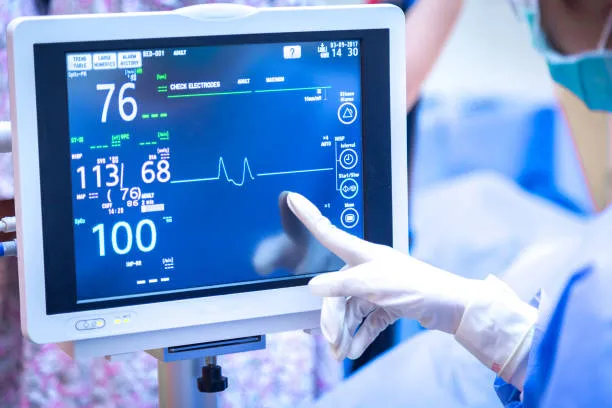
У сучасному динамічному середовищі класу, де вчителі регулюють проведення уроків, залучення студентів, and tech management—Сенсорні екрани for Classroom Projectors: Easy Controls стали кардинальним рішенням. На відміну від традиційних установок проекторів, які покладаються на незграбні пульти, дротові контролери, або складні підключення ноутбука, ці спеціальні сенсорні екрани перетворюють проекційні системи на інтуїтивно зрозумілі, one-touch tools. For K-12 teachers, college professors, and educational tech coordinators, they eliminate the “tech fumble” moments that disrupt lessons, letting educators focus on teaching rather than troubleshooting. Whether used in elementary reading circles, high school math classrooms, or university lecture halls, Projector Touch Screen bridge the gap between projection technology and classroom practicality, making it easier than ever to display, adjust, and interact with lesson content. У цій статті розглядаються їхні основні функції, ключові програми, і трансформаційні переваги, helping educational institutions select touch screen solutions that streamline operations and boost teaching effectiveness.
Core Features of Touch Screen for Classroom Projectors: Легке керування
1. Intuitive One-Touch Controls for Seamless Operation
The defining advantage of Projector Touch Screen is their ability to simplify projector management—critical for keeping lessons on track:
One-tap projection control: Instantly turn projection on/off, налаштувати яскравість, or switch input sources (ноутбук, tablet, USB) with a single touch, no remote required.
Gesture-based adjustments: Intuitive swipes to zoom in on lesson details (напр., textbook images, graphs) and pinches to resize content, mirroring smartphone/tablet usability.
Customizable quick-access buttons: Program frequently used functions (напр., “Screen Capture,” “Blank Screen,” “Volume Adjust”) for one-touch access during lessons.
2. Міцний & Classroom-Ready Construction
Classrooms demand equipment that withstands daily use, випадкові удари, and frequent handling—and these touch screens deliver:
Загартоване скло, стійке до подряпин: 3mm anti-glare glass resists scratches from pencils, гумки, or accidental bumps from backpacks or classroom equipment.
Child-safe design: Rounded edges and shatterproof glass meet safety standards for K-12 environments, reducing injury risks.
Тривала продуктивність: Компоненти промислового рівня забезпечують 50,000+ годин безперервного використання (6+ років щоденної роботи класу), minimizing replacement costs.
3. Seamless Projection & Device Integration
These touch screens sync effortlessly with classroom projectors and existing tech tools to maintain workflow continuity:
Universal projector compatibility: Works with all leading projector brands (Epson, BenQ, Sony, NEC) via HDMI, USB-C, or wireless connections.
Multi-device connectivity: Бездротове підключення до ноутбуків викладачів, таблетки, or smartphones for screen mirroring, letting educators control projection from anywhere in the classroom.
Educational software integration: Syncs with learning platforms (Google Classroom, Microsoft Teams for Education) та інтерактивні інструменти (SMART Notebook, Kahoot!) to display and control content directly.
4. Interactive Learning Enhancement
Beyond basic control, these touch screens boost student engagement through interactive projection:
Annotate directly on projected content: Draw, highlight, or add notes to slides, відео, or digital textbooks in real time, reinforcing key concepts.
Multi-user interaction: Supports up to 4 одночасні точки дотику, letting students take turns annotating or solving problems on the projected screen.
Screen sharing for student work: Quickly display student devices on the projector via touch control, fostering peer feedback and collaboration.
5. Низький рівень обслуговування & Енергоефективна робота
For busy teachers and school IT teams, these touch screens minimize upkeep and energy use:
Налаштування Plug and Play: Simple connection to projectors and power sources, with no complex software installation—IT teams can set up multiple units in hours.
Віддалене управління: IT administrators can update firmware, усунути проблеми, or adjust settings for all touch screens via a central dashboard.
Energy-saving features: Auto-power-off after 15 minutes of inactivity and low-power mode reduce energy consumption by 40% проти. traditional control systems.
Key Applications of Projector Touch Screen in Classrooms
1. К-12 Класи (Початкова до старшої школи)
У налаштуваннях K-12, these touch screens simplify lesson delivery and make learning interactive for young students:
Початкова освіта: Teachers use one-touch controls to switch between educational videos, interactive games (напр., ABCmouse), and storybooks, keeping young learners engaged.
Предмети середньої/старшої школи: Math teachers annotate projected equations; science teachers highlight diagrams during lab explanations; history teachers zoom in on historical maps.
Special education: Intuitive touch controls and large buttons make projection accessible for students with motor skill challenges, supporting inclusive learning.
2. Лекційні аудиторії коледжу & Вища освіта
For large lecture halls and advanced courses, these touch screens streamline content management and student interaction:
Читання лекції: Professors control slides, відео, and research data with one touch, avoiding interruptions to retrieve remotes or adjust laptops.
Interactive discussions: Annotate student questions (submitted via chat) on the projected screen, or display peer review comments during group projects.
Lab demonstrations: Project live lab experiments and use touch controls to zoom in on details (напр., хімічні реакції, microscopic samples) for all students to see.
3. Спеціалізовані навчальні середовища
In specialized classrooms, these touch screens adapt to unique teaching needs:
ст & класи дизайну: Project student artwork and use touch annotation to provide feedback on composition, колір, or technique.
Мовні кабінети: Display vocabulary lists, pronunciation guides, or foreign-language videos, and annotate grammar rules in real time.
Distance learning hubs: Control projection of remote lecture feeds and use touch to annotate or share local content with hybrid learners.
4. School Auditoriums & Multipurpose Rooms
For assemblies, презентації, or events, these touch screens simplify projector management for diverse users:
Assemblies: One-touch control to switch between slides, відео, or live feeds (напр., guest speakers via Zoom) during school events.
Parent-teacher conferences: Project student progress reports or work samples and annotate key points for parents.
Staff training: Train teachers on new educational tools by projecting tutorials and using touch to demonstrate functions.
Benefits of Touch Screen for Classroom Projectors: Легке керування
1. Saved Class Time & Improved Lesson Flow
Intuitive controls eliminate tech delays that disrupt learning:
Reduces projector setup time by 70% проти. traditional remotes/controls—teachers can start lessons within 60 секунд.
Eliminates “remote hunt” delays and input source confusion, keeping lessons focused and maintaining student attention.
2. Increased Teacher Confidence & Tech Adoption
Simplified operation makes tech more accessible for all educators:
Teachers with limited tech experience report 85% higher confidence using projectors with touch controls vs. traditional setups.
Encourages adoption of interactive tools (annotation, student screen sharing) that boost engagement but were previously seen as “too complex.”
3. Покращене залучення студентів & Участь
Interactive features turn passive projection into active learning:
Student participation increases by 55% when they can interact with projected content via touch (напр., solving problems, annotating).
Visual annotation of key concepts improves knowledge retention by 40% проти. static projection, as students better connect with content.
4. Lower IT Support Burden & Економія коштів
Durable design and remote management reduce IT workload and long-term costs:
Cuts IT support tickets for projector issues by 60%, as intuitive controls reduce user error and remote management streamlines troubleshooting.
Тривалий термін служби (6+ років) and energy savings reduce total cost of ownership by 35% проти. traditional projector control systems.
FAQs About Projector Touch Screen for Classrooms
Q1: Will the touch screen work with our existing classroom projector (напр., Epson, BenQ)?
A1: так! Our Projector Сенсорний екран are universally compatible with all leading projector brands via HDMI, USB-C, or wireless connections. Our team tests compatibility with your specific model during setup to ensure seamless integration.
Q2: Do teachers need extensive training to use the touch screen?
A2: немає. The interface uses familiar smartphone/tablet gestures (кран, проведіть пальцем, pinch) and customizable quick buttons. We provide a 20-minute training session, and most teachers master basic controls on their first use.
Q3: Is the touch screen durable enough for elementary school students?
A3: Абсолютно. It features 3mm tempered shatterproof glass, rounded edges, and a reinforced frame—tested to withstand accidental drops, подряпини, and daily use by young students. It meets all K-12 safety standards.
Q4: Can multiple students use the touch screen at the same time to annotate?
A4: так. Усі моделі підтримують до 4 одночасні точки дотику, letting small groups take turns annotating projected content, solving problems, or collaborating on projects—perfect for student-led activities.
Q5: What warranty coverage do Projector Touch Screens include?
A5: All models come with a 4-year warranty covering hardware defects, чуйність на дотик, and glass damage. Extended 6-year warranties are available for high-use environments like elementary classrooms or auditoriums.
Висновок
Touch Screens for Classroom Projectors: Easy Controls are a must-have upgrade for modern educational institutions, turning clunky projector setups into intuitive, interactive tools that benefit both teachers and students. By eliminating tech delays, simplifying operation, and boosting engagement, they let educators focus on what matters most—teaching. For school administrators looking to streamline classroom tech, reduce IT burdens, and enhance learning outcomes, these touch screens deliver immediate value and long-term ROI. Whether in a small elementary classroom or a large university lecture hall, Projector Touch Screens are redefining how projection technology serves education.
Ready to simplify your classroom projectors with easy-to-use touch controls? Заповніть форму на нашому веб-сайті, щоб зв’язатися з нашими експертами з освітніх технологій. We’ll assess your existing projectors, demonstrate how the touch screen integrates with your setup, and provide a customized solution proposal—helping you save time, підвищити залучення, and elevate your classroom tech.