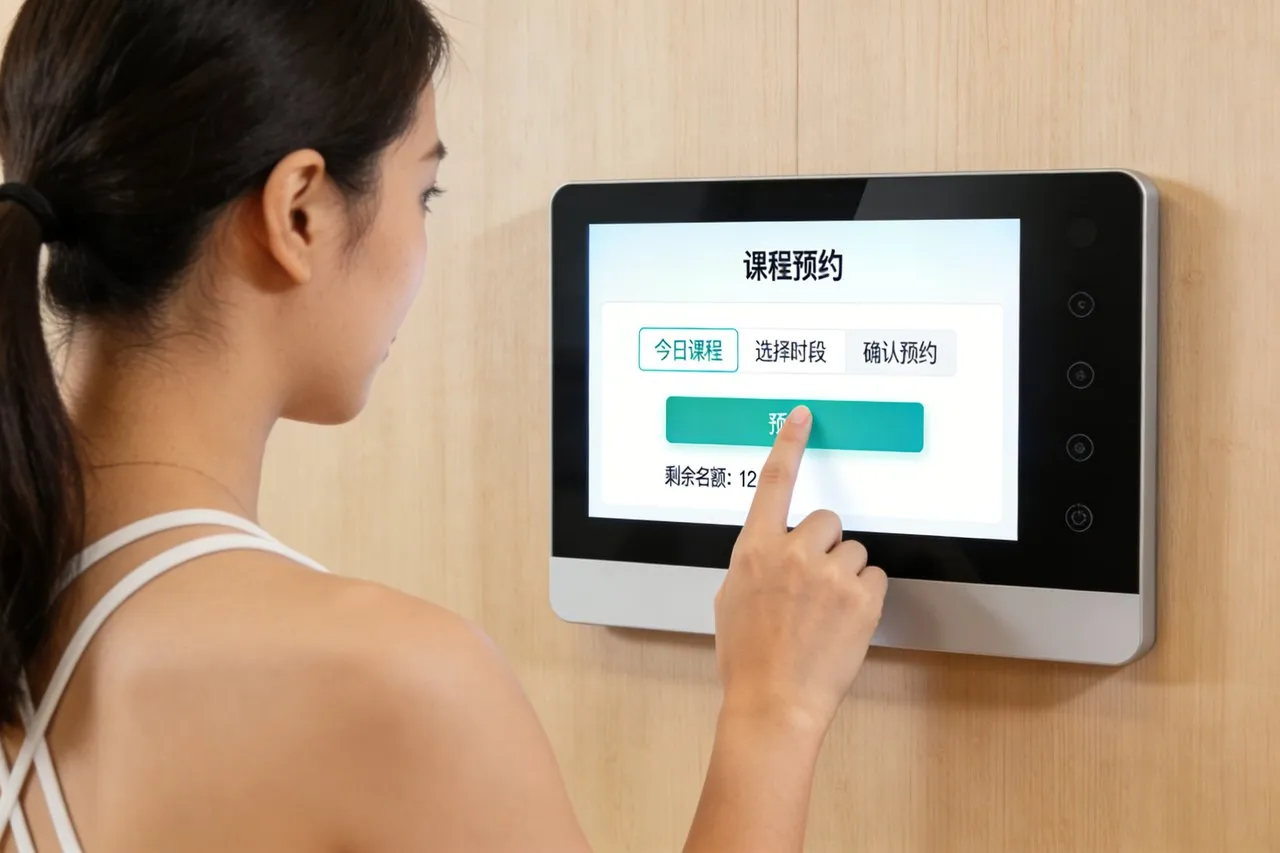
لقد أحدثت المكانس الكهربائية الروبوتية تحولًا كبيرًا في تنظيف المنزل, التخلص من متاعب الحفاظ على الأرضيات مرتبة من خلال الراحة الآلية. ومع ذلك، فإن إدارة إجراءات التنظيف الخاصة بهم غالباً ما تأتي بالإحباط: أجهزة التحكم عن بعد مربكة, إعدادات التطبيق فقط التي تتطلب الهواتف, أو جداول زمنية صارمة لا تتكيف مع نمط حياتك. قد تنسى فتح التطبيق لتعيين التنظيف قبل وصول الضيوف, أو تكافح من أجل ضبط الأوقات التي يتغير فيها روتينك اليومي. تقلل هذه العوائق الصغيرة من الراحة الكاملة التي تعد بها المكانس الكهربائية الروبوتية. تعمل شاشة اللمس الروبوتية على حل هذه المشكلة عن طريق وضع التحكم الكامل مباشرة في متناول يدك - لا يتطلب الأمر تطبيقًا.
مصممة للتكامل السلس مع المكانس الكهربائية الروبوتية, تتيح لك شاشة اللمس هذه ضبط جداول التنظيف المخصصة, ضبط الأوضاع, وتحقق من حالة التنظيف ببضع نقرات فقط. إنه يتزامن مع الميزات الذكية للمكنسة الكهربائية الخاصة بك, يتكيف مع إيقاعك اليومي, ويجعل الجدولة سهلة لكل فرد من أفراد الأسرة. سواء كنت محترفًا مشغولًا, أحد الوالدين يقوم بالأعمال المنزلية, أو شخص يقدر البساطة, تقنية بديهية, هذا شاشة اللمس يفتح الإمكانات الحقيقية لمكنسة الروبوت الخاصة بك. هذه المقالة تكسر ميزاتها الأساسية, فوائد, التطبيقات, والأسئلة الشائعة لإظهار كيف أحدثت ثورة في التنظيف المنزلي الآلي.
الميزات الأساسية لشاشة اللمس الروبوتية الفراغية
1. جداول تنظيف قابلة للتخصيص & وسائط
تعد الجدولة المرنة جوهر شاشة اللمس هذه، فهي توفر تحكمًا لا مثيل له:
بنقرة واحدة الجداول المتكررة: تعيين يوميا, أسبوعي, أو ينظف في يوم محدد (على سبيل المثال, ”كل يوم اثنين, الأربعاء, الجمعة الساعة 9 أكون").
فترات زمنية التكيف: اضبط أوقات البدء بزيادات قدرها 15 دقيقة لتناسب روتينك (على سبيل المثال, "نظيف أثناء وجودي في العمل" أو "قبل النوم").
اختيار الوضع: التبديل بين كنس, التطهير, تنظيف البقع, أو تنظيف الحواف مباشرة من شاشة اللمس.
جدولة خاصة بالمنطقة: تعيين جداول زمنية مختلفة للغرف (على سبيل المثال, "غرفة المعيشة فراغ يوميا, غرفة النوم مرتين في الاسبوع”) للتنظيف المستهدف.
تضمن هذه المرونة أن يقوم الروبوت الخاص بك بالتنظيف في الوقت والمكان الذي تحتاج إليه بالضبط, دون تعديلات مستمرة.
2. واجهة بديهية & تحديثات الحالة في الوقت الحقيقي
ابق على اطلاع وتحكم من خلال تصميم سهل الاستخدام:
كبير, أيقونات واضحة: تسميات غامقة مثل "الجدول الزمني,""ابدأ بالتنظيف,""مستوى البطارية,"و"حالة التنظيف" تجعل التنقل سهلاً.
ردود الفعل في الوقت الحقيقي: عرض التحديثات الحية (على سبيل المثال, ”تنظيف غرفة المعيشة,""العودة إلى قفص الاتهام,""البطارية 75%"") لتتبع التقدم.
التنبيهات المرئية: الإخطارات لانخفاض البطارية, سلة المهملات ممتلئة, أو العقبات (على سبيل المثال, "عالقة على السجادة") مع مطالبات الإصلاح السريع.
اختصارات بنقرة واحدة: الوصول الفوري إلى "التنظيف السريع" (15-بقعة دقيقة نظيفة) أو "ماكس كلين" (وضع الطاقة العالية) لفوضى غير متوقعة.
يزيل هذا الوضوح التخمين ويبقيك على اطلاع دائم بأداء مكنستك الكهربائية.
3. التكامل مع المنزل الذكي & قدرات المزامنة
فهو يتصل بسلاسة مع التكنولوجيا الموجودة لديك للحصول على تجربة موحدة:
مزامنة التطبيق: قم بالربط مع تطبيق الهاتف المحمول الخاص بمكنسة الروبوت الخاصة بك لعكس الجداول الزمنية, لذلك يتم تحديث شاشة اللمس في التطبيق والعكس.
توافق التحكم الصوتي: يعمل مع Alexa وGoogle Assistant للأوامر بدون استخدام اليدين (على سبيل المثال, "أليكسا, أخبر المكنسة الكهربائية أن تبدأ بالتنظيف").
إجراءات المنزل الذكي: التكامل مع الأجهزة الأخرى (على سبيل المثال, "بدء المكنسة الكهربائية عندما يكون القفل الذكي مقفلاً" أو "الإيقاف المؤقت عند تشغيل التلفزيون").
التحكم في الفراغ المتعدد: إدارة مكانس الروبوت المتعددة (على سبيل المثال, واحد للطابق الرئيسي, واحد للطابق السفلي) من شاشة لمس واحدة.
يجعل هذا التكامل التنظيف الآلي جزءًا طبيعيًا من النظام البيئي لمنزلك الذكي.
4. وصول سهل الاستخدام & تصميم يركز على الأسرة
بنيت لكل فرد من أفراد الأسرة, بغض النظر عن المهارات التقنية:
لا تبعية التطبيق: الوصول إلى جميع الوظائف الأساسية (جدولة, التحكم في الوضع, الشيكات الحالة) مباشرة من شاشة اللمس - لا حاجة للهاتف.
وظيفة قفل الطفل: قم بقفل الشاشة لمنع الأطفال أو الحيوانات الأليفة من تغيير الجداول الزمنية عن طريق الخطأ أو بدء عمليات التنظيف.
دعم متعدد اللغات: تقديم اللغة الإنجليزية, الأسبانية, فرنسي, والصينية لتلبية احتياجات الأسر المتنوعة.
عرض بإضاءة خلفية: يتوهج بهدوء في الإضاءة المنخفضة, مما يجعلها سهلة الاستخدام في الليل دون سطوع قاسي.
يضمن هذا التصميم أن يتمكن كل فرد في المنزل من تشغيل المكنسة الكهربائية بأقل جهد.
5. متين, تركيب موفر للمساحة
مصمم ليناسب منزلك بسلاسة مع أداء طويل الأمد:
نحيل, تصميم مثبت على الحائط: يتم تركيبه بالقرب من قاعدة شحن المكنسة الكهربائية الخاصة بك, توفير مساحة العداد وإبقائها في متناول اليد.
الاتصال اللاسلكي: يتصل بالمكنسة الكهربائية الخاصة بك عبر Wi-Fi أو Bluetooth, القضاء على الحبال الفوضوية.
ضد للماء & مقاوم للخدش: السطح ذو تصنيف IP54 يقاوم الانسكابات, تراب, والخدوش العرضية من الاستخدام اليومي.
عملية منخفضة الطاقة: يستخدم الحد الأدنى من الطاقة, مع بطارية طويلة الأمد (أو خيار المكونات الإضافية) للاستخدام المستمر.
تضمن المتانة والتصميم أن شاشة اللمس تكمل منزلك بينما تصمد أمام الحياة اليومية.
الفوائد الرئيسية لشاشة اللمس الروبوتية الفراغية
1. تبسيط الجدولة & وفر الوقت
أكبر فائدة هي التحكم السهل الذي يناسب حياتك المزدحمة:
قطع وقت الإعداد 80%: تحل الجدولة بنقرة واحدة محل التنقل في التطبيقات القديمة أو أجهزة التحكم عن بعد.
تجنب عمليات التنظيف المنسية: تضمن الجداول الزمنية المتكررة بقاء الأرضيات مرتبة دون الحاجة إلى تذكيرات يدوية.
التكيف مع التغييرات الروتينية: اضبط الجداول الزمنية في ثوانٍ عندما تتغير خططك (على سبيل المثال, ”تخطي نظافة يوم الجمعة لحضور حفلة“).
القضاء على التعب التطبيق: يمكنك الوصول إلى جميع عناصر التحكم دون فتح هاتفك أو البحث عن التطبيق.
2. تعزيز كفاءة التنظيف & نتائج
فهو يساعد فراغ الروبوت الخاص بك على العمل بشكل أكثر ذكاءً, ليس أصعب:
التنظيف المستهدف: تركز الجداول الزمنية الخاصة بالمنطقة على المناطق ذات الازدحام الشديد (على سبيل المثال, مدخل, مطبخ) للحصول على نتائج أفضل.
الاستجابة السريعة للفوضى: تعمل ميزة "Spot Clean" بنقرة واحدة على معالجة الانسكابات أو الفتات على الفور, لا يوجد تطبيق مطلوب.
تحسين استخدام البطارية: يتم تنظيف الجدول الزمني عندما يتم شحن المكنسة الكهربائية بالكامل, والتأكد من إكمال المهمة دون انقطاع.
البقاء قبل الأوساخ: ثابت, تمنع عمليات التنظيف المجدولة تراكم الغبار والحطام على الأرضيات.
3. تحسين سهولة الاستخدام لجميع أفراد الأسرة
لا ينبغي أن تشكل التكنولوجيا عائقًا، وتضمن شاشة اللمس هذه عدم وجود ذلك:
عملية صديقة لكبار السن: تتيح الرموز البسيطة والنصوص الكبيرة لأفراد العائلة الأكبر سنًا إجراء عمليات التنظيف دون مساعدة.
تحكم صديق للضيوف: يمكن للزوار البدء بعملية تنظيف سريعة إذا لزم الأمر, دون الوصول إلى هاتفك أو التطبيق.
راحة مالك الحيوانات الأليفة: قم بجدولة عمليات تنظيف إضافية في أوقات تساقط الحيوانات الأليفة (على سبيل المثال, ”التنظيف اليومي خلال موسم الذرف“).
الحد الأدنى من التدريب اللازم: يتقن معظم المستخدمين الواجهة أدناه 2 دقائق, لا توجد خبرة فنية مطلوبة.
4. ارفع قيمة المكنسة الكهربائية الروبوتية الخاصة بك
فهو يحول أداة رائعة إلى أداة منزلية متكاملة تمامًا:
فتح الميزات المخفية: الوصول إلى الأوضاع المتقدمة (تنظيف الحافة, التطهير) التي غالبًا ما تكون مدفونة في قوائم التطبيقات.
إثبات الإعداد الخاص بك في المستقبل: تضيف تحديثات البرامج الثابتة المنتظمة ميزات جدولة جديدة وتوافقًا مع الفراغات الأحدث.
تقليل الإحباط: القضاء على أعطال التطبيق, مشاكل في الاتصال بالبلوتوث, أو أجهزة التحكم عن بعد المفقودة التي تصيب المكانس الكهربائية الروبوتية القياسية.
تعزيز قيمة المنزل: مبسطة, يعد نظام التنظيف البديهي نقطة بيع لمشتري المنازل المحتملين.
تطبيقات عملية لأنماط الحياة المختلفة
1. المهنيين مشغول & العمال عن بعد
لأولئك الذين لديهم جداول زمنية مزدحمة أو إجراءات العمل من المنزل:
جدول التنظيف أثناء ساعات العمل للعودة إلى الأرضيات المرتبة دون رفع إصبعك.
استخدمي "التنظيف السريع" في استراحات الغداء لمعالجة الفوضى الناتجة عن قهوة الصباح أو الوجبات الخفيفة.
قم بالمزامنة مع الأقفال الذكية لبدء التنظيف عند مغادرة المنزل, ضمان الخصوصية والكفاءة.
2. العائلات مع الأطفال & حيوانات أليفة
للأسر ذات حركة المرور العالية, مناطق عالية الفوضى:
قم بإجراء عمليات تنظيف يومية بعد وقت نوم الأطفال لمعالجة الفتات, ألعاب, وشعر الحيوانات الأليفة بين عشية وضحاها.
استخدم وضع تنظيف البقع في حالة الانسكابات العرضية (على سبيل المثال, رقائق الذرة, أغذية الحيوانات الأليفة) بنقرة واحدة.
قم بقفل الشاشة لمنع الأطفال من إيقاف المكنسة الكهربائية في منتصف التنظيف أو تغيير الجداول الزمنية.
3. أعشاش فارغة & كبار السن
بالنسبة لأولئك الذين يقدرون البساطة والتكنولوجيا منخفضة الصيانة:
وضع جداول أسبوعية متكررة للحفاظ على نظافة الأرضيات دون مجهود يومي.
استخدم أيقونات كبيرة وشاشة ذات إضاءة خلفية لسهولة الرؤية, حتى مع انخفاض البصر.
تجنب تعقيد التطبيق من خلال التحكم في كل شيء مباشرة من شاشة اللمس.
4. أصحاب الحيوانات الأليفة & المصابون بالحساسية
لأولئك الذين يحددون الأولويات بشكل شامل, التنظيف المتكرر:
حدد موعدًا للتنظيف مرتين يوميًا خلال أوقات ذروة تساقط الشعر (ربيع, يسقط) لتقليل تراكم شعر الحيوانات الأليفة.
استخدم وضع تنظيف الحواف لاستهداف شعر الحيوانات الأليفة على طول الألواح, مسببات الحساسية الشائعة.
تحقق من الحالة في الوقت الحقيقي للتأكد من أن الفراغ يغطي جميع المناطق, تقليل الغبار والوبر.
أسئلة وأجوبة حول شاشة الروبوت التي تعمل باللمس فراغ
س1: هل ستعمل شاشة اللمس هذه مع المكنسة الآلية الموجودة لدي؟?
أ1: نعم! إنه متوافق مع معظم العلامات التجارية الرائدة في مجال مكنسة الروبوت (اي روبوت رومبا, ايكوفاكس, روبوروك, سمك القرش) ويتصل عبر Wi-Fi أو Bluetooth. يتحقق فريقنا من التوافق أثناء الإعداد لتحقيق التكامل السلس.
Q2: هل ما زلت بحاجة إلى تطبيق الهاتف المحمول الخاص بالمكنسة الكهربائية الآلية؟?
A2: لا - جميع الوظائف الأساسية (جدولة, التحكم في الوضع, الشيكات الحالة) متاحة مباشرة على شاشة اللمس. يتزامن التطبيق مع الشاشة إذا كنت تريد إدارتها عن بعد, ولكن هذا غير مطلوب.
س3: هل يمكنني تحديد جداول مختلفة لغرف مختلفة?
A3: قطعاً. تدعم شاشة اللمس الجدولة الخاصة بالمنطقة, مما يتيح لك تعيين أوقات وأوضاع تنظيف فريدة للغرف الفردية (على سبيل المثال, غرفة الجلوس, غرفة نوم, مطبخ).
س 4: هل شاشة اللمس سهلة التركيب؟?
A4: نعم. يأتي مع مجموعة تثبيت على الحائط وأشرطة لاصقة للتركيب بدون أدوات. قام معظم المستخدمين بإعداده تحت 10 دقائق, بالقرب من قاعدة شحن المكنسة الكهربائية الخاصة بهم لتوفير الراحة.
س5: ما هو الضمان الذي يأتي مع شاشة Robot Vacuum Touch Screen?
A5: تشمل جميع الطرز ضمانًا لمدة عامين يغطي عيوب الأجهزة, استجابة اللمس, وقضايا الاتصال. تتوفر ضمانات ممتدة لمدة 3 سنوات, مع 24/7 الدعم الفني للإعداد واستكشاف الأخطاء وإصلاحها.
خاتمة
تعيد شاشة Robot Vacuum Touch Screen تعريف راحة التنظيف الآلي من خلال البساطة, تحكم مرن في متناول يدك. جداولها القابلة للتخصيص, واجهة بديهية, وتكامل المنزل الذكي يجعل من السهل الحفاظ على الأرضيات مرتبة دون متاعب التطبيقات, أجهزة التحكم عن بعد, أو تعديلات مستمرة. سواء كنت محترفًا مشغولًا, مالك حيوان أليف, أو عائلة تتطلع إلى تبسيط الأعمال المنزلية, تفتح شاشة اللمس هذه الإمكانات الكاملة لمكنسة الروبوت الخاصة بك.
جاهز لترقية المكنسة الكهربائية الروبوتية الخاصة بك من خلال جدولة وتحكم سهلين? املأ النموذج على موقعنا للتواصل مع خبراء المنزل الذكي لدينا. سنقوم بتقييم توافق فراغ الروبوت الحالي لديك, يوصي نموذج شاشة اللمس المثالي, وتساعدك على دمجها بسلاسة في منزلك. دعونا نجعل التنظيف الآلي أكثر بساطة, أكثر ذكاءً, وأكثر فعالية - ابدأ اليوم!