
Moderne kommercielle enheder fokuserer på simple, hurtig og stabil menneskelig interaktion. Traditional button and keyboard operations feel slow and outdated for today’s users. They also create unnecessary operation barriers for new customers.For this reason, a high-quality touchscreen display has become a standard core component for self-service equipment.
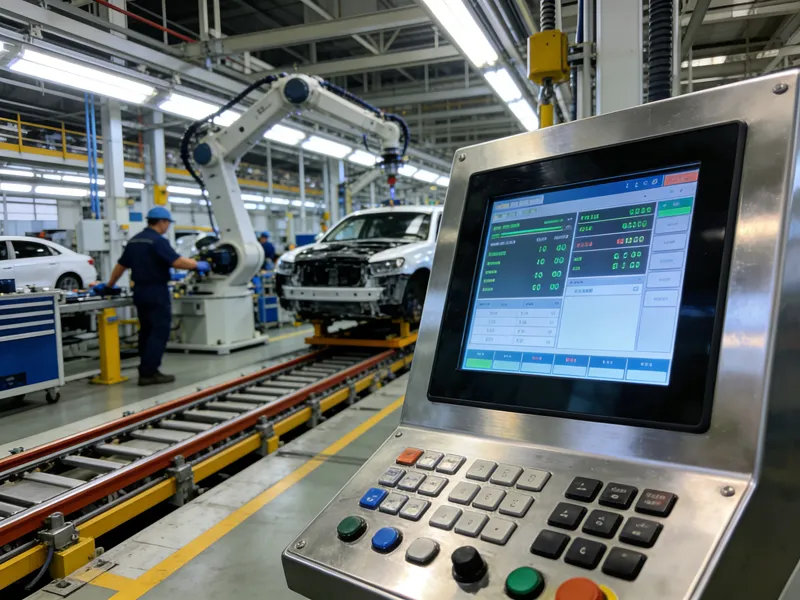
It replaces complex manual input with intuitive tapping and sliding. It improves user experience and boosts overall service efficiency at the same time. This article explains the key reasons why businesses need a touchscreen display, its core advantages, practical features and common FAQs.
Improved User Experience With a Touchscreen Display
A touchscreens display creates a friendly interaction environment for all users. It lowers learning costs for every customer group.
Intuitive and simple operation
Touchscreen interfaces follow natural human habits. Users tap, slide and select options directly on the screen. They skip complicated button combinations and confusing menus.
Clear visual guidance
A touchscreen display shows vivid icons, text prompts and product images. Users understand each step instantly. This design reduces reliance on staff guidance.
Suitable for all age groups
Elderly users and young users both adapt to touch operation quickly. The screen supports simple logic and large display areas. It improves service inclusiveness greatly.
Higher Operational Efficiency From a Touchscreen Display
Businesses gain obvious efficiency upgrades after equipping a professional touchscreen display. It speeds up daily self-service workflows.
Shorten service processing time
Touch responses happen within milliseconds. Users finish selection, confirmation and payment steps faster. Stores serve more customers during peak hours.
Reduce on-site queue pressure
Fast interaction disperses crowded customer flow. Self-service devices with touchscreen displays handle multiple orders steadily. They ease the workload of frontline staff.
Lower manual operation errors
Visual screen confirmation avoids misoperation. Users check every item and price clearly on the touchscreens display. This reduces wrong orders and repeated adjustments.
Strong Business Adaptability of Modern Touchscreen Display
Today’s touchscreen display fits almost all commercial and public service scenarios. It supports flexible functional upgrades.
Support diversified customized interfaces
Businesses adjust UI styles, menu layouts and display content freely. A touchscreen display matches brand styles and store operation rules. It creates unified store service features.
Adapt to long-hour commercial work
Industrial-grade touchscreens panels resist wear and scratch. They keep sensitive response after millions of operations. They maintain stable performance for all-day business use.
Compatible with multiple functional modules
A standard touchscreen display works well with printers, scanners and payment modules. It supports one-stop self-service workflows. It meets diverse business needs.
Better Long-Term Cost Performance
Investing in a reliable touchscreens display brings long-term economic benefits for store operation. It reduces hidden business costs.
Cut frequent staff guidance work
Intuitive touch screens reduce user consultation demands. Staff spend less time repeating basic operation guidance. They focus on high-value service work.
Reduce later maintenance frequency
High-quality touchscreens materials resist dust, oil and daily abrasion. They have low failure rates in complex environments. Businesses save long-term repair budgets.
FAQs About Touchscreen Display
Q1: What makes a touchscreens display better than traditional buttons?
A1: A touchscreen display offers visual interaction, faster response and simpler operation. It fits modern fast-service scenarios and improves customer experience.
Q2: Is a commercial touchscreen display durable for daily use?
A2: Ja. Industrial-grade touchscreen panels resist scratches and wear. They support long-hour continuous operation for commercial environments.
Q3: Can I customize the interface of my touchscreens display?
A3: Absolut. You can adjust menus, farver, logos and function layouts. Custom interfaces fit your unique business and brand style.
Q4: Does a touchscreens display work well under bright light?
A4: Modern commercial models adopt anti-glare design. They deliver clear display and sensitive touch even in bright indoor or outdoor light.
Q5: Do touchscreens displays increase device failure risks?
A5: Ingen. Qualified touchscreen modules have stable structures. They show lower failure rates than traditional mechanical button parts.
Konklusion
For at opsummere, you need a touchscreen display because it improves user experience, raises service efficiency and optimizes long-term business costs. It delivers intuitive interaction, stable performance and strong scenario adaptability. It also supports personalized customization and reduces daily operation errors. A high-quality touchscreen display becomes an essential core part of modern self-service kiosks and commercial terminals.
If you want durable, high-sensitivity customized touchscreen display solutions for your self-service devices, udfyld venligst forespørgselsformularen på vores officielle hjemmeside. Del din skærmstørrelse, brugsmiljø og funktionelle behov, and our team will provide professional tailored solutions for your business.





