
Computer systems contain many modular components to run smoothly. Most users interact with computer panels every day but never clarify their exact definitions. The term “computer panel” covers multiple core parts across hardware and software fields.Different computer panels undertake independent display, control and interactive tasks. Inoltre, each panel type shapes how users operate desktops, industrial terminals and smart devices. Per questo motivo, learning basic knowledge helps you distinguish computer panel functions clearly. This article explains what is a panel in a computer, its main categories, core features and common application values.
Basic Definition of a Computer Panel
A computer panel refers to any structured modular unit in a computer system. It concentrates display functions, control settings or interactive interfaces in one independent area.
It acts as the key bridge between users and computer systems. It simplifies complex system operations and visual data presentation. Unlike scattered computer components, a panel delivers centralized, intuitive interaction for daily use. It exists in both physical hardware and virtual software interfaces.
Two Main Categories of Computer Panels
Computer panels fall into two core classifications. They include physical hardware panels and software interface panels. Each category has unique usage traits.
1. Physical computer hardware panels
Physical panels are tangible components of computer devices. The most common type is the display touch panel on all-in-one and industrial computers.
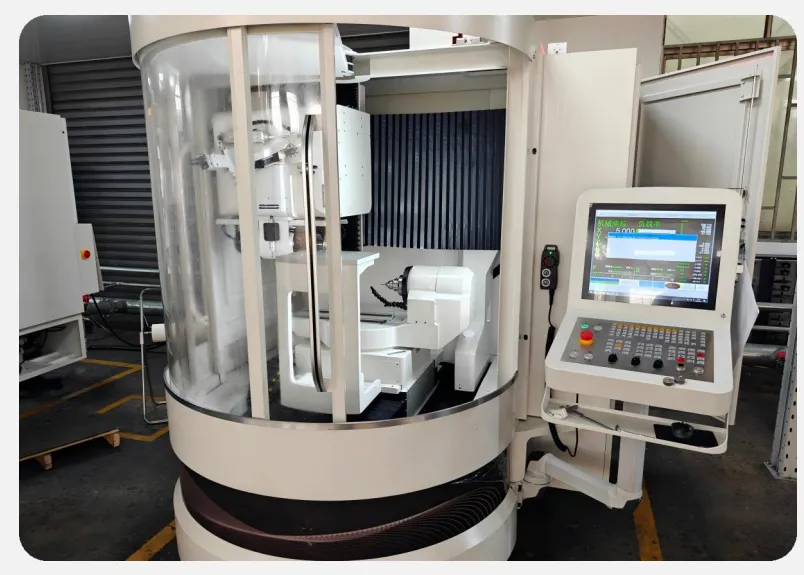
These panels integrate sensing and display functions. They receive manual touch commands and show real-time system data. Industrial and commercial computers widely adopt sealed hardware panels for stable on-site operation. Other physical panels include device control panels and mounting panels for equipment fixation.
2. Virtual software interface panels
Software panels are functional modules on computer operating systems. They organize system settings, data lists and control tools in fixed window areas.
Typical examples include navigation panels, detail panels and system dashboard panels. These virtual panels help users browse files, adjust parameters and check system status. They optimize desktop operation logic without any physical installation.
Common Types and Core Functions of Computer Panels
Different computer panels serve targeted functions to support daily system operation.
1. Display touch panel
This is the most widely used hardware panel. It outputs clear image data and supports touch input. It replaces traditional mouse and keyboard operations on smart panel computers. It ensures fast human-computer interaction for commercial and industrial devices.
2. System control panel
This virtual panel acts as a system management center. It gathers hardware settings, network configurations and software management tools. Users adjust computer functions and fix minor system issues through this panel easily.
3. File navigation panel
This desktop panel appears on computer file windows. It displays folder directories and file classification lists. It helps users locate target resources quickly and improves daily operation efficiency.
4. Data dashboard panel
This professional panel concentrates real-time data statistics and system running status. It suits industrial control computers and monitoring terminals. It lets operators check device performance and data changes at a glance.
Key Features of Standard Computer Panels
Qualified computer panels share practical advantages for stable long-term use.
1. Centralized functional integration
Panels gather scattered functions into one independent module. They avoid messy operation steps and simplify system control logic. This design improves overall computer usability greatly.
2. Intuitive user interaction
Both hardware and software panels adopt user-friendly layouts. They display clear content and support simple operation logic. New users can master basic computer panel functions quickly.
3. Strong scenario adaptability
Physical hardware panels adapt to industrial, commercial and office environments. Virtual software panels match all mainstream computer systems. They maintain stable performance in different usage scenarios.
4. Compact and orderly structure
Computer panels follow standardized modular design. They save installation space for hardware devices. They also keep software interfaces neat and organized for daily browsing.
Practical Applications of Computer Panels
Computer panels support multiple scenarios across office, commercial and industrial fields.
1. Daily office computer use
Software control and navigation panels optimize office computer operation. They help staff manage files and adjust system settings efficiently. They improve daily office workflow stability.
2. Commercial self-service devices
Integrated display panels power self-service kiosks and smart terminals. They support customer ordering, querying and independent service operations. They reduce manual service pressure effectively.
3. Industrial control terminals
Industrial computer panels provide stable on-site monitoring and parameter adjustment. They adapt to complex workshop environments. They ensure continuous and safe operation of automated production equipment.
FAQs About Computer Panels
Q1: What exactly is a panel in a computer used for?
A1: A computer panel centralizes display, control or interactive functions. It connects users with computer systems and simplifies daily operation and data viewing processes.
Q2: What is the difference between a hardware panel and software panel?
A2: A hardware panel is a physical display or interactive component. A software panel is a virtual functional module on computer systems for setting and data management.
Q3: Is a touch screen the same as a computer panel?
A3: A touch screen is one common type of computer hardware panel. Not all computer panels support touch functions, so the two terms are not fully identical.
Q4: Do industrial computers need dedicated panels?
A4: SÌ. Industrial computers adopt customized sealed panels. These panels resist dust, vibration and humidity to fit harsh on-site working conditions.
Q5: Can computer panel layouts get adjusted?
A5: Most software panels support layout adjustment. Professional hardware panels accept customized size and function configuration for specific scenarios.
Conclusione
Per riassumere, a panel in a computer is a modular functional unit for display, control and interaction. It divides into physical hardware panels and virtual software panels. Each panel type delivers independent core functions for office, commercial and industrial computer systems. Standard computer panels feature centralized integration, intuitive operation and strong adaptability. They play an irreplaceable role in simplifying human-computer interaction and stabilizing system operation.
If you need stable, scenario-customized computer panel solutions for your commercial or industrial equipment, si prega di compilare il modulo di richiesta sul nostro sito ufficiale. Share your usage scenarios and functional demands, and our professional team will provide tailored reliable solutions for your projects.





