ມີ 2 ວິທີການ:
The jumper cap method is more stable and recommended by default.
If using BIOS settings, ພວກເຂົາຈະຣີເຊັດ ຖ້າ BIOS ຖືກຟື້ນຟູ ຫຼືແບັດເຕີຣີໝົດ.
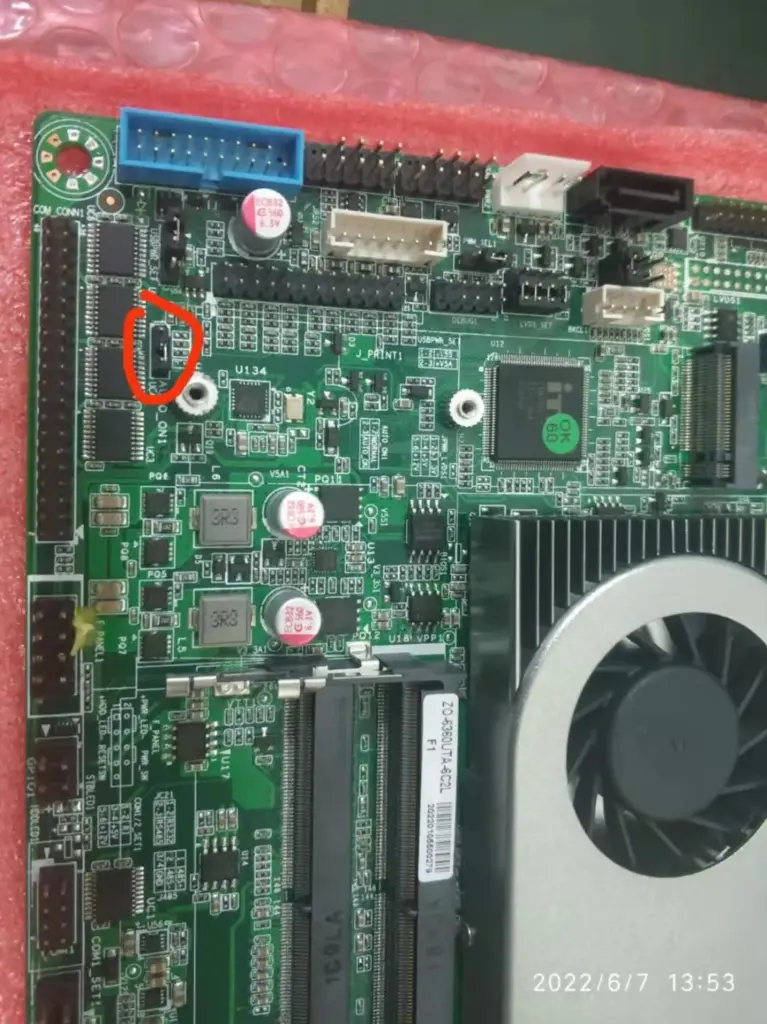
ຫນຶ່ງ、ເປີດເຄື່ອງຜ່ານຮາດແວ jumper cap.
(3 ເຂັມ: ຍ້າຍຝາ jumper ຈາກ pins 1-2 ກັບ pins 2-3)
4th Gen Intel Core i3, 4th Gen Intel Core i5
J1900

N5095
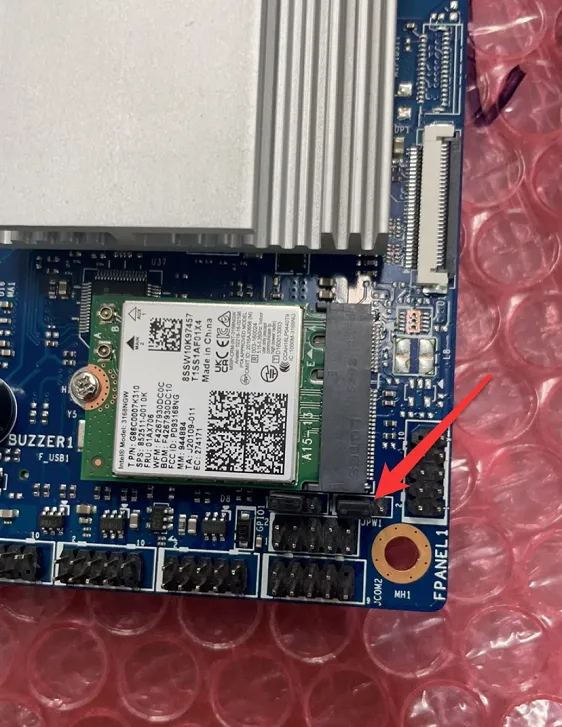
I5-6360
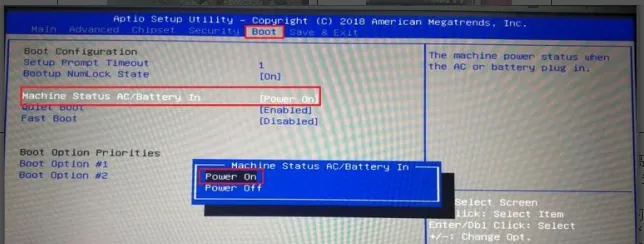
二、Power on via BIOS
(Press the Delete key repeatedly during startup to enter BIOS.)
I3\I5

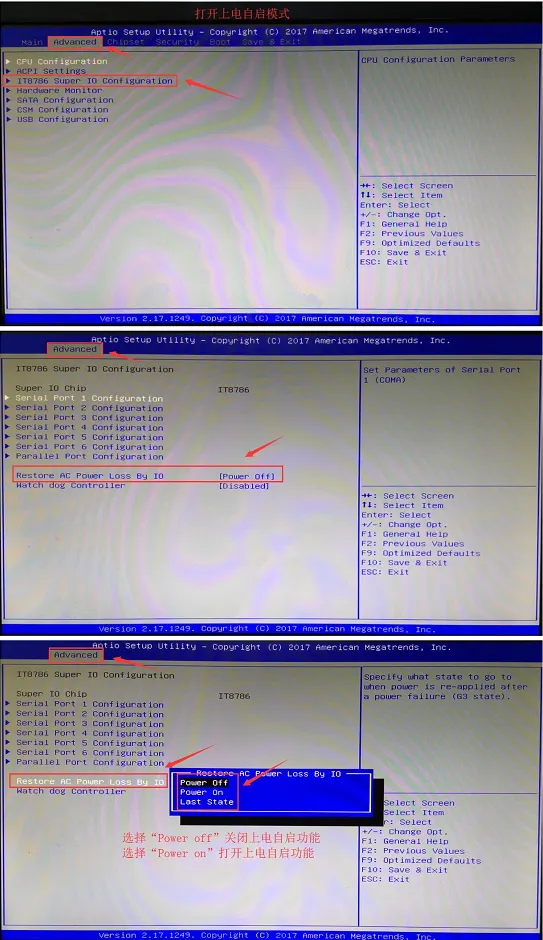
J1900
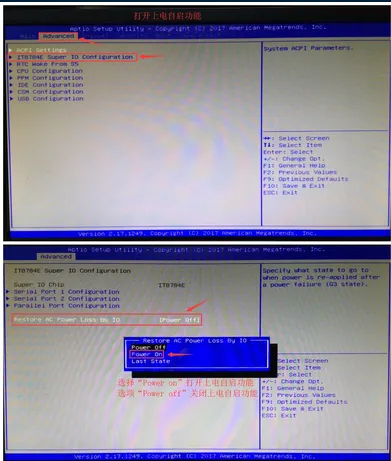
N5095
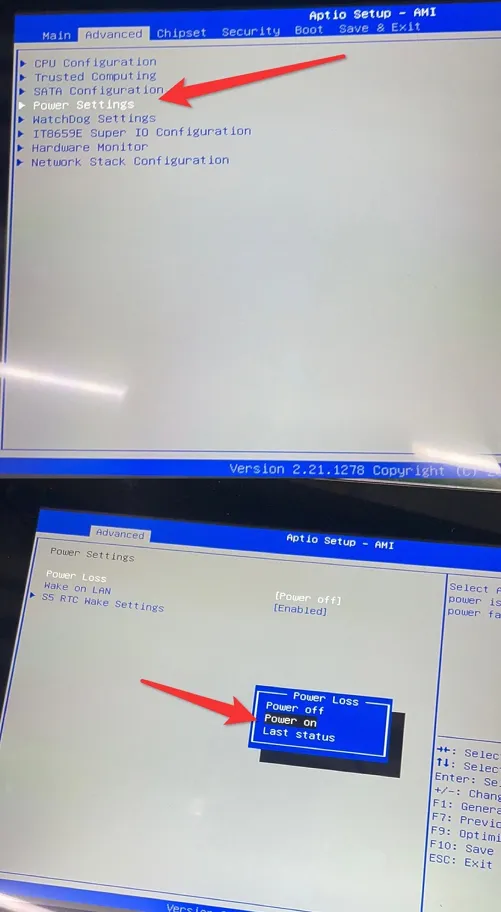
S35-1900
In the top option Advanced of the BIOS, select ACPI Settings to enter.
Select PWRON After Power Loss to access the submenu, then choose Always On in the pop-up menu.
Press F4 and then Enter to save and exit.
(ຫມາຍເຫດ: Settings may vary by motherboard. On some motherboards,PWRON After Power Loss is directly located in the Advanced menu.)
8350