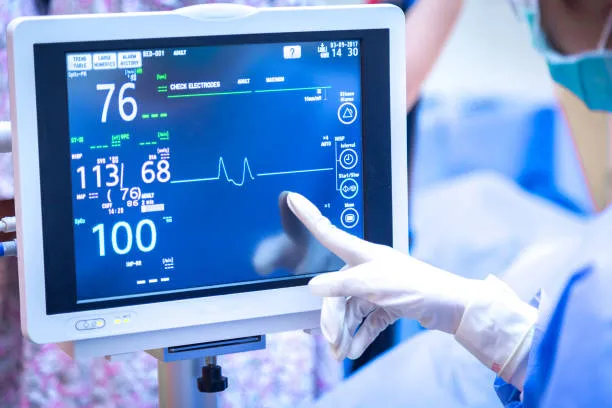
ເມື່ອເລືອກ ກ 32 ຈໍ Touchscreen ນິ້ວ, ມັນເປັນສິ່ງ ສຳ ຄັນທີ່ຈະຕ້ອງເອົາໃຈໃສ່ກັບປັດໃຈຫຼັກຕໍ່ໄປນີ້ເພື່ອຮັບປະກັນວ່າທ່ານເລືອກຜະລິດຕະພັນທີ່ ເໝາະ ສົມກັບຄວາມຕ້ອງການຂອງທ່ານ:
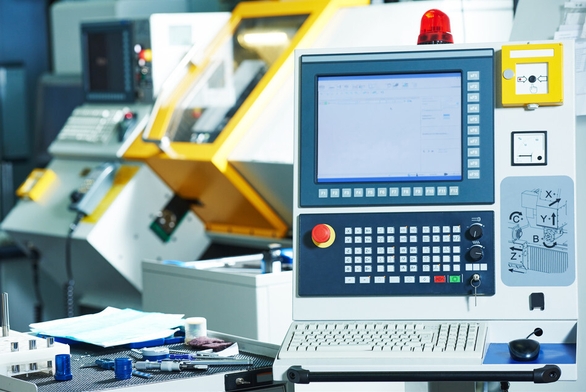
Technical type
There are various types of touch technologies used in touch displays, ລວມທັງ capacitive, ຕ້ານທານ, ເຊື່ອມສວນ, ຄື້ນສຽງຂອງພື້ນຜິວ, as well as In Cell and On Cell. Various technologies have different advantages and disadvantages, suitable for different scenarios:
ທີ່ຮັ່ງມີ 32 inch Touchscreen Monitor: ທີ່ຕອບສະຫນອງ, supports multi touch, strong durability, suitable for frequently used environments such as retail, ການສຶກສາ, ປົງຄາຍ. that require high-precision and sensitive touch input. But it has high requirements for fingers or specialized touch pens, and performs weakly when wearing gloves or in humid environments. ເຖິງຢ່າງໃດກໍ່ຕາມ, some industrial capacitive screens can support glove operation.
Resistive touch screen: can be operated with fingers, ເຫລັກ, or even gloved hands, with low cost, suitable for scenarios that require gloved operation or have limited cost budgets, such as industrial environments or certain medical equipment. But it does not support multi touch and the screen surface is prone to wear and tear.
ຫນ້າຈໍສໍາຜັດອິນຟາເລດ: can be triggered without contact, suitable for large screens or scenes that require non-contact operation. The edge accuracy is poor and sensitive to dust and oil stains, requiring regular cleaning and maintenance.
Surface acoustic wave touch screen: The image is clear and the touch is accurate, but it is easily affected by external environments such as dusty or humid environments, so it is not suitable for use in these environments.
In Cell touch technology: integrates touch sensors directly into LCD display panels, making the display thinner and improving display performance and touch sensitivity. Compared to traditional touch screens, In Cell technology makes displays clearer, more touch responsive, and more durable. Suitable for scenarios with high requirements for display effects and touch sensitivity.
On Cell touch technology: Place the touch sensor on top of the liquid crystal layer, with a layer of air or transparent medium between the touch sensor and the liquid crystal layer. Compared to In Cell technology, the manufacturing cost of On Cell technology may be lower, but relatively speaking, the touch response speed and display effect may be slightly inferior to In Cell technology.
32 inch Touchscreen Monitor size and resolution
ຂະຫນາດຫນ້າຈໍ: The size of touch displays ranges from a few inches to tens of inches. Small size suitable for personal use or small devices, such as handheld devices or embedded systems; Large size is suitable for occasions such as public exhibitions, conferences, and education that require multiple people to watch or view from multiple angles.
ການແກ້ໄຂບັນຫາ: High resolution can bring clearer display effects, especially when displaying detailed information or high-quality images. Common resolutions include 1080p (hd ເຕັມ), 1440ຂອງ (QHD), and 2160p (4k). Choose the appropriate resolution based on usage requirements to ensure the clarity of images and text.
32 inch Touchscreen Monitor Display performance
ຄວາມສະຫວ່າງ: determines visibility in different lighting environments. Especially when used outdoors or in strong light environments, it is recommended to choose a high brightness display, ເຊັ່ນ 1000 nits or above, to ensure that the screen is clear and visible.
ຄວາມແຕກຕ່າງ: High contrast can provide better image depth and color resolution, helping to enhance the visual experience.
Color expression: A display with accurate color reproduction and high saturation can provide more realistic and vivid images. For scenes that require displaying high-quality images or videos, such as advertising displays or design studios, color expression is particularly important.
ການເບິ່ງມຸມ: For scenes that require multiple people to observe or view from multiple angles, a wide viewing angle (such as an IPS screen) can significantly enhance the visual effect.
Durability and environmental adaptability
32 inch Touchscreen Monitor need to be used in different environments, so durability and environmental adaptability are important considerations when choosing:
Protection level: Touch displays should have a high protection level (such as IP65 or above) to prevent dust and moisture from entering the device. For environments with high humidity or chemical corrosion, the use of anti-corrosion materials should also be considered.
Temperature range: Ensure that the working temperature range of the touch display can cover the actual usage scenario. ເປັນຕົວຢ່າງ, outdoor equipment may need to support a wide temperature range of -20 °C ເຖິງ 70 °C.
Seismic performance: In scenarios with frequent mechanical vibrations (such as workshop equipment or transportation vehicles), touch displays need to have good seismic performance.
ຄວາມທົນຊັດ: Choosing touch displays with features such as scratch resistance, dust resistance, and water resistance is crucial, especially when used in industrial or outdoor environments. Ensure that the screen supports long-term touch operations (ເຊັ່ນວ່າຫຼາຍກວ່າ 50 ລ້ານສໍາລັບການສໍາພັດ) and has good durability.
Connection interface and compatibility
Interface types: Common interfaces include HDMI DisplayPort、USB、ປາກ、DVI、RS232、RS485、 Ethernet, ປົງຄາຍ. Ensure that the monitor has sufficient and suitable interfaces to connect to other devices.
ຄວາມເຂົ້າກັນໄດ້: Ensure that the touch monitor is compatible with the operating system (ເຊັ່ນ Windows, Android, linux, ແລະອື່ນໆ) and application software used. ໃນເວລາດຽວກັນ, check whether the touch screen provides the corresponding operating system driver to ensure that the touch function runs normally.
Additional features
Multi touch: Supports multi touch functionality for a richer interactive experience, suitable for applications such as education, ການອອກແບບ, and display.
Built in computer: Some touch displays integrate computer systems (such as all-in-one machines), simplifying device connection and management.
Adjustable bracket: The adjustable bracket provides flexible viewing angle adjustment, enhancing user comfort.
Remote control and remote monitoring: Choose a touch screen that supports remote control function and remote access according to your needs, in order to monitor and control devices from a remote location.
Antibacterial coating: In the field of medical equipment or food processing, choose a touch screen with antibacterial coating to prevent bacterial transmission.
Brand and cost-effectiveness
Brand selection: Choose influential and reputable industrial touch display brands that typically offer better product quality and after-sales service.
Cost effectiveness: Consider the cost-effectiveness of the product while meeting application requirements. Compare the price, ການປະຕິບັດ, ຫນ້າທີ່ງານ, and other factors of different brands and models, and choose the product that best suits your needs.
ໃນບົດສະຫຼຸບ, ໃນເວລາທີ່ເລືອກຈໍສະແດງຜົນສໍາພັດ, it is necessary to comprehensively consider factors such as technology type, screen size and resolution, ການສະແດງປະສິດທິພາບ, durability and environmental adaptability, connection interface and compatibility, and additional functions. By carefully comparing and evaluating the advantages and disadvantages of different products, one can choose the product that best suits their needs.