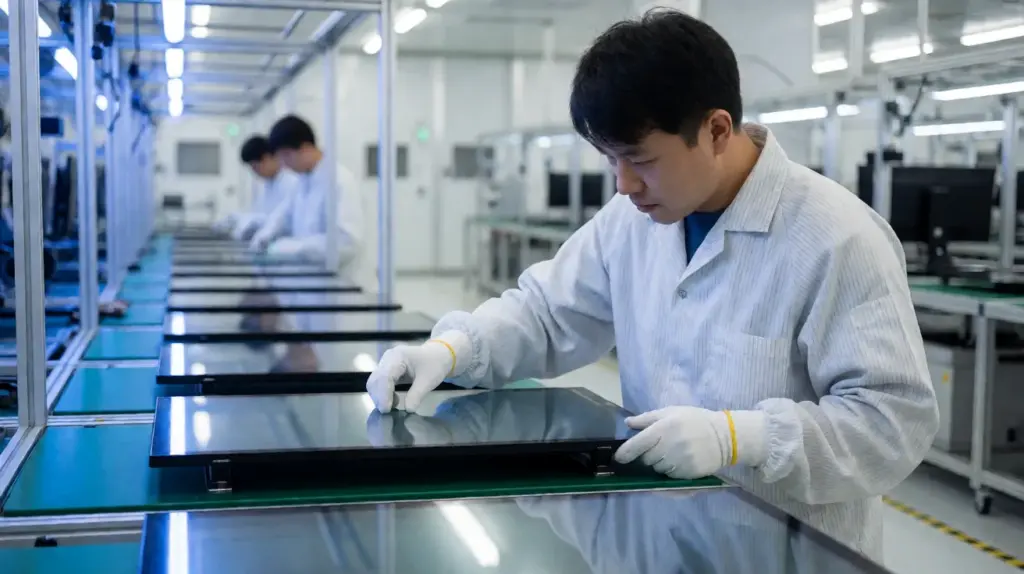
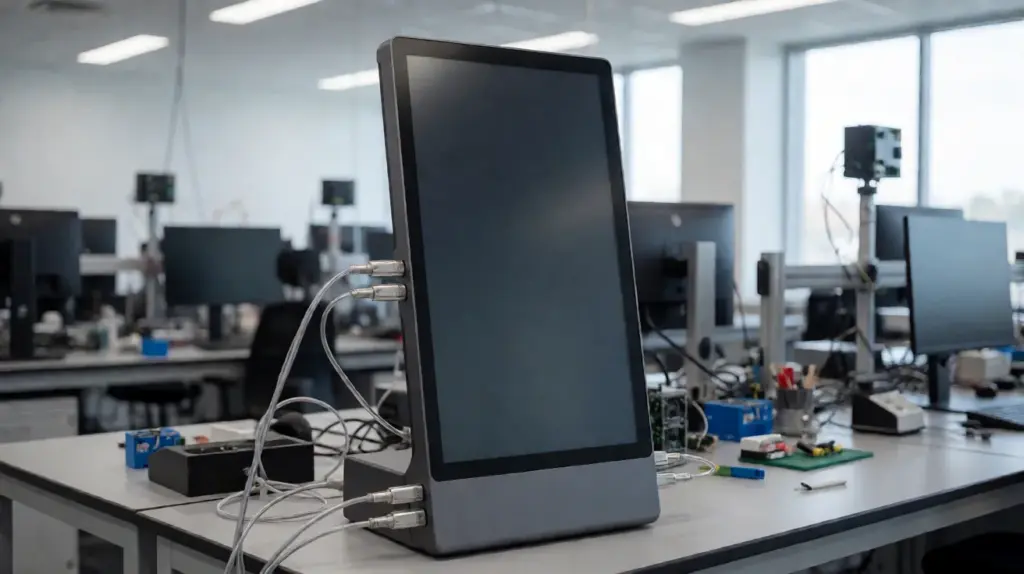
Factory floors, kios luar, and industrial control systems put constant pressure on touch screen monitors every day. Without proper pre-shipment testing, touch failure, poor sealing, and display instability become much more likely after deployment. These problems often lead to downtime, maintenance costs, and shorter hardware lifespan. This guide explains how industrial touch screen monitors are tested before shipment, so you can better evaluate long-term reliability before placing an order.
Quality Assurance in Touch Screen Manufacturing
Strong quality assurance starts long before a touch screen monitor reaches your project site. Even small defects in materials or assembly can later cause touch inaccuracy, bonding failure, or reduced product lifespan. If you want stable long-term performance, you need to understand how manufacturers inspect and control quality throughout the entire production process.

Incoming Material and In-Process Inspection
Quality control begins before production starts. Manufacturers inspect glass substrates for thickness accuracy, optical clarity, and surface defects, while conductive layers and adhesives are tested for consistency and bonding quality. During assembly, you should also expect strict monitoring of cutting precision, cleaning conditions, sensor pattern accuracy, and lamination alignment to prevent bubbles, contamination, or structural defects in the final display.
Functional Testing and Performance Validation
Before shipment, every touch screen monitor should undergo detailed functional and optical testing to ensure stable operation. This includes visual inspection for scratches, haze, or coating inconsistencies, as well as automated electrical testing to detect sensor defects or signal issues. Many manufacturers also use robotic touch testing systems so you can verify tap accuracy, gesture response, multi-touch performance, and touch latency more consistently.
Environmental and Durability Testing
Industrial touch screens must continue operating reliably under heat, kelembapan, getaran, and electrical interference. To validate this, manufacturers perform thermal cycling, Pendedahan kelembapan, UV aging, vibration testing, and impact resistance checks before shipment. EMI and ESD testing are also important because they help ensure your touch screen maintains stable performance in demanding industrial and commercial environments.
Burn-in and Aging Tests for Continuous Reliability
Differentiating Burn-In and Long-Term Aging
Burn-in testing subjects displays to elevated electrical and environmental stress over short to medium durations. The primary goal is to force early-life failures—often called infant mortality—to surface before the unit leaves the factory floor.
Aging or life testing takes a different approach. It runs modules for hundreds or thousands of hours under standard or slightly elevated conditions to model wear-out behavior and predict overall life expectancy.
Combining both methods builds a continuous reliability profile. This dual approach ensures qualified display designs avoid abnormal early drift and maintain long-term stability in the field.
Applied Stress Conditions and Test Profiles
Testing labs execute precise environmental and electrical profiles to validate display limits. Engineers use distinct configurations to simulate years of real-world wear:
- Electrical and optical stress: Displays run at maximum rated luminance using static UI-like patterns, color bars, and continuous TX/RX electrode excitation.
- Environmental stress: High Temperature Operating Life (HTOL) and temperature-humidity storage utilize 85°C / 85% RH parameters to challenge material durability.
- Thermal cycling: Extreme temperature shifts ranging from -20°C to 60°C simulate harsh field environments and stress module interconnects.
Optical Degradation and Image Retention Assessment
Display lifespan heavily depends on optical consistency. Engineers continuously track luminance decay, defining end-of-life when panel brightness drops below 70% ke 80% of its initial value.
Testing evaluates the risk of image retention using static, high-contrast images. Software paired with spectroradiometers scans the screen to detect permanent ghosting or mura artifacts. High-quality panels must meet strict visual criteria:
- Pixel uniformity: Brightness variation across the active area must remain at or below 5%.
- Burn-in tolerance: Severe burn-in artifacts must not exceed 1% of the total screen area.
Encapsulation Integrity and Component Resilience
Prolonged exposure to high temperature and humidity tests the physical barriers of the display. This phase evaluates encapsulation layers, adhesives, and barriers to check for structural moisture ingress.
When encapsulation fails, touch performance rapidly degrades. Moisture penetration leads directly to OLED degradation, electrode corrosion, and touch sensitivity drift.
Semiconductor components like display drivers and sensor ICs undergo accelerated bias aging. This process generates precise Failures-in-Time (FIT) rates, giving manufacturers concrete data to predict field reliability.
Integration into Quality Assurance Frameworks
Manufacturers use degradation curve data to establish firm design margins. This analytical data dictates allowable maximum brightness and safe operating duty cycles for final product specifications.
Facilities perform routine burn-in testing on representative mass-production batches. This step screens out defective units and tracks long-term trends, allowing quality teams to adjust process parameters dynamically.
Dedicated test matrices align testing durations and strict acceptance criteria with specific industry standards. This alignment is especially critical for automotive and medical HMI applications, where display failure carries severe operational consequences.
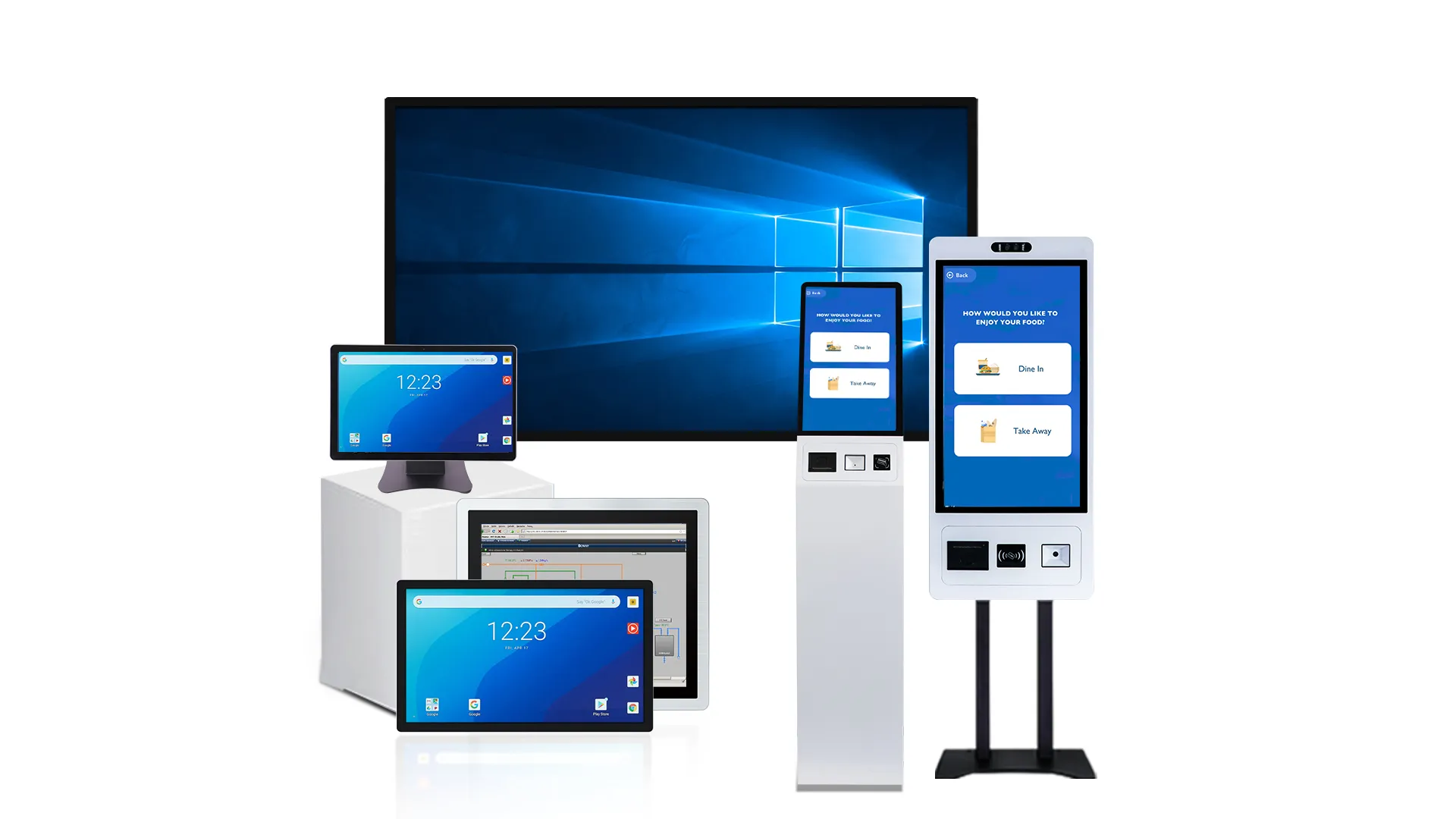
Premium Custom Touch Displays Built To Last
Touch Accuracy and Sensitivity Testing Methods
Validating touch accuracy and sensitivity ensures displays hit strict sub-millimeter tolerances, preventing ghost touches and dead zones from compromising the interface.
Coordinate Accuracy and Linearity Mapping
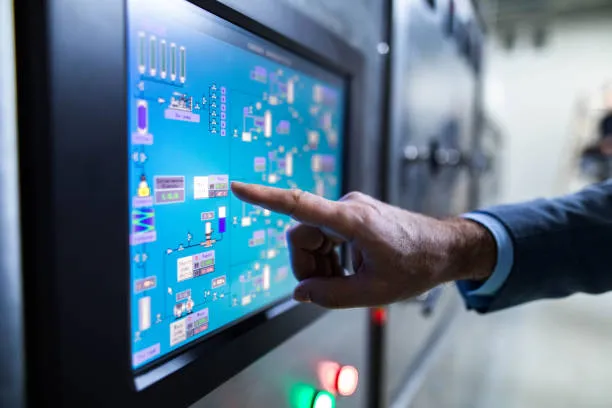
Engineers use grid-based test applications to map reference points and trace lines across the active area. This process determines exactly how far a reported touch deviates from the physical contact point, mapping the raw capability of the sensor matrix.
- Absolute positional error: The exact distance between the intended target and the reported coordinate.
- Systematic offsets and non-linearity: Deviations detected along diagonals, edges, and corners.
- Percentile deviation: Maximum, mean, and 95th percentile positional errors logged to ensure drift remains within strict ≤1–2 mm tolerances.
Target Selection and UI Responsiveness
A display must accurately register taps on UI elements regardless of size, spacing, or shape. Test fixtures utilize robotic fingers to apply controlled touches simulating realistic user behavior, including off-center taps and interactions near display bezels.
- Hit rates: The percentage of taps that successfully activate the intended control element.
- Mis-trigger rates: The frequency of unintended activations on neighboring elements.
- Minimum effective hit box: The smallest interactive area required for a user to achieve reliable actuation.
Gesture Reliability and Multi-Touch Tracking
Modern interfaces rely on complex inputs like single-taps, swipes, and multi-finger pinch-to-zoom gestures. Test systems log recognition success rates to identify fragmented contacts, ghost touches, or inputs that drop mid-gesture.
- Maximum simultaneous touch points: Validating the hardware handles the specified number of concurrent inputs without dropping signals.
- Trajectory integrity: Ensuring continuous paths do not break during complex multi-finger movements.
- Separation sensitivity: Measuring the minimum physical distance required between individual contacts for the controller to distinguish them.
Sensitivity Thresholds for Force, Area, and Time
Actuation testing determines the lowest physical stimulus a panel can reliably detect. Load cells measure the exact contact force and area needed to trigger a response across different input types, including bare fingers, gloved hands, and styluses.
- Minimum touch force: The exact pressure threshold required to actuate a touch event.
- Minimum tap duration: The shortest contact time the system recognizes as a valid input.
- Contact bounce handling: The controller’s ability to filter transient contacts and electrical noise during the release phase.
Full-Screen Coverage and Dead-Zone Identification
Manufacturers divide the display into a dense matrix of cells to verify 100% functional coverage across the touch panel. Automated sweeps push through every cell to map out weak regions and intermittent detection areas.
- Dead-zone mapping: Locating physical regions where the sensor matrix completely fails to detect input.
- Total coverage ratio: The exact percentage of active cells responding properly across the grid.
- Pass/Fail criteria: Establishing clear baselines for factory end-of-line testing based on the required coverage metrics.
Environmental Testing: Habuk, Haba, and Vibration
Validating touch screens against dust, extreme heat, and mechanical vibration prevents catastrophic field failures and ensures long-term operational uptime in harsh industrial environments.
Dust Ingress Protection (IP5X and IP6X)
Industrial environments expose hardware to abrasive and conductive particulates. Dust testing directly evaluates the enclosure sealing around the touch module, front bezel, and cable exits to block particle entry. Test labs load sand and dust chambers with standardized talcum powder, suspending it in the air to simulate harsh airborne contamination.
Engineers look for specific functional and mechanical faults during this exposure:
- PCB Conductors: Verifying that accumulated dust does not bridge circuits and cause electrical shorts.
- Optical Path: Ensuring particles do not enter the display stack and degrade visual clarity.
- Capacitive Grounding: Confirming dust layers do not disrupt touch sensitivity or trigger phantom inputs.
Thermal Reliability and Temperature Cycling
Industrial touch panels must survive extreme temperature swings without losing calibration or structural integrity. Thermal testing confirms reliable operation across demanding industrial ranges, typically spanning -30°C to +85°C. Technicians apply constant temperature soaking alongside rapid thermal cycling to assess how different materials expand and contract over time.
This stress testing identifies critical vulnerabilities in the display stack:
- Cover Lens Delamination: Separation between the glass and adhesive layers due to severe thermal expansion.
- Structural Damage: Localized glass cracking caused by uneven cooling or heating across the panel.
- Sensor Accuracy: Heat-induced calibration drift that shifts touch coordinate mapping.
Vibration Survivability for Transport and Operation
Heavy machinery, transit vehicles, and factory floors generate constant mechanical stress. Vibration testing exposes units to sinusoidal and random vibration profiles mapped to real-world equipment usage. The goal is to verify mechanical stability and operational consistency before the screen reaches the field.
Analysts inspect the hardware for several specific mechanical and functional failures:
- Hardware Fatigue: Fractured solder joints, loosened connectors, and structural weakness in the mounting frame.
- Signal Stability: Intermittent signal drops during active shaker testing.
- Touch Reliability: Phantom touches triggered by mechanical noise or resonance.
Combined Environmental Stress Testing
Real-world hazards rarely happen one at a time. Combined environmental stress testing subjects devices to temperature, kelembapan, and mechanical vibration simultaneously. This harsh-environment simulation reveals complex failure modes that isolated tests miss. Contohnya, high heat can degrade gasket compression at the exact moment vibration introduces abrasive dust into the newly formed gap.
Data from these joint profiles guides necessary design adjustments:
- Silicone Sealing: Upgrading gaskets and O-rings to maintain compression under heat and motion.
- Mounting Hardware: Adjusting fastener torque parameters to prevent loosening.
- Adaptive Firmware: Implementing calibration routines that actively compensate for environmental drift.
Impact Resistance: Ball Drop and IK Ratings
Impact resistance dictates a touch screen’s field survival rate. Ball drop tests and formal IK ratings quantify this durability, proving glass and enclosure designs withstand heavy physical abuse.
Ball Drop Testing Methodology
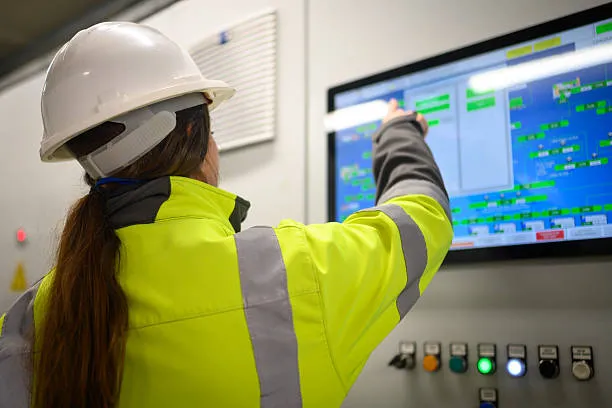
We test touch screens for impact resistance by dropping a steel ball of a specific mass from a defined height. This process simulates the sudden, localized hits that devices absorb in real-world environments. Quality engineers evaluate critical vulnerability zones, explicitly targeting the center of the active area, corners, and edges where glass is weakest.
Testing protocols incorporate several physical variations to mirror different field hazards:
- Vertical drops: Perpendicular impacts simulating falling objects.
- Pendulum impacts: Swinging strikes simulating lateral knocks, kicks, or collisions.
- Fatigue assessments: Multiple-hit sequences to expose crack propagation over time.
Understanding IK Ratings (IEC 62262)
The IK rating system, defined by the IEC 62262 standard, provides a standardized classification for an enclosure’s protection against mechanical impacts. These ratings correlate directly to specific impact energies measured in Joules (J), taking the guesswork out of structural durability.
Common touch screen requirements align with specific use cases and risk levels:
- IK08 (5.0 J): Standard protection for indoor public kiosks and light industrial panels.
- IK09 (10.0 J): Deployed in heavy industrial environments with higher collision risks.
- IK10 (20.0 J): Required for high-risk outdoor applications exposed to direct vandalism.
Correlating Ball Drop Tests to Target IK Levels
Impact energy unites raw ball drop tests and formal IK ratings. We calculate this energy by multiplying mass, drop height, and gravity (E = mgh). A 0.5 kg ball dropped from 1 meter generates roughly 4.9 Joules, aligning closely with the testing parameters for an IK08 rating.
Heavy-duty industrial applications demand extreme validation beyond standard consumer drops. Test labs often use up to a 10 kg steel ball dropped from calculated heights to simulate severe vandalism. This massive weight verifies IK10 or higher energy equivalencies, proving the screen can survive sledgehammer-level impacts without compromising the internal electronics.
Design Factors and Acceptance Criteria
Material choices directly dictate a display’s impact tolerance and fragment retention. Engineering teams optimize specific stack variables to survive target impact energies without catastrophic failure.
Key structural design variables include:
- Glass thickness: Thicker panels absorb and distribute higher energy hits.
- Chemical strengthening: Aluminosilicate glass provides high surface tension to resist initial cracking.
- Lamination layers: Interlayers like PVB or EVA keep broken fragments bonded to the substrate.
Acceptance criteria heavily prioritize user safety over cosmetic perfection. Glass fracture is often permissible under high-energy IK10 impacts if no sharp shards break free and the enclosure remains completely sealed against moisture and dust. For standard-use impact testing, public and industrial displays must maintain full touch responsiveness and display functionality following the hit.
CE, FCC, dan ROHS: Essential Global Certifications
CE, FCC, and RoHS act as mandatory gates for touch displays entering global markets, ensuring product safety, keserasian elektromagnet, and strict hazardous material limits.
The Meaning of CE, FCC, and RoHS in Touch Displays
Touch screen manufacturers navigate three primary compliance frameworks to sell hardware internationally. Each certification targets a specific area of product safety and environmental responsibility.
- CE: A mandatory conformity mark for the European Union focusing on electrical safety, health, and environmental protection.
- FCC: The standard regulating the U.S. market, keeping electromagnetic emissions from integrated controllers and wireless functions within legal limits.
- ROHS: A framework restricting specific hazardous substances in electronic components, leaning heavily on rigorous materials control and supplier declarations.
Integrating Certifications with Quality Control
Passing regulatory checks is not an isolated event. Regulatory certifications function as essential gates alongside standard electrical, mechanical, and reliability testing. Factory floors combine these compliance checks with daily production routines, verifying touch accuracy, running aging tests, and applying environmental stress to the hardware.
To keep everything auditable, manufacturers enforce rigorous batch traceability and production recordkeeping. This system guarantees that a panel shipped months after the initial certification still meets the exact approved specifications.
Methods for Demonstrating Compliance
Claiming compliance requires hard evidence. Manufacturers build comprehensive data packages to prove their displays meet regional laws and industry standards.
- Third-party testing: Accredited laboratories test product safety and emissions to validate in-house engineering claims.
- Compliance documentation: Technical declarations, lab reports, and proper product markings provide the necessary proof for legal market access.
- Supply chain controls: Factories strictly enforce incoming-material controls and supplier audits to maintain ongoing RoHS compliance across all component layers.
Key Considerations for Touch Screen Buyers
Procurement teams face significant risks if they accept vague compliance claims. Inspecting the paperwork closely is a critical step before finalizing a vendor contract.
- Verify exact models: Ensure compliance documents apply to the specific product model you are purchasing, rather than a broad family name.
- Check the scope: Determine whether the certifications cover the fully assembled product or only subcomponents like the raw display module.
- Demand current evidence: Request up-to-date declarations of conformity, lab test reports, and evidence of environmental reliability testing.
Creating a Quality Inspection Checklist for Buyers
A structured inspection checklist standardizes acceptance criteria, shifting quality control from subjective opinions to measurable benchmarks. It protects buyers from receiving defective touch screen batches.
| Inspection Phase | Key Focus Area |
|---|---|
| Pre-Inspection & Pembungkusan | Pensijilan, kuantiti, carton strength, drop tests |
| Visual & Assembly | Glass integrity, kecerahan, pixel defects, hardware seams |
| Sentuh & Fungsi | Zon mati, multi-touch accuracy, UI responsiveness |
| Kebolehpercayaan & Keserasian | Port I/O., OS integration, supplier ESD/thermal reports |
| Sampling & Defect Criteria | AQL plans (ANSI/ASQ Z1.4), critical/major/minor categorization |
Pre-Inspection, Dokumentasi, and Packaging Checks
Before unboxing any units, inspectors must validate the foundational paperwork and physical transit protection. The first failure point often happens before a screen is even powered on. Proper documentation ensures the supplier built the right spec, while packaging checks confirm the batch will survive transit.
- Dokumentasi: Verify purchase order details, approved samples, and required safety certifications such as CE, FCC, or RoHS.
- Ketepatan: Confirm correct quantities, models, saiz skrin, and configuration variants before opening units.
- External Protection: Inspect outer carton strength, shipping marks, barcode readability, and inner anti-static packaging.
- Transit Testing: Conduct packaging drop tests to ensure transit robustness for fragile touch screens.
Visual Display Quality and Hardware Assembly
Physical hardware flaws and optical defects instantly ruin the user experience. You need strict tolerances for the cover glass, enclosure, and illuminated display to catch manufacturing shortcuts early.
- Physical Integrity: Check the front cover glass and housing for scratches, cracks, Delamination, or misaligned seams.
- Optical Metrics: Measure display brightness, luminance uniformity, and color accuracy against datasheet targets.
- Screen Defects: Inspect for visual artifacts, including dead or stuck pixels, backlight bleeding, and mura.
- Hardware Action: Test mechanical buttons and switches to confirm consistent travel and tactile feedback.
Touch Responsiveness and Functional Testing
The touch sensor is the core interface. Functional tests map the panel’s active area to ensure inputs register accurately under realistic use conditions. A screen that looks great but misses taps is a failed product.
- Sensor Mapping: Map the entire active area to detect input dead zones, latency issues, or positional jitter.
- Input Recognition: Validate multi-touch capabilities, standard gesture support, and palm rejection accuracy.
- Integrasi perisian: Test UI responsiveness, built-in calibration tools, and pre-installed software stability.
- Environmental Input: Verify touch performance under varied usage conditions, such as with a stylus, sarung tangan, or minor surface moisture.
Reliability Standards and Compatibility Verification
A touch screen rarely operates in isolation. It must communicate flawlessly with host systems and survive its intended physical environment. Checking compatibility and reviewing lab data prevents integration headaches down the line.
- Sambungan: Test all input/output ports and wireless connections to ensure stable data transmission.
- System Sync: Confirm plug-and-play functionality and correct OS or firmware integration with target host devices.
- Lab Verification: Review supplier test reports for ESD robustness, thermal stability, and mechanical switch life.
- Peripheral Checks: Ensure the inclusion and functionality of all specified accessories, power cables, and documentation.
Defect Classification and Sampling Criteria
Ambiguous guidelines lead to arguments with suppliers over what constitutes a failed batch. A well-defined sampling plan dictates exactly how many units to check and explicitly states the pass/fail thresholds for the entire shipment.
- Sampling Framework: Define clear Acceptable Quality Levels (AQL) using standard sampling plans like ANSI/ASQ Z1.4.
- Thresholds: Categorize findings into critical, major, and minor defects with strict, objective pass/fail thresholds.
- Tooling: Specify required testing equipment, such as luminance meters, calipers, and touch-logging software.
- Continuous Improvement: Maintain the checklist as a living document, updating inspection points based on field return data and common failure modes.
TouchWo’s Zero-Defect Quality Control Process
TouchWo’s zero-defect philosophy treats any deviation as a failure, relying on proactive process controls and right-the-first-time manufacturing to prevent issues before they reach the customer.
Core Principles of the Zero-Defect Approach
A zero-defect standard is not a marketing slogan. It means any variation from the required electrical, optical, or mechanical specifications is a defect. You cannot tolerate “acceptable variations” in touch screen manufacturing. The system relies on defect prevention built directly into the production line rather than catching bad panels at the end of the line.
To minimize rework, scrap, and material waste, engineers adopt a right-the-first-time mentality. This starts at the drawing board. Design-for-manufacturability rules strip out high-risk structures like fragile sensor traces or stack-ups prone to bubbling.
Process Control Across the Manufacturing Chain
Quality breaks down if you feed bad materials into the line. Strict incoming inspections filter out flawed cover glass, ITO substrates, OCA/LOCA adhesives, and controller ICs before they hit the assembly floor. Once production starts, monitoring happens at every stage. In-line automatic optical inspection (AOI) scans ITO deposition and sensor patterning to catch missing lines or bridges instantly.
Lamination and optical bonding occur in heavily controlled environments to lock out air bubbles, voids, and particle contamination. During module assembly, early functional tests identify communication failures or sensor array anomalies so defective units never move further down the line.
Comprehensive Touch Screen Testing Framework
Testing has to mimic real-world abuse. We evaluate panels across four main performance pillars:
- Functional touch performance: Measures absolute position accuracy, linearity, and multi-touch gesture reliability.
- Electrical robustness: Verifies immunity against external display noise, power supply ripple, and electrostatic discharge (ESD) peristiwa.
- Optical quality: Ensures high transmission, brightness consistency, and the absence of visual artifacts like mura.
- Mechanical and environmental durability: Includes drop tests, thermal shock cycling, and sustained humidity exposure.
Quality Management Tools and Organizational Culture
Systemic defects require systemic solutions. Engineering teams use Failure Mode and Effects Analysis (FMEA) alongside Root Cause Analysis (RCA) to trace and eliminate defect sources at their origin. Production lines feature poka-yoke (mistake-proofing) fixtures and Statistical Process Control (SPC) charts to maintain strict manufacturing dimensions.
Tools only work if the culture supports them. A company-wide quality culture encourages open reporting of issues without blame and prioritizes continuous employee training. This operational discipline allows the factory to track aggressive yield metrics, aiming for single- or low-double-digit Defective Parts Per Million (DPPM) at shipment.
Soalan yang sering ditanya
How are industrial touch screens tested for 24/7 kebolehpercayaan?
Manufacturers test industrial touch screens for 24/7 reliability using layered qualification. This approach combines extended runtime, environmental stress, and mechanical durability checks. The process relies on burn-in aging, thermal cycling across wide temperatures, vibration testing, and continuous touch-performance verification. These steps guarantee the display remains stable and responsive during nonstop operation.
What is a burn-in test and why is it necessary?
A burn-in test runs a display continuously for extended periods under controlled patterns and elevated loads. This intense stress exposes early-life pixel failures and validates brightness uniformity across the panel. It also evaluates the exact risk of permanent image retention or ghosting before the monitor enters the field.
How do you measure touch accuracy and response time in the lab?
Engineers measure touch accuracy by comparing the intended physical contact point against the reported coordinate using precision robotic actuators. They typically target an error margin of ±1 mm or less. They calculate response time by timestamping the physical touch and measuring the exact latency in milliseconds until the system software registers the event.
What environmental tests do industrial monitors undergo?
Test labs expose industrial monitors to extreme heat and cold, typically ranging from -40°C to +85°C. They perform thermal shock and damp-heat tests up to 95% relative humidity to check for corrosion and internal condensation. Mechanical testing features random vibration and half-sine shock pulses derived directly from IEC 60068 and MIL-STD-810G military standards.
What do IK08 and IK10 ratings mean for impact resistance?
These ratings define mechanical abuse tolerance based on the IEC 62262 standard. An IK08 rating means the glass and enclosure withstand a 5-joule impact, making it suitable for moderate accidental knocks. An IK10 rating guarantees the screen endures a 20-joule impact, providing robust protection against heavy vandalism or severe sports collisions.
Which global certifications are required for exporting touch screens?
Baseline export certifications require the CE mark for the European Union, FCC compliance for radio frequency emissions in the US, and RoHS certification to limit hazardous substances. Target markets and specific installation environments dictate additional credentials like UL for safety, CCC for China, or specialized IP ratings.
How can buyers verify a manufacturer’s quality control process?
Buyers should request direct access to the manufacturer’s Quality Management System (QMS) records. Focus strictly on process validation documents like Installation, Operational, and Performance Qualification (IQ/OQ/PQ). Reviewing Continuous Process Verification (CPV) data, statistical process control charts, and final inspection test coverage delivers objective evidence of true manufacturing stability.
Pemikiran terakhir
Industrial touch screen reliability is determined long before the product reaches your site. Without strict testing for touch accuracy, rintangan hentaman, thermal stability, and environmental durability, even minor defects can lead to downtime and rising maintenance costs after deployment. That is why comprehensive pre-shipment validation is essential for long-term operational stability.
Pada Touchwo, every industrial touch screen monitor goes through structured quality control and reliability testing before shipment to help ensure stable performance in demanding environments. Before moving into large-scale deployment, it is always recommended that you evaluate a sample unit directly in your actual operating conditions. Hubungi kami hari ini to discuss your project requirements and arrange a test sample for validation.