W dynamicznym świecie produkcji, you know that efficiency is what keeps you in business. While many plants spend heavily on high-speed robots, they often overlook the interface that links their workers to the machine.
Overall Equipment Effectiveness (OEE) measures manufacturing productivity through three key components: dostępność, wydajność, i jakość. Industrial touch displays help manufacturers improve each of these areas by providing real-time data, intuitive interfaces, and better production visibility.
Hitting your production goals depends on data that moves as fast as your machines. Consequently, the screens you choose will determine your operational success. This guide explains how industrial touch displays simplify your workflow and how you can pick the right hardware that actually fits your factory floor.
Improving Equipment Availability to Reduce Downtime
Availability measures how much of the scheduled time your machines are actually running. If you’ve ever dealt with unplanned stops, you know they are the biggest reason factories lose money. Most of the time, these stops happen because of a pile-up of small, hidden issues.
Real-Time Machine Monitoring
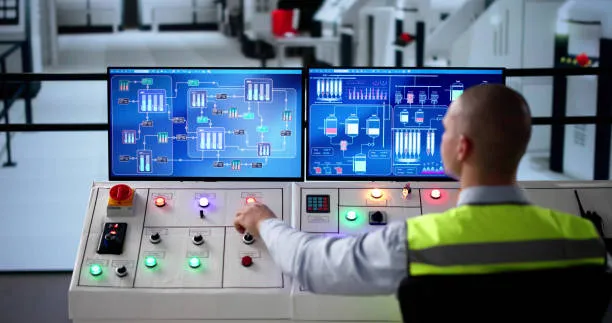
If you’re running a traditional factory, you might be operating with disconnected data. Nobody knows a machine’s internal status until it actually breaks. Connecting industrial touch displays directly to the machine’s PLC (Programmable Logic Controller) creates a live data link. This shows your operator exactly what is happening inside the equipment.
- Live Metric Access: Your operators can monitor variables like motor load, hydraulic pressure, and spindle speed without leaving their station.
- Immediate Deviation Alerts: If a sensor detects a temperature rise of even 5%, the screen flags the anomaly immediately.
This clear view allows your maintenance teams to fix small issues before they turn into a total shutdown. By catching these problems early, you can often cut down on unexpected stops by 15% Do 20% simply by keeping the operator informed in real time.
Faster Fault Detection and Troubleshooting
When your machine stops, every minute counts. In many older setups, your technician has to bring a specialized laptop to the floor. They then search through confusing code just to identify a failed sensor. This process is slow and drives up the cost of every breakdown.
A dedicated industrial touch screen display makes troubleshooting much faster. It turns abstract technical data into clear visual information for you.
- Visual Fault Mapping: Instead of a cryptic error code, the screen shows a 3D layout of the machine. These points are exactly to the component that caused the stop.
- On-Screen Support: Technical manuals, wiring diagrams, and instructional repair videos are stored right on the panel.
Getting the machine running again quickly is the most direct way to save your OEE score. When your operator resolves a minor jam in two minutes instead of twenty, your production stays on track, and your labor remains productive.
Maintenance Alerts and Downtime Tracking
Paper-based maintenance schedules are easy for your team to lose or ignore. Digital screens function as an automated tracking system. They monitor the machine’s actual usage hours and cycle counts with 100% precyzja.
- Usage-Based Reminders: Your system triggers maintenance alerts based on real machine data. Na przykład, a prompt might remind you to lubricate bearings after 5,000 cykle.
- Mandatory Reason Coding: When the machine stops, the touch interface requires the operator to select a specific downtime reason before the system can be restarted.
This digital record provides highly useful insights for your management team. It helps you see the real problems. Na przykład, you might find that 40% of your stops are actually caused by a slow supply chain rather than the machine itself.
Enhancing Production Performance Through Intuitive Touch Interfaces
Performance represents the actual speed of the production line relative to its maximum theoretical capacity. The efficiency of the Human-Machine Interface (HMI) frequently dictates the true pace of operations.
Simplified Operator Interaction
Doświadczenie użytkownika (UX) is a critical technical requirement in factory settings. Cluttered interfaces slow down operations. Efficient industrial design uses “minimal tap” logic. Every critical adjustment stays within two touches of the home screen to maximize your output.
This intuitive navigation reduces the “cognitive load” on the worker, allowing for a steady production rhythm without mental fatigue. Consequently, simplified interfaces shorten the learning curve for new personnel, ensuring trainees reach peak productivity levels rapidly.
Faster Data Entry and Production Tracking
Manual entry creates human downtime. Digital touch interfaces integrate data collection into the workflow for instant MES updates. A quick tap or scan reclaims productive minutes. This increases your total units without expensive mechanical upgrades.
Digitization eliminates the risk of lost paperwork or unreadable handwriting, providing your management office with a clear, synchronized view of floor performance. By reclaiming these seconds, facilities often see significant gains in units produced per shift.
Visual Production Dashboards
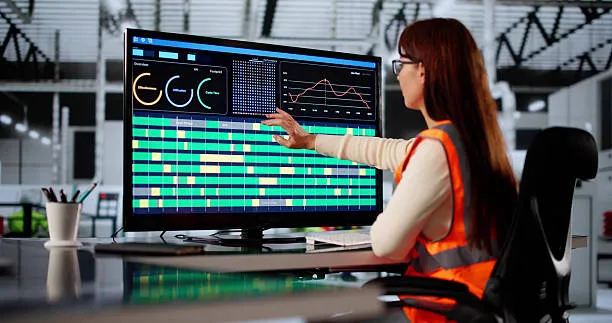
Live dashboards on bright screens provide teams with immediate feedback. This real-time tracking allows operators to self-correct and meet hourly targets without supervisor intervention. High-nit clarity ensures readability across the floor, even in harsh lighting.
When floor staff visually track their OEE score as it fluctuates, it fosters a culture of accountability. This transparent feedback loop is often the deciding factor in whether a production team successfully meets its daily quotas.
Improving Product Quality with Digital Inspection and Data Accuracy
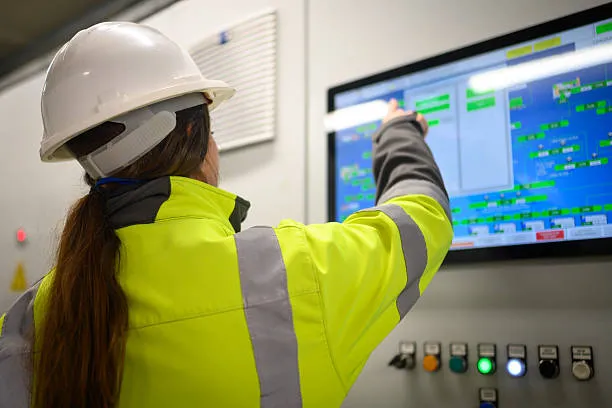
Quality is the final piece of your OEE puzzle. Running at full speed doesn’t matter if you’re making scrap. Digital screens are your best tool for stopping the human errors that lead to defective products.
Digital Quality Inspection Workflows
Waiting until the end of a production run to check for defects is a reactive approach. You need to catch mistakes while they are still cheap to fix. You should do this before you’ve already produced hundreds of bad parts.
- Software Interlocks: You can embed inspection checklists directly into your screens. The system then locks the machine until the operator confirms every critical dimension.
- Visual Reference Standards: The display presents high-resolution images of “acceptable” vs. “rejected” parts for immediate visual comparison by your team.
This standardized digital workflow ensures that every shift follows the exact same quality protocol. It removes the subjectivity of visual inspection and ensures that your product consistency is maintained.
Defect Tracking and Quality Monitoring
When you identify a defect, the technical priority is to find the cause immediately. Without digital tracking, quality analysis is often based on guesswork or incomplete data regarding the machine’s state at the time of the error.
- Instant Tagging: Your operators can record specific defects with a single tap on the screen at the moment of discovery.
- Automated Data Snapshots: The software captures the machine’s operational data at the exact timestamp at which the defect was recorded.
Analyzing this data helps your engineers find direct correlations. Na przykład, they might discover that 80% of defects happen when the machine speed exceeds a specific limit. This enables precise mechanical adjustments that prevent future waste.
Process Standardization
Consistency is the foundation of industrial quality. If different operators set up the same machine in slightly different ways, you will get different results. This “operator variability” is a hidden threat to your OEE Quality score.
- Recipe Management: Your managers can pre-program the exact operational parameters for every specific product type or material.
- One-Touch Configuration: Your operator just selects the product on the screen. The PLC then automatically configures the correct temperatures, prędkości, and pressures.
Standardization ensures the machine runs identically across every shift, day, or night. This consistency leads to tighter tolerances and a significantly more consistent final product. This reduces the high cost of quality failure in turn.
Choosing and Deploying Industrial Touch Displays to Maximize OEE
How to Choose the Right Touch Display
When you are looking for an industrial touch screen display, you need to select the technology that matches your specific environment.
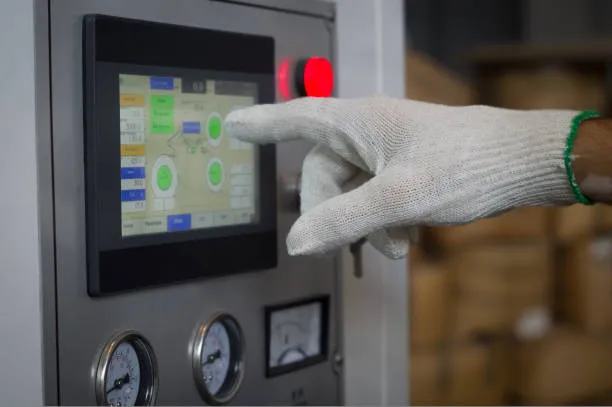
- Dotknij technologii (PCAP vs. Rezystancyjny): Przewidywany pojemnościowy (PCAP) is preferred for its high clarity and multi-touch capabilities, podobny do smartfona. Jednakże, in environments where operators wear thick safety gloves or where liquid splashing is common, high-quality resistive touch screens are often more reliable.
- Environmental Protection (IP Ratings): For food and beverage processing, an IP65 or IP69K rating is necessary to survive high-pressure washdowns. In metalworking or woodworking, a fanless, fully sealed design is required to prevent metallic dust or sawdust from short-circuiting the internal electronics.
- Sunlight Readability: If a display is near a window or under high-intensity factory lights, a standard screen will wash out. Displays should have a high brightness rating (minimum 1000 gnidy) and anti-glare coatings to ensure they are readable from all angles.
- Ruggedization Specs: Ensure units are rated for high vibration and shock to withstand constant mechanical oscillation. You must also choose diverse I/O ports to match your existing PLC hardware.
- Long-term Model Availability: Industrial displays should offer a 5-to-7-year “form-factor guarantee.” This ensures that future replacement hardware will fit your existing panel cutouts exactly.
Choosing a display based on these environmental realities ensures a much lower total cost over time. It makes maintenance much simpler and keeps your production line running longer.
Best Practices for Deployment
Your screen only works if it’s installed in a way that helps your operator. If it’s hard for them to reach or hard to see, your team will eventually stop using it or find ways to bypass the system.
- Ergonomic Positioning: Your screens should be mounted at eye level within the operator’s natural reach. Adjustable VESA mounts are essential for accommodating diverse worker heights.
- Signal Integrity: Your factory is full of electrical noise from big motors. Use shielded cabling and secured connectors to prevent your screen from flickering during operation.
- Calibration and Training: Once installed, calibrate the touch sensitivity for the specific protective gear used on-site. When your operators see how live data makes their job easier, they will be more likely to keep your OEE high.
Ostatnie przemyślenia
Success on the factory floor rarely comes from one massive overhaul. Zamiast, you win by clearing away the small, daily frustrations that slow your team down. Industrial touch displays are the most practical tools for tackling these hidden delays. They give your team the information needed to see problems early, the easy controls to work faster, and the data accuracy needed to stop making scrap.
To achieve these OEE results, you need a hardware partner you can trust. Touchwo specializes in rugged industrial touch displays that are built for the 24/7 reality of your factory floor. Unlike consumer brands, Touchwo offers long-term model stability. This means the screens we provide for you today will still be available for replacement years from now. Whether you need a bright China industrial touch screen display for a sunny loading dock or a tough panel that works with heavy gloves, Touchwo has the experience to help you succeed.
Ready to stop the downtime and start hitting your production targets? Skontaktuj się z nami już dziś for a technical consultation on the ideal display configuration for your specific facility requirements.