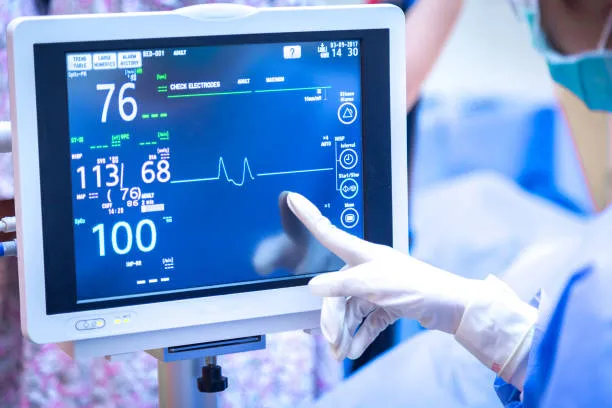
เมื่อเลือกก 32 จอภาพหน้าจอสัมผัสขนาดนิ้ว, สิ่งสำคัญคือต้องใส่ใจกับปัจจัยสำคัญต่อไปนี้เพื่อให้แน่ใจว่าคุณเลือกผลิตภัณฑ์ที่เหมาะสมกับความต้องการของคุณ:
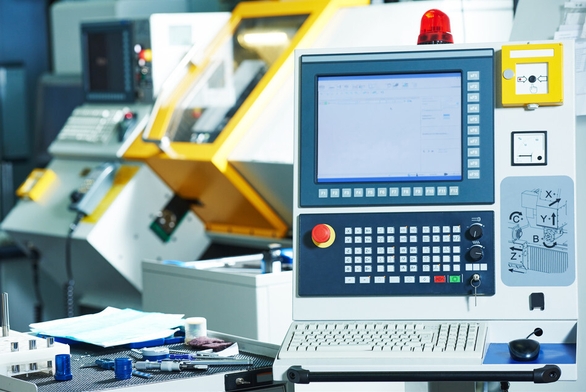
ประเภททางเทคนิค
มีเทคโนโลยีสัมผัสหลายประเภทที่ใช้ในจอแสดงผลแบบสัมผัส, รวมถึงตัวเก็บประจุ, ต้านทาน, อินฟราเรด, คลื่นเสียงพื้นผิว, เช่นเดียวกับในเซลล์และบนเซลล์. เทคโนโลยีต่าง ๆ มีข้อดีและข้อเสียที่แตกต่างกัน, เหมาะสำหรับสถานการณ์ที่แตกต่างกัน:
ตัวเก็บประจุ 32 นิ้ว ตจอภาพทัชสกรีน: ตอบสนอง, รองรับมัลติทัช, ความทนทานที่แข็งแกร่ง, เหมาะสำหรับสภาพแวดล้อมที่ใช้บ่อย เช่น ร้านค้าปลีก, การศึกษา, ฯลฯ. ที่ต้องการอินพุตแบบสัมผัสที่มีความแม่นยำสูงและละเอียดอ่อน. แต่มีความต้องการสูงสำหรับนิ้วมือหรือปากกาสัมผัสแบบพิเศษ, และทำงานได้ไม่ดีเมื่อสวมถุงมือหรือในสภาพแวดล้อมที่มีความชื้น. อย่างไรก็ตาม, หน้าจอคาปาซิทีฟทางอุตสาหกรรมบางรุ่นสามารถรองรับการทำงานของถุงมือได้.
หน้าจอสัมผัสแบบต้านทาน: สามารถสั่งงานด้วยนิ้วมือได้, สไตลัส, หรือแม้แต่มือที่สวมถุงมือ, ด้วยต้นทุนที่ต่ำ, เหมาะสำหรับสถานการณ์ที่ต้องสวมถุงมือหรือมีงบประมาณต้นทุนที่จำกัด, เช่นสภาพแวดล้อมทางอุตสาหกรรมหรืออุปกรณ์ทางการแพทย์บางอย่าง. แต่ไม่รองรับมัลติทัชและพื้นผิวหน้าจอมีแนวโน้มที่จะสึกหรอ.
หน้าจอสัมผัสอินฟราเรด: สามารถถูกกระตุ้นได้โดยไม่ต้องสัมผัส, เหมาะสำหรับหน้าจอขนาดใหญ่หรือฉากที่ต้องใช้งานแบบไม่สัมผัส. ความแม่นยำของขอบไม่ดีและไวต่อคราบฝุ่นและน้ำมัน, ต้องทำความสะอาดและบำรุงรักษาเป็นประจำ.
หน้าจอสัมผัสคลื่นเสียงบนพื้นผิว: ภาพมีความชัดเจนและสัมผัสได้แม่นยำ, แต่ได้รับผลกระทบจากสภาพแวดล้อมภายนอก เช่น สภาพแวดล้อมที่มีฝุ่นหรือชื้นได้ง่าย, จึงไม่เหมาะกับการใช้งานในสภาพแวดล้อมเหล่านี้.
ในเทคโนโลยีเซลล์ทัช: รวมเซ็นเซอร์สัมผัสเข้ากับแผงจอแสดงผล LCD โดยตรง, ทำให้จอแสดงผลบางลงและปรับปรุงประสิทธิภาพการแสดงผลและความไวของการสัมผัส. เมื่อเทียบกับจอสัมผัสแบบเดิมๆ, ในเทคโนโลยี Cell ทำให้การแสดงผลมีความชัดเจนยิ่งขึ้น, ตอบสนองการสัมผัสได้มากขึ้น, และทนทานยิ่งขึ้น. เหมาะสำหรับสถานการณ์ที่มีความต้องการเอฟเฟกต์การแสดงผลและความไวสัมผัสสูง.
เทคโนโลยีออนเซลล์ทัช: วางเซ็นเซอร์สัมผัสไว้ด้านบนของชั้นคริสตัลเหลว, โดยมีชั้นอากาศหรือตัวกลางโปร่งใสอยู่ระหว่างเซ็นเซอร์สัมผัสและชั้นผลึกเหลว. เมื่อเทียบกับเทคโนโลยีอินเซลล์, ต้นทุนการผลิตเทคโนโลยีออนเซลล์อาจลดลง, แต่ค่อนข้างพูด, ความเร็วในการตอบสนองการสัมผัสและเอฟเฟกต์การแสดงผลอาจด้อยกว่าเทคโนโลยี In Cell เล็กน้อย.
32 ขนาดและความละเอียดของจอภาพหน้าจอสัมผัสแบบสัมผัส
ขนาดหน้าจอ: ขนาดของจอสัมผัสมีตั้งแต่ไม่กี่นิ้วไปจนถึงหลายสิบนิ้ว. ขนาดเล็กเหมาะสำหรับใช้งานส่วนตัวหรืออุปกรณ์ขนาดเล็ก, เช่น อุปกรณ์มือถือหรือระบบฝังตัว; ขนาดใหญ่เหมาะสำหรับโอกาสต่างๆ เช่น งานนิทรรศการสาธารณะ, การประชุม, และการศึกษาที่ต้องใช้คนหลายคนในการรับชมหรือดูจากหลายมุม.
ปณิธาน: ความละเอียดสูงสามารถนำมาซึ่งเอฟเฟกต์การแสดงผลที่ชัดเจนยิ่งขึ้น, โดยเฉพาะเมื่อแสดงข้อมูลโดยละเอียดหรือภาพคุณภาพสูง. ความละเอียดทั่วไป ได้แก่ 1080p (ฟูลเอชดี), 1440พี (คิวเอชดี), และ 2160p (4เค). เลือกความละเอียดที่เหมาะสมตามความต้องการการใช้งานเพื่อให้มั่นใจถึงความชัดเจนของภาพและข้อความ.
32 ประสิทธิภาพการแสดงผลจอภาพหน้าจอสัมผัสขนาดนิ้ว
ความสว่าง: กำหนดทัศนวิสัยในสภาพแวดล้อมแสงที่แตกต่างกัน. โดยเฉพาะอย่างยิ่งเมื่อใช้กลางแจ้งหรือในสภาพแวดล้อมที่มีแสงจ้า, ขอแนะนำให้เลือกจอแสดงผลที่มีความสว่างสูง, เช่น 1000 nits หรือสูงกว่า, เพื่อให้แน่ใจว่าหน้าจอชัดเจนและมองเห็นได้.
ตัดกัน: คอนทราสต์สูงสามารถให้ความลึกของภาพและความละเอียดสีได้ดีขึ้น, ช่วยเสริมประสบการณ์การมองเห็น.
การแสดงออกของสี: จอแสดงผลที่ให้สีที่แม่นยำและความอิ่มตัวของสีสูงสามารถให้ภาพที่สมจริงและสดใสยิ่งขึ้น. สำหรับฉากที่ต้องการแสดงภาพหรือวิดีโอคุณภาพสูง, เช่น การแสดงโฆษณาหรือสตูดิโอออกแบบ, การแสดงสีเป็นสิ่งสำคัญอย่างยิ่ง.
มุมมอง: สำหรับฉากที่ต้องใช้คนหลายคนในการสังเกตหรือดูจากหลายมุม, มุมมองที่กว้าง (เช่น หน้าจอ IPS) สามารถเพิ่มเอฟเฟ็กต์ภาพได้อย่างมาก.
ความทนทานและการปรับตัวต่อสิ่งแวดล้อม
32 จำเป็นต้องใช้ Touchscreen Monitor นิ้วในสภาพแวดล้อมที่แตกต่างกัน, ดังนั้นความทนทานและความสามารถในการปรับตัวต่อสิ่งแวดล้อมจึงเป็นสิ่งสำคัญในการพิจารณาเลือก:
ระดับการป้องกัน: จอแสดงผลแบบสัมผัสควรมีระดับการป้องกันสูง (เช่น IP65 หรือสูงกว่า) เพื่อป้องกันฝุ่นและความชื้นเข้าสู่ตัวเครื่อง. สำหรับสภาพแวดล้อมที่มีความชื้นสูงหรือมีการกัดกร่อนของสารเคมี, ควรพิจารณาการใช้วัสดุป้องกันการกัดกร่อนด้วย.
ช่วงอุณหภูมิ: ตรวจสอบให้แน่ใจว่าช่วงอุณหภูมิในการทำงานของจอสัมผัสสามารถครอบคลุมสถานการณ์การใช้งานจริงได้. ตัวอย่างเช่น, อุปกรณ์กลางแจ้งอาจต้องรองรับช่วงอุณหภูมิที่กว้าง -20 ° C ถึง 70 ° C.
ประสิทธิภาพแผ่นดินไหว: ในสถานการณ์ที่มีการสั่นสะเทือนทางกลบ่อยครั้ง (เช่นอุปกรณ์การประชุมเชิงปฏิบัติการหรือยานพาหนะขนส่ง), จอแสดงผลแบบสัมผัสต้องมีประสิทธิภาพแผ่นดินไหวที่ดี.
ความทนทาน: การเลือกจอแสดงผลแบบสัมผัสที่มีคุณสมบัติเช่นความต้านทานการขีดข่วน, ต้านทานฝุ่น, และการกันน้ำเป็นสิ่งสำคัญ, โดยเฉพาะอย่างยิ่งเมื่อใช้ในสภาพแวดล้อมทางอุตสาหกรรมหรือกลางแจ้ง. ตรวจสอบให้แน่ใจว่าหน้าจอรองรับการใช้งานแบบสัมผัสในระยะยาว (เช่นมากกว่า 50 ล้านสัมผัส) และมีความทนทานที่ดี.
อินเทอร์เฟซการเชื่อมต่อและความเข้ากันได้
ประเภทอินเทอร์เฟซ: อินเทอร์เฟซทั่วไป ได้แก่ HDMI DisplayPort、ยูเอสบี、วีจีเอ、ดีวีไอ、RS232、อาร์เอส485、 อีเทอร์เน็ต, ฯลฯ. ตรวจสอบให้แน่ใจว่าจอภาพมีอินเทอร์เฟซเพียงพอและเหมาะสมในการเชื่อมต่อกับอุปกรณ์อื่นๆ.
ความเข้ากันได้: ตรวจสอบให้แน่ใจว่าจอภาพสัมผัสเข้ากันได้กับระบบปฏิบัติการ (เช่นวินโดวส์, หุ่นยนต์, ลินุกซ์, ฯลฯ) และซอฟต์แวร์ประยุกต์ที่ใช้. ในเวลาเดียวกัน, ตรวจสอบว่าหน้าจอสัมผัสมีไดรเวอร์ระบบปฏิบัติการที่เกี่ยวข้องหรือไม่ เพื่อให้แน่ใจว่าฟังก์ชันสัมผัสทำงานได้ตามปกติ.
คุณสมบัติเพิ่มเติม
มัลติทัช: รองรับฟังก์ชั่นมัลติทัชเพื่อประสบการณ์การโต้ตอบที่สมบูรณ์ยิ่งขึ้น, เหมาะสำหรับการใช้งานเช่นการศึกษา, ออกแบบ, และแสดงผล.
คอมพิวเตอร์ในตัว: จอสัมผัสบางจอรวมระบบคอมพิวเตอร์เข้าด้วยกัน (เช่นเครื่องออลอินวัน), ทำให้การเชื่อมต่อและการจัดการอุปกรณ์ง่ายขึ้น.
ขายึดแบบปรับได้: ขายึดแบบปรับได้ช่วยให้ปรับมุมมองได้อย่างยืดหยุ่น, เพิ่มความสะดวกสบายให้กับผู้ใช้.
การควบคุมระยะไกลและการตรวจสอบระยะไกล: เลือกหน้าจอสัมผัสที่รองรับฟังก์ชั่นการควบคุมระยะไกลและการเข้าถึงระยะไกลตามความต้องการของคุณ, เพื่อติดตามและควบคุมอุปกรณ์จากระยะไกล.
เคลือบสารต้านเชื้อแบคทีเรีย: ในด้านเครื่องมือแพทย์หรือการแปรรูปอาหาร, เลือกหน้าจอสัมผัสที่มีการเคลือบสารต้านแบคทีเรียเพื่อป้องกันการแพร่กระจายของแบคทีเรีย.
แบรนด์และความคุ้มค่า
การเลือกแบรนด์: เลือกแบรนด์จอแสดงผลระบบสัมผัสทางอุตสาหกรรมที่มีอิทธิพลและมีชื่อเสียง ซึ่งโดยทั่วไปจะมอบคุณภาพของผลิตภัณฑ์และบริการหลังการขายที่ดีกว่า.
ความคุ้มทุน: พิจารณาความคุ้มทุนของผลิตภัณฑ์พร้อมทั้งตอบสนองข้อกำหนดการใช้งาน. เปรียบเทียบราคา, ผลงาน, ฟังก์ชั่น, และปัจจัยอื่นๆ ของยี่ห้อและรุ่นที่แตกต่างกัน, และเลือกผลิตภัณฑ์ที่ตรงกับความต้องการของคุณมากที่สุด.
โดยสรุป, เมื่อเลือกจอสัมผัส, จำเป็นต้องพิจารณาปัจจัยต่างๆ เช่น ประเภทของเทคโนโลยีอย่างครอบคลุม, ขนาดหน้าจอและความละเอียด, ประสิทธิภาพการแสดงผล, ความทนทานและการปรับตัวต่อสิ่งแวดล้อม, อินเตอร์เฟซการเชื่อมต่อและความเข้ากันได้, และฟังก์ชั่นเพิ่มเติม. โดยการเปรียบเทียบและประเมินข้อดีข้อเสียของผลิตภัณฑ์ต่างๆอย่างรอบคอบ, เราสามารถเลือกผลิตภัณฑ์ที่ตรงกับความต้องการมากที่สุดได้.