
Час відгуку є однією з найбільш неправильно зрозумілих характеристик сенсорних екранів. Багато покупців припускають, що нижчий час відгуку автоматично означає більш чутливий дисплей, а в реальності, час відгуку пікселя є лише частиною загального досвіду користувача. Затримка дотику, системна обробка, і оновлення дисплея сприяють тому, наскільки швидко відчувається сенсорний екран.
У цьому посібнику, ми пояснимо різницю між часом відгуку РК-дисплея та затримкою дотику, обговоріть, коли час відгуку дійсно має значення для промислових HMI та кіосків, і покаже вам, як оцінити реакцію в реальному світі замість того, щоб покладатися виключно на специфікації таблиці даних.
Що таке час відгуку для сенсорних екранів і РК-панелей

Відгук пікселів проти. Натисніть Відповідь
Люди часто використовують “час відповіді” для опису двох абсолютно різних показників. Піксельна відповідь, специфічні для РК-панелі, вимірює, наскільки швидко піксель може змінювати колір з одного кольору на інший, зазвичай у мілісекундах (РС) від сірого до сірого (GtG). Реакція на дотик, з іншого боку, це затримка між фізичним дотиком і системою, яка виявляє та повідомляє про цей вхід. Це окремі вимірювання, які відіграють певну роль у продуктивності інтерактивний дисплей.
Вплив на візуальну якість і взаємодію з користувачем
Повільна реакція пікселя спричиняє візуальні артефакти, такі як розмиття та ореоли, де рухомі об’єкти на екрані виглядають змазаними або залишають за собою слабкі сліди. Повільна реакція на дотик створює помітну затримку, яка робить кожне натискання, проведіть пальцем, і жести відчуваються відключеними та млявими. Для застосувань, які вимагають точності та швидкості, наприклад цифрове малювання чи ігри, низькі значення для обох не підлягають обговоренню для досягнення чітких візуальних зображень і точного керування.
Як сприймається наскрізна затримка
Користувач не відчуває швидкості ізольованих компонентів; вони відчувають загальне, наскрізна затримка. Ця загальна затримка є сумою виявлення дотику, системна обробка, і час, необхідний для фізичного оновлення пікселів новою інформацією. Це означає, що навіть система з блискавичним датчиком дотику може забезпечити жахливий досвід роботи з користувачем, якщо РК-панель повільно відображає відгуки. Високопродуктивні системи розроблені для мінімізації затримок на кожному етапі цього ланцюга, щоб створити справді безперебійне відчуття.
Що шукати в специфікаціях
Під час оцінки РК-панелі для програми з швидким рухом, час відгуку GtG менше 5 ms — хороший орієнтир. Для сенсорної системи, відповіддю є специфікація системного рівня, де затримка виявлення та звітування менше ніж 10 ms є загальною метою для високоякісних пристроїв. Майте на увазі, що реальні умови мають значення — такі фактори навколишнього середовища, як низькі температури, можуть різко сповільнити час відгуку пікселя РК-дисплея., впливаючи на продуктивність незалежно від його характеристик на папері.
Час відгуку проти затримки дотику: Що найбільше плутає покупців
Покупці помилково приймають дисплей “час відповіді” (швидкість пікселів) для “затримка дотику” (відставання системи). Швидка специфікація панелі не гарантує чуйної реакції на дотик; вся система має значення.
Визначення основних термінів: Швидкість пікселя проти. Системна затримка
Найпоширеніші моменти плутанини починаються зі специфікації. Час відгуку вимірює, як швидко окремий піксель може змінити колір, часто від одного відтінку сірого до іншого (GtG). Ця метрика пов’язана з чіткістю руху — вона визначає, чи бачите ви розмитість руху чи ореоли, але це не має нічого спільного з тим, як екран реагує на ваш дотик.
Натисніть Затримка, з іншого боку, вимірює повну наскрізну затримку від моменту торкання пальцем до моменту появи відповідної візуальної зміни на екрані. Низький час відгуку (подобається 1 РС) є специфікацією панелі, в той час як затримка дотику є вимірюванням продуктивності всієї системи, яка працює разом.
Чому час відгуку є лише невеликою частиною рівняння
Шлях від вашого дотику до реакції на екрані довгий. Конвеєр затримки дотику включає сканування датчика дотику для введення, контролер, який обробляє ці дані, операційна система, що обробляє введення, програма працює за власною логікою, і GPU рендерить остаточне зображення. Час відгуку пікселя охоплює лише абсолютний останній крок у цьому ланцюжку: фізична зміна пікселів *після* того, як новий кадр уже доставлено на дисплей.
Ось чому дисплей із a “швидко” 1 час відповіді мс все ще може закінчитися 80 мс реальної затримки дотику. Якщо в головному пристрої є вузькі місця, ОС, або додаток, швидкість пікселів панелі не має значення.
Порівняння чисел у практичному контексті
Більшість сучасних дисплеїв мають час відгуку пікселя між 1-10 РС, дуже маленьке вікно. У реальному світі затримка дотику значно вища та сильно змінюється. Преміальні планшети можуть досягти 20-40 РС, поки деякі ПК сенсорні монітори може перевищувати 100 РС. Для більшості користувачів, будь-яка затримка дотику вище 100 мс сприймається як помітно “відсталий”— значення, яке значно перевищує специфікацію часу відгуку будь-якого дисплея.
Поширені помилки, які призводять до неправильного рішення про покупку
Ця плутанина призводить до кількох неправильних рішень про покупку. Багато покупців ототожнюють a “1 час відгуку мс” на аркуші специфікацій із миттєвим дотиком, що є неправильним. Потім вони звинувачують монітор у відставанні продуктивності підключеного ПК, водії, або навіть фонові процеси є фактичною причиною затримки.
Ще одна поширена помилка – припускати високу частоту оновлення, подобається 144 Гц, гарантує низьку затримку дотику. Хоча вища частота оновлення може допомогти, це неефективно, якщо частота дискретизації дотику та ОС не оптимізовані для використання його переваг. Вся система має бути швидкою, не тільки один компонент.
Ваш надійний виробник сенсорних екранів OEM/ODM
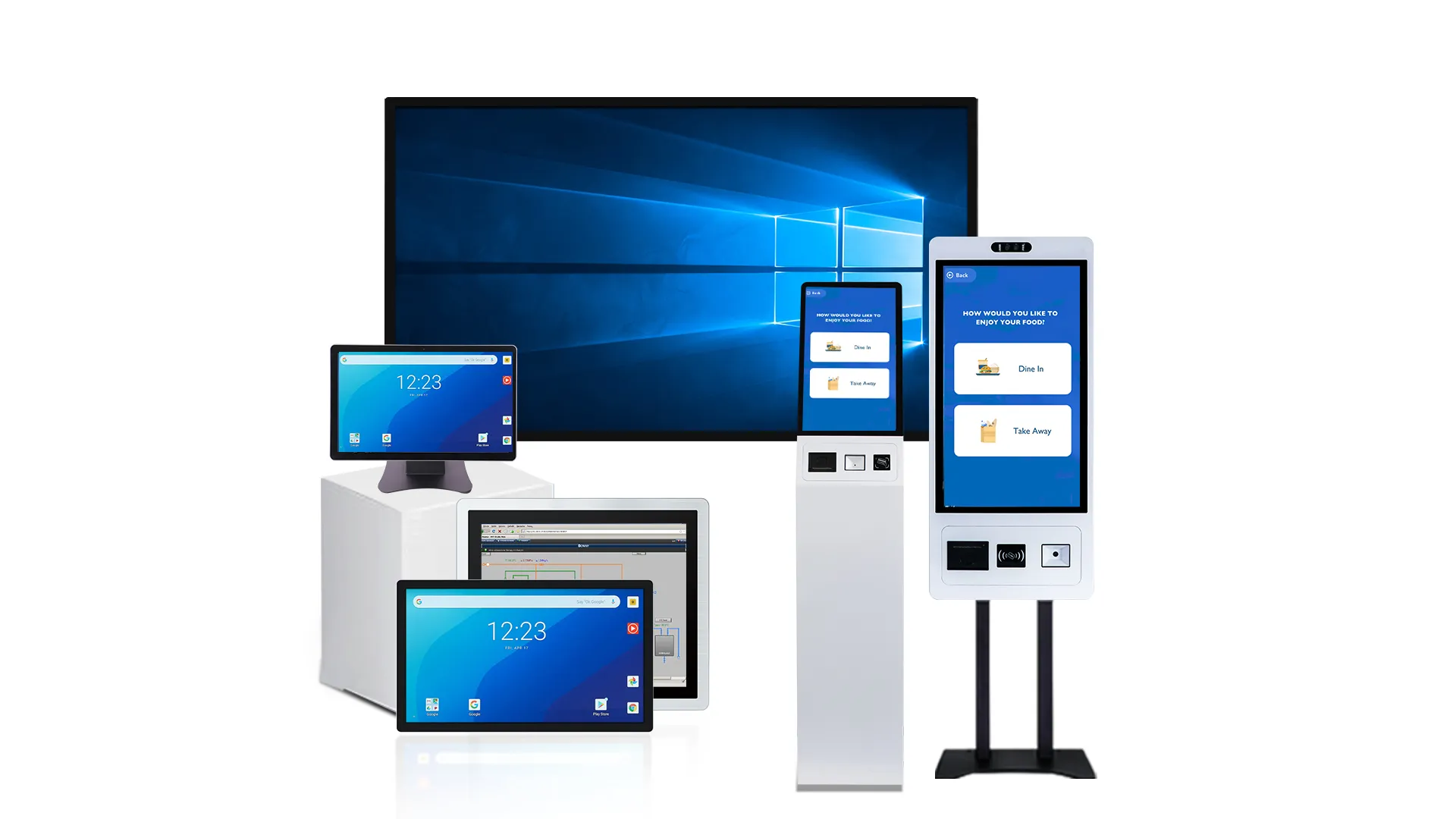
Коли час відгуку має значення в HMI, Кіоск, та використання автоматизації
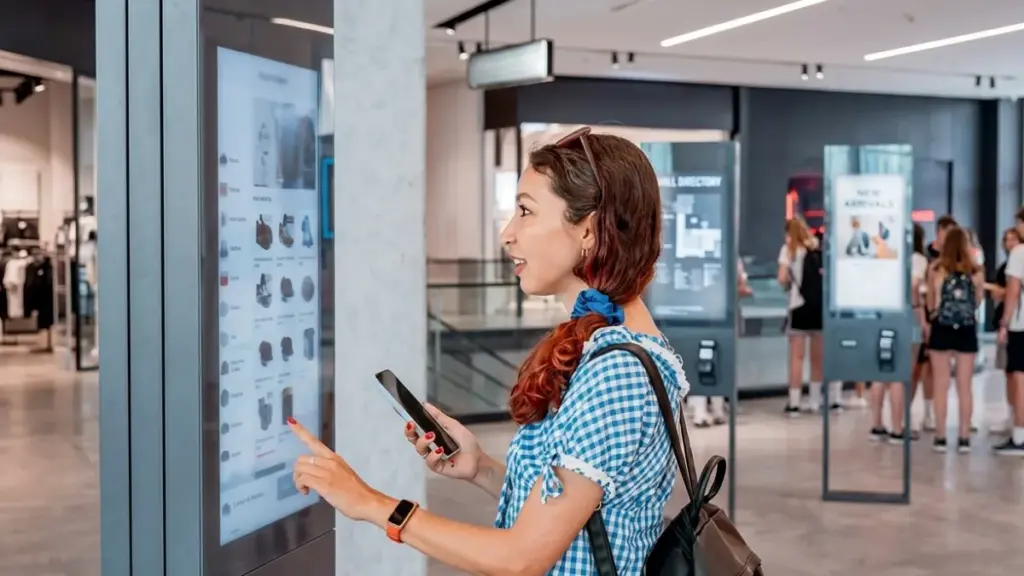
У промислових і громадських умовах, час відгуку системи не обговорюється. Затримки безпосередньо впливають на безпеку оператора, ефективність виробництва, і сприймається якість послуги або бренду.
Промислові HMI для керування машинами та процесами
Для операторів, які керують механізмами, затримка між сенсорним введенням і реакцією системи може бути різницею між плавним виробництвом і дорогим збоєм. Стрімкий, передбачуваний HMI є фундаментальним для оперативного управління.
- Безпека оператора: Негайна реакція безпосередньо впливає на безпеку оператора. Під час критичних операцій, затримка у виконанні такої команди, як аварійна зупинка, може призвести до пошкодження обладнання або травми.
- Цілісність процесу: Низька затримка забезпечує своєчасне коригування параметрів процесу. Оператори можуть впевнено регулювати швидкість, тиск, або температури, знаючи, що система відреагує, як очікувалося, без затримки.
- Запобігання помилкам: Чуйний інтерфейс запобігає виробничим помилкам. Відкладені команди запуску/зупинки або неправильне читання даних через затримку відображення можуть зіпсувати партії та порушити робочий процес.
Загальнодоступні кіоски та термінали самообслуговування
У місцях з інтенсивним рухом людей, наприклад в аеропортах або роздрібних магазинах, користувачі мають мало терпіння до повільних технологій. Чуйність a кіоск самообслуговування безпосередньо формує досвід клієнта та ефективність послуги.
- Зменшена залишеність: Швидкий інтерфейс зменшує розчарування користувачів і знижує рівень відмов у транзакціях. Затримка навіть у кілька сотень мілісекунд може стати млявою та змусити користувачів піти.
- Максимальна пропускна здатність: Швидкий час відповіді забезпечує максимальну продуктивність. Це дозволяє більшій кількості користувачів виконувати такі завдання, як продаж квитків, замовлення, або заїзд, що підтримує рух ліній і ефективність операцій.
- Сприйняття бренду: Швидкість взаємодії впливає на якість і надійність бренду. Відстаючий кіоск створює відчуття, що весь сервіс виглядає застарілим або зламаним.
Вбудовані панелі на чутливому до часу обладнанні
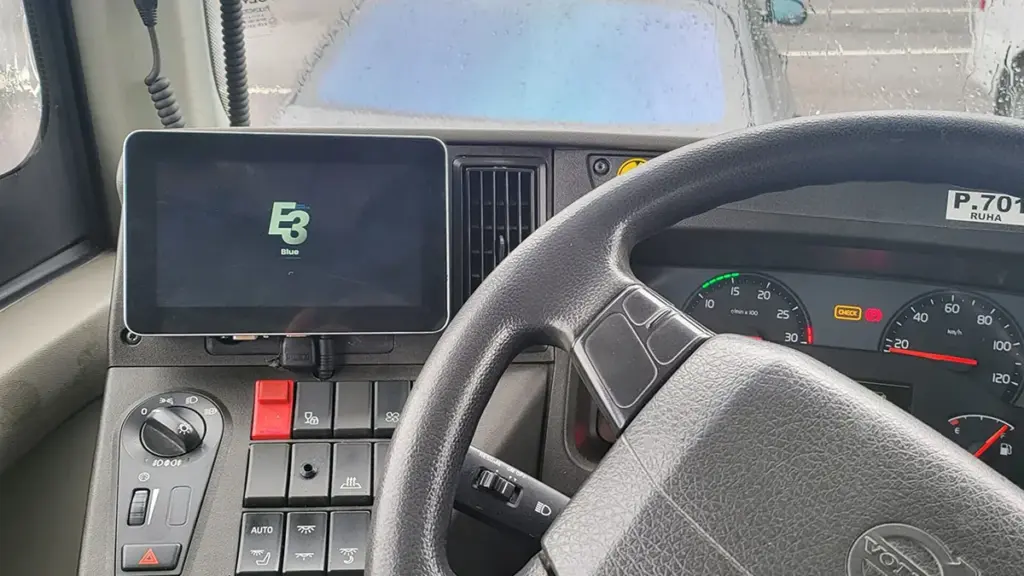
Якщо панель керування встановлена безпосередньо на таке обладнання, як верстат з ЧПК або пакувальна лінія, оператори часто працюють у жорстких часових обмеженнях. Інтерфейс має бути розширенням їхніх дій, не є джерелом затримки.
- Точні налаштування: Миттєвий зворотний зв'язок дозволяє операторам робити точні, коригування в реальному часі. Це важливо для завдань, що вимагають точного контролю та негайного візуального підтвердження.
- Запобігає помилкам перерегулювання: Чуйна система запобігає “перевищення,” коли оператор натискає кнопку кілька разів, тому що перший введений текст не був негайно підтверджений на екрані.
- Ефективність циклічної машини: Низька затримка критична для циклічних машин. Зміни параметрів мають відбуватися протягом певного часового вікна, щоб уникнути порушення ритму машини та зниження ефективності.
Критично важливі для безпеки функції та підтвердження тривоги
У будь-якій системі, де людина є частиною протоколу безпеки, час відповіді є головною проблемою. HMI не може вносити неоднозначність або затримку, коли оператору потрібно діяти за сигналом тривоги або екстреною командою.
- Відповідь на сигнал тривоги: Оператори повинні мати можливість підтверджувати системні тривоги та реагувати на несправності без затримки. Затримка може продовжити небезпечний стан.
- Екстрені команди: Такі функції, як аварійна зупинка, повинні виконуватися без будь-якої помітної затримки. Роль HMI полягає в тому, щоб переконатися, що команда зареєстрована та миттєво виконується.
- Безпека людини в петлі: Будь-яка програма, де реакція людини є ключовою частиною плану безпеки, потребує HMI, який підтримує, а не заважає, швидке прийняття рішень і дії.
Які інші фактори впливають на сприйняту реакцію екрана
Сприймання чуйності екрана є результатом рівня системи, жодної спец. Це сума затримок від обладнання, програмне забезпечення, екологічні умови, і навіть психологія користувача.
Затримка на системному рівні та характеристики відображення
Відчуття користувача “відставання” часто починається задовго до того, як сигнал досягне дисплея. Весь ланцюжок обробки, від операційної системи до GPU, вносить затримки, які накопичуються в помітний розрив між дією та реакцією.
- Наскрізний ланцюжок затримок включає затримки від ОС, обробка заявки, і візуалізація GPU ще до того, як кадр надсилається на дисплей.
- Частота оновлення дисплея (напр., 60 Гц проти. 120 Гц) створює структурну підлогу для затримки, оскільки візуальний відгук не може з’явитися швидше, ніж наступне оновлення екрана.
- Поведінка вибірки й утримання, поширена в РК-дисплеях і OLED-дисплеях, спричиняє сприйняття розмитості руху, коли користувачі відстежують рухомі об’єкти, зробити взаємодію менш гострою.
- Повільний час відгуку пікселя може створити ореоли або розмазування під час швидких рухів, що користувачі часто сприймають як форму невідповідності.
Торкніться апаратного забезпечення та інтеграції датчиків
Фізична конструкція сенсорної системи є критичним джерелом затримки. Від основної сенсорної технології до матеріалів, накладених на поверхню, кожен компонент може додавати мілісекунди затримки або створювати непостійну продуктивність.
- Основна технологія сенсора дотику, наприклад прогнозована ємність проти резистивної, має властиві відмінності у швидкості та чутливості.
- Такі матеріали, як покривне скло, захисні плівки, і навіть повітряні проміжки між шарами можуть послабити сигнал дотику, вимагає більш агресивної обробки, що додає затримку.
- Прошивка сенсорного контролера, який керує частотою сканування та фільтрацією шуму, є основним джерелом затримки обробки.
- Погана механічна інтеграція в корпус може створити непостійну чутливість або мертві зони, особливо біля країв екрана.
Алгоритми програмного забезпечення та відгуки про інтерфейс користувача
Програмне забезпечення часто є найбільшим винуватцем того, що екран працює повільно. Те, як система інтерпретує дані дотику та як вона представляє зворотний зв’язок, може повністю перевизначити продуктивність основного обладнання.
- Алгоритми фільтрації шуму, координатне згладжування, і відхилення долоні може затримати початкову подію дотику або подальші дані про рух.
- Механізмам розпізнавання жестів часто доводиться чекати короткий проміжок часу, щоб відрізнити натискання, довге натискання, або проведіть пальцем, введення помітної затримки.
- Дизайн зворотного зв’язку інтерфейсу користувача має вирішальне значення; забезпечуючи негайну візуальну підказку під час приземлення (як родзинка) робить інтерфейс чуйним, навіть якщо основна дія займає більше часу.
- Хронометраж анімації та криві ослаблення значно впливають на сприйняття. Повільна або складна анімація робить інтерфейс млявим, незалежно від швидкості апаратного забезпечення.
Умови навколишнього середовища та фактори користувача
Екран, який чуйно реагує в лабораторії, може викликати розчарування в реальному світі. Зовнішні фактори та власні очікування користувача встановлюють останню планку того, що вважається прийнятною продуктивністю.
- Зовнішні фактори, такі як прямі сонячні промені, електромагнітні перешкоди (EMI), і екстремальні температури можуть погіршити продуктивність датчика, примусове використання прошивки повільніше, більш надійна фільтрація.
- Забруднення на поверхні екрана, наприклад вода або пил, можуть бути неправильно витлумачені як дотики, вимагає вищих порогів активації, що робить його менш чутливим.
- Тип введення — голим пальцем, рука в рукавичці, або стилус — змінює характеристики сигналу, впливає на швидкість і надійність виявлення.
- Очікування користувача та конкретне завдання встановлюють психологічний орієнтир для того, що відчувається чуйним; швидкі ігри мають набагато нижчу затримку, ніж звичайні натискання кнопок.
Як покупці повинні оцінювати плавність реальних проектів
Для оцінки плавності дотику, ви повинні перевести суб'єктивні відчуття в тестований конверт продуктивності, що покриває затримку, відстеження якості, точність жестів, і повна системна інтеграція.
Термін “гладкість” є марним у технічній специфікації. Це суб’єктивне відчуття, не вимірюваний показник. У реальних проектах, успішний результат залежить від розкладання цього почуття на бетон, перевірені критерії, які можна перевірити, підтверджено, і виконується. Це означає не тільки маркетингові специфікації панелі, але й оцінку всієї системи, від прошивки сенсорного контролера до здатності головного процесора відтворювати інтерфейс користувача.
| Визначити специфікації | Інструментальне тестування | Функціональна перевірка | Аудит системної інтеграції |
|---|---|---|---|
|
|
|
|
Перекласти “Гладкість” в вимірювані специфікації
Перш ніж оцінювати будь-яке обладнання, визначити що “гладкий” засоби для вашої програми. Для промислового HMI, це може бути наскрізна затримка 50 мілісекунди або менше від дотику до видимого відгуку. Для швидкоплинного кіоску, вам може знадобитися швидкість звіту координат принаймні 120 Гц, щоб відповідати частоті оновлення дисплея та уникнути переривчастого відчуття під час проведення. Ви також повинні встановити чіткі критерії для складних дій, таких як точність масштабування та стабільність обертання. Ці технічні характеристики мають відповідати повному робочому діапазону температури та вологості продукту, не тільки в лабораторії.
Проводьте тестування за допомогою приладів і роботів
Людські руки не є надійним інструментом тестування. Щоб отримати об'єктивні дані, використовуйте роботизовані випробувальні установки, які можуть виконувати те саме натискання, проведіть пальцем, або жестикулюйте тисячі разів із ідеальною послідовністю. Це дозволяє багаторазово вимірювати наскрізну затримку — фактичний час від фізичного контакту до першої зміни пікселя на екрані.. Ці тести також можуть аналізувати якість відстеження, визначаючи відхилення шляху, скинуті зразки даних, і тремтіння під час швидких рухів. Перевірте кожну частину екрана, оскільки продуктивність часто погіршується біля країв і кутів порівняно з центром.
Перевірте за допомогою функціональних тестів і тестів сприйняття користувачем
Об’єктивні цифри – це лише половина справи. Кінцевий користувач також має сприймати систему. Виконайте функціональні тести окремих елементів інтерфейсу користувача, таких як кнопки та повзунки, щоб переконатися, що вони не відчуваються “липкий.” Проведіть A/B-тестування з цільовими користувачами, які виконують звичайні завдання на різних прототипах, щоб зібрати прямий зворотний зв’язок щодо передбачуваної швидкості реагування та визначити, яка система призводить до нижчого рівня помилок. Основна стратегія взаємодії також відіграє свою роль; наприклад, підтвердження вибору під час відпускання пальця може забезпечити більш чіткий зворотний зв’язок і зменшити кількість випадкових натискань. Нарешті, переконайтеся, що калібрування дотику залишається точним протягом тривалого часу, оскільки дрейф може зробити швидку систему млявою.
Дослідіть фактори інтеграції системного рівня
Абсолютно добре сенсорна панель може працювати погано, якщо системна інтеграція має недоліки. Перевірте повну конструкцію апаратного забезпечення на наявність джерел електричного шуму, неправильне заземлення, або перешкоди від самого РК-дисплея, оскільки вони можуть спричинити фантомні дотики або затримку. Переконайтеся, що головний процесор і системна пам’ять достатньо потужні для обробки вхідного потоку сенсорних даних під час відтворення інтерфейсу користувача без створення вузьких місць. Ще одним поширеним джерелом затримки є програмний стек; огляд драйверів, пріоритети обробки подій операційної системи, і налаштування інтерфейсу користувача для будь-якої додаткової затримки. Проста помилка в логіці відображення координат або масштабування також може призвести до нелінійної реакції, яку користувачі сприймуть як низьку продуктивність.
Чому Touchwo узгоджує характеристики з реальною поведінкою програми
Ми визначаємо характеристики на основі наскрізної затримки від фізичний дотик до екрана реакція. Це гарантує, що продуктивність відповідає реальному досвіду оператора, не просто оманливі дані лабораторії.
Різниця між специфікаціями панелі та сприйнятою затримкою
Специфікації стандартної панелі, як сірий до сірого (GTG) час відповіді, розкажіть лише частину історії. Вони вимірюють, як швидко пікселі можуть змінювати колір, не повний час реакції системи. Те, що оператор насправді відчуває — сприйняту затримку — включає затримки від датчика дотику, контролер, прошивка, операційна система, і весь графічний конвеєр.
Цитування лише номера GTG неправильно відображає досвід користувача. Дисплей із панеллю 5 мс може бути частиною системи, яка має загальну затримку 80 мс від дотику до видимого зворотного зв’язку. Саме ця прогалина відрізняє лабораторні показники від реальних показників.
Вимірювання продуктивності на основі людської взаємодії
Щоб подолати цей розрив, ми використовуємо тестування на основі програми, яке імітує те, як люди насправді використовують пристрій. Замість того, щоб просто вимірювати переходи пікселів, ми моделюємо реальні дії, такі як постукування, проведення, і перетягування. У цьому процесі використовуються роботизовані приводи для узгодженості та високошвидкісні камери для вимірювання часу від моменту фізичного дотику до першої видимої зміни на екрані.
Ми порівнюємо цю продуктивність із усталеною взаємодією людини та комп’ютера (HCI) дослідження. Щоб дія відчувалася миттєво, загальна затримка має бути нижче 100 мілісекунд. Наше тестування підтверджує, що система відповідає цим критичним порогам для прямого маніпулювання.
Забезпечення надійності в критичних промислових середовищах
На заводі, передбачувана відповідь не підлягає обговоренню. Для оператора, який керує механізмами, навіть незначні, непослідовні затримки можуть призвести до помилок, які вплинуть на безпеку та продуктивність. Наші технічні характеристики кваліфіковані для виконання в точних умовах, з якими вони стикаються в полі, не просто лабораторія з кондиціонером.
Це означає, що ми тестуємо та гарантуємо чутливість у важких умовах, включаючи екстремальні температури до -30°C, висока вологість, і коли оператори носять рукавички. Це вирівнювання забезпечує постійну та надійну реакцію пристрою щодня.
Як виглядає узгоджена специфікація
Вирівняний аркуш специфікацій надає значущість, метрики на рівні програми. Замість того, щоб бачити лише значення GTG, Ви отримуєте чітку картину продуктивності:
- Він визначає такі показники, як “затримка дотику до пробудження менше 80 мс.”
- Він надає гарантії на конкретні умови, такі як “максимальна затримка відповіді при робочій температурі -30°C.”
- Він пов’язує дані про продуктивність із ключовими робочими процесами, забезпечення відповідності критичних функцій вимогам реального використання.
Цей підхід виходить за рамки абстрактних чисел, щоб забезпечити чітку гарантію того, як пристрій поводитиметься в призначеному середовищі.
Заключні думки
Тоді як час відгуку РК-дисплея впливає на чіткість руху, загальний досвід користувача залежить від повної сенсорної системи, включаючи сенсорний контролер, продуктивність обробки, частота оновлення дисплея, та оптимізація програмного забезпечення. Оцінка цих факторів разом допомагає забезпечити гладкість, надійна робота в промислових і комерційних застосуваннях.
на TouchWo, ми розробляємо промислові сенсорні дисплеї на основі реальних вимог застосування. Від чутливих HMI-дисплеїв і кіосків самообслуговування до повністю налаштованих сенсорних екранів, наша команда інженерів допомагає клієнтам оптимізувати як візуальну продуктивність, так і чутливість дотиків. Зв’яжіться з нами, щоб обговорити ваш проект або запросити зразок для оцінки.
Часті запитання
Чи має значення час відгуку для сенсорних екранів?
так, але критичним показником є затримка дотику, не час відгуку пікселя. Затримка дотику – це затримка між фізичним дотиком і видимою реакцією екрана. Це безпосередньо впливає на реакцію жестів, таких як торкання, проведення, і відчуття малювання. Менша затримка дотику забезпечує більш миттєвий і природний досвід користувача.
Яка різниця між часом відгуку та затримкою дотику?
Час відгуку пікселя визначає, наскільки швидко один піксель на дисплеї може змінити колір, що впливає на розмиття руху. Затримка дотику – це загальна наскрізна затримка від моменту введення дотиком до появи візуальної зміни на екрані. Затримка дотику – це вимірювання на системному рівні, яке включає сканування датчика, обробки, і кінцевий час відгуку пікселя.
Який час відгуку підходить для дисплея HMI?
Хороший час відгуку пікселя для більшості промислових HMI (Людино-машинний інтерфейс) додатків становить 5–15 мс. Для екранів зі статичним або повільним вмістом, 10–15 мс достатньо. Для HMI, які відображають дані або анімацію, що прокручуються, час відгуку ≤10 мс є кращим для забезпечення чіткості та зменшення змазування.
Як низький час відповіді впливає на роботу кіоску?
Повільна реакція на дотик, або висока затримка, серйозно шкодить взаємодії з користувачем у кіоску. Це викликає розчарування, створює враження, що кіоск зламаний, і збільшує час виконання завдання. Користувачі часто роблять помилки, натискаючи кілька разів на екрані, який не відповідає. Така низька продуктивність може призвести до того, що користувачі покинуть кіоск і уникатимуть його в майбутньому.
Як покупець може оцінити реальну швидкість відгуку екрану?
Покупці можуть оцінити швидкість реагування, виконавши практичні тести, які імітують їхнє використання за призначенням. Це включає швидке малювання ліній у програмі для спостереження за відставанням між пальцем і намальованою лінією, швидко вводити текст на віртуальній клавіатурі, щоб перевірити пропущені введення, і використання мультисенсорних жестів, як-от масштабування щипками. Ці практичні тести слід поєднати з будь-якими доступними технічними даними щодо затримки дотику та точності від виробника.
Чи важливий час відгуку LCD для промислових сенсорних моніторів?
так, але зазвичай це другорядний пріоритет після реагування на дотик, довговічність, і технічні характеристики навколишнього середовища, такі як температурний діапазон і рейтинг IP. Швидкий час відгуку РК-дисплея стає більш важливим у програмах, які передбачають перегляд швидкої графіки або відео, наприклад системи машинного зору, де це допомагає мінімізувати розмиття руху та підтримувати чіткість зображення.




