
Industrial and commercial smart systems rely on stable embedded computing hardware. Two common devices dominate most deployment scenarios: box PC and panel PC. Many buyers confuse these two industrial computers due to their similar core computing functions.
Dù vậy, their internal structures, installation modes and applicable scenarios differ greatly. Choosing the wrong device leads to wasted space, poor compatibility or inconvenient daily operation. Như vậy, learning their key differences helps you make accurate purchasing decisions. This article breaks down structural, functional and scenario gaps between box PC and panel PC to guide your hardware selection.
Core Structural Differences Between Box PC and Panel PC
Structure acts as the most intuitive distinction between the two devices. It also determines their basic usage logic.
1. Box PC: Independent host-only structure
A box PC is a pure industrial computing host. It contains internal processors, memory and storage modules. Tuy nhiên, it has no built-in display or touch screen.
It needs external monitors, touch panels or display terminals to output visual content. It works as a standalone computing core for various smart systems. Its split design brings flexible hardware matching options.
2. Bảng điều khiển PC: All-in-one integrated structure
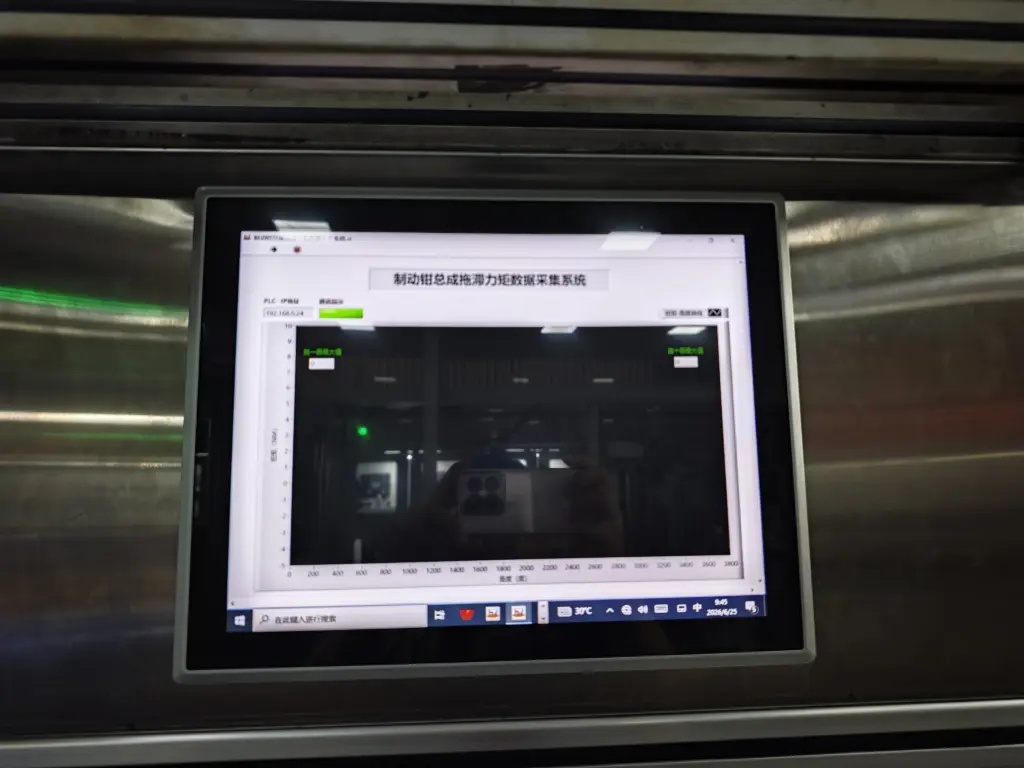
A panel PC integrates computing host, display screen and touch panel into one sealed unit. It requires no extra display devices or complex wiring.
It completes data calculation and human-machine interaction independently. Its compact integrated structure simplifies overall equipment layout. It serves as a ready-to-use interactive terminal for on-site operation.
Installation and Layout Differences
Installation modes further separate the application value of box PC and panel PC. Each fits distinct space conditions.
1. Box PC installation features
Box PCs support flexible placement inside cabinets or equipment interiors. Users can hide the host in hidden spaces to save visible area.
It separates the computing core and display screen. This design suits scenarios that need independent hardware upgrades. It also fits projects that require regular screen replacement alone.
2. Panel PC installation features
Panel PCs support wall-mounted, embedded and machine-mounted installation. The integrated body exposes only the touch screen interface.
It reduces messy on-site wiring effectively. It creates neat and orderly equipment layouts for public and industrial sites. It also shortens on-site assembly time greatly.
Functional and Operational Differences
Both devices deliver stable industrial computing performance, but their operational modes vary obviously.
1. Box PC functional traits
Box PCs focus on background data processing and system operation. They can run in headless mode without any display connection.
They support rich extended interfaces. They connect with multiple sensors and industrial devices. They adapt well to complex automated system linkage work.
2. Panel PC functional traits
Panel PCs prioritize front-end human-machine interaction. They support real-time screen display and intuitive touch operation.
They adopt sealed industrial-grade protection designs. They resist dust, vibration and mild humidity interference. They ensure stable on-site manual operation all day long.
Suitable Application Scenarios for Each Device
Different structural and functional traits decide their best applicable industries.
1. Typical scenarios for box PC
Box PCs fit industrial automation cabinets and hidden data acquisition systems. They also work for IoT gateways and background server terminals.
They suit projects that need flexible hardware collocation. They allow users to match different displays according to actual needs.
2. Typical scenarios for panel PC
Panel PCs apply to on-site operation terminals and production machine control screens. They also serve commercial self-service devices and public monitoring panels.
They target scenarios that require direct and frequent manual touch interaction. They balance operation convenience and on-site environmental adaptability.
How to Choose Between Box PC and Panel PC
You can select the right device based on your project demands with simple judgment rules.
1. Choose box PC for background computing needs
Pick box PCs if you need hidden installation or multi-device linkage. Select this model if you plan to upgrade screens and hosts separately in the future.
2. Choose panel PC for front interactive scenarios
Choose panel PCs if your project needs on-site touch operation. Prefer this device for limited installation space and neat wiring requirements.
3. Prioritize environmental adaptability
Select panel PCs for dusty, humid or high-vibration working sites. Their sealed structure provides better on-site protection than open box PC matching schemes.
FAQs About Box PC and Panel PC Differences
Q1: What is the biggest difference between box PC and panel PC?
A1: The core difference lies in structure. A box PC is a host-only device without a screen, while a panel PC adopts an all-in-one design with built-in display and touch functions.
Q2: Can a box PC replace a panel PC for on-site operation?
A2: Not directly. A box PC needs an external touch screen to realize manual interaction. It cannot work independently as a front operating terminal.
Q3: Which device saves more on-site installation space?
A3: A panel PC saves more space. Its integrated design avoids extra host placement and redundant wiring for a compact layout.
Q4: Which device supports more hardware expansion?
A4: Box PCs offer richer extended interfaces. They connect with more external industrial equipment and sensors for complex system tasks.
Q5: Which device fits 24-hour on-site industrial use better?
A5: Industrial-grade panel PCs fit better. Their sealed protective structure resists on-site environmental interference for stable long-term operation.
Phần kết luận
Tóm lại, the key difference between box PC and panel PC lies in structural design, installation mode and core positioning. Box PCs are independent computing hosts that need external displays. They excel in flexible matching, hidden installation and multi-device expansion. Ngược lại, panel PCs are all-in-one interactive terminals with built-in touch screens. They feature neat layout, convenient operation and strong environmental adaptability for front-line scenarios.
Each device has its own applicable value. You only need to match hardware according to your installation environment and functional needs. Choosing the right industrial computer can effectively improve system stability and simplify daily maintenance work.
If you want customized, scenario-matched panel PC or box PC solutions for your industrial and commercial projects, vui lòng điền vào mẫu yêu cầu trên trang web chính thức của chúng tôi. Share your installation conditions and functional requirements, and our team will deliver professional tailored solutions for your business.





