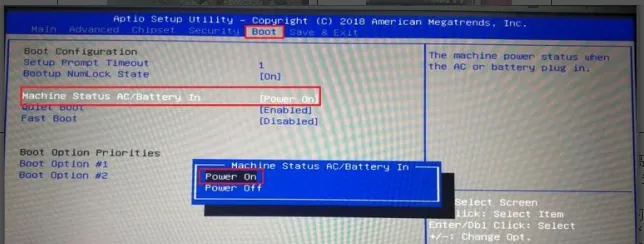
There are 2 طُرق:
The jumper cap method is more stable and recommended by default.
If using BIOS settings, they will reset if the BIOS is restored or the battery runs out.
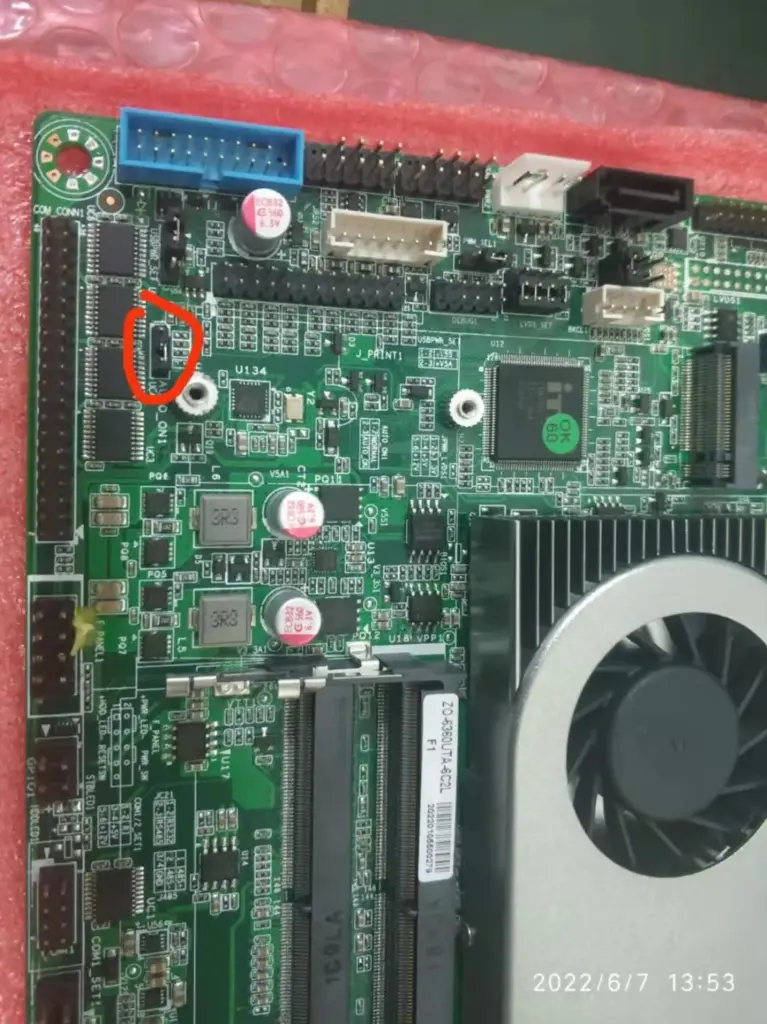
一、Power on via hardware jumper cap.
(3 pins: move the jumper cap from pins 1-2 to pins 2-3)
4th Gen Intel Core i3, 4th Gen Intel Core i5
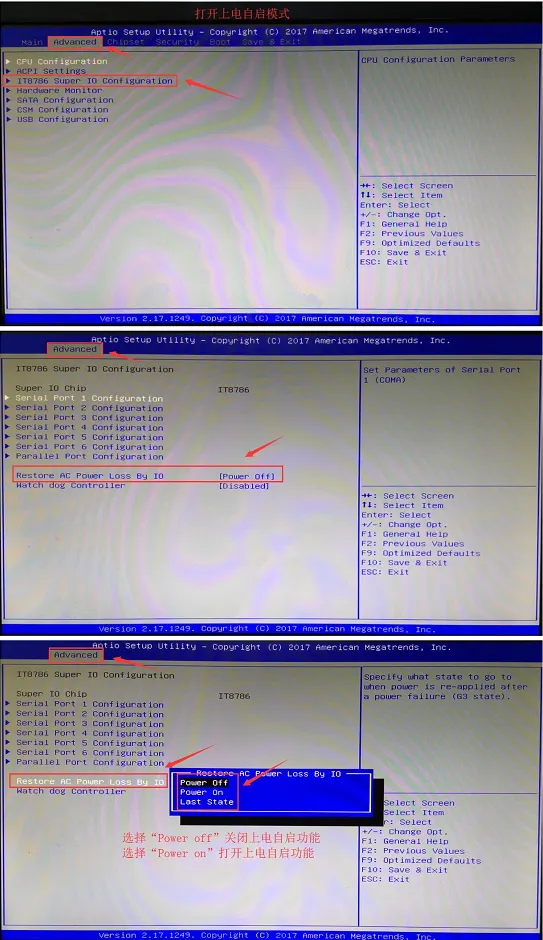
J1900

N5095
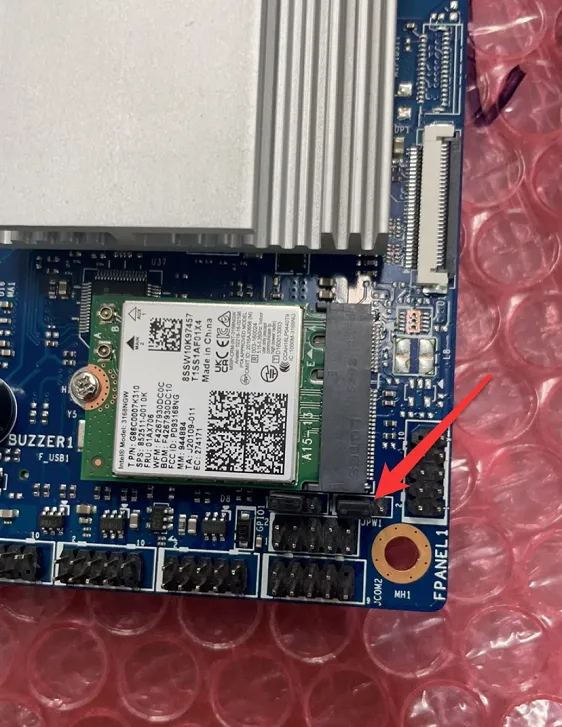
I5-6360
二、Power on via BIOS
(Press the Delete key repeatedly during startup to enter BIOS.)
I3\I5

J1900
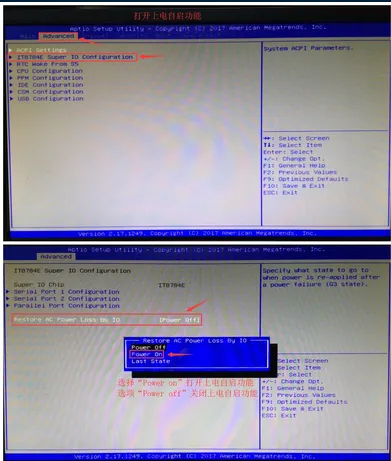
N5095
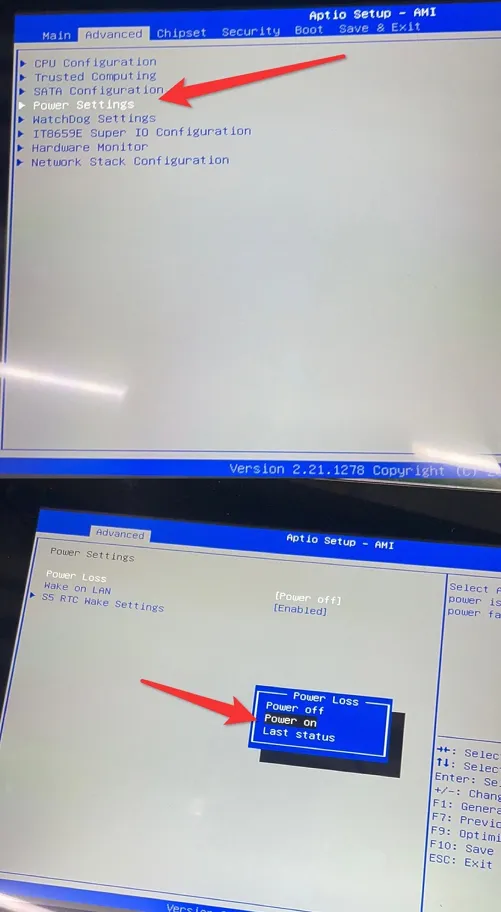
S35-1900
In the top option Advanced of the BIOS, select ACPI Settings to enter.
Select PWRON After Power Loss to access the submenu, then choose Always On in the pop-up menu.
Press F4 and then Enter to save and exit.
(ملحوظة: Settings may vary by motherboard. On some motherboards,PWRON After Power Loss is directly located in the Advanced menu.)
8350