
Traditionelle computerskærme viser kun billeder og videoer. Brugere skal parre dem med mus eller tastaturer for at afslutte alle handlinger. Dette ekstra tilbehør tager plads og sænker arbejdseffektiviteten. En berøringsskærm ændrer denne traditionelle arbejdstilstand.
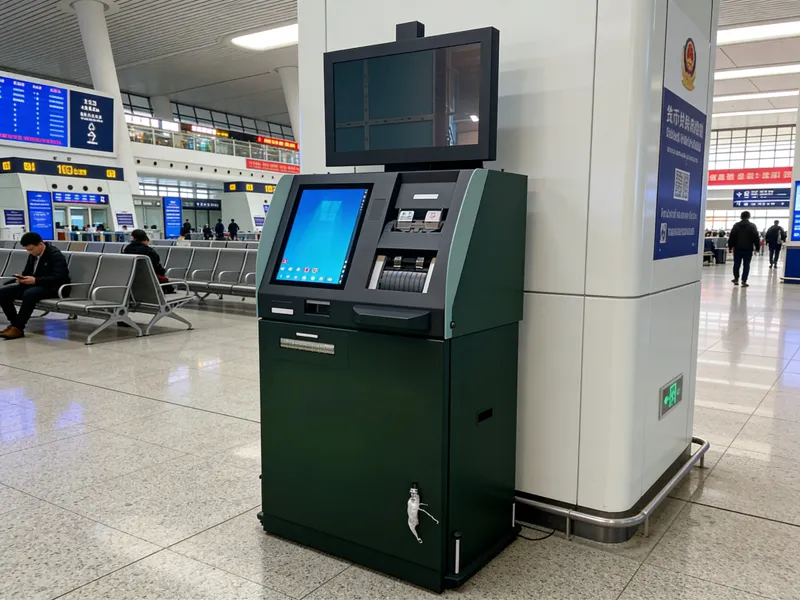
Den forener displayfunktion og berøringskontrol i én komplet enhed. Desuden, det passer til kontorarbejde, kommerciel service og industriel kontrol perfekt. Denne artikel forklarer dens grundlæggende definition, indre struktur, arbejdsregler, hovedtyper og reelle fordele for forskellige scenarier.
Grundlæggende definition af en berøringsskærm
En berøringsskærm er en alt-i-en interaktiv skærm. Den integrerer et standarddisplaypanel og indbyggede berøringsfølsomme komponenter.
1. Integreret dobbeltfunktionsdesign
Denne enhed leverer klart visuelt output. Den accepterer også direkte tryk og glidning fra brugere. Folk styrer systemet uden eksterne inputværktøjer.
2. Komplet selvstændig hardware
En touchscreen-skærm er et færdigt produkt. Den har indbyggede kontroltavler, signalporte og drevmoduler. Brugere forbinder det til værtsenheder og begynder at arbejde med det samme.
3. Differentieret kvalitet design
Producenter fremstiller to hovedkvaliteter til forskellige krav. Kommercielle modeller fokuserer på smidig interaktion. Industrielle versioner prioriterer holdbarhed og miljøbestandighed.
Intern struktur og arbejdsproces
Hver berøringsskærm er afhængig af koordinerede dele for at køre stabile interaktive funktioner.
1. Nøgle interne komponenter
Displaypanelet viser alt visuelt indhold. Det berøringsfølsomme lag fanger brugerens betjeningssignaler. Understøttende kredsløb behandler data og sikrer normal signaltransmission.
2. Udløs berøringssignaler
Først, fingre eller værktøjer rører skærmens overflade. Denne handling skaber elektriske ændringer, trykforskydninger eller let obstruktion. Disse ændringer danner effektive driftssignaler.
3. Indfang og beregn koordinater
Næste, interne sensorer registrerer subtile signalændringer. De beregner den nøjagtige berøringsposition og bevægelsesspor på millisekunder.
4. Send data og udfør kommandoer
Så, monitoren sender data til den tilsluttede vært. Værten kører tilsvarende funktioner. Skærmen opdaterer indhold for at fuldføre én interaktionscyklus.
Almindelige typer touchscreen-skærme
Forskellige berøringsteknologier skaber forskellige berøringsskærme til forskellige arbejdsmiljøer.
1. Kapacitive berøringsskærme
Denne type registrerer svage elektriske signaler fra menneskelige fingre. Det giver hurtig respons og glat multi-touch-oplevelse. Det fungerer godt på kontorer, detail- og cateringsteder.
2. Resistive touchscreen-skærme
Det reagerer på fysisk pressekraft. Den understøtter behandskede hænder og stylus-betjening. Således, det bliver et populært valg for støvede industriværksteder.
3. Infrarød touchscreen skærme
Den bygger et infrarødt lysnet rundt om skærmens kant. Enhver fast genstand kan udløse berøringsresponser. Den har stærk anti-kollisionsevne til stort offentligt udstyr.
Kernefordele ved touchscreen-skærme
Touchscreen-skærme giver mange praktiske forbedringer sammenlignet med almindelige skærme.
1. Forenkle den daglige drift
Direkte skærmkontrol skærer overflødige trin. Nye brugere lærer hurtigt at betjene enheden. Det øger den samlede arbejds- og serviceeffektivitet i høj grad.
2. Spar indendørs plads
Alt-i-en-designet fjerner rodede tastaturer og mus. Det rydder op på skriveborde og udstyrsplatforme. Det skaber et pænt og velordnet arbejdsområde.
3. Stærk tilpasningsevne til forskellige miljøer
Modeller af industrikvalitet modstår støv, vandsprøjt og temperaturændringer. De understøtter lang-timers kontinuerlig drift uden forringelse af ydeevnen.
4. Høj kompatibilitet
De fleste touchscreen-skærme bruger universelle grænseflader. De forbinder problemfrit med mainstream-værter og kontroludstyr. De behøver ingen kompleks fejlfinding under brug.
Hovedapplikationsscenarier
Touchscreen-skærme bliver brugt bredt på tværs af kommerciel, industrielle og offentlige områder.
1. Industriel automationsstyring
Arbejdere bruger disse skærme til at justere maskinparametre. Stabil ydeevne tilpasser sig værkstedsvibrationer og støv. Det garanterer præcis produktionskontrol.
2. Kommercielle selvbetjeningsterminaler
Bestillings- og betalingsenheder anvender touchscreen-skærme. De fremskynder servicen og reducerer kundernes køtid.
3. Moderne kontor og mødelokaler
Kontorskærme og konferenceskærme bruger denne enhed. Det gør dokumentkontrol og indholdsdeling mere bekvem.
4. Offentlige undersøgelsesfaciliteter
Service- og udstillingsudstyr bruger holdbare touchscreen-skærme. Den håndterer højfrekvent drift fra forskellige besøgende hver dag.
Ofte stillede spørgsmål om touchscreen-skærme
Q1: Hvad er forskellen mellem en touchscreen-skærm og en almindelig skærm?
A1: En almindelig skærm viser kun indhold. En berøringsskærm tilføjer et følelag for at understøtte direkte berøringskontrol uden ekstra værktøj.
Q2: Kan en touchscreen-skærm fungere med alle gængse computere?
A2: Ja. De fleste modeller bruger plug-and-play-grænseflader. De forbinder nemt med almindelige stationære og bærbare enheder.
Q3: Hvilken type passer bedst til industrielle arbejdsforhold?
A3: Resistive berøringsskærme er ideelle. De understøtter betjening med handsker og tåler barske værkstedsmiljøer.
Q4: Har touchscreen-skærme brug for professionel installation?
A4: Ingen. Installationsprocessen er enkel. Generelt personale kan færdiggøre ledninger og opsætning på kort tid.
Q5: Sådan vedligeholdes en touchscreen-skærm for længere levetid?
A5: Rengør overfladestøv og pletter regelmæssigt. Hold skarpe genstande væk fra skærmen for at undgå ridser.
Konklusion
For at opsummere, en berøringsskærm er en integreret interaktiv visningsenhed. Den kombinerer display- og berøringsstyring som en helhed. Det har flere typer, der matcher kontor, kommercielle og industrielle behov. Det forenkler betjeningen, sparer plads og leverer stabil langtidsydelse. Det er blevet væsentligt udstyr til moderne interaktive scenarier.
Hvis du ønsker at købe touchscreen-skærme i høj kvalitet til udstyrsopgradering eller nye projekter, udfyld venligst forespørgselsformularen på vores officielle hjemmeside. Del din ønskede størrelse, brugsmiljø og funktionskrav. Vores professionelle team vil levere skræddersyede løsninger og teknisk support til dig.





