
Outdoor digital systems are becoming more common across transportation, smart cities, industrial automation, self-service kiosks, EV charging stations, marine equipment, and outdoor retail. However, one challenge remains the same: making the display visible under direct sunlight.
Many buyers focus only on brightness specifications, assuming that a higher nit value automatically guarantees better outdoor visibility. In reality, sunlight readability depends on several factors working together, including brightness, contrast ratio, optical bonding, anti-reflective treatment, thermal management, and panel technology.
This guide explains the real differences between 700-nit, 1000-nit, and 1500-nit displays and helps you select the right solution for your environment.
| Feature | 700 Nits | 1000 Nits | 1500 Nits |
|---|---|---|---|
| Indoor Visibility | Excellent | Excellent | Excellent |
| Outdoor Shade | Good | Excellent | Excellent |
| Direct Sunlight | Limited | Good | Excellent |
| Power Consumption | Low | Medium | High |
| Heat Generation | Low | Medium | High |
| System Cost | Lower | Medium | Higher |
| Recommended Use | Semi-outdoor | General outdoor | Full sunlight |
What Makes a Display “Sunlight Readable”?

True sunlight readability requires a balanced architecture of high luminance, reflection control, advanced optical modes, and rugged thermal management to maintain visual contrast in bright outdoor environments.
High Luminance and Preserved Contrast
Raw brightness acts as the baseline defense against bright outdoor conditions. When direct sunlight hits a screen, it raises the effective black levels and washes out the image. To maintain legibility, the display must emit enough light to overpower both ambient daylight and surface reflections.
- High Brightness: Requires significantly higher brightness, typically pushing ≥800 to 1000+ nits, to overcome ambient daylight.
- Contrast Maintenance: Maintains visual contrast by ensuring the display’s white levels remain well above the reflected ambient light.
- Targeted Illumination: Pairs efficient LED backlights with local dimming technology to keep dark areas legible and prevent a washed-out appearance.
Reflection and Glare Management
Pushing 1000 nits through a highly reflective piece of glass simply creates a bright mirror. Managing how light interacts with the surface and internal layers is just as important as the backlight output.
- Anti-Reflective (AR) Coatings: Applied to the cover glass to minimize sharp, specular reflections and decrease mirror-like glare.
- Anti-Glare (AG) Treatments: Uses surface texturing to diffuse direct light and soften harsh reflections for comfortable viewing.
- Optical Bonding: Eliminates the air gap between the LCD and glass using an optically clear adhesive, significantly reducing internal light bouncing.
- Specialized Polarizing Films: Integrates specific filters to maintain clarity at wide viewing angles and ensure compatibility with polarized sunglasses.
Specialized Optical Display Modes
Engineers use different structural approaches to handle sunlight. Rather than fighting ambient light, some technologies actually use it to illuminate the screen, while others rely entirely on brute-force backlighting.
- Reflective LCDs: Utilize internal mirror-like layers to bounce ambient light back through the pixels, requiring minimal power in bright sun.
- Transflective Panels: Combine standard backlighting for dark environments with reflective properties that leverage outdoor sunlight.
- Transmissive Displays: Rely on powerful 1000–2000+ nit backlights to completely overpower the sun, making them ideal for dynamic digital signage.
Thermal and Environmental Resilience
Operating high-output LEDs under direct solar loading generates immense thermal stress. If the liquid crystal overheats, it approaches its clearing temperature and the screen turns black. Survival outdoors requires heavy physical and thermal engineering.
- Thermal Management: Incorporates active cooling fans, internal airflow, or passive heat sinks to counteract internal heat and external solar loading.
- UV/IR Protection: Uses specialized coatings on the cover glass to block damaging solar energy, extending the display’s operational lifespan.
- Ruggedized Enclosures: Features fully sealed housings to protect sensitive electronics from dust, moisture, and extreme temperature fluctuations.
Measuring Brightness: What are Nits?
A nit measures the exact amount of light a display emits. In outdoor environments, higher nit counts act as the primary metric to classify a screen’s sunlight readability.
Defining the Nit (cd/m²)
The display industry uses the nit as the standard term for luminance. It translates directly to one candela per square meter (1 cd/m²). When you evaluate a spec sheet, this number tells you the exact amount of light the screen surface pushes toward the viewer per unit area. It measures visible light output, not the power the display consumes to generate it. The higher the nit rating, the brighter the display appears.
| Brightness Level | Typical Application |
|---|---|
| 250–350 nits | Standard office monitors and consumer displays |
| 400–700 nits | Commercial indoor displays and bright indoor environments |
| 700–1000 nits | Semi-outdoor applications and areas with indirect sunlight |
| 1000–1500 nits | Outdoor kiosks, EV chargers, transportation terminals, and shaded outdoor installations |
| 1500–2500 nits | Direct sunlight environments and high-brightness outdoor displays |
| 2500+ nits | Extreme outdoor exposure and specialized industrial applications |
Premium Industrial Touch Screens Delivered Fast
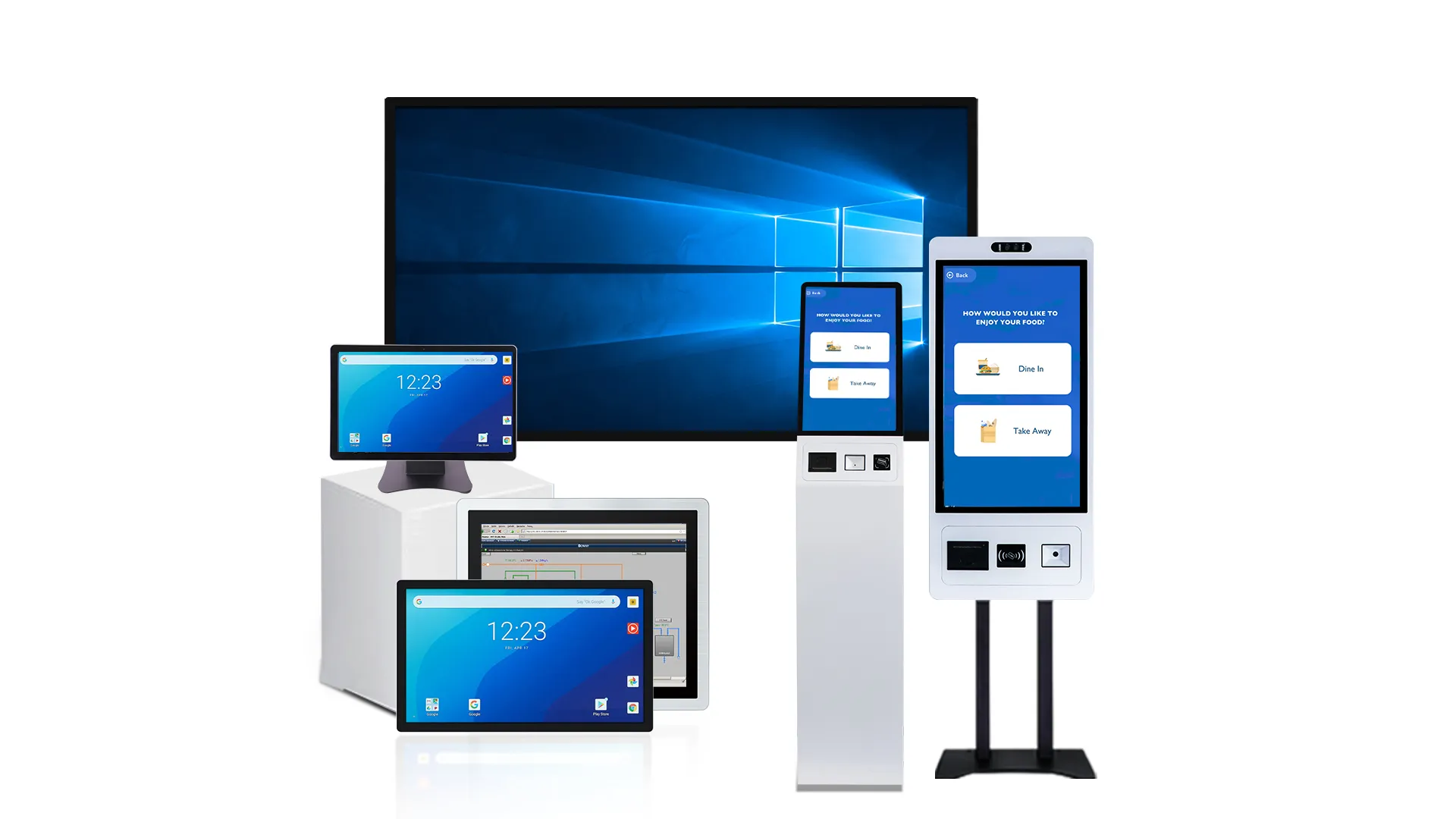
700 vs 1000 vs 1500 Nits: Real-World Scenarios
Matching brightness to the environment prevents thermal failure and guarantees readability. 700 nits handles shade, 1000 establishes the outdoor baseline, and 1500+ conquers direct, unshaded sunlight.
| Application Area | 700 Nits | 1000 Nits | 1500+ Nits |
|---|---|---|---|
| Kiosks & Ticketing | Under-canopy, train stations | Mixed-condition public spaces | Open parking lots, plazas |
| Industrial HMI | Indoor plants, crane cabins | Moderate sun outdoor panels | Heavy sun, high-altitude |
| Retail & Signage | Malls, indoor menu boards | Under-canopy drive-thru | Street-facing storefronts |
| Transportation | Shrouded automotive cabins | Rail, shaded cockpits | Offshore, marine, aviation |
Outdoor Kiosks and Ticket Machines
Public transaction terminals demand instant legibility to prevent user frustration and bottlenecks. The physical placement of the machine dictates the exact luminance requirement.
- 700 nits: Suitable for under-canopy installations like train stations or building entrances where direct sun is rare.
- 1000 nits: Serves as the baseline for general outdoor public kiosks in mixed conditions, especially when paired with AR/AG coatings and optical bonding.
- 1500 nits: Required for fully exposed kiosks in open parking lots, plazas, or high-sun regions to maintain readability.
Industrial HMIs and Construction Environments
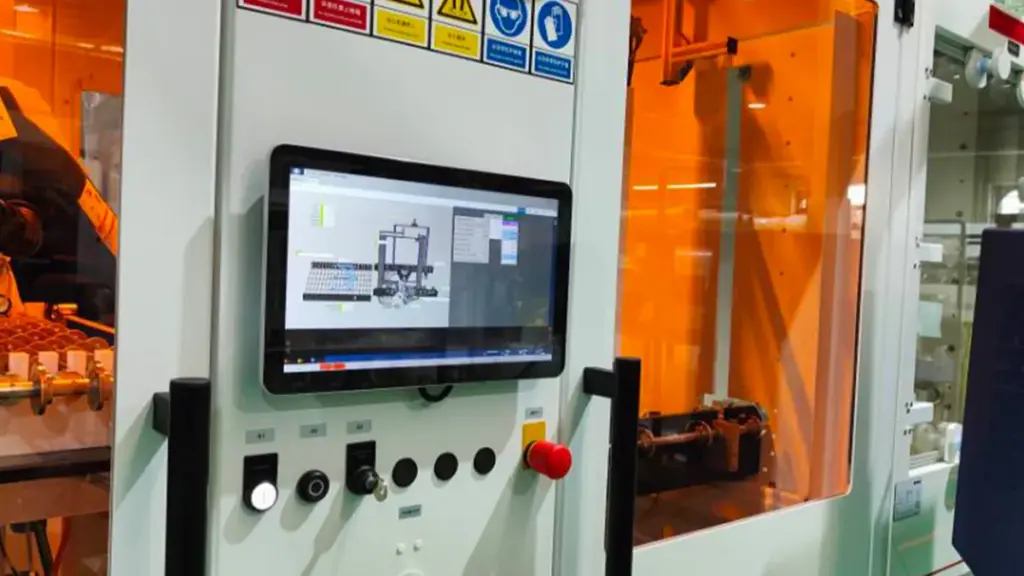
Plant operators and construction crews rely on fast data recognition to control heavy machinery. Failing to overpower ambient glare on a control panel creates immediate safety risks.
- 700 nits: Fits indoor industrial sites with strong lighting or partially covered outdoor areas like crane cabins.
- 1000 nits: Ideal for outdoor industrial panels with moderate sun exposure, providing a good balance between brightness and thermal load.
- 1500 nits: Necessary for heavy outdoor industrial or high-altitude deployments where harsh sun and dust demand consistent, safety-critical visibility.
Retail, QSR Menu Boards, and Digital Signage

Retailers and quick-service restaurants use displays directly to drive revenue. A washed-out menu board or storefront sign immediately drops customer engagement and impacts the bottom line.
- 700 nits: Functions well for indoor digital signage, shopping malls, and menu boards not facing external windows.
- 1000 nits: Viable for under-canopy drive-thru menu boards or atriums with controlled glazing.
- 1500 nits: Recommended for street-facing and storefront window displays that endure sustained direct sunlight.
Transportation: Marine, Aviation, Rail, and Automotive

Operators navigating vehicles or vessels deal with extreme specular reflection from water, clouds, and surrounding glass. Navigational displays must cut through this intense glare to provide accurate telemetry.
- 700 nits: Typically acceptable for in-cabin automotive displays with proper shrouding and recessing.
- 1000 nits: Adequate for rail and specific cockpit or bridge displays that feature effective shading and anti-reflection treatments.
- 1500+ nits: Specified for offshore platforms, marine navigation, and aviation dashboards to overcome severe specular reflections from water and clouds.
The Role of Contrast Ratio in Outdoor Visibility
Contrast ratio dictates outdoor legibility. High ambient light washes out blacks, making static laboratory metrics useless. Success requires pairing high contrast with active reflection management.
How Contrast Operates in Sunlight-Readable Displays
Contrast ratio measures the luminance gap between a screen’s brightest white and its absolute darkest black. In a dark room, this metric remains stable. Take that same screen outdoors, and the rules change entirely. Bright sunlight and ambient reflections artificially elevate the effective black level. The darkest parts of the image turn gray, drastically shrinking the visible contrast.
Maintaining a wide contrast gap under these conditions preserves image clarity, distinct color separation, and text legibility. Without it, the display suffers from a classic washed-out look that renders data unreadable from a distance.
Environmental Factors That Degrade Screen Contrast
Several physical variables actively fight against display legibility in the field.
- Direct sunlight: Intense solar loading drastically increases apparent black levels across the panel.
- Surface reflections and glare: External light bounces off the cover glass, overpowering darker content and blinding the user.
- Physical backgrounds: Busy surroundings create visual clutter that competes with the screen, making the content harder to read even on a bright panel.
- Calibration failures: Incorrect brightness and contrast settings flatten the image, destroying the required separation between tonal values.
Measurement Metrics and Industry Targets
Touch screen manufacturers often advertise the static contrast ratio. They measure this in pitch-black rooms, making it virtually useless for predicting real-world outdoor performance. For actual field deployment, you must look at the application contrast ratio. Engineers measure this metric under active ambient light, providing an accurate baseline for how the display will perform in actual sunlight.
- Premium outdoor LED targets: 5,000:1 to 8,000:1 to actively overpower direct daylight.
- Standard indoor commercial screens: 3,000:1 to 5,000:1.
This stark difference in baseline targets highlights why repurposing indoor displays for outdoor enclosures inevitably leads to field failures.
Hardware and Design Strategies to Preserve Readability
A high contrast ratio alone cannot save an outdoor display. You need a multi-layered approach to hardware and content.
- Boost paired brightness: Drive high contrast capabilities alongside elevated nits to maintain visual punch in direct sun.
- Apply optical treatments: Integrate anti-glare (AG) coatings and anti-reflective (AR) treatments to kill surface reflections before they wash out the image.
- Optimize content design: Use dark text on light backgrounds to maximize the luminance separation that the human eye naturally seeks.
- Evaluate holistically: Review contrast ratio, raw ambient-light performance, and surface reflectance as a single interconnected system rather than isolated datasheet specs.
Tackling legibility from both the hardware engineering and content creation sides ensures the display remains functional when conditions shift from morning shade to harsh midday sun.
Optical Bonding: Reducing Reflection and Glare

Optical bonding eliminates internal air gaps, matching refractive indices to cut Fresnel reflections, boosting outdoor contrast by up to 400% without increasing backlight power.
Internal Reflections in Air-Bonded Displays
Conventional display stacks leave a physical air gap between the cover glass and the LCD cell. Light traveling through these layers hits a significant refractive index mismatch between the glass, which sits at around 1.5, and the air, which drops to near 1.0.
This sudden optical transition causes light to reflect at each boundary. Ambient sunlight entering the display bounces multiple times within the air gap, creating a veiling glare that washes out the image before it reaches the viewer.
Eliminating the Air Gap with Index Matching
Optical bonding fills this void with an optically clear adhesive (OCA or OCR), forming a continuous solid laminate. The adhesive features a refractive index that closely matches both the glass and the underlying display materials.
Creating this uniform optical path minimizes the index mismatch across the entire stack. This physical integration drastically reduces Fresnel reflections at internal interfaces and stops ambient light from trapping inside the screen.
Improving Contrast and Perceived Brightness
Removing internal reflections allows more of the display’s generated backlight to pass directly to the viewer. This direct optical path increases perceived brightness and overall readability without requiring higher backlight power consumption.
Industrial studies show that contrast ratios in direct sunlight can increase by up to 400% simply by using optical bonding to secure the display layers.
Internal Reflection vs. Surface Glare
While optical bonding eliminates internal interlayer reflections, it does not alter the outermost glass-to-air boundary. Residual surface glare remains a factor when ambient light hits the front cover of the screen.
Engineers address this surface glare using anti-reflective (AR) coatings or anti-glare (AG) etching directly on the top layer. For maximum sunlight readability, touch screen monitor manufacturers combine optical bonding with AR and AG treatments to manage both internal and surface light scattering at the same time.
Power Consumption and Heat Management
Pushing a display to 2,500 nits consumes massive power and generates intense heat. Without strict thermal management, high-brightness screens face rapid LED degradation and complete optical failure.
The Relationship Between Brightness, Power, and Heat
Driving an LCD panel to sunlight-readable levels demands serious electrical input. Increasing backlight luminance to the 1,000 to 2,500-nit range requires a much higher LED forward current, which immediately drives up power consumption. High-brightness LCDs convert the vast majority of this backlight power straight into internal heat. A single outdoor module can easily consume upwards of 50W, dumping that heat directly into the enclosure.
The surrounding environment makes this thermal challenge worse. Absorbed solar radiation, known as sunloading, hits the outer display components and creates a greenhouse effect. This external thermal load stacks on top of the heat already generated by the system electronics and LED array, pushing internal temperatures toward critical failure points.
System-Level Power Management Strategies
Running displays at peak brightness indefinitely wastes energy and destroys components. System-level power control extends the lifespan of the entire unit through hardware and firmware adjustments.
- Ambient light sensors (ALS): Sensors dynamically adjust backlight intensity to match environmental conditions, significantly reducing the average power draw when full brightness is unnecessary.
- Display configurations: Firmware display timeouts and limits capping continuous maximum brightness below 80% conserve energy and drastically extend panel lifetime.
- Hardware efficiency: High-efficacy LEDs, efficient light guides, and transflective LCD options lower the raw electrical input required to maintain outdoor readability.
Thermal Risks in High-Brightness Environments
When heat builds up inside a sealed display enclosure, the optical components take the hardest hit. Unmanaged thermal loads lead to cascading failures across the system.
- LED degradation: Elevated junction temperatures accelerate LED wear, causing irreversible lumen depreciation and color shifting.
- Liquid crystal failure: Extreme internal heat slows liquid crystal response times. This results in temporary contrast loss, image sticking, or the screen turning completely black.
- Mechanical stress: Severe thermal gradients cause physical warping. This stress eventually leads to optical bonding delamination or traps internal condensation inside the glass stack.
Effective Thermal Management and Cooling Techniques
Keeping an outdoor display alive requires moving heat away from the core electronics as fast as possible. Touch display manufacturers deploy specific mechanical and optical strategies to control operating temperatures.
- Passive thermal design: Metal chassis, structural backplates, and thermal interface materials (TIMs) act as heat spreaders to pull temperature away from the LED backlight.
- Optical optimization: Optical bonding and anti-reflective (AR) coatings improve visual contrast. Operators can then run the display at lower brightness levels, naturally reducing the thermal output.
- Active cooling systems: High-wattage sealed displays used in military, marine, or signage applications depend on vapor chambers, heat pipes, or high-performance fans to survive extreme environments.
Selecting the Best Panel Type: IPS vs TN
IPS panels dominate sunlight-readable applications with superior contrast and viewing angles, while TN panels remain viable for cost-sensitive devices requiring fast response times.
Sunlight Visibility and Viewing Angles
Ambient light directly competes with a screen’s backlight outdoors. IPS panels preserve clarity and contrast significantly better under harsh ambient lighting conditions. They maintain consistent image quality from off-axis angles, making them the optimal choice for shared workstations or multi-position setups. TN panels suffer from noticeable color shift and limited depth when viewed off-center, sharply reducing overall readability in bright environments.
Color Accuracy and Motion Performance
Professional content often requires exact visual representation. IPS delivers the superior color reproduction needed for detail-heavy visuals. Historically, TN panels led the market in response times, frequently hitting 1 ms or less to handle fast-moving content without ghosting. Today, modern IPS technology has narrowed this motion performance gap. You can now specify IPS panels that achieve 1 ms response times and high refresh rates, creating a highly balanced display for both color fidelity and speed.
Power Efficiency and Manufacturing Cost
Budget and thermal constraints dictate panel selection just as much as optical performance. TN panels cost less to produce, which lowers the upfront price of the display assembly. They also require less power, establishing them as the preferred choice for battery-operated devices. IPS panels demand a trade-off. They consume up to 15% more battery power and routinely require stronger backlighting to maintain equivalent brightness levels.
Matching the Panel to the Application
Choosing the right panel depends entirely on the deployment environment. You can map the technology directly to your use case:
- Industrial and Marine: IPS acts as the standard for marine displays, outdoor kiosks, and industrial workstations that require reliable multi-angle visibility.
- Cost-Constrained Devices: TN remains a practical choice for small, budget-sensitive hardware viewed mostly head-on.
- Hybrid Requirements: For applications demanding both outdoor brightness and high-speed motion, modern IPS presents an effective hybrid solution.
Need Help Choosing the Right Brightness Level?
If you’re unsure whether 700, 1000, or 1500 nits is the best choice for your project, contact TouchWo for a consultation. Our team can recommend the appropriate display configuration based on your application requirements, environmental conditions, and budget.
Get in touch today to discuss your project and request a customized solution.
Frequently Asked Questions
How many nits do you need to see a screen in full sunlight?
A display requires a minimum of 1,000 nits to qualify as sunlight-readable. If you place the screen in a shaded or partially sheltered outdoor spot, 800 to 1,000 nits works well. Direct midday sun demands a bump up to 1,500 or 2,500 nits. For installations facing harsh, fully exposed environments with heavy glare, you will likely need 3,500 to 6,000 nits to keep content visible.
What makes a display sunlight readable beyond just brightness?
Brightness alone fails to guarantee outdoor visibility. True sunlight readability depends heavily on reflection control. Manufacturers use anti-glare or anti-reflective coatings and optical bonding to eliminate internal glare. They also incorporate transflective panel architectures and robust thermal management systems to stop the display from overheating when operating at maximum luminance.
Does direct sunlight damage standard LCD monitors?
Yes, prolonged direct sunlight permanently damages standard LCD monitors. Heat buildup creates the biggest risk. As temperatures rise, liquid crystals behave improperly, dropping contrast and causing temporary blackouts. Long-term UV exposure also breaks down panel materials, which fades colors and drastically shortens the lifespan of the screen.
What is the difference between anti-glare and high-brightness screens?
High-brightness screens rely on powerful backlights to emit massive amounts of light—usually over 1,000 nits—to simply overpower ambient sunlight. Anti-glare screens tackle the problem differently. They use matte or micro-etched surface treatments to scatter incoming light, which cuts down visible reflections and hotspots. Premium outdoor displays merge both approaches to maximize visibility.
How does optical bonding improve sunlight readability?
Optical bonding injects a clear adhesive into the empty air gap between the LCD panel and the cover glass. This completely removes internal refractive boundaries, cutting down internal reflections and glare. The bonded layers also boost perceived contrast, reinforce the structural durability of the screen, and stop condensation from forming inside the housing.
Why do outdoor screens turn black in the sun?
Screens turn black when the LCD panel overheats due to direct solar loading and poor heat dissipation. When temperatures hit extreme levels, the liquid crystal material hits its clearing point and loses the ability to modulate light. Manufacturers prevent this thermal failure by installing industrial-grade panels built for high temperatures and integrating active cooling systems.
Is 1000 nits enough for an outdoor kiosk?
A 1,000-nit screen acts as a solid baseline for outdoor functionality. It fits well in transactional setups like ticketing or parking machines, provided the enclosure offers partial shade and includes optical bonding. For fully exposed, free-standing kiosks or digital advertising boards, you need 1,500 to 2,500 nits to deliver the required visual impact.
Final Thoughts
Specifying an outdoor display requires matching raw luminance and thermal resilience to the exact environmental load. While repurposing standard commercial screens offers lower upfront costs, integrating proper 1000+ nit sunlight-readable panels with optical bonding is the only way to safeguard your deployment against thermal blackouts. Securing the right hardware standard prevents expensive field replacements and protects your operational uptime in severe weather.
Evaluate this optical performance in your actual deployment environment before scaling a full project. We recommend starting with a sample unit to test the contrast limits and thermal management firsthand under active solar loading. Reach out to our engineering team to outline your specific environmental challenges and discuss custom OEM specifications.





