
When planning an industrial display project, the mounting structure affects far more than appearance alone. The wrong choice can create installation problems, increase enclosure costs, or reduce long-term reliability in demanding environments.
If you are comparing open frame vs panel mount touch monitors, you need to understand how each option impacts integration, front-panel protection, रखरखाव, and scalability. This guide helps you evaluate both designs so you can choose the right solution for your application.
ओपन फ़्रेम मॉनिटर क्या हैं??

Definition and Core Characteristics
System integrators rely on open frame monitors to build custom equipment without working around consumer-grade plastic casings. These units strip the display down to its essential operating components, prioritizing mechanical adaptability over standalone aesthetics.
- No outer bezel: The units completely lack a finished cosmetic outer housing or protective front bezel.
- Bare-metal chassis: They consist of an एलसीडी or LED panel, नियंत्रक बोर्ड, and internal electronics attached directly to a bare metal frame.
- Component-level focus: They function strictly as an integration component rather than a standalone consumer end-product.
- Touch capabilities: Manufacturers frequently incorporate touch sensor layers, utilizing projected capacitive (पीसीएपी), प्रतिरोधक, or infrared technologies depending on the environment.
Functional Role and Integration Design
Once installed, these displays serve as the primary Human-Machine Interface (एचएमआई) for the equipment. They process video source data and transmit touch input coordinates directly to the host machine’s controller or embedded PC.
- Standard I/O interfaces: Connections utilize standard industrial video inputs, including VGA, HDMI, और डीवीआई, alongside USB or serial connections for the touch controllers.
- Mechanical flexibility: Integrators secure the units using integrated flanges, rear brackets, or standard VESA mounting points to match their custom cutouts.
- Space optimization: The frameless design allows system builders to efficiently route internal cabling and customize power input schemes within space-constrained enclosures.
Common Industrial and Commercial Applications
OEM builders deploy open frame monitors across environments where durability, extended duty cycles, and custom branding take priority. The bare-metal design allows these screens to sit perfectly flush behind custom glass or protective facades.
- औद्योगिक स्वचालन: Engineers integrate them into factory production lines as embedded industrial HMI and automation control stations.
- Self-service terminals: They act as the interactive display component in ticketing kiosks, retail self-checkout stations, and wayfinding signage.
- Secure transactions: Builders mount them into banking ATMs, वेंडिंग मशीन, and point-of-sale terminals.
- गेमिंग और मनोरंजन: Casino slot machines and arcade cabinets rely on them for precise, custom-fit interactive screens.
What Are Panel Mount Displays?
While open frame monitors hide entirely behind a host system’s custom facade, panel mount displays take a different approach. They arrive as a complete, ready-to-install operator interface requiring much less mechanical engineering from the integrator.
- Front-mount engineering: Designers build them specifically for insertion from the front into a predefined cutout on a panel, door, or console.
- Finished aesthetics: They feature a visually appealing front bezel that remains exposed to the end user.
- Environmental protection: The bezels incorporate integrated gaskets and sealing mechanisms to achieve system-level IP or NEMA environmental protection ratings.
- Self-contained finish: Unlike open frame units that require a host system to provide the exterior look and sealing, panel mount displays provide the final exterior protection themselves.
मुख्य अंतर: Open Frame vs Panel Mount
Open frame displays offer mechanical flexibility for custom enclosures, while panel mount units deliver ready-to-install, finished front interfaces for immediate factory deployment.
| Criteria | खुला दायरा | Panel Mount |
|---|---|---|
| Enclosure Construction | Bare metal chassis, exposed components | Finished front bezel, protective rear housing |
| माउंटिंग विधि | Internal chassis flanges or side brackets | Front installation into pre-cut panels with rear clamps |
| आईपी रेटिंग | Relies entirely on host enclosure | Integrated gaskets achieve IP65/NEMA ratings |
| Engineering Cost | High upfront tooling, cost-effective at scale | Low upfront effort, ideal for low-volume production |
Enclosure Design and Mechanical Construction
Open frame units consist of a bare metal chassis without an outer casing, leaving internal components exposed. They rely entirely on a host machine for their physical structure and structural integrity. Panel mount models feature a fully finished front bezel combined with a protective rear housing. The panel mount serves as a finished, standalone front interface ready for operator interaction.
Mounting Methods and System Integration
Open frame displays attach via internal chassis flanges or side brackets hidden deep within the equipment. Installers fit panel mounts from the front into a pre-cut panel or cabinet door, securing the entire unit with rear clamps. This panel mount installation offers standard, repeatable replacement processes tailored for factory control panels and industrial HMIs.
Environmental Protection and IP Ratings
Open frame systems lack standalone IP ratings. They rely entirely on the surrounding custom enclosure for dust and moisture defense. Panel mount displays utilize integrated gaskets to achieve IP65 or NEMA-rated front protection immediately upon installation. Panel mounts suit immediate deployment in harsh environments, while open frames fit well inside climate-controlled host machines.
Aesthetics and Space Flexibility
Open frame solutions minimize the overall footprint and allow OEMs to build fully customized, branded front fascias. They adapt easily to tight, irregular internal spaces like ATMs, टिकटिंग कियोस्क, or embedded gaming terminals. Panel mounts deliver a standard, rugged industrial appearance with predictable spatial cutout requirements that leave little room for custom branding.
Cost Structure and Engineering Effort
Open frame integration demands upfront mechanical design work and custom tooling to prepare the host enclosure. Panel mount solutions reduce this initial engineering effort, offering faster time-to-market for low-volume industrial deployments. Custom open frame designs become highly cost-effective when you amortize the initial design costs over large production runs.
Custom Industrial Touch Screens Built To Last
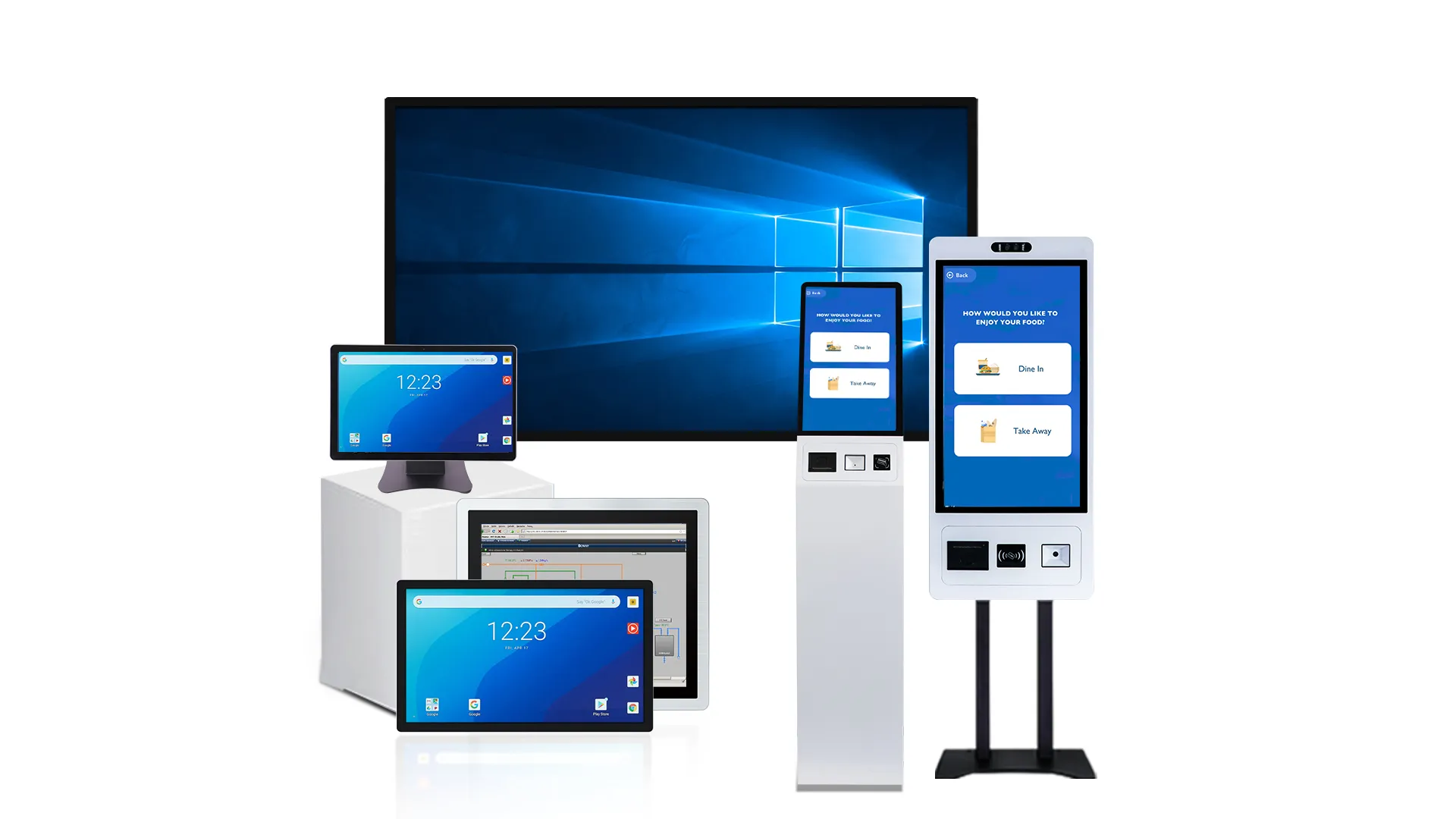
Embedded Touch Display Integration for OEM
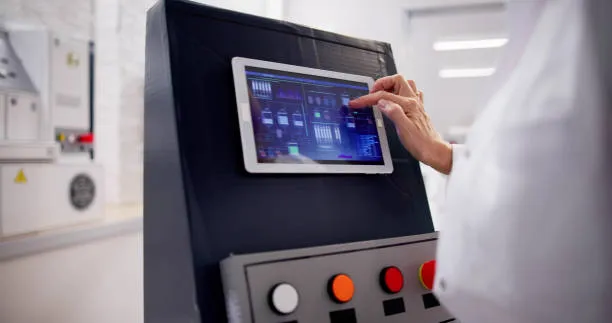
Core Components of OEM Touch Modules
Pre-engineered OEM touch modules act as the interactive core of industrial equipment. Unlike consumer screens, manufacturers build these units strictly for deep machine integration and extended product lifecycles.
- Hardware Stack: Integrates TFT LCD panels, touch sensors, नियंत्रकों, and power circuitry into a single sub-assembly.
- Integration Focus: Engineered for continuous 24/7 machine-level operation rather than standalone end-user applications.
- System Connectivity: Connects directly to the host microcontroller or CPU to drive reliable human-machine interfaces.
Open Frame vs. Panel Mount Integration
Your mechanical integration strategy dictates the final look, protection level, and engineering cost of the equipment. OEMs primarily choose between two mechanical form factors.
- Open Frame Modules: Expose a bare metal chassis. You must design the custom front panel and sealing, granting total control over brand-specific aesthetics.
- Panel Mount Displays: Include a finished front bezel. You secure them directly into a precise panel cut-out for rapid, flush installation.
- The Trade-off: Open frame maximizes industrial design flexibility. Panel mount cuts mechanical engineering effort and simplifies front-face environmental sealing.
Technical and System-Level Requirements
Deploying a touch module requires aligning optical, electrical, and environmental specifications with the host machine’s physical operating conditions.
- प्रौद्योगिकी स्पर्श करें: Choose projected capacitive (पीसीएपी) for multi-touch clarity and glass overlays, or resistive touch for heavy-duty glove operation.
- Electrical Interfaces: Route video signals through LVDS, ईडीपी, or HDMI. Secure EMC/EMI compliance via correct grounding and shielded cable routing.
- Environmental Durability: Account for extreme operating temperature ranges, persistent machine vibration, and potential exposure to industrial chemicals.
Strategic Integration Workflow for OEMs
A rigid integration sequence minimizes design revisions and guarantees the display functions reliably inside the final equipment enclosure.
- Requirement Definition: Map out power budgets, interface constraints, and target IP ratings before selecting the hardware.
- Compatibility Validation: Test electrical connections and integrate the required touch drivers directly with the host operating system.
- Mechanical & Stress Testing: Develop the final housing and run system-level validation for thermal dissipation, ingress protection, and HMI usability.
- Supply Chain Planning: Partner with vendors offering clear end-of-life policies and long-term product availability to avoid forced mid-lifecycle redesigns.
Front-mount vs Rear-mount Installation Explained
Mounting direction dictates your equipment’s aesthetic, environmental sealing, and mechanical tolerances. Front-mount prioritizes rugged simplicity, while rear-mount delivers flush, custom integration.
Fundamental Installation Geometry
Front-mount integration inserts the device from the outside of the enclosure. The hardware overlaps the front panel using a dedicated bezel or mounting flange. You will typically see this configuration applied to finished panel-mount hardware where the display frame acts as the final outer barrier.
Rear-mount installations insert the device from inside the cabinet. The display surface aligns directly behind or sits flush with the panel opening. OEMs frequently integrate open-frame monitors using this rear-mount setup to hide the raw metal chassis entirely behind the host machine’s facade.
Cutout Tolerances and Mechanical Structure
Structural requirements shift heavily depending on your mounting direction. Front-mount flanges cover minor inaccuracies in the panel cutout. This intentional overlap accommodates looser sheet-metal manufacturing tolerances, hiding rough laser cuts or punched edges from the end user.
Rear-mount setups require extremely tight cutout tolerances and precise edge finishing. The cutout edge directly frames the visible display, making any dimensional errors obvious. Rear-mounted units also transfer all mechanical load paths entirely behind the panel. Integrating heavy cantilever loads or deploying units in high-vibration environments requires rigid metal reinforcement around the interior cutout.
Environmental Sealing Capabilities
Front-mount designs achieve high IP ratings reliably. The installation naturally compresses a continuous front gasket directly against the host panel surface. Washdown environments heavily favor front-mount HMIs with integrated bezels because this overlap ensures straightforward, repeatable liquid and dust resistance.
Rear-mount sealing proves much more complex. High front-IP protection depends heavily on rear-side gaskets and tight fastener isolation. Water or dust bypassing the front cutout edge can breach the enclosure if the internal seals fail to compress evenly against the back of the panel.
Aesthetics and Ergonomic Integration
Front-mount installations leave the device bezel visible on the machine exterior. This yields a rugged, industrial aesthetic dictated entirely by the hardware vendor’s tooling. You accept the color, आकार, and material of the pre-manufactured frame.
Rear-mount integration enables completely flush, seamless front faces. Designers place the display behind decorative glass or custom-branded corporate overlays. Medical devices and public kiosks strongly prefer this approach. Removing external bezels eliminates crevices, supporting easy-to-sanitize, modern surfaces.
Maintenance and Serviceability Impact
Field service routines depend on physical accessibility. Front-mount designs often allow operators to remove the display directly from the exterior. Technicians can swap a faulty screen without fully opening or entering the main control cabinet, keeping them isolated from high-voltage internal wiring.
Rear-mount installations force internal access. Technicians must open the cabinet and unbolt rear fasteners, which often involves moving wiring trays or disconnecting adjacent equipment to clear a removal path.
Future hardware upgrades highlight a final difference. Front-mount cutouts easily adapt to upgraded displays with similar bezel footprints. Rear-mount upgrades demand precise mechanical realignment, as the new screen’s active area and borders must match the exact dimensions of the original enclosure opening.
VESA Mount Options for Commercial Use
Standardized VESA interfaces ensure mechanical interoperability across displays. Selecting the right pattern and mounting style dictates field serviceability and structural integrity for open-frame and panel-mount systems.
Core VESA Standards for Commercial Displays
A standardized 4-hole interface guarantees interoperability between display modules and mounting hardware across different brands. Hardware integrators rely on defined standard categories to accurately match display weight and physical dimensions.
- MIS-D (75x75mm, 100x100mm): Supports small to mid-size monitors and industrial HMIs up to 14 kg using M4 screws.
- MIS-E (200x100mm): Accommodates larger monitors and small digital signage displays.
- MIS-F (200x200mm and larger): Utilizes M6 or M8 fasteners to secure large-format commercial signage and TVs weighing 50 kg or more.
Open Frame vs. Panel Mount Integration
Open-frame displays integrate via direct rear VESA patterns or intermediate adapter plates, allowing easy field replacement of the LCD module. Integration teams must map out internal clearances to ensure that panel thickness, gaskets, or open-frame structural members do not obstruct access to the VESA holes.
Panel-mount displays often utilize a dual-mount design, combining a front sealing flange with a rear VESA pattern for load transfer. Using rear VESA mounts on panel displays mechanically decouples the cosmetic bezel from the load-bearing structure.
Common Types of Commercial VESA Mounts
Hardware configurations vary based on operator ergonomics, service access requirements, and specific deployment environments.
- Fixed wall and bulkhead plates: Secure retail signage and control room monitors where service access occurs from a single side.
- Tilting and articulating arms: Provide necessary ergonomic adjustments for self-service kiosks and manufacturing operator panels.
- Desk clamps and pole mounts: Stabilize POS terminals and control consoles while managing cable routing constraints.
- Tablet enclosures: Use rear MIS-D patterns to function as universal adapters for shelf-edge signage and room booking panels.
Sizing and Installation Considerations
System longevity depends on precise mechanical alignment and hardware selection during the initial installation phase.
- Center of Gravity: Match the VESA pattern to the screen size and the module’s center of gravity to prevent excessive torque on the support structure.
- Fastener Length: Select screws of the correct length to fully engage threads without bottoming out and damaging internal display components.
- Structural Anchoring: Anchor heavy MIS-F installations directly to structural members rather than relying on thin, non-structural sheet metal enclosures.
- Adapter Plates: Apply VESA adapter plates only when necessary to bridge legacy displays, factoring in the added physical depth and overall weight limits.
Common Installation Mistakes to Avoid
Mechanical and Structural Failures
Industrial environments subject displays to constant vibration and physical stress. Relying on weak mounting structures or imprecise cutouts compromises the integrity of the entire system.
- Misaligned cutouts: Cutting oversized or misaligned panel holes causes bezel stress and compromises front gaskets.
- Thin panels: Installing heavy displays into thin, flexing panels without stiffeners leads to severe vibration damage and touchscreen drift.
- Weak chassis support: Failing to build a rigid supporting chassis for open frame units results in sagging or cracked LCD glass.
- Incorrect hardware: Using screws of the wrong length or thread risks stripped mounting points or internal PCB damage.
Environmental Protection and Thermal Oversights
Heat and ingress are the two fastest ways to destroy an industrial display. Integrators sometimes expect the monitor to handle environmental hazards without executing proper system-level design.
- Uneven clamp pressure: Tightening panel mount clamps unevenly prevents proper front gasket compression, immediately voiding IP and NEMA ratings.
- Exposed open frames: Leaving open frame units exposed in harsh environments fails because they lack inherent sealing. You must design sealed, protective bezels around them.
- Thermal trapping: Enclosing displays without adequate airflow or thermal conduction paths guarantees thermal throttling and early component death.
Cabling, ग्राउंडिंग, and Accessibility Errors
A display might sit perfectly flush, but bad electrical and wiring practices cause intermittent failures that are incredibly difficult to diagnose.
- Cable stress: Routing cables with tight bends or missing strain relief increases connector fatigue and spikes EMI risks.
- Poor bonding: Mounting displays directly to painted or insulated surfaces without using grounding studs or star washers ruins electrical bonding.
- Blocked access: Embedding units so deeply into the machine that rear I/O connectors, service ports, or display controls become inaccessible turns routine maintenance into a complete teardown.
Integration Concept and Application Mismatches
Choosing the right display type means nothing if the installation strategy contradicts the hardware’s core design intent.
- Misunderstanding open frames: Treating open frame displays as finished products rather than bare components leaves them vulnerable. They require custom enclosures.
- Inflexible mounting: Using rigid panel mounts in highly modular environments limits your options. VESA mounts better support frequent reconfigurations.
- Ergonomic failures: Positioning displays at incorrect ergonomic heights or failing to align the front surface flush with the machine fascia frustrates operators.
- Permanent bonding: Over-sealing displays with permanent adhesives makes future field service or lifecycle replacements excessively difficult and expensive.
Scale Your Equipment Design with TouchWo
Standardizing your mechanical and electrical footprints with TouchWo displays reduces engineering variants, speeds up assembly, and simplifies lifecycle upgrades across your entire equipment portfolio.
Platform-Based Mechanical Strategy
Building a scalable equipment portfolio requires a rigid foundation. Treating your display footprint as a variable wastes engineering hours and delays production. By adopting a platform-based mechanical strategy, OEMs lock in core dimensions early and streamline future development.
- Core Size Standardization: Select a fixed set of display sizes across all product lines to eliminate unnecessary engineering variants.
- Strict Interface Definitions: Mandate precise panel cutout dimensions for closed-frame units and consistent flange mounting points for open-frame models.
- Unified Connections: Standardize on specific video and touch interfaces to make swapping between integration styles frictionless.
Strategic Product Segmentation
Different machines serve different markets, requiring tailored integration styles. Varying the external look does not mean changing the internal architecture. Equipment builders segment product lines strategically while maintaining a common hardware core to control costs.
- High-Volume Flagships: Deploy open-frame modules where custom, brand-differentiated front designs justify the initial mechanical engineering effort.
- Custom or Low-Volume Runs: Use panel-mount, closed-frame units to bypass non-recurring engineering costs and achieve immediate ingress protection.
- Mixed Portfolio Execution: Maintain identical internal TouchWo electronics across all tiers, adjusting only the mechanical housing to meet specific market requirements.
Lifecycle Management and Hardware Upgrades
Equipment lifecycles outlast display technology. If a brighter screen or faster processor requires a cabinet redesign, your scaling strategy is broken. Treat the display footprint as a mechanical constant to future-proof your machine designs.
- Backward Compatibility: Design internal mounting patterns that remain fixed across multiple display generations.
- Component Upgrades: Swap in higher CPU processing power, advanced touch sensors, or sunlight-readable panels without touching the exterior metalwork.
- Field Retrofits: Ensure new module generations drop directly into legacy cutouts to simplify on-site upgrades for existing installations.
Manufacturing and Logistics Optimization
A fragmented display purchasing strategy creates chaos on the assembly line and bloats warehouse inventory. Consolidating your touch interfaces into a single TouchWo display family leans out your entire supply chain and accelerates production.
- SKU Reduction: Slash the number of distinct display parts ordered and managed across diverse machine categories.
- Global Support Simplicity: Standardize field service training and consolidate spare parts inventory for remote support teams.
- Assembly Acceleration: Speed up production lines by using standardized open-frame brackets or drop-in panel mounts that operators already know how to install.
अक्सर पूछे जाने वाले प्रश्नों
What is an open frame touch monitor and where is it used?
An open frame touch monitor is a bare-metal display module delivered without a finished outer enclosure. It exposes the chassis and mounting points so you can mechanically integrate it directly into a larger system. System builders primarily use these monitors in self-service kiosks, औद्योगिक नियंत्रण पैनल, casino gaming machines, और चिकित्सा उपकरण.
Is a panel mount or open frame monitor better for waterproof applications?
Panel mount monitors are the better choice for waterproof applications. They feature a sealed front interface and a gasketed bezel that achieves IP65 or NEMA 4 protection ratings straight out of the box. Open frame monitors expose the internal electronics on the sides and back, meaning any water resistance must come entirely from the custom enclosure you build around them.
What is the difference between VESA mount and panel mount?
A VESA mount relies on a globally standardized 4-hole pattern on the rear of a display to attach it to generic external arms, stands, or wall brackets. A panel mount uses a custom front or perimeter interface—like a bezel with clamps or mounting ears—to embed the display flush into a machine cutout or kiosk face.
Can open frame monitors be customized for specific kiosk designs?
हाँ, open frame monitors allow complete customization for kiosk integration. Because they lack a finished front, integrators can specify custom mounting flanges, specific touch technologies, and high-brightness panels for outdoor use. You can also add custom-printed, vandal-resistant cover glass to match your exact branding and mechanical constraints.
How do you install a panel mount monitor in a control cabinet?
Start by cutting an opening in the cabinet panel matching the exact dimensions specified by the manufacturer. Insert the display from the front and secure it from the rear using the provided clamps or brackets. Tighten the hardware evenly in a cross-pattern. This ensures a flush fit against the panel and maintains the integrity of the dust and water seals.
How is heat dissipation managed in embedded monitor designs?
Proper thermal management combines board-level elements like thick copper planes and thermal vias with mechanical cooling solutions. Open frame units conduct heat directly into the host cabinet structure and rely on natural internal airflow. Panel mount designs trap heat behind a sealed front, so they use thick, thermally conductive rear covers and rear-side convection to pull heat away from the internal electronics.
अंतिम विचार
The right touch monitor structure directly affects installation efficiency, long-term durability, and maintenance stability across your equipment lineup. While lower-cost commercial displays may reduce initial investment, industrial applications require a mounting solution that can withstand vibration, धूल, नमी, and continuous operation without creating integration problems later.
पर TouchWo, we provide open frame and panel mount touch monitor solutions designed for stable industrial and commercial deployment. Our team supports OEM customization, enclosure integration, and long-term production consistency to help simplify your development process. Before mass production, we recommend testing a sample unit in your actual operating environment to verify fit, touch performance, and thermal stability.
👉Contact our team to discuss your project requirements and find the right solution for your application.





