ບ້ານ

>

ຂ່າວ

ຂ່າວ

ຄອມ​ພິວ​ເຕີ​ທັງ​ຫມົດ​ໃນ​ຫນຶ່ງ​

What is the best all-in-one computer in 2026?

All-in-one computers have become a popular choice for offices, commercial kiosks and industrial control rooms. They combine the computer host, display and often a touch interface into one compact unit. This design saves space, reduces cable clutter and simplifies daily maintenance. As we move through 2026, the all-in-one computer market ...

ອ່ານເພິ່ມເຕິມ
all-in-one PC

Which brand all-in-one PC is best?

An all-in-one PC combines the computer host, display screen and often a touch interface into a single compact device. It saves space, reduces cable clutter and simplifies deployment. ດ້ວຍເຫດນີ້, more and more commercial and industrial projects choose all-in-one PCs over traditional desktop setups. ເຖິງຢ່າງໃດກໍ່ຕາມ, the question “which brand ...

ອ່ານເພິ່ມເຕິມ
ທຸຕ້າ

kiosk ຫມາຍຄວາມວ່າແນວໃດ?

ປະຊາຊົນຈໍານວນຫຼາຍເຫັນສະຖານີບໍລິການຕົນເອງແລະຮ້ານບໍລິການຂະຫນາດນ້ອຍໃນຊີວິດປະຈໍາວັນ. They often refer to these devices with vague and general names. In fact, all these compact independent interactive units fall under the term kiosk. The meaning of kiosk has changed greatly through years of development. It no longer ...

ອ່ານເພິ່ມເຕິມ
ຫນ້າຈໍສໍາພັດ

ຂ້ອຍຈະເປີດການຕັ້ງຄ່າໜ້າຈໍສຳຜັດໄດ້ແນວໃດ?

PC panels ແລະ terminals ຫນ້າຈໍສໍາຜັດຈໍານວນຫຼາຍດໍາເນີນການລະບົບ Windows ຝັງ. Users sometimes find touch functions inactive after system restarts or software updates. You may struggle to locate the correct configuration menu at first. Different system versions place touch screen options in separate menus. Minor driver errors can also make ...

ອ່ານເພິ່ມເຕິມ
ຕິດຕາມກວດກາຫນ້າຈໍ

ຈໍສໍາຜັດທີ່ມີລາຄາຖືກທີ່ສຸດແມ່ນຫຍັງ?

ທຸລະກິດຂະຫນາດນ້ອຍແລະຜູ້ຊື້ໂຄງການຈໍານວນຫຼາຍຊອກຫາຮາດແວການສະແດງຜົນລາຄາຖືກສໍາລັບການດໍາເນີນງານປະຈໍາວັນ. A touch screen monitor offers convenient interactive functions for office, retail and light industrial scenarios. Most users prioritize stable basic performance while controlling overall hardware costs. Budget-friendly touch screen monitor options do not equal low-quality or ...

ອ່ານເພິ່ມເຕິມ
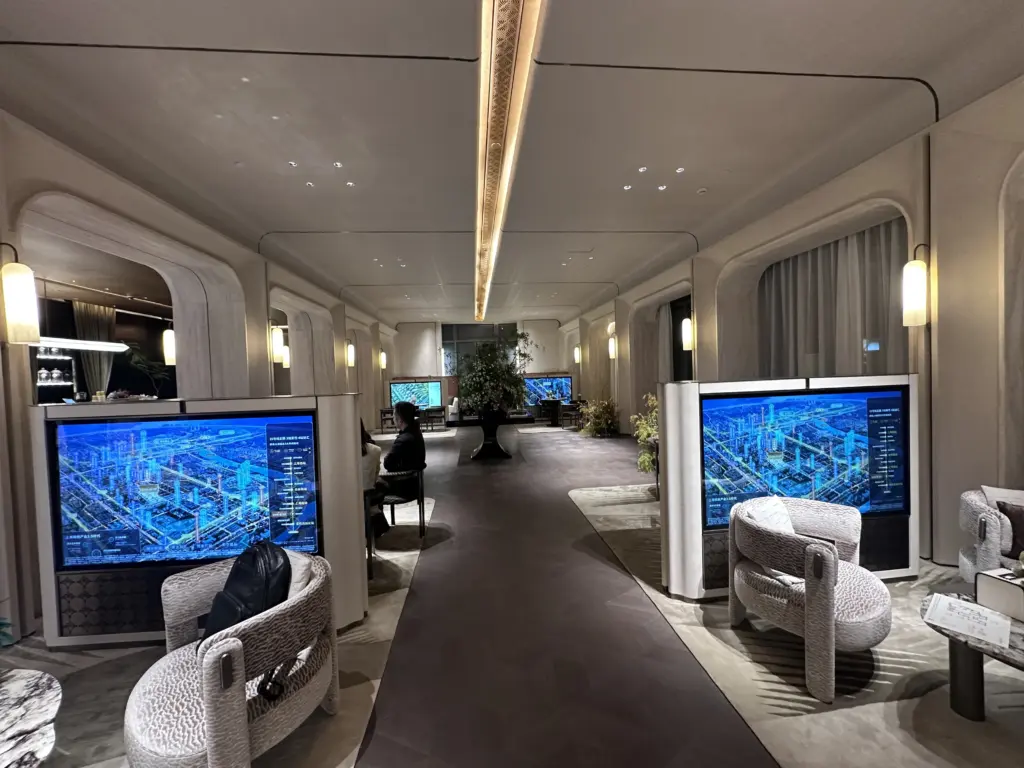
HD65用于保利商旅 上海颛桥售楼处1

ອຸປະກອນໃດທີ່ໃຊ້ຫນ້າຈໍສໍາຜັດ?

ຫນ້າຈໍສໍາຜັດເອົາຄວາມຕ້ອງການສໍາລັບເຄື່ອງມືປ້ອນຂໍ້ມູນແຍກຕ່າງຫາກເຊັ່ນ: ຫນູແລະແປ້ນພິມ. It lets users control equipment directly with taps, slides or gestures. You can find this interactive hardware everywhere in daily life. ເຖິງແມ່ນວ່າ, many people only connect touch screens to mobile phones and ignore broader ...

ອ່ານເພິ່ມເຕິມ
ຫນ້າຈໍສໍາພັດ

ໜ້າຈໍສຳຜັດເຮັດວຽກແນວໃດ?

ຫນ້າຈໍສໍາຜັດເຮັດຫນ້າທີ່ເປັນສ່ວນໂຕ້ຕອບຫຼັກສໍາລັບການບໍລິການຕົນເອງແລະອຸປະກອນອຸດສາຫະກໍາ. You tap or slide the surface to send orders without mice or buttons. Most people use touch screens daily yet never learn their internal operation logic. Each touch screen type uses distinct sensing technology to read your movements. ...

ອ່ານເພິ່ມເຕິມ
ຕິດຕາມກວດກາຫນ້າຈໍ

Does a touch screen monitor exist?

Many new project buyers confuse traditional displays and interactive display devices. Ordinary desktop monitors only output visual content and accept no manual touch commands. ດ້ວຍເຫດນີ້, many people wonder whether a professional interactive display solution truly exists for business scenarios. In fact, a touch screen monitor is a mature ...

ອ່ານເພິ່ມເຕິມ
touch panels

ແຜງສໍາຜັດປະເພດຕ່າງໆແມ່ນຫຍັງ?

Touch panels serve as the core interactive component for modern smart devices. They support intuitive tapping, sliding and selecting operations for daily self-service equipment. ເຖິງແມ່ນວ່າ, many buyers do not know that touch panels have multiple technical types. Each kind of touch panel carries distinct working principles, durability levels and ...

ອ່ານເພິ່ມເຕິມ