บ้าน

>

ข่าว

ข่าว

แผงหน้าปัด

เป็นไปได้หรือไม่ที่จะใช้พีซีที่ไม่มีแผงด้านข้าง?

Many PC owners remove the side panel from their desktop computer at some point. Some do it to improve airflow and lower temperatures. Others remove it for easier access when installing or cleaning components. It is a common DIY habit, especially among hobbyists and technicians. อย่างไรก็ตาม, running a PC without ...

อ่านเพิ่มเติม
คอมพิวเตอร์ออลอินวัน

คอมพิวเตอร์ All-in-One รุ่นใดดีที่สุด 2026?

All-in-one computers have become a popular choice for offices, commercial kiosks and industrial control rooms. They combine the computer host, display and often a touch interface into one compact unit. This design saves space, reduces cable clutter and simplifies daily maintenance. As we move through 2026, the all-in-one computer market ...

อ่านเพิ่มเติม
all-in-one PC

ออลอินวันพีซียี่ห้อใดดีที่สุด?

An all-in-one PC combines the computer host, display screen and often a touch interface into a single compact device. It saves space, reduces cable clutter and simplifies deployment. ด้วยเหตุนี้, more and more commercial and industrial projects choose all-in-one PCs over traditional desktop setups. อย่างไรก็ตาม, the question “which brand ...

อ่านเพิ่มเติม
คีออสก์

ความหมายของคีออสก์คืออะไร?

หลายๆ คนเห็นเครื่องบริการตนเองและบูธบริการเล็กๆ ในชีวิตประจำวัน. พวกเขามักจะอ้างถึงอุปกรณ์เหล่านี้ด้วยชื่อที่คลุมเครือและทั่วไป. ในความเป็นจริง, all these compact independent interactive units fall under the term kiosk. The meaning of kiosk has changed greatly through years of development. It no longer ...

อ่านเพิ่มเติม
หน้าจอสัมผัส

ฉันจะเปิดการตั้งค่าหน้าจอสัมผัสได้อย่างไร?

แผงพีซีและเทอร์มินัลหน้าจอสัมผัสหลายเครื่องใช้ระบบ Windows แบบฝัง. บางครั้งผู้ใช้พบว่าฟังก์ชันสัมผัสไม่ทำงานหลังจากที่ระบบรีสตาร์ทหรืออัปเดตซอฟต์แวร์. คุณอาจประสบปัญหาในการค้นหาเมนูการกำหนดค่าที่ถูกต้องในตอนแรก. เวอร์ชันของระบบที่แตกต่างกันจะวางตัวเลือกหน้าจอสัมผัสไว้ในเมนูแยกกัน. Minor driver errors can also make ...

อ่านเพิ่มเติม
จอภาพหน้าจอสัมผัส

จอทัชสกรีนรุ่นไหนถูกที่สุดครับ?

ธุรกิจขนาดเล็กและผู้ซื้อโครงการจำนวนมากมองหาฮาร์ดแวร์จอแสดงผลที่คุ้มต้นทุนสำหรับการดำเนินงานรายวัน. จอภาพหน้าจอสัมผัสมีฟังก์ชันโต้ตอบที่สะดวกสบายสำหรับสำนักงาน, retail and light industrial scenarios. Most users prioritize stable basic performance while controlling overall hardware costs. Budget-friendly touch screen monitor options do not equal low-quality or ...

อ่านเพิ่มเติม
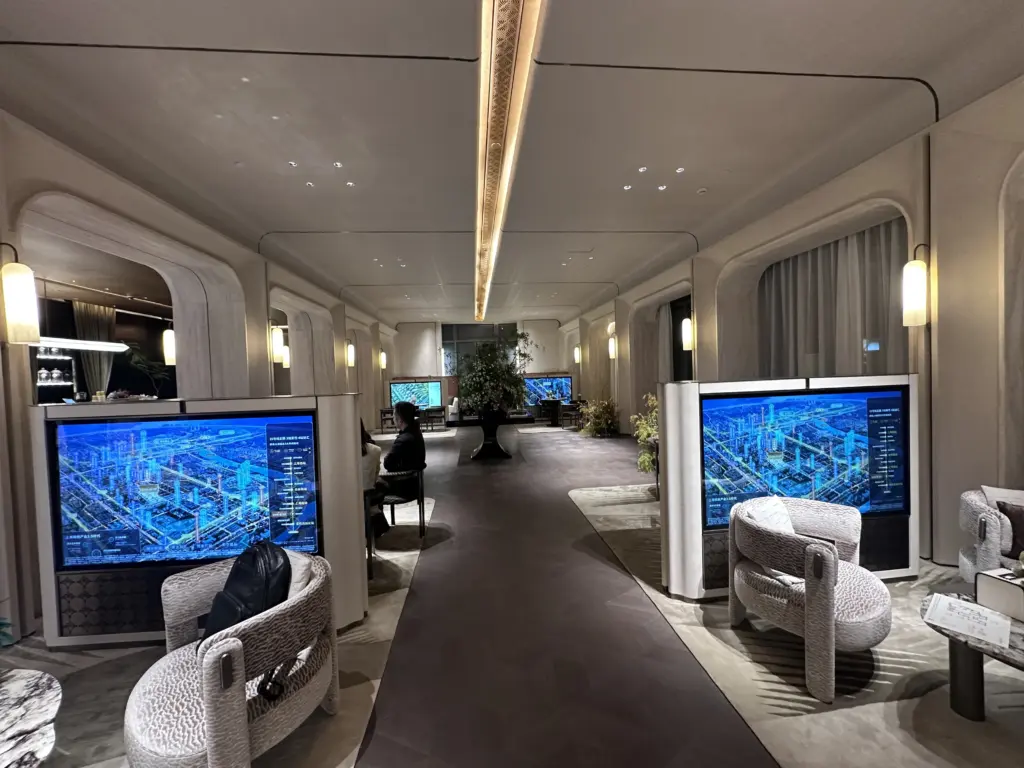
HD65用于保利商旅 上海颛桥售楼处1

อุปกรณ์ใดบ้างที่ใช้หน้าจอสัมผัส?

หน้าจอสัมผัสทำให้ไม่จำเป็นต้องใช้เครื่องมือป้อนข้อมูลแยกต่างหาก เช่น เมาส์และคีย์บอร์ด. ช่วยให้ผู้ใช้ควบคุมอุปกรณ์ได้โดยตรงด้วยการแตะ, สไลด์หรือท่าทาง. คุณจะพบฮาร์ดแวร์แบบอินเทอร์แอคทีฟนี้ได้ทุกที่ในชีวิตประจำวัน. ยังไงก็ตาม, many people only connect touch screens to mobile phones and ignore broader ...

อ่านเพิ่มเติม
หน้าจอสัมผัส

หน้าจอสัมผัสทำงานอย่างไร?

หน้าจอสัมผัสทำหน้าที่เป็นส่วนโต้ตอบหลักสำหรับอุปกรณ์บริการตนเองและอุปกรณ์อุตสาหกรรม. You tap or slide the surface to send orders without mice or buttons. Most people use touch screens daily yet never learn their internal operation logic. Each touch screen type uses distinct sensing technology to read your movements. ...

อ่านเพิ่มเติม
จอภาพหน้าจอสัมผัส

มีจอภาพแบบสัมผัสหรือไม่?

ผู้ซื้อโครงการใหม่จำนวนมากสับสนระหว่างจอแสดงผลแบบเดิมและอุปกรณ์แสดงผลแบบโต้ตอบ. Ordinary desktop monitors only output visual content and accept no manual touch commands. ด้วยเหตุนี้, many people wonder whether a professional interactive display solution truly exists for business scenarios. ในความเป็นจริง, a touch screen monitor is a mature ...

อ่านเพิ่มเติม