ข้ามไปที่เนื้อหา
หน้าจอสัมผัสทำให้ไม่จำเป็นต้องใช้เครื่องมือป้อนข้อมูลแยกต่างหาก เช่น เมาส์และคีย์บอร์ด. ช่วยให้ผู้ใช้ควบคุมอุปกรณ์ได้โดยตรงด้วยการแตะ, สไลด์หรือท่าทาง. คุณจะพบฮาร์ดแวร์แบบอินเทอร์แอคทีฟนี้ได้ทุกที่ในชีวิตประจำวัน. ยังไงก็ตาม, หลายๆ คนเชื่อมต่อหน้าจอสัมผัสกับโทรศัพท์มือถือเท่านั้นและเพิกเฉยต่อกรณีการใช้งานที่กว้างขึ้น.

สภาพแวดล้อมการทำงานที่แตกต่างกันต้องการข้อกำหนดหน้าจอสัมผัสที่แตกต่างกัน. อุปกรณ์สำหรับผู้บริโภคภายในอาคารใช้แผงน้ำหนักเบา, ในขณะที่ฮาร์ดแวร์อุตสาหกรรมต้องการโครงสร้างเสริม. บทความนี้จะแยกประเภทอุปกรณ์หลักๆ ที่ใช้หน้าจอสัมผัสและอธิบายข้อกำหนดด้านการทำงานที่เกี่ยวข้อง.
อุปกรณ์อิเล็กทรอนิกส์สำหรับผู้บริโภคที่มีหน้าจอสัมผัส
สินค้าอุปโภคบริโภคเป็นกลุ่มอุปกรณ์ทั่วไปที่ใช้หน้าจอสัมผัส. อุปกรณ์เหล่านี้มุ่งเน้นไปที่การใช้งานที่เรียบง่ายและประสบการณ์การมองเห็นที่เป็นมิตร.
1. อุปกรณ์อิเล็กทรอนิกส์ส่วนบุคคลแบบพกพา
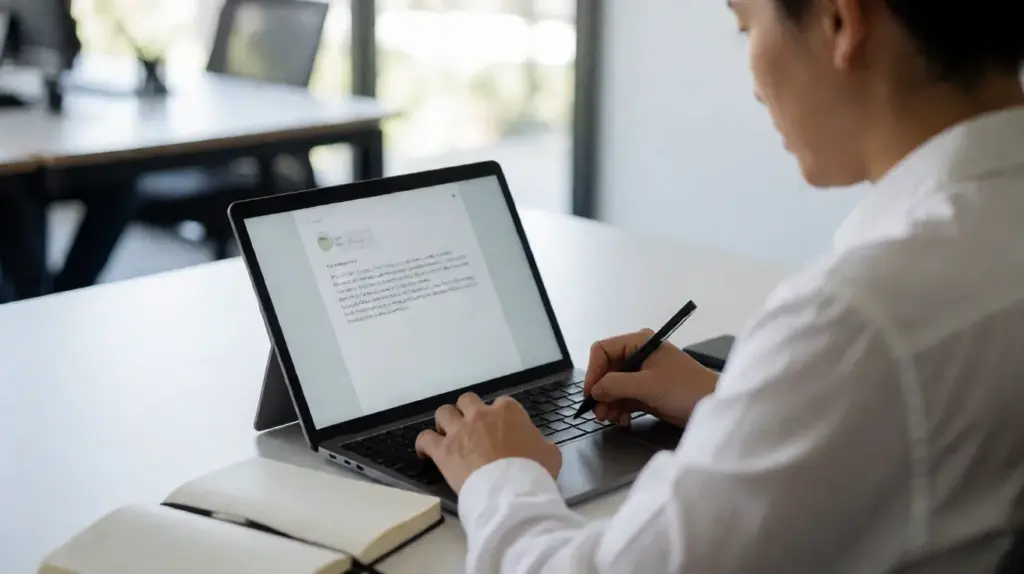
สมาร์ทโฟนและคอมพิวเตอร์แท็บเล็ตอาศัยการโต้ตอบบนหน้าจอสัมผัสอย่างเต็มที่. ผู้ใช้เรียกดูข้อมูลเสร็จแล้ว, การสื่อสารและการควบคุมสื่อผ่านการสัมผัสหน้าจอโดยตรง. อุปกรณ์เหล่านี้ส่วนใหญ่ใช้เทคโนโลยีสัมผัสแบบคาปาซิทีฟเพื่อการรองรับมัลติทัชที่ราบรื่น.
2. แผงควบคุมอัจฉริยะในครัวเรือน
บ้านสมัยใหม่หลายแห่งติดตั้งหน้าจอควบคุมอัจฉริยะติดผนัง. แผงหน้าจอสัมผัสเหล่านี้จัดการแสงสว่าง, ระบบปรับอากาศและระบบรักษาความปลอดภัย. เปลี่ยนการตั้งค่าภายในบ้านที่ซับซ้อนให้กลายเป็นการทำงานที่ง่ายดายเพียงสัมผัสเดียว.
3. ฮาร์ดแวร์ความบันเทิงแบบพกพา
หน้าจอนำทางรถยนต์และเครื่องเล่นสื่อแบบพกพาก็ใช้หน้าจอสัมผัสเช่นกัน. ไดรเวอร์และผู้ใช้ปรับการตั้งค่าโดยไม่ต้องใช้ปุ่มพิเศษระหว่างการใช้งานในแต่ละวัน.
อุปกรณ์บริการตนเองเชิงพาณิชย์ที่ใช้หน้าจอสัมผัส
สถานที่เชิงพาณิชย์ใช้เครื่องเทอร์มินัลหน้าจอสัมผัสอย่างกว้างขวางเพื่อลดเวลาการรอคอยและลดภาระงานของพนักงาน. อุปกรณ์เหล่านี้ทำงานอย่างต่อเนื่องในช่วงเวลาทำการ.
1. ตู้บริการตนเอง
การสั่งเครื่อง, เครื่องสอบถามข้อมูลและตู้จำหน่ายตั๋วล้วนขึ้นอยู่กับหน้าจอสัมผัส. ผู้เยี่ยมชมสามารถดำเนินงานอิสระได้โดยไม่ได้รับการสนับสนุนจากพนักงานในสถานที่.
2. เครื่องชำระเงินขายปลีก
อุปกรณ์ชำระเงินด้วยตนเองในพื้นที่ช็อปปิ้งใช้หน้าจอสัมผัสในตัว. ลูกค้าสแกนสินค้าและยืนยันการชำระเงินผ่านหน้าจอที่ใช้งานง่าย.
3. อาคารแสดงสินค้าและนิทรรศการ
หน้าจอแสดงผลแบบโต้ตอบที่นิทรรศการและศูนย์การค้าใช้หน้าจอสัมผัส. พวกเขาส่งข้อมูลผลิตภัณฑ์และสนับสนุนการเรียกดูเนื้อหาที่ใช้งานของผู้เยี่ยมชม.
อุปกรณ์อุตสาหกรรมที่มีหน้าจอสัมผัส
สถานการณ์ทางอุตสาหกรรมมีความต้องการที่เข้มงวดมากขึ้นในด้านความเสถียรและความทนทานของหน้าจอสัมผัส. แผงเหล่านี้จำเป็นต้องปรับให้เข้ากับสภาพโรงงานที่ซับซ้อน.
1. พีซีแผงอุตสาหกรรม
คอมพิวเตอร์อุตสาหกรรมออลอินวันสร้างหน้าจอสัมผัสไว้ในตัวเครื่องที่ปิดสนิท. ผู้ปฏิบัติงานปรับพารามิเตอร์การผลิตและดูข้อมูลการผลิตแบบเรียลไทม์ได้ที่ไซต์งาน.
2. ขั้วต่อควบคุมเครื่องจักร
เครื่องจักรการผลิตและสายการประกอบอัตโนมัติเชื่อมต่อกับหน่วย HMI แบบหน้าจอสัมผัส. พนักงานตรวจสอบสถานะอุปกรณ์และส่งคำสั่งควบคุมได้อย่างสะดวก.
3. โลจิสติกส์และฮาร์ดแวร์การตรวจสอบ
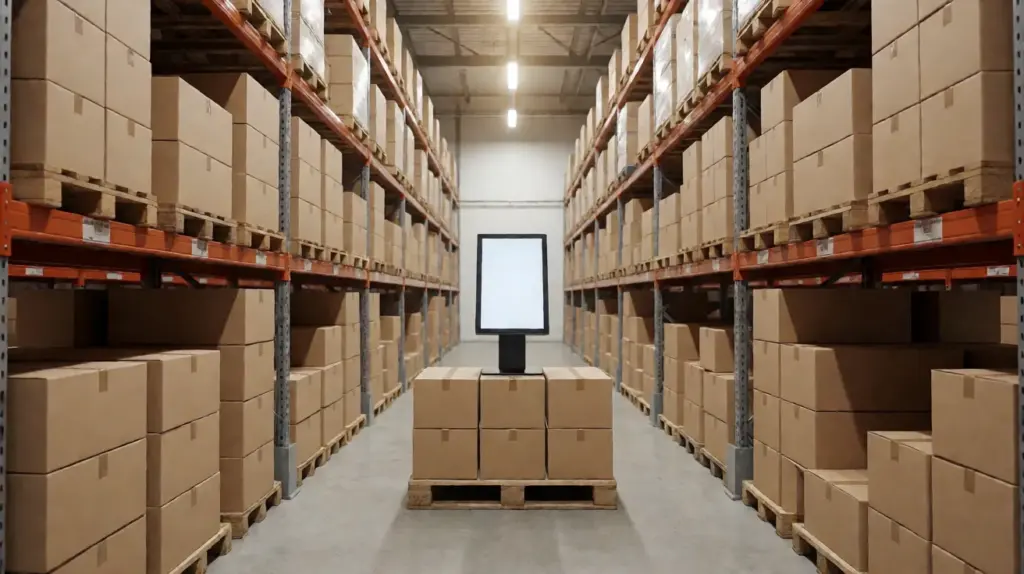
อุปกรณ์คัดแยกและสถานีตรวจสอบส่วนกลางใช้หน้าจอสัมผัสทางอุตสาหกรรม. พวกเขารักษาประสิทธิภาพการทำงานที่มั่นคงท่ามกลางการทำงานประจำวันเป็นประจำ.
ความแตกต่างที่สำคัญในหน้าจอสัมผัสสำหรับอุปกรณ์ต่างๆ
อุปกรณ์ไม่ได้ใช้หน้าจอสัมผัสประเภทเดียวกัน. นักออกแบบฮาร์ดแวร์เลือกแผงควบคุมตามสภาพการทำงานจริง.
1. การเลือกเทคโนโลยีระบบสัมผัส
อุปกรณ์อิเล็กทรอนิกส์สำหรับผู้บริโภคชอบหน้าจอสัมผัสแบบคาปาซิทีฟสำหรับฟังก์ชันมัลติทัช. เครื่องจักรอุตสาหกรรมจำนวนมากเลือกหน้าจอสัมผัสแบบต้านทานเพื่อรองรับการทำงานที่สวมถุงมือ.
2. มาตรฐานการป้องกันพื้นผิว
หน้าจอสัมผัสเชิงพาณิชย์และอุตสาหกรรมมักใช้กระจกเสริมความแข็งแรง. หน้าจอสัมผัสระดับผู้บริโภคมุ่งเน้นไปที่การออกแบบที่บางมากกว่าการป้องกันการกระแทกอย่างหนัก.
3. กำลังการผลิตต่อเนื่อง
หน้าจอสัมผัสสำหรับอุปกรณ์สาธารณะและอุปกรณ์อุตสาหกรรมรองรับการทำงานต่อเนื่องยาวนานหลายชั่วโมง. หน้าจอสัมผัสของผู้บริโภคส่วนใหญ่จะปรับให้เข้ากับการใช้งานประจำวันเป็นระยะๆ.
คำถามที่พบบ่อยเกี่ยวกับอุปกรณ์ที่ใช้หน้าจอสัมผัส
ไตรมาสที่ 1: อุปกรณ์ใดบ้างที่ใช้หน้าจอสัมผัสบ่อยที่สุด?
A1: สมาร์ทโฟน, แท็บเล็ต, ตู้บริการตนเองและอาคารควบคุมทางอุตสาหกรรมติดอันดับหนึ่งในอุปกรณ์ที่ใช้หน้าจอสัมผัสอย่างกว้างขวางที่สุด.
ไตรมาสที่ 2: หน้าจอสัมผัสทั้งหมดสามารถใช้งานได้กับทั้งเครื่องจักรผู้บริโภคและเครื่องจักรอุตสาหกรรม?
A2: เลขที่. หน้าจอสัมผัสของผู้บริโภคขาดความต้านทานต่อสิ่งแวดล้อม. ไม่สามารถเปลี่ยนหน้าจอสัมผัสอุตสาหกรรมเสริมแรงในโรงงานที่มีฝุ่นมากหรือมีการเปลี่ยนแปลงอุณหภูมิได้.
ไตรมาสที่ 3: ตู้บริการตนเองจำเป็นต้องใช้หน้าจอสัมผัสระดับอุตสาหกรรมเสมอ?
A3: ซุ้มในร่มอาจใช้หน้าจอสัมผัสเชิงพาณิชย์มาตรฐาน. อาคารผู้โดยสารที่วางอยู่กลางแจ้งหรือในพื้นที่ที่มีการจราจรหนาแน่นจะได้รับประโยชน์จากแผงสัมผัสระดับอุตสาหกรรม.
ไตรมาสที่ 4: หน้าจอสัมผัสสามารถรองรับการทำงานโดยใช้ถุงมือได้?
A4: หน้าจอสัมผัสแบบ Resistive รองรับการทำงานขณะสวมถุงมือ. โดยปกติแล้วหน้าจอสัมผัสแบบคาปาซิทีฟแบบมาตรฐานจะตอบสนองต่อการสัมผัสทางผิวหนังของมนุษย์เท่านั้น.
คำถามที่ 5: ฉันควรเลือกมัลติทัชสำหรับอุปกรณ์ทุกเครื่องที่มีหน้าจอสัมผัสหรือไม่?
A5: ไม่เสมอไป. หน้าจอควบคุมทางอุตสาหกรรมแบบธรรมดามักต้องการการสัมผัสเพียงจุดเดียวเท่านั้น. มัลติทัชช่วยเพิ่มมูลค่าให้กับแผงขายปลีกและอุปกรณ์สำหรับผู้บริโภค.
บทสรุป
สรุป., อุปกรณ์หลายประเภทใช้หน้าจอสัมผัสในสามฟิลด์หลัก: เครื่องใช้ไฟฟ้า, ฮาร์ดแวร์บริการตนเองเชิงพาณิชย์และอุปกรณ์ควบคุมอุตสาหกรรม. แต่ละหมวดหมู่จะกำหนดข้อกำหนดที่แตกต่างกันสำหรับเทคโนโลยีระบบสัมผัส, ความทนทานของพื้นผิวและการทำงานต่อเนื่อง. การเลือกประเภทหน้าจอสัมผัสที่ตรงกันจะช่วยเพิ่มความเสถียรของอุปกรณ์และประสบการณ์การใช้งานของผู้ใช้โดยตรง.
หากคุณต้องการโซลูชันหน้าจอสัมผัสที่เข้าคู่กันอย่างเหมาะสมสำหรับคีออสก์เชิงพาณิชย์ของคุณ, อาคารอุตสาหกรรมหรือโครงการอุปกรณ์อัจฉริยะ, กรอกแบบฟอร์มสอบถามบนเว็บไซต์อย่างเป็นทางการของเรา. แบ่งปันรายละเอียดเกี่ยวกับประเภทอุปกรณ์ของคุณและสภาพแวดล้อมการทำงาน, และทีมงานของเราจะนำเสนอโซลูชั่นที่ปรับแต่งให้เหมาะกับความต้องการของคุณ.