
Industrial touch screen failures caused by EMI and ESD interference can lead to unexpected downtime, unstable HMI operation, and costly field repairs. This guide explains how EMI and ESD protection in industrial touch screen design prevents signal disruption, hardware damage, and reliability issues in harsh factory environments.
For OEM buyers and system integrators, this article provides practical guidance on evaluating protection methods, EMC testing requirements, and supplier capabilities to reduce sourcing risks and ensure long-term touch screen performance in demanding industrial applications.
Why EMI and ESD Matter in Industrial Touch Screen Design
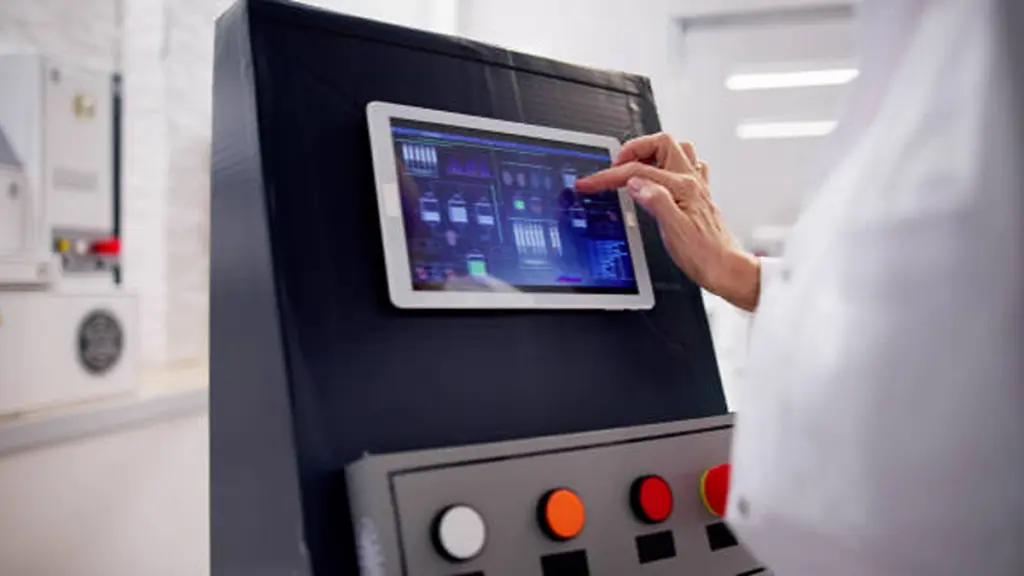
Industrial touch screens are vulnerable to EMI and ESD, which can impact touch reliability and system stability.
High-Noise Industrial Environments
Factories generate continuous electromagnetic interference (EMI) through operating equipment such as motors, inverters, and switching devices. These sources create both conducted and radiated noise that can travel through power lines, communication cables, and surrounding air. Because industrial touch screens are often installed close to machines and connected through long cables, they require effective protection against external electrical disturbances.
Direct Human Interaction and ESD Exposure
Electrostatic discharge (ESD) is another unavoidable challenge in industrial applications. Operators frequently interact with touch panels, while dry environments can increase static accumulation. Without proper grounding, shielding, and discharge paths, static energy can reach sensitive electronic circuits and affect long-term device reliability.
Sensitivity of Modern Touch Controllers
Modern PCAP touch controllers rely on precise electrical signals to detect user input. Their high sensitivity makes proper EMI and ESD protection essential during the design stage. Without appropriate protection methods, external electrical noise can interfere with signal detection and reduce overall system stability.
Regulatory and Reliability Requirements
Industrial touch devices must also meet EMC immunity requirements to ensure reliable operation in demanding environments. Standards such as IEC 61000-4-2 define ESD immunity levels and provide a reference for evaluating whether a device can withstand real-world electrostatic events.
How EMI and ESD Affect Touch Performance and System Stability

EMI causes ongoing glitches like false touches and lag. ESD is a sudden zap that can freeze the system, cause a reboot, or inflict permanent hardware damage.
EMI: The Impact on Touch Accuracy and Responsiveness
Electromagnetic interference (EMI) degrades touch performance by injecting unwanted electrical noise into the system. This noise, often from nearby motors, strömförsörjning, or RF radios, can couple into the sensitive touch sensor and be misinterpreted as a user’s finger. The most common result is “ghost” or false touches, where the system reacts as if it’s been pressed when it hasn’t.
When the interference is strong enough, it can overwhelm the actual touch signal, leading to missed inputs or a frustrating lag between a touch and the system’s response. EMI can also distort the signals used to calculate touch coordinates, making the cursor on screen appear jittery or inaccurate. The problem isn’t limited to the touch function; this electrical noise can also cause display artifacts like flickering or corrupt data on communication lines running to the host processor.
ESD: The Risk to System Stability and Hardware Integrity
Electrostatic discharge (ESD) presents a more acute threat. A single static zap can cause a range of immediate, temporary problems, from a momentary screen freeze to a burst of false touches or a total loss of function that requires a system reset. These events can trigger soft failures, like unexpected reboots, firmware crashes, or a dropped communication link to the touch controller.
The real danger of ESD is permanent hardware damage. A high-voltage discharge can physically destroy the input pins on the controller IC or burn out the transparent conductive traces in the sensor itself. Even non-destructive zaps can cause latent damage, weakening components and leading to intermittent faults that are difficult to diagnose, ultimately reducing the system’s long-term reliability.
Common Symptoms and Their Electrical Root Causes
When an industrial touch screen experiences unexpected behavior, the issue often comes from specific electrical interference sources. The following table summarizes common field symptoms and their possible EMI or ESD-related causes.
| Common Field Symptom | Possible Root Cause |
|---|---|
| False touches near motors or relays. | EMI interference affecting touch signals. |
| Touch becomes unstable after power connection. | Power noise affecting the touch controller. |
| System resets after operator contact. | ESD bypassing weak grounding or shielding. |
| Permanent touch failure after static discharge. | ESD damage to sensor or controller circuits. |
Industrial-Grade Touchscreens Built For You
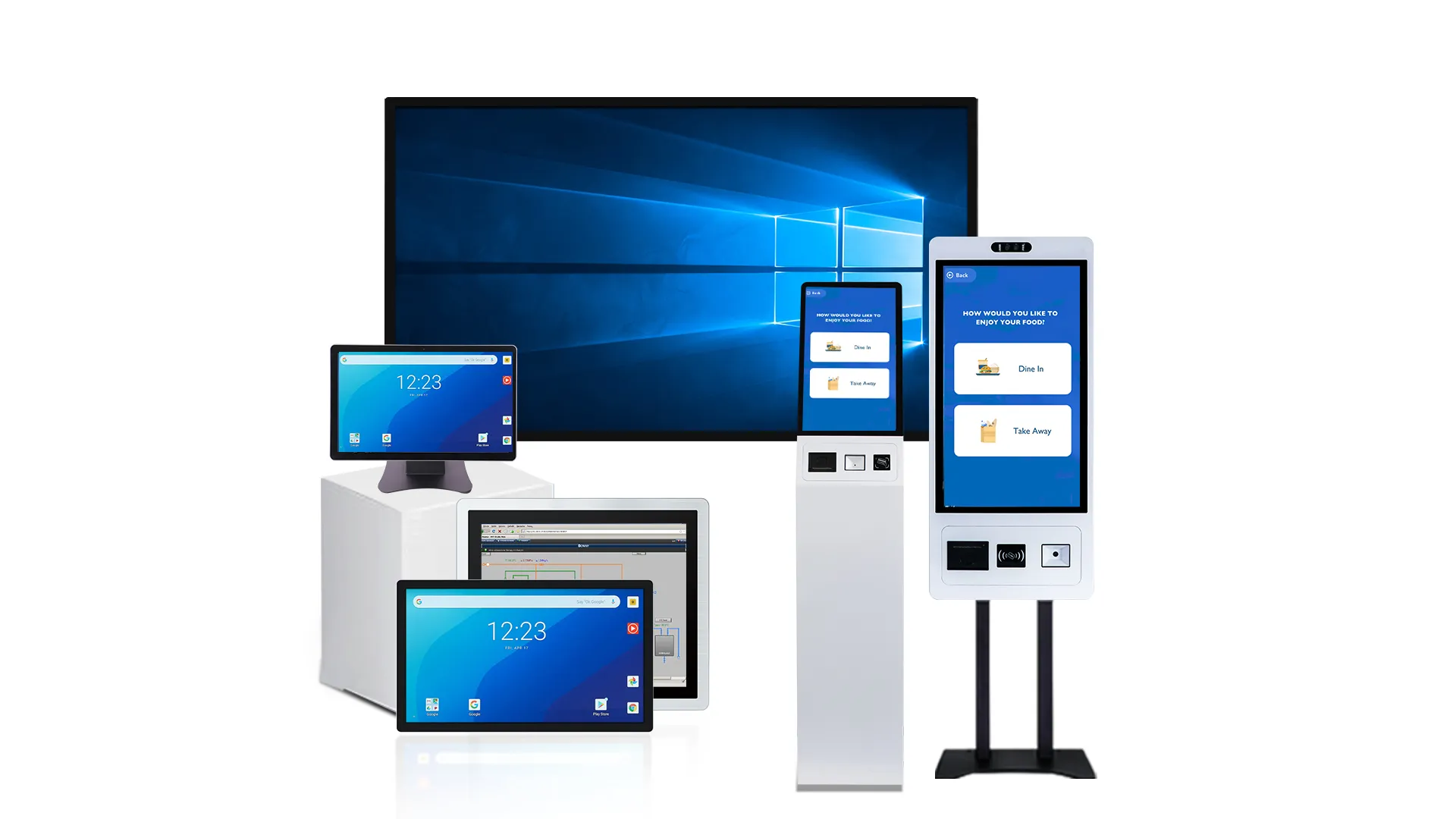
Common EMI and ESD Protection Methods Used in Industrial Touch Devices

Robust industrial touch protection is a layered system combining hardware components, mechanical shielding, intelligent firmware, and strict standards-based validation to ensure uptime in harsh environments.
Hardware-Level Electrical Protection
At the circuit board level, the first line of defense involves actively managing and redirecting electrostatic discharge (ESD) energy before it can damage sensitive components. This is a non-negotiable step for any device intended for industrial use.
- Transient Voltage Suppressors (TVS): Placing TVS and ESD diodes directly on critical lines, such as I/O ports and power rails, clamps voltage spikes at their entry points. This prevents over-voltage events from propagating into the core circuitry.
- Low-Impedance Ground Paths: Designing PCBs with thick ground traces, large ground planes, and extensive via stitching creates a low-resistance path to safely divert high-current ESD pulses away from the touch controller and other ICs.
- Filtering and Decoupling: Using RC filters on sensor input lines helps slow down the rise time of an ESD pulse, reducing its peak energy. Decoupling capacitors placed near the controller’s power pins provide a local energy reserve to stabilize voltage during transient events.
- Component Selection: Choosing touch controller ICs that already have high internal ESD ratings provides an additional layer of protection that works in concert with the external components.
Mechanical and Material Shielding
The mechanical structure of an industrial touch device works together with electronic protection circuits to reduce exposure to external interference. Proper enclosure design helps control how EMI enters the system and provides a safe discharge path for ESD energy.
- Conductive Enclosures: Metal housings and bezels connected to chassis ground can act as shielding structures to reduce electromagnetic exposure and guide unwanted discharge currents away from sensitive electronics.
- Shielding Materials: Cover glass, conductive coatings, and localized shielding components can provide additional protection for areas that are more vulnerable to electrical interference.
- Continuous Ground Connection: All conductive mechanical components, including frames and mounting hardware, should maintain a reliable connection to the grounding system to prevent floating structures.
System-Level Integration and Firmware
A truly robust system integrates protection across all aspects of its design, from the chassis to the firmware. This holistic approach ensures the device not only survives an ESD event but also recovers gracefully and continues to function as intended.
- Chassis Grounding: The entire device enclosure must be designed to act as the primary shield. This involves integrating a solid chassis ground that safely routes any ESD event to the main earth ground, protecting the entire system.
- I/O Port Protection: All external ports like USB, Ethernet, and RS-232 are potential entry points for ESD. Each must be protected with dedicated TVS arrays and fully shielded connectors to block electrical transients.
- Firmware Filtering: Smart firmware algorithms can distinguish between a real touch and a noise spike caused by ESD. This software-level filtering rejects false or “ghost” touches, preventing unintended machine operations.
- Software Recovery Logic: In the event of a severe ESD strike that causes a temporary glitch, well-designed software includes reset and recovery logic. This ensures the touch controller automatically reinitializes and returns to normal operation without needing a manual power cycle.
Testing, Validation, and Standards Compliance
Protection methods are only as good as their validation. Rigorous testing against established international standards is the only way to prove a device can withstand the electrical stresses of an industrial environment.
- IEC 61000-4-2 Compliance: This is the key standard for ESD immunity. Industrial devices are typically tested to withstand 6-8 kV contact discharge and 8-15 kV air discharge to verify they can survive real-world electrostatic events without damage or data loss.
- Medical Device Standards (IEC 60601-1-2): Equipment used in medical settings must meet even stricter requirements. Adherence to this standard often mandates higher immunity levels, reflecting the critical nature of these devices.
- Touch-Specific Validation: Beyond general system tests, touch-specific validation involves using an ESD gun to apply discharges directly to the touch surface, bezel, and connectors. This evaluates both the hardware’s resilience and the firmware’s ability to reject false inputs.
- Manufacturing Controls (ANSI/ESD S20.20): ESD protection extends to the factory floor. Implementing control programs during manufacturing and handling prevents latent damage to components, which could otherwise lead to premature field failures.
Design Mistakes That Increase Interference and Static Risk
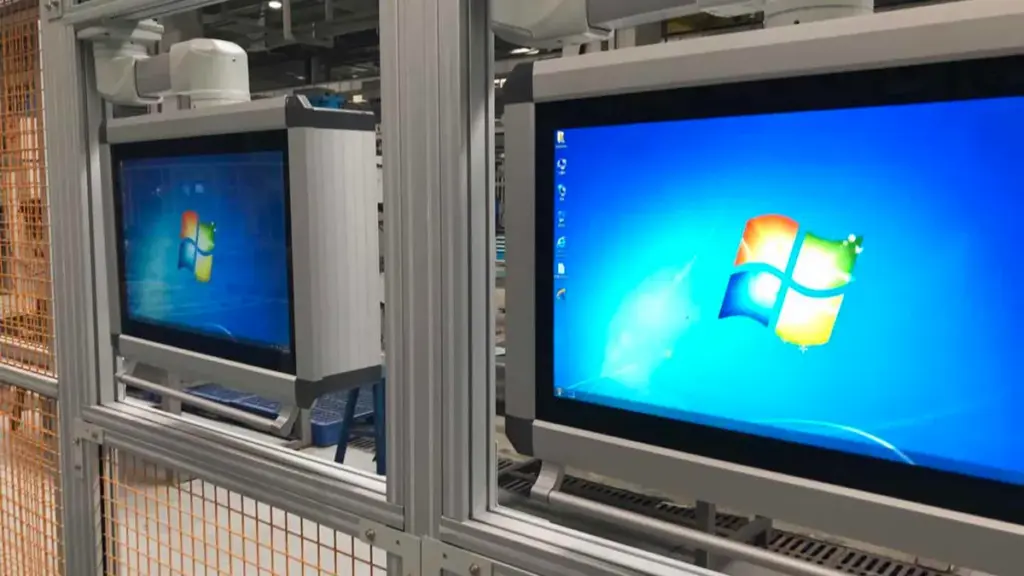
Most touch screen failures from static and noise trace back to a few core design flaws: floating metal parts, misplaced protection components, and weak PCB grounding strategies.
When an industrial touch screen fails in the field due to static or electrical noise, the problem is rarely a mystery. The root cause is almost always a design shortcut or oversight that created a vulnerability. These errors fall into predictable categories, from the physical assembly to the circuit board layout and even the firmware logic.
Touch Sensor Stack-Up and Shielding Errors
The physical construction of the touch sensor and display assembly is the first line of defense. When this is done wrong, ESD energy has a direct path to the controller IC instead of being safely routed to the chassis ground. Floating shields don’t just fail to protect; they become antennas that couple RF noise directly into the sense lines.
- Floating or weak grounding: Leaving sensor shields, display frames, or conductive glass layers without a solid, low-impedance connection to the chassis ground.
- Incorrect spacing or lamination: Placing the touch sensor too close to the LCD without adequate shielding allows noise from the display’s drive signals to couple directly into the touch electrodes, creating false touches.
- Omitting filters: Routing raw touch signal lines directly to the controller without any series resistors or RC filters leaves them wide open to high-frequency RF noise.
Circuit and Power Protection Oversights
Relying on the touch controller’s built-in ESD protection is a common mistake. Those internal structures are meant to survive component-level handling, not the system-level surges defined by standards like IEC 61000-4-2. Without external protection, the controller is the first thing to fail during a real-world ESD event.
- Failing to use TVS/ESD diodes: Omitting system-level ESD protection on touch lines, communication interfaces (I²C, USB), and power inputs is a critical error.
- Inadequate decoupling: Using too few or poorly placed decoupling capacitors on the touch controller’s power rails makes it unstable during the voltage dips and spikes caused by transients.
- Incorrect diode topology: On resistive touchscreens, adding ESD diodes that interfere with the normal operating voltage can distort measurements, leading engineers to remove them and leave the system unprotected.
PCB Layout and Grounding Flaws
The printed circuit board layout is often the primary culprit behind both EMI and ESD failures. A poor layout provides high-impedance paths that force ESD currents through sensitive ICs and creates loops that act as antennas for picking up noise.
- Using fragmented ground traces: A solid, low-impedance ground plane is non-negotiable. Thin, winding ground traces create high impedance and ground bounce, making the system susceptible to noise.
- Poor trace routing: Running long, unshielded sensor traces parallel to high-speed digital signals or switching power supply lines guarantees noise coupling.
- Bad component placement: Placing ESD protection components near the controller instead of right at the connector allows ESD energy to travel across the board before being shunted.
Mechanical and Enclosure Design Faults
Poor mechanical design can create unexpected paths for EMI and ESD problems. When conductive parts are not properly connected or materials are selected without considering static behavior, the enclosure may increase rather than reduce interference risks.
- Floating Metal Components: Unconnected metal bezels, brackets, or frames can accumulate static charge and allow uncontrolled discharge into internal circuits.
- Poor Material Selection: Highly insulating materials without static control measures may increase ESD buildup in dry industrial environments.
- Incomplete Grounding Design: Missing connections between mechanical parts and chassis ground can weaken the overall protection structure.
Firmware and System-Level Testing Gaps
Hardware design can only go so far. A truly robust system needs intelligent firmware to recover from non-destructive events and must be validated against real-world system standards, not just component datasheets. The manufacturing process itself can also introduce hidden damage.
- Confusing component vs. system ratings: Relying on an IC’s datasheet ESD rating (HBM) is not enough. The entire system must be tested to standards like IEC 61000-4-2, which simulate real-world discharges.
- Lacking firmware recovery: Failing to implement a watchdog timer or other mechanism to automatically reset the touch controller after it locks up from an ESD event. This turns a temporary glitch into a service call.
- Poor ESD handling in production: Mishandling sensitive electronics during assembly without proper grounding can cause latent damage that leads to early field failures, even if the design is solid.
How OEM Buyers Should Validate EMC Protection Before Sourcing

OEMs must validate a supplier’s EMC protection by reviewing designs, approving formal test plans, and verifying lab reports before sourcing to mitigate expensive field failure risks.
Sourcing an industrial touch screen without rigorously validating its electromagnetic compatibility (EMC) protection is a recipe for intermittent field failures, system lockups, and costly recalls. Electromagnetic interference (EMI) and electrostatic discharge (ESD) aren’t edge cases in industrial settings; they are daily operational realities. Relying on a supplier’s datasheet claims is not enough. A structured validation process is the only way to ensure the product you source will survive in its intended environment.
This validation process isn’t just about a final pass/fail test. It involves scrutinizing the supplier’s design process, test methodology, and quality systems from the very beginning. Below is a summary of the critical validation stages an OEM buyer should enforce.
| Validation Stage | Key Focus |
|---|---|
| Design Review | Check EMC design, grounding, filtering, and ESD protection. |
| Test Plan Approval | Confirm standards, test conditions, and pass/fail criteria. |
| Report Verification | Review accredited lab reports and detailed test results. |
| Supplier Evaluation | Assess EMC capability, quality control, and change management. |
| Contract Protection | Define EMC requirements and responsibilities before sourcing. |
Review Upfront Design and Pre-Compliance Data
EMC reliability starts from the design stage, not final testing. OEM buyers should review the supplier’s approach to grounding, shielding, filtering, and ESD protection before production begins. Identifying design issues early is more cost-effective than correcting failures after deployment.
Key points to review include:
- Review EMC design guidelines: Confirm the supplier has documented strategies for grounding, shielding, and component placement.
- Check protection components: Review schematics for critical elements such as TVS diodes, filters, and ESD protection circuits.
- Request pre-compliance data: Evaluate prototype test results to understand how early designs perform under interference conditions.
Require and Approve a Formal EMC Test Plan
A clear EMC test plan ensures the supplier validates the product under conditions close to the final application. OEM buyers should confirm testing requirements before sourcing to avoid unclear results or incomplete validation.
Key points to confirm include:
- Define applicable standards: Ensure the plan covers relevant EMC requirements and test severity levels.
- Match real operating conditions: Verify that cable configurations, installationsmetoder, and device modes reflect the actual application.
- Set acceptance criteria: Establish clear requirements for acceptable performance during and after interference testing.
Verify Independent Test Reports from Accredited Labs
Test reports provide evidence of EMC performance, but a simple compliance certificate is not enough. OEM buyers should review complete documentation to confirm how the product was tested and how it performed under electrical stress.
Key points to verify include:
- Check laboratory qualifications: Confirm testing was completed by a recognized and properly equipped laboratory.
- Review complete reports: Examine test conditions, setup details, results, and any reported deviations.
- Evaluate functional performance: Ensure the product maintained stable touch operation and system performance during testing.
Assess Supplier EMC Competence and Quality Systems
A supplier’s EMC capability depends on both engineering experience and long-term quality processes. Evaluating internal capabilities helps OEM buyers determine whether the supplier can consistently deliver reliable industrial touch solutions.
Key points to evaluate include:
- Check internal testing capability: Determine whether the supplier can perform pre-compliance analysis and troubleshooting.
- Review relevant experience: Consider experience with similar industrial applications and environments.
- Confirm quality integration: Verify that EMC requirements are included in design reviews and change control processes.
Establish Contractual and Sourcing Safeguards
EMC requirements should be clearly defined before mass production. Including technical requirements in supply agreements helps ensure accountability and reduces risks when products are deployed in demanding environments.
Key points to define include:
- Specify EMC requirements: Include required standards, test levels, and performance expectations.
- Define documentation requirements: Clarify required test reports and compliance records.
- Control design changes: Require notification and re-validation when EMC-critical components are modified.
Why Touchwo Supports Reliable Industrial Touch Integration
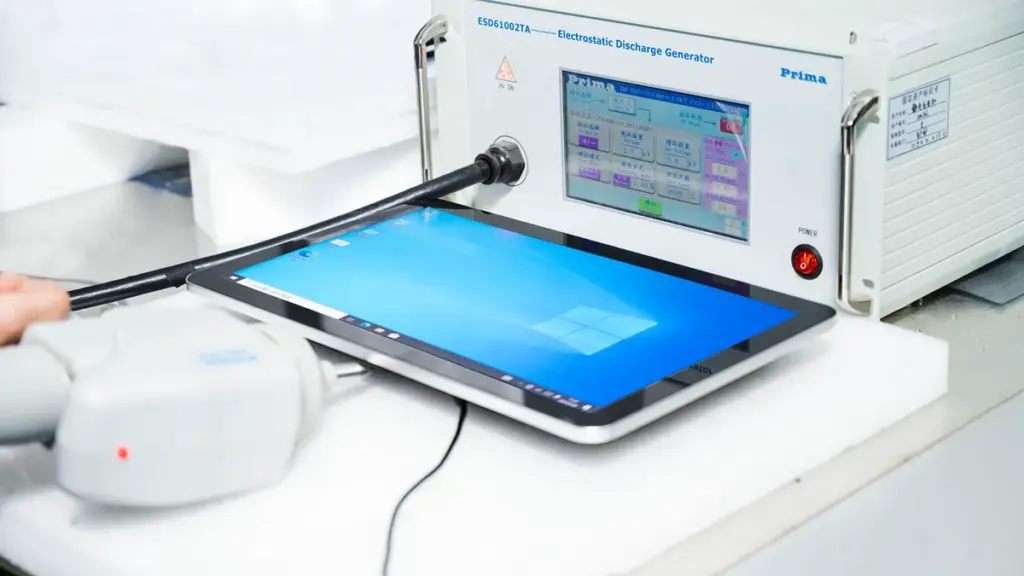
Touchwo provides industrial touch solutions built for reliable operation in demanding environments, with design considerations that support stable performance, including EMI and ESD protection for industrial applications.
Industrial Design for Reliable Operation
Industrial touch applications require more than a responsive screen. Touchwo develops touch displays with industrial-oriented designs, including durable structures, flexible mounting options, and protection features that help improve reliability in electrically demanding environments. By considering factors such as EMI and ESD protection during product design, Touchwo helps reduce interference risks when displays are deployed near machinery, power equipment, and other industrial systems.
Flexible Solutions for OEM Integration
Every industrial application has different requirements for size, gränssnitt, installationsmetoder, and system compatibility. Touchwo supports OEM/ODM customization, allowing customers to adjust product configurations, gränssnitt, material, and other design elements based on specific equipment needs. This flexibility helps integrators develop touch solutions that match their application requirements while maintaining reliable operation.
Manufacturing Capability and Quality Control
Reliable industrial touch integration depends on consistent manufacturing and product validation. Touchwo operates in-house production systems covering R&D, touch panel, metall, aluminium, and assembly processes, supporting stable production and customized industrial solutions for global customers. This manufacturing capability helps ensure consistent quality across different industrial touch applications.
Designed for Industrial Control Applications
Touchwo provides touch monitors and panel PCs used in industrial control scenarios where reliable human-machine interaction is essential. By combining industrial design experience, customization capability, and attention to EMI and ESD protection requirements, Touchwo helps OEM customers build dependable touch interfaces for equipment operating in complex environments.
Slutliga tankar
Generic touch screens may reduce initial costs, but insufficient EMI and ESD protection can lead to unstable operation, oväntad driftstopp, and costly field failures. För industrial touch screen applications, verifying reliability through proper design standards and supplier validation is essential to reduce long-term risks.
TouchWo helps OEM customers develop reliable industrial touch solutions with designs built for demanding environments. Contact Touchwo to discuss your application requirements, review product capabilities, and find a suitable touch integration solution for your equipment.
Vanliga frågor
What is the difference between EMI and ESD in touch screens?
EMI (Electromagnetic Interference) is continuous or repetitive electromagnetic noise from internal or external sources that degrades touch performance, causing issues like false touches or jitter. ESD (Electrostatic Discharge) is a sudden, high-voltage static discharge event, typically from human contact, that can cause temporary lockups or permanent damage to the touch controller.
Why are EMI and ESD protection essential for industrial displays?
Industrial environments are electrically noisy due to machinery, motors, and power electronics. Protection is critical to ensure touch screens remain reliable and accurate. EMI protection prevents false inputs from ambient noise, while ESD protection prevents damage and resets from operator contact, ensuring system uptime and hardware longevity.
How does static discharge affect capacitive touch performance?
Static discharge disrupts the sensitive electrostatic field that capacitive screens use for touch detection. This can cause immediate functional problems like false or missed touches, jittery cursor movement, and system freezes. Severe or repeated ESD events can also cause permanent physical damage to the sensor’s electrodes or the controller IC, creating dead zones.
What protection methods are used in industrial touch screen designs?
Industrial designs use a layered approach including circuit-level protection with TVS diodes, robust PCB layout with careful grounding, and mechanical shielding using conductive bezels and enclosures. Firmware also plays a role by filtering noise and enabling self-recovery after a transient event to maintain operational reliability.
Can poor grounding cause a touch screen to malfunction?
Ja, poor grounding is a primary cause of touch malfunction. Capacitive sensors rely on a stable ground as a reference. If the ground is noisy, floating, or has high impedance, it can cause false touches, intermittent responsiveness, and increased susceptibility to both EMI and ESD. Proper grounding of the sensor, shield, and chassis is vital.
How should a buyer validate the EMC reliability of a touch screen product before sourcing in 2026?
Buyers should request and review formal compliance test reports, particularly for IEC 61000-4-2 (ESD). It is important to assess the supplier’s system-level design, including its grounding and shielding strategy. Validation should be based on tests performed on fully assembled units to confirm not only survival but also consistent functional performance under the specified immunity levels for the intended industrial application.





