
Moderne Selbstbedienungsgeräte verbessern die Offline-Geschäftsservicemodi. Die meisten Kunden verlassen sich für eine schnelle tägliche Kaufabwicklung auf Mobil- und Kartenzahlungen. Auch so, Viele Nutzer bevorzugen immer noch physisches Bargeld für den Konsum, Viele Menschen stellen sich eine häufig gestellte Frage: Kann man Bargeld in einen Kiosk einzahlen??
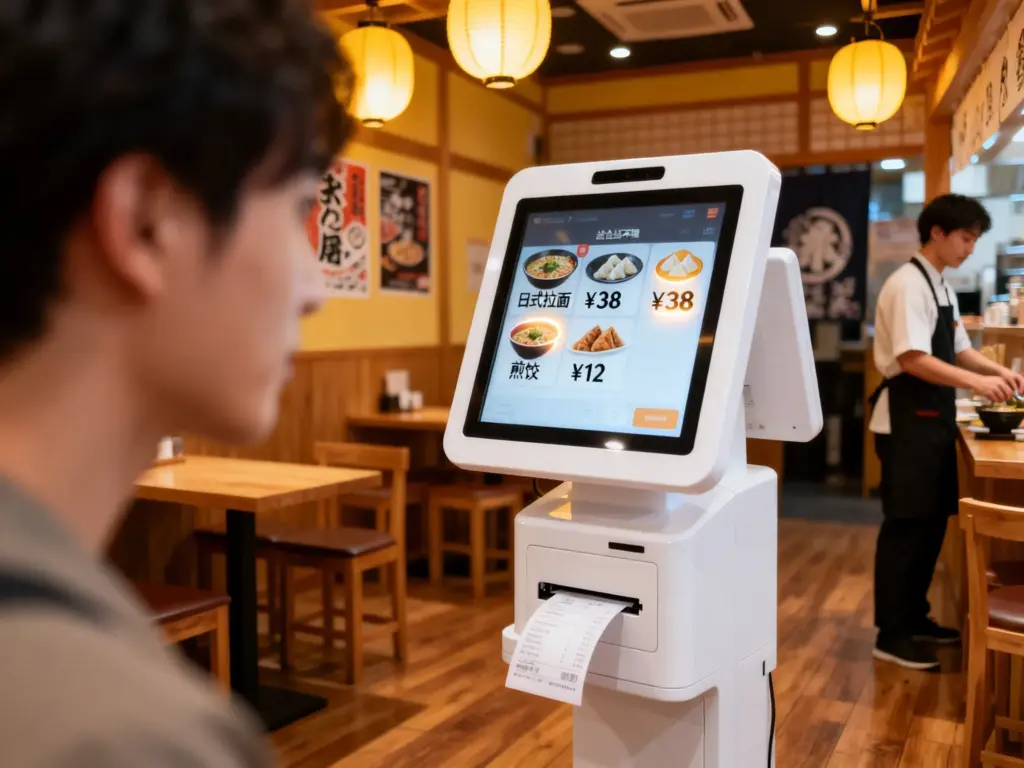
Die Antwort hängt von der Hardwarekonfiguration der verschiedenen Kioskmodelle ab. Einige kommerzielle Kioske unterstützen die vollständige Barzahlung und die Rückgabe von Wechselgeld. Im Gegensatz, Einfache bargeldlose Kioske akzeptieren nur digitale Transaktionen. In diesem Artikel wird die Kompatibilität von Kiosk-Bargeld erläutert, Betriebsschritte, Kernvorteile und häufige Nutzungsprobleme.
Akzeptieren handelsübliche Kioske Bargeld??
Nicht alle Kioske unterstützen die Einzahlung und Abwicklung von Bargeld. Kioske lassen sich je nach Konfiguration der Zahlungshardware in zwei verschiedene Typen einteilen.
1. Bargeldfähige funktionale Kioske
Professionelle kommerzielle Kioske verfügen über integrierte Bargeldannahmemodule. Diese Geräte unterstützen das Einwerfen von Banknoten und die Auszahlung von Münzen. Sie berechnen auch das genaue Wechselgeld für zu viel gezahlte Beträge und geben es aus. Sie passen zur Gastronomie, Einzelhandels- und öffentliche Dienstleistungsszenarien.
2. Einfache, bargeldlose Kioske
Leichte Kioske der Einstiegsklasse erfordern keine Bargeldverarbeitungshardware. Sie unterstützen nur mobiles Scannen, kontaktlose Karten und digitale Geldbörsen. Diese einfachen Kioske konzentrieren sich auf niedrige Kosten, reine unbemannte digitale Kassenszenarien.
3. Szenariobasierte Matching-Regeln
Geschäfte mit unterschiedlichen Kundengruppen entscheiden sich in der Regel für bargeldlose Kioske. In der Zwischenzeit, Vollständig digitale Geschäftsstandorte nutzen bargeldlose Kioske, um die tägliche Wartung der Geräte zu vereinfachen.
Schritt-für-Schritt-Anleitung zum Einzahlen von Bargeld in einen Kiosk
Bargeldkompatible Kioske bieten einfache und einheitliche Bedienschritte für alle Benutzer. Der gesamte Vorgang dauert nur wenige Sekunden.
1. Vollständige Auftragsauswahl und Bestätigung
Erste, Beenden Sie die Suche nach Produkten und wählen Sie die gewünschten Artikel aus. Überprüfen Sie die Bestelldetails und die Gesamtgebühren auf dem Kiosk-Touchscreen. Bestätigen Sie Ihre Bestellung, um zur Zahlungsseite zu gelangen.
2. Wählen Sie den Barzahlungsmodus
Nächste, Wählen Sie auf der Checkout-Oberfläche die Option Barzahlung aus. Der Kiosk aktiviert seinen integrierten Bargeldannahmeschlitz und zeigt Bedienaufforderungen an.
3. Geben Sie gültige Bargeldscheine oder Münzen ein
Dann, Geben Sie nacheinander sauberes und vollständiges Bargeld in den dafür vorgesehenen Schlitz ein. Der Kiosk erkennt die Nennwerte und aktualisiert den gezahlten Betrag in Echtzeit.
4. Erhalten Sie automatischen Bargeldwechsel
Wenn Ihr Zahlungsbetrag den Gesamtrechnungsbetrag übersteigt, Der Kiosk berechnet das Wechselgeld sofort. Die Ausgabe von Münzen und kleinen Banknoten erfolgt über die Wechselgeldausgabe.
5. Bestätigen Sie die Transaktion und holen Sie den Beleg ab
Endlich, Überprüfen Sie den erfolgreichen Zahlungsstatus. Drucken Sie die offizielle Quittung aus und bewahren Sie sie auf, um den gesamten Barzahlungsprozess am Kiosk abzuschließen.
Wichtige Einschränkungen für Barzahlungen an einem Kiosk
Für bargeldlose Kioske gelten kleine Nutzungsregeln, um einen stabilen und genauen Betrieb zu gewährleisten. Benutzer müssen diese grundlegenden Richtlinien befolgen.
1. Akzeptieren Sie nur intakte und gültige Währungen
Kiosk-Identifikationssysteme lehnen Risse ab, fleckiges oder gefaltetes Bargeld. Diese nicht qualifizierten Banknoten führen zu Erkennungsfehlern und unterbrechen Transaktionen.
2. Unterstützen Sie feste Mainstream-Stückelungen
Kioske identifizieren nur gängige Tageswährungsbezeichnungen. Um die Transaktionssicherheit zu gewährleisten, unterstützen sie keine Banknoten mit seltenem oder sehr großem Nennwert.
3. Regelmäßiges manuelles Leeren der Geldkassette erforderlich
Interne Geldkassetten haben eine feste Lagerkapazität. Das Personal muss regelmäßig Bargeld leeren. Eine volle Kasse verhindert, dass der Kiosk neue Bargeldzahlungen annimmt.
Hauptvorteile von Kiosken mit Bargeldunterstützung
Kioske mit Bargeldfunktion bieten einen umfassenden und flexiblen Servicewert für Unternehmen und Kunden.
1. Bedienen Sie alle Altersgruppen und Benutzergewohnheiten
Diese Kioske richten sich an Benutzer, die keine digitalen Zahlungen nutzen. Sie bieten praktische Selbstbedienungsoptionen für ältere Kunden und Gelegenheitsbesucher.
2. Vermeiden Sie Transaktionsfehler aufgrund von Netzwerkproblemen
Die Barzahlung funktioniert unabhängig von Netzwerksignalen. Es behält den normalen Dienst bei, wenn WLAN- oder Datenverbindungen instabil werden.
3. Verbessern Sie die Geschäftsintegration und den Umsatz
Duale Bargeld- und digitale Zahlungsmodi beseitigen Zahlungsbarrieren. Sie steigern die Konsumbereitschaft der Kunden und steigern den täglichen Filialumsatz.
4. Reduzieren Sie den Barausgleichsdruck Ihrer Mitarbeiter
Der Kiosk übernimmt die automatische Bargeldabholung und den Bargeldwechsel. Die Mitarbeiter sparen jeden Tag Zeit bei der manuellen Bargeldzählung und Finanzsortierung.
FAQs zum Einzahlen von Bargeld in einen Kiosk
Q1: Können alle Kioske physische Barzahlungen akzeptieren??
A1: NEIN. Nur Kioske mit professionellen integrierten Bargeldannahmemodulen unterstützen Bargeldtransaktionen. Einfache bargeldlose Kioske verarbeiten ausschließlich digitale Zahlungen.
Q2: Warum lehnt ein Kiosk mein Bargeld beim Bezahlen ab??
A2: Beschädigt, Verschmutztes oder stark gefaltetes Bargeld schlägt bei der Systemerkennung fehl. Zusätzlich, Eine volle interne Kasse führt ebenfalls zu einer Zahlungsablehnung.
Q3: Können Bargeldautomaten genaues Wechselgeld ausgeben??
A3: Ja. Qualifizierte Handelskioske verfügen über präzise Berechnungssysteme. Sie geben für jede zu viel bezahlte Transaktion die richtigen Münzen und Banknoten aus.
Q4: Sind Barzahlungen an einem Kiosk für Unternehmen sicher??
A4: Ja. Geldkioske verwenden versiegelte, diebstahlsichere Geldkassetten und führen Transaktionsaufzeichnungen durch. Sie sorgen für eine sichere Speicherung und nachvollziehbare Fondsdaten.
F5: Kann ich Kioske sowohl für Bargeld als auch für digitale Zahlungen anpassen??
A5: Absolut. Sie können zu Standardkiosken Bargeldempfangsmodule hinzufügen. Dieses Dual-Mode-Design passt sich perfekt an alle Zahlungsgewohnheiten der Kunden an.
Abschluss
Zum Abschluss, Sie können erfolgreich Bargeld in einen Kiosk einzahlen, wenn das Gerät über professionelle Bargeldverarbeitungshardware verfügt. Bargeldfähige Kioske unterstützen den manuellen Bargeldeinwurf, Intelligente Berechnung und automatische Rückgabe des Wechselgeldes. Sie gleichen die Mängel einzelner digitaler Zahlungsarten aus und bieten umfassende Self-Service-Erlebnisse. In der Zwischenzeit, Einfache Kioske ohne Bargeldmodule unterstützen nur den digitalen Checkout. Kioske mit Doppelfunktion verbessern effektiv die Flexibilität des Filialservices und die betriebliche Effizienz.
Wenn Sie für Ihr Unternehmen maßgeschneiderte Dual-Mode-Kioskgeräte benötigen, die Bargeld und digitale Zahlungen unterstützen, upgraden Sie, Bitte füllen Sie das Anfrageformular auf unserer offiziellen Website aus. Teilen Sie Ihre Nutzungsszenarien und Funktionsanforderungen mit, und unser Team bietet professionelle, maßgeschneiderte Kiosklösungen.





