
Современное оборудование самообслуживания совершенствует режимы офлайн-обслуживания бизнеса. Большинство клиентов полагаются на мобильные и карточные платежи для быстрой ежедневной оплаты.. Несмотря на это, многие пользователи по-прежнему предпочитают физические наличные для потребления. Таким образом,, многие люди задаются общим вопросом: можешь ли ты положить наличные в киоск?
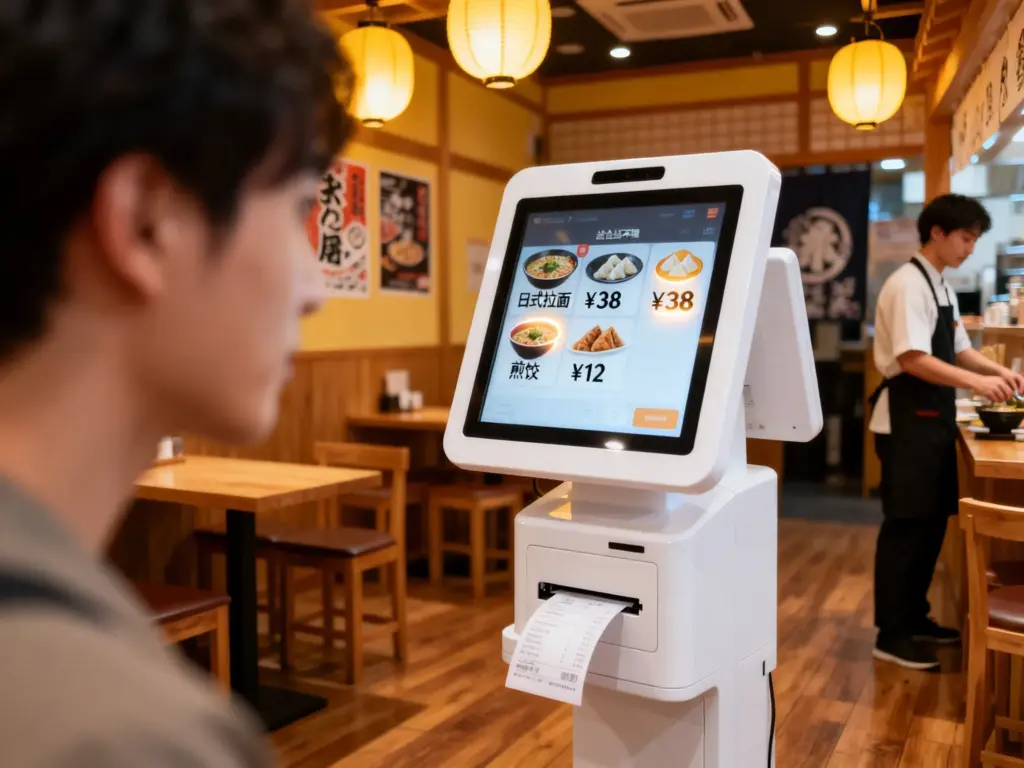
Ответ зависит от аппаратной конфигурации разных моделей киосков.. Некоторые коммерческие киоски поддерживают полную оплату наличными и функции возврата изменений.. В отличие, базовые безналичные киоски принимают только цифровые транзакции. В этой статье разъясняется совместимость наличных в киосках., этапы работы, основные преимущества и распространенные проблемы использования.
Принимают ли стандартные коммерческие киоски наличные??
Не все киоски поддерживают внесение и расчет наличных.. Киоски делятся на два разных типа в зависимости от конфигурации платежного оборудования..
1. Функциональные киоски с возможностью приема наличных
Профессиональные коммерческие киоски оснащены встроенными модулями приема наличных.. Эти устройства поддерживают вставку банкнот и оплату монетами.. Они также рассчитывают и выдают точную сдачу на переплаченные суммы.. Они подходят общепиту, сценарии розничной торговли и общественного обслуживания.
2. Базовые киоски только для безналичной оплаты
Легкие киоски начального уровня избавляются от оборудования для обработки наличных. Они поддерживают только мобильное сканирование, бесконтактные карты и цифровые кошельки. Эти простые киоски ориентированы на недорогие, сценарии чисто беспилотных цифровых касс.
3. Правила сопоставления на основе сценариев
Магазины с разными группами покупателей обычно выбирают кассовые киоски.. Тем временем, полностью цифровые бизнес-центры внедряют безналичные киоски, чтобы упростить ежедневное обслуживание оборудования.
Пошаговый процесс помещения наличных в киоск
Киоски, совместимые с наличными деньгами, отличаются простыми и стандартизированными операциями для всех пользователей.. Весь процесс занимает всего несколько секунд.
1. Полный подбор и подтверждение заказа
Первый, завершите просмотр товаров и выберите необходимые товары. Проверьте детали заказа и общую стоимость на сенсорном экране киоска.. Подтвердите заказ, чтобы перейти на страницу оплаты..
2. Выберите способ оплаты наличными
Следующий, выберите вариант оплаты наличными в интерфейсе кассы. Киоск активирует встроенный слот для приема наличных и отобразит подсказки по выполнению операций..
3. Вставьте действительные наличные банкноты или монеты
Затем, вставляйте чистые и полные деньги в специальный слот одну за другой. Киоск определит номиналы и обновит оплаченную сумму в режиме реального времени..
4. Получите автоматическую сдачу наличных
Если сумма платежа превышает общую сумму счета, киоск мгновенно рассчитывает сдачу. Выводит монеты и мелкие банкноты через пункт возврата сдачи..
5. Подтвердите транзакцию и получите чек
Окончательно, проверьте статус успешного платежа. Распечатайте и сохраните официальную квитанцию, чтобы завершить полный процесс оплаты наличными в киоске..
Ключевые ограничения на оплату наличными в киоске
Киоски с возможностью приема наличных имеют небольшие правила использования, обеспечивающие стабильную и точную работу.. Пользователи должны следовать этим основным рекомендациям..
1. Принимайте только неповрежденную и действительную валюту
Системы идентификации киосков отклоняют порванные, испачканные или сложенные деньги. Эти неквалифицированные банкноты вызовут сбой в распознавании и прервут транзакции..
2. Поддержка фиксированных основных номиналов
Киоски идентифицируют только общие номиналы ежедневных валют.. Они не поддерживают редкие или сверхбольшие банкноты номинальной стоимости, чтобы гарантировать безопасность транзакций..
3. Требуйте регулярного ручного опорожнения кассы.
Внутренние кассовые боксы имеют фиксированную вместимость.. Сотрудникам необходимо регулярно опустошать наличные. Заполненная касса не позволит киоску принимать новые платежи наличными..
Основные преимущества киосков денежной поддержки
Киоски с кассовыми функциями обеспечивают комплексное и гибкое обслуживание для предприятий и клиентов..
1. Обслуживание всех возрастных групп и привычек пользователей
Эти киоски предназначены для пользователей, которые не используют цифровые платежи.. Они предоставляют удобные возможности самообслуживания для пожилых клиентов и случайных посетителей..
2. Избегайте сбоев транзакций из-за проблем с сетью
Оплата наличными работает независимо от сигналов сети. Он поддерживает нормальный режим работы, когда Wi-Fi или соединение для передачи данных становятся нестабильными..
3. Повышение инклюзивности и оборота бизнеса
Двойные режимы наличных и цифровых платежей устраняют платежные барьеры. Они повышают готовность клиентов потреблять и увеличивают ежедневный объем продаж в магазине..
4. Уменьшите давление на расчеты с наличными сотрудниками
Киоск осуществляет автоматическую инкассацию и размен наличных денег.. Сотрудники ежедневно экономят время на ручном пересчете наличных и финансовой сортировке..
Часто задаваемые вопросы о внесении наличных в киоск
1 квартал: Все ли киоски принимают наличные платежи??
А1: Нет. Только киоски с профессиональными встроенными модулями приема наличных поддерживают кассовые операции.. Базовые безналичные киоски обрабатывают только цифровые платежи..
2 квартал: Почему киоск не принимает мои наличные при оплате?
А2: Поврежденный, грязные или сильно сложенные наличные деньги не могут быть идентифицированы системой. Кроме того, полная внутренняя касса также станет причиной отклонения платежа.
Q3: Могут ли киоски с функцией приема наличных выдавать точные сдачи??
А3: Да. Квалифицированные коммерческие киоски оснащены точными системами расчета.. Они выдают правильные монеты и банкноты за каждую переплаченную транзакцию..
Q4: Безопасны ли наличные расчеты в киоске для бизнеса?
А4: Да. В кассовых киосках установлены герметичные кассовые боксы с защитой от краж и ведется полный учет транзакций.. Они обеспечивают безопасное хранение и отслеживаемость данных о фондах..
Q5: Могу ли я настроить киоски как для наличных, так и для цифровых платежей??
А5: Абсолютно. В стандартные киоски можно добавить модули приема наличных.. Этот двухрежимный дизайн идеально адаптируется ко всем платежным привычкам клиентов..
Заключение
В заключение, вы можете успешно положить наличные в киоск, если устройство оснащено профессиональным оборудованием для обработки наличных. Кассовые киоски поддерживают внесение наличных вручную., интеллектуальный расчет и автоматический возврат сдачи. Они компенсируют недостатки единых способов цифровых платежей и обеспечивают инклюзивный опыт самообслуживания.. Тем временем, базовые киоски без кассовых модулей поддерживают только цифровую кассу. Киоски двойного назначения эффективно повышают гибкость обслуживания магазинов и эффективность работы..
Если вам нужны индивидуальные двухрежимные киоски, поддерживающие наличные и цифровые платежи, для модернизации вашего бизнеса, пожалуйста, заполните форму запроса на нашем официальном сайте. Поделитесь своими сценариями использования и функциональными потребностями, и наша команда предоставит профессиональные индивидуальные решения для киосков.





