Moderne zelfbedieningsapparatuur verbetert de offline bedrijfsservicemodi. De meeste klanten vertrouwen op mobiele betalingen en kaartbetalingen voor snel dagelijks afrekenen. Toch, plenty of users still prefer physical cash for consumption.Thus, many people wonder a common question: can you put cash in a kiosk?
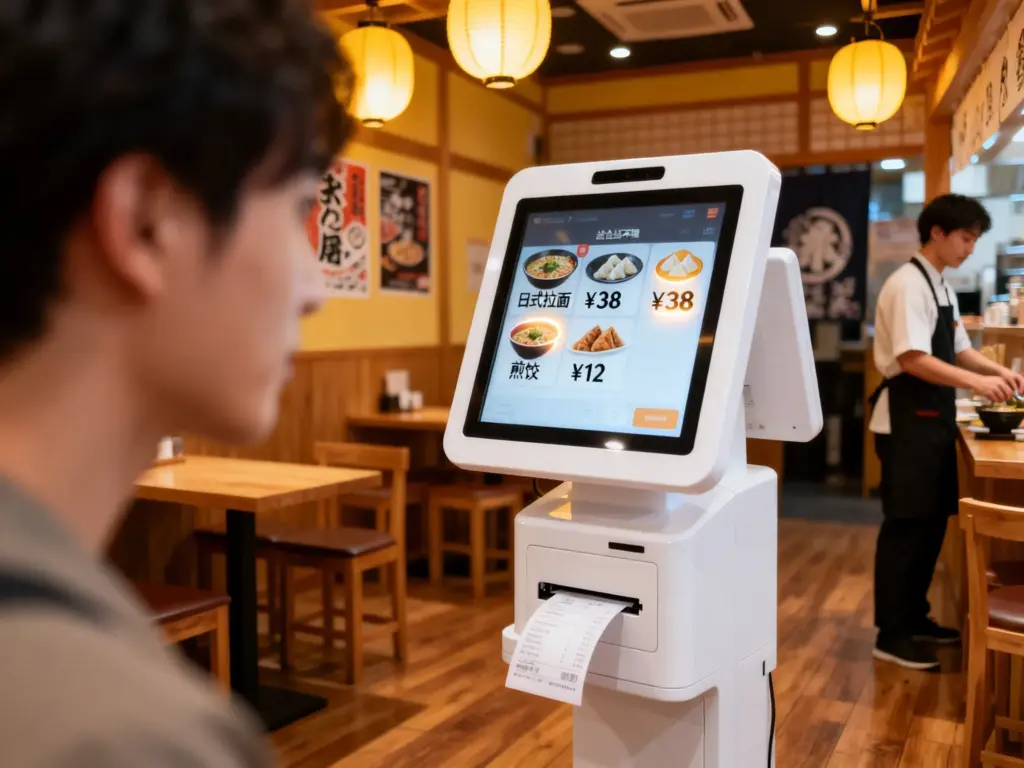
The answer depends on the hardware configuration of different kiosk models. Some commercial kiosks support full cash payment and change return functions. In tegenstelling, basic cashless kiosks only accept digital transactions. This article clarifies kiosk cash compatibility, operation steps, core advantages and common usage problems.
Do Standard Commercial Kiosks Accept Cash?
Not all kiosks support cash insertion and settlement. Kiosks fall into two distinct types based on payment hardware configurations.
1. Cash-enabled functional kiosks
Professional commercial kiosks come with built-in cash acceptor modules. These devices support banknote insertion and coin payment. They also calculate and dispense accurate change for overpaid amounts. Ze passen bij de horeca, retail and public service scenarios.
2. Cashless-only basic kiosks
Entry-level lightweight kiosks remove cash processing hardware. They only support mobile scanning, contactless cards and digital wallets. These simple kiosks focus on low-cost, pure unmanned digital checkout scenarios.
3. Scenario-based matching rules
Stores with diverse customer groups usually choose cash-enabled kiosks. In de tussentijd, fully digital business venues adopt cashless kiosks to simplify daily equipment maintenance.
Step-by-Step Process to Put Cash in a Kiosk
Cash-compatible kiosks feature simple and standardized operating steps for all users. The whole process takes only a few seconds.
1. Complete order selection and confirmation
Eerst, finish browsing products and select your required items. Check order details and total fees on the kiosk touch screen. Confirm your order to enter the payment page.
2. Select cash payment mode
Volgende, choose the cash payment option on the checkout interface. The kiosk will activate its built-in cash receiving slot and display operation prompts.
3. Insert valid cash banknotes or coins
Dan, put clean and complete cash into the dedicated slot one by one. The kiosk will identify denomination values and update the paid amount in real time.
4. Receive automatic cash change
If your payment amount exceeds the total bill, the kiosk calculates change instantly. It outputs coins and small banknotes through the change return outlet.
5. Confirm transaction and collect receipt
Eindelijk, check the successful payment status. Print and keep the official receipt to complete the full kiosk cash payment process.
Key Restrictions for Cash Payments on a Kiosk
Cash-enabled kiosks have small usage rules to ensure stable and accurate operation. Users need to follow these basic guidelines.
1. Only accept intact and valid currency
Kiosk identification systems reject torn, stained or folded cash. These unqualified banknotes will trigger recognition failure and interrupt transactions.
2. Support fixed mainstream denominations
Kiosks only identify common daily currency denominations. They do not support rare or ultra-large face-value banknotes to guarantee transaction safety.
3. Require regular manual cash box emptying
Internal cash boxes have fixed storage capacity. Staff need to empty cash regularly. A full cash box will stop the kiosk from accepting new cash payments.
Core Benefits of Cash-Supporting Kiosks
Kiosks with cash functions bring inclusive and flexible service value for businesses and customers.
1. Serve all age groups and user habits
These kiosks cater to users who do not use digital payments. They provide convenient self-service options for elderly customers and casual visitors.
2. Avoid transaction failures from network issues
Cash payment works independently of network signals. It maintains normal service when Wi-Fi or data connections become unstable.
3. Improve business inclusiveness and turnover
Dual cash and digital payment modes eliminate payment barriers. They increase customer willingness to consume and boost store daily sales volume.
4. Reduce staff cash settlement pressure
The kiosk undertakes automatic cash collection and change work. Staff save time on manual cash counting and financial sorting every day.
FAQs About Putting Cash in a Kiosk
Q1: Can all kiosks accept physical cash payments?
A1: Nee. Only kiosks with professional built-in cash acceptor modules support cash transactions. Basic cashless kiosks only process digital payments.
Vraag 2: Why does a kiosk reject my cash during payment?
A2: Damaged, dirty or heavily folded cash fails system identification. In aanvulling, a full internal cash box will also cause payment rejection.
Q3: Can cash-enabled kiosks give accurate change?
A3: Ja. Qualified commercial kiosks feature precise calculation systems. They dispense correct coins and banknotes for every overpaid transaction.
Q4: Are cash payments on a kiosk safe for business?
A4: Ja. Cash kiosks adopt sealed anti-theft cash boxes and complete transaction records. They ensure safe storage and traceable fund data.
Vraag 5: Can I customize kiosks for both cash and digital payments?
A5: Absoluut. You can add cash receiving modules to standard kiosks. This dual-mode design adapts to all customer payment habits perfectly.
Conclusie
Ter afsluiting, you can successfully put cash in a kiosk if the device has professional cash processing hardware. Cash-enabled kiosks support manual cash insertion, intelligent calculation and automatic change return. They make up for the shortcomings of single digital payment modes and deliver inclusive self-service experiences. In de tussentijd, basic kiosks without cash modules only support digital checkout. Dual-function kiosks effectively improve store service flexibility and operational efficiency.
If you need customized dual-mode kiosk devices that support cash and digital payments for your business upgrade, Vul dan het aanvraagformulier in op onze officiële website. Share your usage scenarios and functional needs, and our team will provide professional tailored kiosk solutions.