
サンドイッチ店はスピードで繁盛する, 一貫性, しかし、在庫を追跡するのは終わりのない雑務のように感じるかもしれません. レタスやトマトからパンまで, チーズ, そして調味料, 在庫管理を誤ると食品の無駄につながる, 在庫切れ, そして逸失利益. 従来の棚卸方法(ペンと紙のログや基本的なスプレッドシート)は時間がかかります, 間違いが起こりやすい, and impossible to update in real time during busy lunch rushes.This leaves many sandwich shop owners asking: Can a Sandwich Shop Inventory Touch Screen make ingredient tracking easier, もっと早く, and more accurate? The answer is a resounding yes.
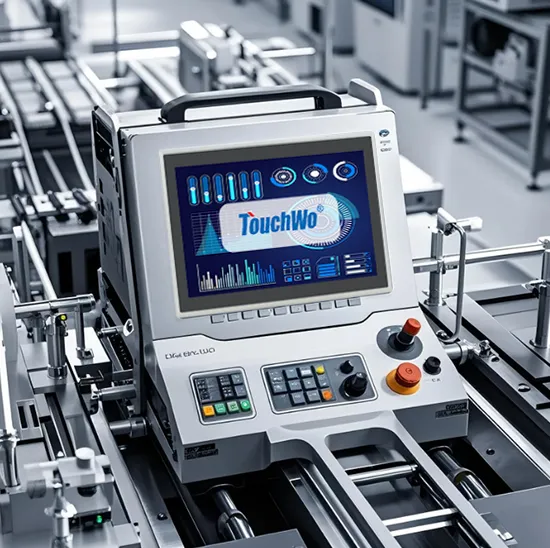
These specialized タッチスクリーン are designed to simplify inventory management, sync with your shop’s workflow, and give you real-time visibility into stock levels—all with intuitive, easy-to-use controls. This guide breaks down how touch screens track sandwich ingredients, key features to prioritize, 実際的な利点, and FAQs to help you decide if it’s the right fit for your sandwich shop. Whether you run a small local spot or a busy chain, these insights will help you cut waste, avoid stockouts, and streamline your operations.
How Sandwich Shop Inventory Touch Screens Track Ingredient Inventory
Sandwich Shop Inventory Touch Screens simplify inventory tracking by centralizing data, automating updates, and integrating with your daily operations. Here’s exactly how they work.
1. Real-Time Stock Level Updates
Unlike manual logs, touch screens update inventory levels instantly as ingredients are used or restocked.
Staff can tap the screen to record when ingredients are used (例えば, 2 loaves of bread, 1 container of mayo) after making sandwiches.
When new deliveries arrive, you can quickly input restocks with a few taps, ensuring stock levels are always accurate.
Real-time displays show low-stock alerts, so you never run out of key ingredients during peak hours.
2. Ingredient Categorization for Easy Tracking
Touch screens organize ingredients into clear categories, making it simple to find and update items.
Categorize ingredients by type: パン, meats, cheeses, 野菜, 調味料, and toppings.
Each item has a dedicated entry with details like quantity, unit of measure, and expiration date.
Search bars let you quickly locate specific ingredients (例えば, “roast beef” or “lettuce”) instead of scrolling through long lists.
3. Integration with Order Systems
Many touch screens sync with your sandwich shop’s POS or order system, automating inventory updates.
When a customer orders a turkey sandwich, the touch screen automatically deducts the required ingredients (turkey, パン, lettuce, 等) from inventory.
This eliminates manual data entry and reduces errors from forgetting to log ingredient use.
It also lets you track which ingredients are used most, helping you optimize ordering.
4. Expiration Date Tracking
Freshness is critical for sandwich shops—touch screens help you avoid serving expired ingredients and reduce waste.
Input expiration dates for perishable items (例えば, 野菜, deli meats, チーズ) when restocking.
The screen sends alerts when ingredients are approaching their expiration date, so you can use them before they go bad.
This cuts down on food waste and ensures your sandwiches are always fresh and safe to eat.
Must-Have Features of a Sandwich Shop Inventory Touch Screen
To effectively track ingredient inventory, a タッチスクリーン needs specific features tailored to the fast-paced environment of a sandwich shop. Prioritize these key elements.
1. 直感的, ユーザーフレンドリーなインターフェース
Sandwich shop staff are busy—your touch screen should be easy to use, even during rush hours.
大きい, clear icons and simple navigation make it quick to log ingredient use or restocks.
Minimal training is required, so new staff can learn to use it in minutes.
Customizable menus let you add or remove ingredients as your menu changes.
2. 耐久性のある, Grease-Resistant Design
Sandwich shops are messy—touch screens need to withstand grease, food splatters, and frequent cleaning.
A grease-resistant coating repels oil and sauce splatters, making it easy to wipe clean.
Tempered glass screens resist scratches from utensils or accidental bumps.
Sealed edges block crumbs and liquid from getting inside, preventing malfunctions.
3. Low-Stock Alerts and Notifications
Avoiding stockouts is key to keeping customers happy—look for touch screens with alert features.
Set custom low-stock thresholds for each ingredient (例えば, 5 loaves of bread left).
The screen displays visual or audible alerts when stock drops below the threshold.
Some models even send notifications to your phone or email, so you can reorder before you run out.
4. Inventory Reporting Tools
Data-driven insights help you optimize ordering and reduce waste.
Touch screens generate reports on ingredient usage, waste, and stock levels.
You can see which ingredients are used most (例えば, turkey vs. ham) and which are frequently wasted.
This helps you adjust your ordering to match demand, cutting down on overstock and food waste.
5. オフライン機能
Sandwich shops may experience internet outages—your touch screen should still work when offline.
Offline mode lets you log inventory updates even without an internet connection.
Data syncs automatically once the internet is back, ensuring no updates are lost.
This prevents gaps in inventory tracking during unexpected outages.
6. 手袋をした手の互換性
Staff often wear gloves while preparing sandwiches—your touch screen must work with them.
The screen is calibrated to detect taps from gloved fingers, so staff don’t need to remove gloves to use it.
This keeps hygiene standards high and speeds up workflow, スタッフが手袋を着脱する手間が省けるので.
Key Benefits of Using a Sandwich Shop Inventory Touch Screen
Switching to a dedicated inventory touch screen delivers tangible benefits for your sandwich shop, from reducing waste to saving time.
1. Reduced Food Waste and Lower Costs
Manual inventory tracking often leads to overordering or missing expiration dates—touch screens fix this.
Real-time stock tracking and expiration alerts let you use ingredients before they go bad.
Usage reports help you order only what you need, cutting down on overstock and wasted food.
This saves money on ingredient costs and reduces the environmental impact of food waste.
2. Faster Inventory Management
Manual logs take hours to update—touch screens let you track inventory in minutes.
Staff can log ingredient use as they make sandwiches, no need to set aside time for inventory checks.
Restocking updates take seconds, and low-stock alerts eliminate the need for daily manual counts.
This frees up staff to focus on serving customers instead of paperwork.
3. Avoid Stockouts and Improve Customer Satisfaction
Nothing frustrates customers more than hearing their favorite sandwich is out of stock.
Low-stock alerts let you reorder ingredients before they run out, ensuring you always have what you need.
Real-time stock visibility means you can quickly check if an ingredient is available when a customer asks.
This keeps customers happy and encourages repeat business.
4. Simplified Compliance and Record-Keeping
Sandwich shops need accurate inventory records for health inspections and accounting.
Touch screens automatically log all inventory updates, creating a digital record of stock levels, 使用法, and restocks.
You can easily pull reports for health inspectors or accountants, saving time on paperwork.
This ensures compliance with food safety regulations and makes accounting easier.
FAQs About Sandwich Shop Inventory Touch Screens
Q1: Can a Sandwich Shop Inventory Touch Screen track all types of sandwich ingredients?
A1: はい. It can track every ingredient, from bread and meats to veggies, 調味料, and even small toppings like pickles or olives.
第2四半期: How long does it take to set up the touch screen?
A2: Setup is quick—most models take 1–2 hours to install and configure. You simply add your ingredients, set low-stock thresholds, and sync with your POS if needed.
Q3: Do I need technical experience to use the touch screen?
A3: いいえ. The intuitive interface is designed for sandwich shop staff, with simple icons and easy navigation. New staff can learn to use it in minutes.
Q4: Can the touch screen sync with my existing POS system?
A4: Most models are compatible with standard sandwich shop POS systems. They sync automatically, deducting ingredients from inventory when orders are placed.
Q5: How often do I need to update the inventory?
A5: You update inventory in real time—staff log ingredient use as they make sandwiches, and you log restocks when deliveries arrive. No daily manual counts are needed.
Q6: Will the touch screen work in a small sandwich shop with limited space?
A6: はい. Compact 7–10 inch models fit easily on counters or near prep stations, saving space while still being easy to access.
Q7: Can I access inventory data from my phone?
A7: Many models let you access inventory reports and low-stock alerts from your phone or tablet, so you can manage inventory even when you’re not in the shop.
Q8: タッチスクリーンは簡単に掃除できますか?
A8: はい. The grease-resistant coating lets you wipe away food splatters and grease with a damp cloth in seconds, keeping it clean and hygienic.
結論
Sandwich Shop Inventory Touch Screens are a game-changer for sandwich shops looking to simplify inventory management, 無駄を減らす, and improve customer satisfaction. They track ingredients in real time, send low-stock alerts, and integrate with your daily workflow—all with an intuitive interface that’s easy for staff to use. Whether you’re tired of manual inventory logs, frequent stockouts, or wasted food, a dedicated touch screen can transform how you manage your shop’s ingredients.
By investing in a Sandwich Shop Inventory Touch Screen, you’ll save time, コストを削減する, and ensure your shop runs smoothly—even during the busiest lunch rushes. It’s a simple upgrade that delivers big results for any sandwich shop, big or small.
If you’re ready to streamline your sandwich shop’s inventory management with a reliable Sandwich Shop Inventory Touch Screen, 私たちのチームがお手伝いします. Fill out the form on our website to share your shop’s size, menu, and inventory needs. お客様に合わせたご提案をさせていただきます, 詳細スペック, and expert support to help you find the perfect touch screen for your business. Let’s cut waste, avoid stockouts, and make your sandwich shop more efficient—start today!





