
Factory automation is becoming more demanding as manufacturers adopt smart production lines, industrial IoT, and AI-powered equipment. In these environments, touch screens are critical control interfaces that operate around the clock. Unlike commercial monitors, industrial touch screens must withstand vibration, ほこり, temperature extremes, and electrical interference without affecting production. Choosing a rugged touch screen helps manufacturers reduce downtime, improve system reliability, メンテナンスコストの削減.
This guide explains the key features that make rugged touch screens essential for modern factory automation and what to look for when selecting one.
Critical Standards for Industrial Reliability
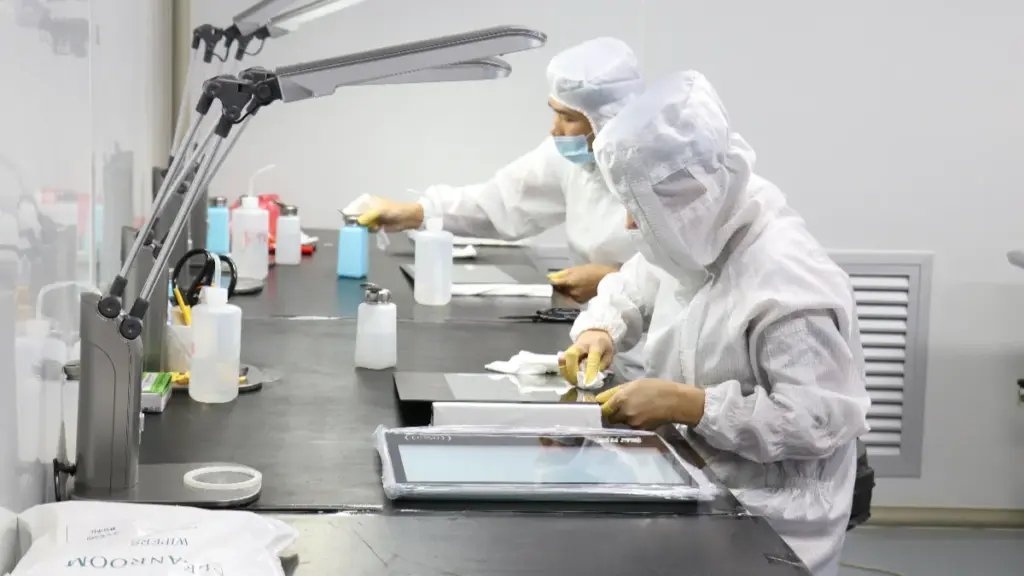
A reliable factory touch screen combines sealed enclosures, wide-temperature components, and strict EMC compliance to guarantee continuous 24/7 operation without unexpected downtime.
The following table highlights the major differences between commercial and industrial touch screens.
| 特徴 | Commercial Touch Screen | Rugged Industrial Touch Screen |
|---|---|---|
| Operating Time | 8–10時間/日 | 24/7 連続動作 |
| Working Environment | Office or retail | 工場, warehouse, 屋外, production line |
| 温度範囲 | Typically 0°C to 40°C | -20℃~70℃ |
| 振動抵抗 | 限定 | Designed for industrial machinery |
| Dust Protection | 基本 | ファンレス, sealed design available |
| Product Lifecycle | 2–3 years | 5–10+ years with long-term availability |
| メンテナンス | Consumer replacement | Industrial serviceability and stable supply |
Environmental Sealing and Ingress Protection
Factory conditions routinely expose electronics to airborne dust, oil mist, and direct water streams. The touch screens’s service life depends on physical barriers that prevent these contaminants from reaching sensitive display components and touch controllers.
- IP65 Benchmarks: Hardware targets IP65 or higher to ensure reliable operation during active washdowns and in wet-cleaning areas.
- Enclosure Sealing: Tight gaskets block dust and water ingress, eliminating internal short circuits and contamination risks.
- Surface Treatments: Anti-glare and hardened top layers protect the optical stack from routine physical abuse and abrasive cleaning.
Temperature Tolerance and Thermal Management
Industrial environments rarely offer climate-controlled conditions. Touch panels mounted near ovens, freezers, or outdoor loading docks require specific thermal architectures to prevent sluggish display responses or complete hardware failure.
- Standard Industrial Range: Panels operate continuously across −20 °C to +60 °C without internal heating elements.
- Extended Deployment: Military and severe outdoor applications scale the operating window from −40 °C to +85 ℃.
- Passive Cooling: Fanless designs rely on external heat sinks to dissipate thermal loads, preventing the system from inhaling factory dust.
Electromagnetic Compatibility (EMC) and EMI
Electric motors, variable frequency drives (VFDs), and heavy machinery generate significant electrical noise. Without adequate shielding, this interference causes erratic touch behavior, phantom inputs, and data corruption.
- 規制の遵守: Systems meet IEC 61000-4 for immunity and FCC Part 15 / CISPR 32 for emissions.
- Signal Stability: Grounded conductive layers and shielded internal layouts maintain reliable display functions near high-voltage electrical sources.
- Connector Integrity: Proper cable strain relief and locking industrial connectors prevent intermittent signal drops caused by machinery vibration.
Mechanical Durability and Touch Performance
Operators interact with factory screens using tools, gloved hands, and rapid inputs. The physical interface requires an armored structure to prevent cracked glass and compromised sensors.
- Structural Reinforcement: Metal housings and chemically hardened glass resist heavy shock, continuous vibration, and repeated physical wear.
- Touch Selection: 投影型容量性 (PCAP) handles multi-touch and optical clarity, while resistive technology supports heavy gloves and wet-hand requirements.
- Calibration Utilities: Built-in software tools preserve touch precision after physical repositioning or exposure to intense machine vibration.
Power Resilience and Lifecycle Longevity
Consumer-grade electronics fail quickly in manufacturing settings because they lack the power conditioning and component derating necessary for constant use. Industrial units prioritize uninterrupted operation over years of service.
- Voltage Tolerance: Wide-input power modules tolerate factory electrical anomalies, voltage sags, and power spikes.
- Continuous Availability: Integrated UPS units and heavy-duty surge protection secure machine-control systems during sudden power interruptions.
- Extended Service Life: Internal components deliver a 5 to 10-year lifespan, avoiding the frequent and costly refresh cycles standard in consumer IT hardware.
Vibration and Shock Resistance for Machinery
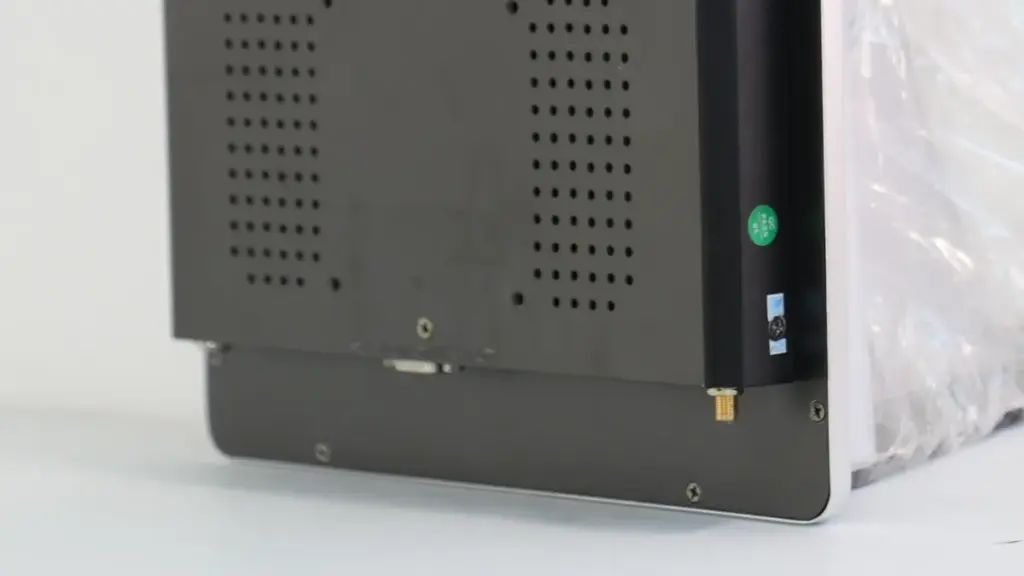
Machinery vibration destroys standard screens. Rugged displays use bonded glass, elastomeric isolation, and die-cast chassis to survive continuous RMS vibration and 20g shocks in heavy industrial environments.
Performance Benchmarks and Compliance Standards
Building a screen to survive on a stamping press or a CNC machine starts with strict mechanical baselines. Equipment that rattles apart causes immediate unplanned downtime. これを防ぐには, rugged HMIs target specific performance envelopes defined by military and marine standards.
- Vibration and Shock Targets: Designs typically aim for several g RMS to handle continuous vibration, while shock resistance targets sit between 10 そして 20 g to survive short-duration mechanical impacts.
- Regulatory Frameworks: Manufacturers validate these units against MIL-STD-810, IEC 60945, and DNV standards to guarantee reliable operation in severe mechanical environments.
- 耐衝撃性: Heavy equipment front panels often require IK ratings like IK10, which dictates the display can withstand 20 Joules of impact energy without shattering.
Mechanical Design and Structural Reinforcement
Surviving high-g environments requires rigid external housing paired with flexible internal damping. If the chassis flexes, the glass cracks and the PCBs snap. Engineers use a layered approach to build structural integrity.
- Rigid Housings: Die-cast aluminum frames and thick metal chassis deliver the necessary structural stiffness to minimize flex under continuous vibration.
- Internal Shock Isolation: Inside the case, manufacturers secure PCBs and power supplies using elastomeric standoffs, rubber isolation mounts, and vibration-resistant adhesives.
- Display Stack Reinforcement: Factories rely on reinforced cover glass ranging from 1 に 6 厚さ mm. Pairing this thick glass with optical bonding prevents internal shifting and eliminates LCD cell gap distortion during heavy impacts.
Impact of Vibration on Touch Technology
Vibration threatens physical hardware and input accuracy. Different touch technologies react differently to constant shaking, requiring specific design choices based on the deployment environment.
- PCAP Performance: 投影容量 (PCAP) technology excels in high-vibration settings. Because it lacks physical contact layers, it completely eliminates mechanical chatter and false touches caused by machine movement.
- Resistive Challenges: Resistive touch screens rely on physical pressure between conductive layers. They require highly engineered mechanical support to prevent long-term wear from vibration-induced micro-motion between those layers.
- EMI Considerations: Mechanical shaking rarely happens in a vacuum. Heavy machinery generates intense electromagnetic interference (EMI). Both PCAP and resistive technologies demand robust grounding and shielding to counteract this electrical noise alongside the physical vibration.
Secure Mounting and Integration Strategies
A rugged screen bolted directly to a vibrating frame will eventually fail if the mounting method is wrong. Proper integration isolates the display from the most severe acceleration spikes.
- Panel-Mount Systems: These designs clamp the display directly into machine doors. This method distributes vibration loads evenly across perimeter sealing gaskets, reducing focal stress points.
- Isolated VESA Mounts: When attaching screens to swing arms or operator stations, integrating rubber or elastomeric isolators into the VESA mount significantly reduces the transmitted acceleration reaching the hardware.
- Mobile Equipment Mounts: Mobile machinery like AGVs and forklifts face continuous vibration and random collisions. These units require specialized shock-absorbing structures adapted directly from vehicle and marine standards to survive the daily abuse.
カスタム産業用タッチスクリーンを迅速に納品
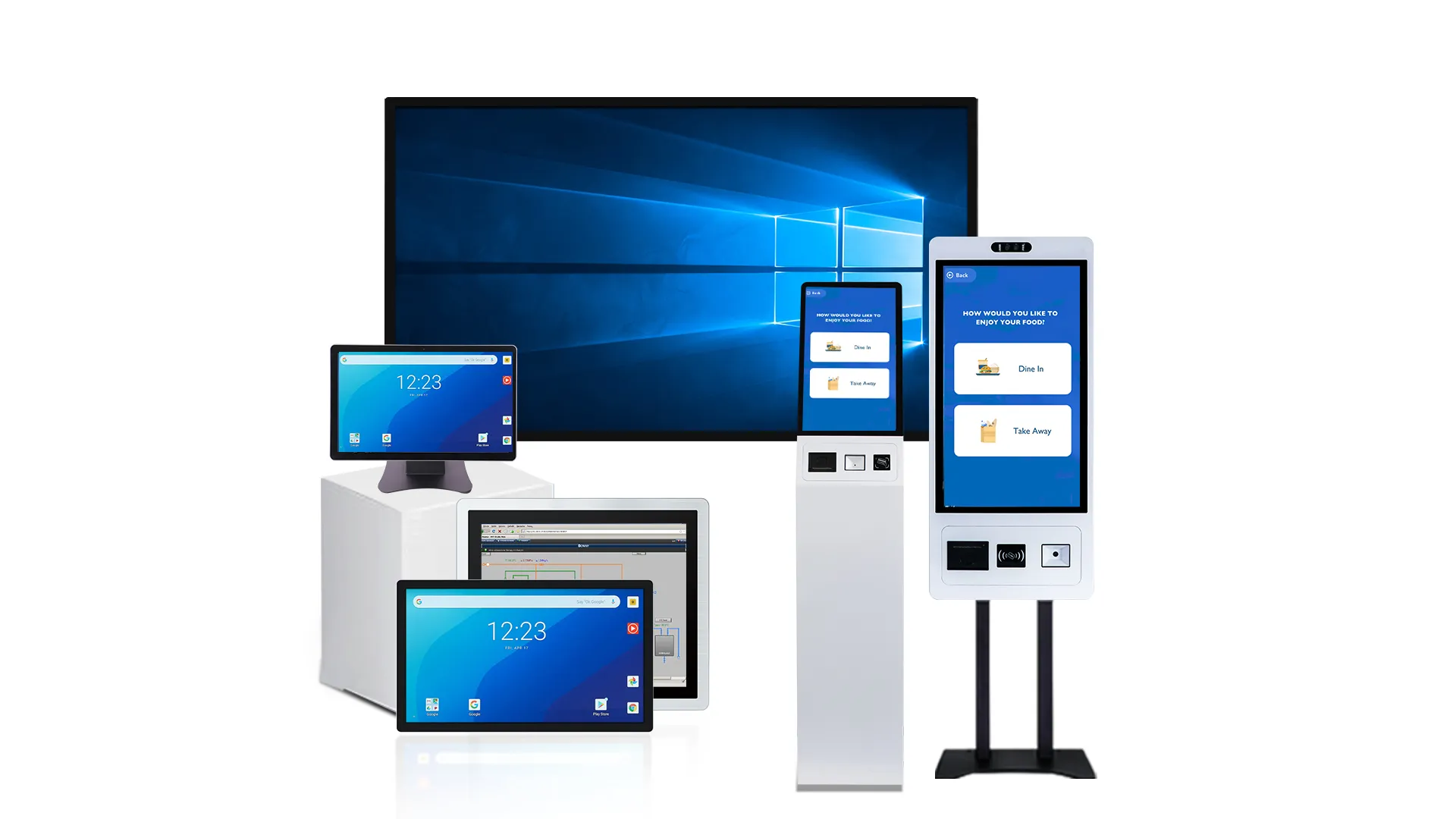
Wide Operating Temperature: -20℃~70℃
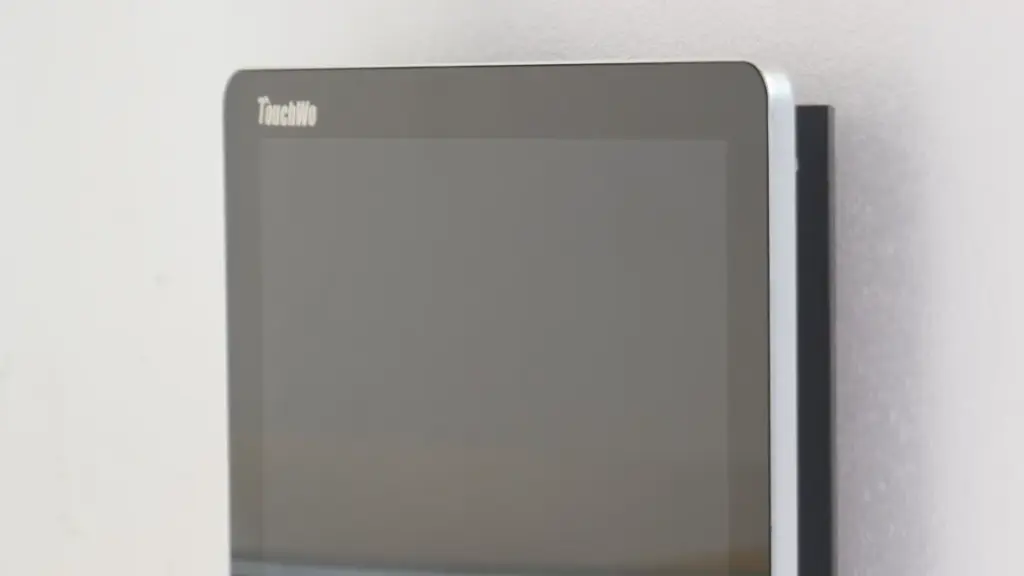
Standard commercial displays fail on the factory floor. A true -20°C to 70°C operating range ensures continuous uptime near hot machinery and inside freezing warehouses without active HVAC.
Factory Environments and Scenarios
A factory environment swings wildly from sub-zero logistics hubs to sweltering production lines. You cannot put an office monitor next to an industrial oven and expect it to survive.
- Cold environments (-20℃): Unheated warehouses, cold storage zones, and winter start-ups push electronics to their freezing limits.
- Hot environments (70℃): Displays mounted near molding machines, sealed cabinets, or under direct solar loading face intense heat stress.
- HVAC reduction: This wide thermal tolerance eliminates the need for full active HVAC systems by supporting simpler passive ventilation solutions.
Display and Touch Panel Technologies
Pushing a display to 70°C or dropping it to -20°C requires fundamentally different chemistry and hardware. Consumer screens freeze, lag, or go completely black at these extremes.
- Liquid crystal formulations: Wide-temperature chemistry prevents the image from freezing at low temperatures and maintains contrast at high extremes.
- Touch compensation: PCAP and resistive controllers actively adjust for temperature-driven shifts in sensor capacitance or resistance to maintain accuracy.
- オプティカルボンディング: Eliminating the air gap between the glass and LCD mitigates internal condensation risks during rapid thermal transitions.
- Industrial ICs: Timing and driver components guarantee consistent visual performance across the entire thermal span.
Electronic and Mechanical Architecture
The internal layout of a rugged touch screen dictates how well it handles extreme thermal loads. Since many industrial enclosures block outside air to prevent dust ingress, internal heat management becomes the primary engineering challenge.
- Component integration: Industrial-grade processor boards, ラム, power supplies, and communication ports (RS485, RS232, イーサネット) handle the exact same thermal envelope as the display.
- 密閉されたエンクロージャ: IP65/IP67 designs completely eliminate convective cooling, forcing the internal electronics to tolerate trapped heat.
- Mechanical expansion: Hardware designs must accommodate the varying thermal expansion rates of glass, bezels, and printed circuit boards to prevent structural failure.
- Passive heat management: Dusty outdoor setups deploy passive heat sinks to bleed off excess heat, replacing vulnerable fans that would quickly clog.
信頼性, テスト, and Deployment Guidance
Verifying that a screen can survive a -20°C to 70°C swing requires punishing validation tests before the unit ever leaves the factory.
- Validation testing: Units undergo severe thermal cycling, soak tests, and extended burn-in to verify long-term material integrity.
- Component lifespan: Operating continuously closer to mid-range temperatures maximizes backlight longevity and overall system health.
- Deployment planning: Engineers must account for real ambient temperatures along with the expected internal cabinet heat rise during installation.
- Cold starts: The interface boots up and instantly registers touches at -20°C without requiring external preheating.
EMI and ESD Protection in Industrial Design
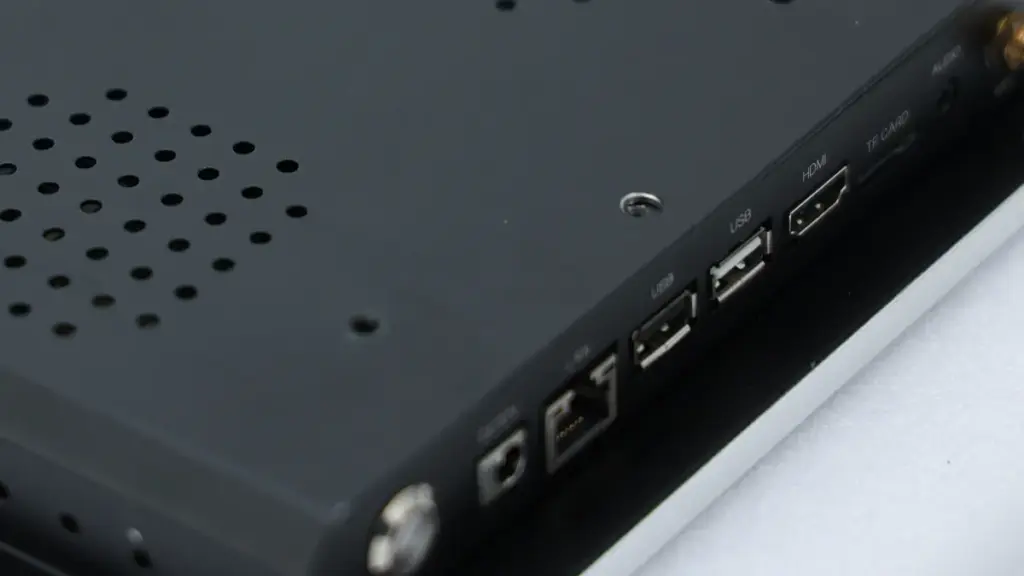
Effective EMI and ESD protection requires a multi-layered defense system, combining mechanical grounding, circuit filtering, and software recovery to prevent catastrophic equipment failures.
The Layered Approach to System Defense
Robust protection relies on a combination of mechanical design, grounding, circuit filtering, and software recovery rather than a single component. Mechanical isolation serves as the first physical barrier. By increasing clearance and eliminating field-concentrating seams, we actively reduce direct discharge opportunities before they reach the board.
Once a discharge occurs, the physical structure must guide the energy safely. Chassis bonding provides a controlled path for discharge current to bypass sensitive electronics, such as the touch controller. Software recovery measures act as the final safety net. These routines handle residual transient effects, allowing the system to autonomously correct misreads or communication glitches without needing a hard reset from an operator.
Hardware Mitigation and Circuit Filtering
At the board level, we position transient protection devices directly near entry points to divert discharge energy away from vulnerable interface lines. Engineers utilize small shunt capacitors (1-10 nF) paired with series ferrites (通常 100 Ω at 100 MHz) to limit high-frequency ESD current. This specific pairing controls the energy spike without choking the intended signal.
The physical routing of the board dictates how well these components perform. Multi-layer PCB layouts with short, low-impedance return paths minimize discharge current traveling through the logic ground. Protection component selection requires a careful balance. Adding excessive capacitance will degrade touch sensitivity and distort signal integrity, defeating the purpose of the touchscreen entirely.
Factory Environment Risks and Failure Modes
Factory conditions naturally generate severe electrical stress. Dry air, repetitive operator contact, moving machinery, and electrically noisy equipment severely elevate the risk of radiated and conducted noise. Panel-mounted screens are particularly vulnerable in these settings because bezel seams and cable exits frequently act as preferred discharge paths for static buildup.
When a manufacturer cuts corners on EMI/ESD defense, the operational symptoms are immediate. Insufficient protection often results in false touch events, I2C communication errors, or complete controller latch-up during a transient event. Without proper energy diversion, sudden discharge currents cause permanent physical damage to input pins and front-end sensing circuits, forcing a hardware replacement.
Immunity Standards and Compliance Testing
To guarantee survival on the factory floor, 工業用タッチディスプレイ are typically validated against the IEC 61000-4-2 standard for both contact and air discharge scenarios. Industry benchmarks dictate specific performance thresholds depending on the exact deployment environment.
- Standard industrial products: Frequently target a baseline of 6 kV contact and 8 kV air discharge levels.
- Highly ruggedized systems: Designed for demanding environments push requirements to a severe 8 kV contact and 15 kV air discharge level.
Passing these standards requires rigorous lab work. Validation involves incremental testing at multiple voltages to expose weaknesses that only appear at specific energy levels. This process requires failure detection logic to identify latent lockups or silent faults during the immunity checks, ensuring the display maintains total stability in the field.
Fanless Systems for Dusty Factory Floors
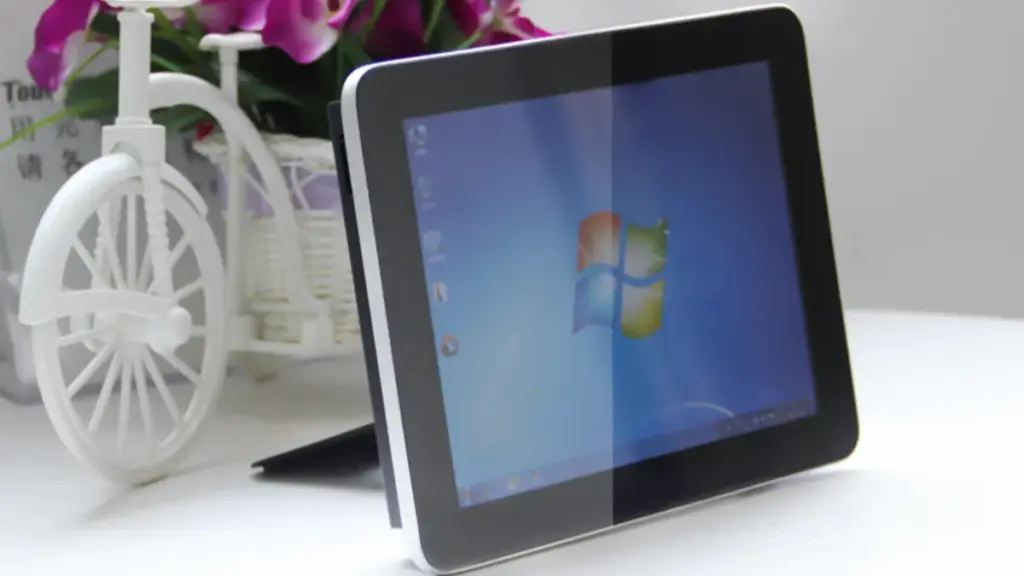
Fanless industrial PCs eliminate internal airflow to block factory dust, preventing thermal throttling and extending 24/7 reliability while drastically reducing routine maintenance on the production floor.
How Airborne Dust Damages Conventional Computers
Standard internal fans actively pull suspended factory dust, 繊維, and metal debris straight into the computer chassis. This airborne contamination creates immediate thermal management issues for commercial-grade electronics.
Accumulated particulates quickly coat internal heat sinks, acting as an insulating blanket that leads to severe thermal throttling and hardware overheating. Relying on fan-cooled systems in these harsh environments forces maintenance teams into frequent filter replacements and ultimately results in high unplanned downtime.
Core Engineering of Fanless Industrial PCs
Fanless systems utilize passive cooling to survive heavy contamination. Instead of relying on active airflow, they dissipate heat through oversized, highly conductive chassis heat sinks.
Industrial hardware designers heavily seal these enclosures, often engineering them to meet specific IP ratings that completely block dust and particulate ingress. This design minimizes mechanical failure points by eliminating internal fans and replacing traditional spinning hard drives with solid-state drives (SSD).
Operational Benefits on the Factory Floor
Removing dust intake mechanisms drastically improves long-term system reliability. This shift ensures consistent 24/7 operation for critical machine control workstations. Facility managers capture several distinct operational advantages:
- 信頼性のある 24/7 手術: Removing dust intake mechanisms drastically improves long-term system reliability for continuous production lines.
- Extended maintenance intervals: Technicians save hours of labor because there are no clogged cooling fans or filters to routinely clean.
- High vibration tolerance: The absence of moving parts inherently increases the system’s resistance to constant machine vibration and physical shocks.
By stripping away the vulnerable cooling components, these systems remove the exact parts that most frequently fail in heavy manufacturing zones.
Integration with Rugged Touch Screens
Operators commonly deploy fanless computers as integrated panel PCs or separate box PCs paired with rugged industrial monitors. To match the durability of the fanless chassis, the touch surfaces utilize projected capacitive (PCAP) or resistive technology.
These touch interfaces feature sealed front bezels to prevent dust from migrating behind the glass. Passive cooling also allows for highly flexible mounting orientations on machine panels, VESA arms, or warehouse forklifts without disrupting internal thermal management.
Long Lifecycle: Ensuring 24/7 Continuous Uptime
Standard commercial displays fail quickly in factories. 頑丈 industrial touch screens guarantee true 24/7 continuous uptime and deliver 80,000+ hours of service life through hardened hardware and sealed designs.
Service Life and Uptime Benchmarks
Factory floors running continuous shifts treat any display failure as a critical line-stop event. Operators cannot control machinery or acknowledge alarms if the human-machine interface (HMI) goes dark. Upgrading to rugged hardware dramatically extends the operational window.
- Standard HMI screens: Typically last 30,000 に 50,000 hours before backlights dim or significant degradation occurs.
- Long-life rugged monitors: Deliver 80,000+ hours of continuous operation, effectively doubling or tripling the standard service life.
- Availability targets: Reliably support critical automation facilities that require 99.5% に 99.9% overall equipment uptime.
Core Hardware and Electronic Design
Building a screen that runs for a decade without stopping requires strict component-level engineering. Engineers replace standard consumer components with specialized industrial-grade alternatives designed to handle constant thermal and electrical stress.
- Touch and enclosure durability: Reinforced enclosures and advanced touch technologies (PCAP or resistive) maintain accuracy despite mechanical stress and heavy glove use.
- Display stability: Industrial-grade LCD panels integrate long-life backlights and specialized glass coatings to prevent scratching and glare under bright factory lights.
- Electronic resilience: Fanless thermal management, wide-input power supplies, and strict component derating minimize the risk of overheating and sudden electronic failure.
Environmental Hardening and Certifications
Airborne contaminants, 水分, and intense vibration routinely destroy unsealed electronics. Hardening the display against these specific threats keeps production moving and prevents slow internal corrosion.
- Sealed interfaces: Tight bezel sealing prevents dust, oil mist, and harsh cleaning fluids from compromising internal electronics or causing optical interference.
- Ingress protection: Compliance with high IP ratings (IP65 or above) ensures reliable operation in aggressive washdown zones and chemically exposed areas.
- Mechanical validation: Testing against MIL-STD-810 and UL standards guarantees stability when mounted on high-vibration CNC machines and mobile platforms.
Maintenance and Integration Practices
Even the most durable hardware eventually requires physical intervention. Designing the system for rapid maintainability shrinks downtime from hours to minutes during scheduled service windows.
- Rapid swap-outs: Modular mounting systems and standardized connectors allow maintenance teams to replace units quickly without extensive rewiring.
- Predictive replacement: Scheduling maintenance interventions around the 70,000-hour mark prevents unexpected in-service failures.
- Software protection: Coupling rugged hardware with locked-down industrial operating systems protects the HMI from software-related crashes, forced updates, and logic-related downtime.
Material Selection: Aluminum Alloy vs Sheet Metal
Aluminum provides excellent thermal management and lightweight mounting, while stainless steel delivers unmatched strength, 耐食性, and hygiene compliance for harsh factory washdowns.
| Material Property | Aluminum Alloy | Stainless / Carbon Steel Sheet |
|---|---|---|
| Tensile Strength | ≈100–400 MPa | ≈515–1300 MPa |
| Density (重さ) | ≈ 2.7 g/cm³ (軽量) | ≈ 7.9 g/cm³ (Heavy) |
| 熱管理 | High conductivity, acts as a heat sink | Low conductivity, requires heat spreaders |
| Primary Environments | Dry automation, lightweight swing arms | High-pressure washdowns, 化学プラント |
Mechanical Strength and Structural Durability
Stainless and carbon steel deliver superior yield and tensile strength compared to aluminum. This dense material profile provides maximum protection against forklift impacts, stray heavy tools, and repeated mechanical shock on busy production lines. Steel structures also provide higher resistance to thread pull-out. You need this specific durability to securely support heavy glass displays and large mounting brackets without risking metal fatigue over time.
To match this physical rigidity, aluminum alloys demand different engineering approaches. Manufacturers build aluminum enclosures using thicker material gauges, internal metal frames, or integrated ribbing to achieve comparable stiffness to a thinner steel sheet. You trade raw material strength for design flexibility.
Weight Characteristics and Thermal Management
Aluminum weighs roughly one-third as much as stainless steel. Dropping this excess mass minimizes moment loads on cantilever arms, reduces strain on machine frames, and lowers operator fatigue when technicians frequently adjust display positions.
High thermal conductivity gives aluminum a major operational advantage for fanless HMI systems. The entire metal enclosure acts as an integrated heat sink, effectively drawing heat away from high-power processors. Stainless steel features a much higher density that adds necessary stability to freestanding pedestal mounts, but it suffers from low thermal efficiency. Sealed steel enclosures often require internal heat spreaders or significantly larger surface areas to prevent processors from overheating.
Corrosion Resistance and Hygiene Standards
Stainless steel builds a dense, self-repairing chromium oxide film to protect the underlying metal. Grades like 316 stainless specifically resist chloride ions, harsh industrial chemicals, and corrosive marine environments. 食品加工, beverage, and pharmaceutical facilities mandate stainless steel for its exceptional hygienic properties. The metal withstands daily high-pressure washdowns and caustic CIP/SIP (Clean-In-Place / Sterilize-In-Place) sanitization cycles without pitting or degrading.
Aluminum suits dry or mildly humid indoor automation lines perfectly. If you deploy an aluminum touch screen in areas exposed to aggressive acids, alkalis, or salt sprays, the raw metal will fail. Manufacturers must apply specialized anodizing treatments or thick epoxy coatings to help aluminum survive these harsh chemical exposures.
Manufacturability and Lifecycle Costs
High machinability keeps aluminum highly cost-effective during high-volume production runs. Engineers easily cut precision gasket grooves, integrate extruded cooling fins, and mill complex CNC features directly into the housing. The hardness and toughness of stainless steel slow down these exact fabrication processes. Bending and cutting steel increases tool wear, requires higher press tonnages, and adds welding complexity, driving up your initial manufacturing costs.
While stainless steel carries a higher upfront price tag, it drastically reduces long-term replacement costs in corrosive or strict hygienic environments. Aluminum housings will degrade under harsh chemical washdowns, forcing premature unit replacements. A properly specified stainless enclosure lasts the life of the machine, making it the cheaper option over a ten-year operational span.
How TouchWo Tests Ruggedness in In-House Labs
TouchWo relies on rigorous in-house lab testing—covering mechanical drops, environmental extremes, and electrical surges—to ensure every industrial touch screen survives harsh factory conditions before it ships.
Mechanical Stress and Impact Testing
Industrial environments treat hardware poorly. Engineers simulate this physical abuse using controlled impact and kinetic stress testing to validate structural integrity across the entire unit.
- Impact survival: Steel ball and pendulum drops simulate direct tool impacts, guaranteeing front glass integrity matches heavy-duty IK-level standards.
- Vibration and shock: Vibration tables and mechanical shock tests mimic the continuous strain of machine start-stops, stamping presses, and CNC environments.
- Structural stability: Assembly drops from actual operational heights verify the locking strength of internal brackets, outer housings, and critical cable connectors.
Environmental and Ingress Protection Testing
Factory air constantly pushes dust, oil mist, and moisture against panel gaps. Our lab technicians stress enclosures against severe environmental shifts to keep internal electronics completely isolated from contamination.
- Ingress validation: Continuous dust chambers and high-pressure water jets validate IP65 and IP67 ratings for heavy washdown environments.
- Climate cycling: Temperature and humidity sweeps hitting 95% RH expose any potential display stack fogging, seal degradation, or internal condensation issues.
- Chemical resilience: Direct wipe tests using industrial coolants, heavy greases, and harsh factory disinfectants prove the long-term durability of surface materials.
Electrical Robustness and Touch Calibration
A rugged screen fails entirely if the touch interface glitches near heavy machinery. Test protocols aggressively target the electrical systems to guarantee precise operator input under high-noise conditions.
- Advanced touch tuning: Technicians tune capacitive controllers to track accurate multi-touch input directly through heavy industrial gloves, water droplets, and surface oils.
- Static defense: Electrostatic discharge (ESD) testing applies high-voltage contact and air discharges directly to device bezels and external connectors.
- Interference immunity: EMI and EMC robustness checks prevent screen freezes and false touch registrations when operating near large motor drives and welding equipment.
Optical Reliability and Functional Burn-In
Displays must stay readable and responsive after millions of physical interactions. We compress years of physical wear and thermal load into aggressive accelerated life testing cycles.
- Surface longevity: Pencil hardness and rotary abrasion tests validate the working lifespan of anti-glare and scratch-resistant glass coatings.
- Thermal stress: Extended continuous burn-in tests push dynamic content at elevated ambient temperatures to deeply stress LEDs and control electronics.
- Interaction endurance: Automated touch sequence cycling simulates years of continuous operator interaction to catch long-term detection drift or latency issues.
最終的な考え
As factory automation becomes more advanced, every component in the control system must deliver dependable performance under demanding conditions. Rugged touch screens are no longer optional—they are a critical part of maintaining production efficiency, minimizing downtime, and ensuring long-term equipment reliability.
で タッチウォー, we develop industrial touch monitors and touch panel PCs that are built for real-world manufacturing environments. With fanless designs, 幅広い温度動作, durable aluminum enclosures, industrial-grade components, and comprehensive in-house testing, our solutions help OEMs, system integrators, and equipment manufacturers build automation systems they can rely on for years.
Whether you’re designing a new production line or upgrading existing industrial equipment, choosing the right rugged touch solution today can significantly reduce maintenance costs and improve operational stability in the future.
よくある質問
What defines a rugged touch screen for industrial use?
Manufacturers build rugged industrial touch screens with reinforced mechanical structures, high IP ratings (IP65+), and industrial-grade touch technologies. These features guarantee accurate input and clear visibility while withstanding factory conditions like continuous vibration, ほこり, 液体, そして 24/7 手術.
How do industrial monitors handle high vibration and shock?
These monitors rely on ruggedized metal enclosures, internal dampening components like elastomeric bushings, and reinforced PCB mountings. Engineers secure critical parts with RTV silicone and thread-locking compounds to prevent loosening. They also test these systems against MIL-STD-810 standards to guarantee stability near heavy machinery.
Why is a fanless design important for factory floor PCs?
Fanless designs remove moving cooling parts to stop the intake of airborne dust, oil mist, and metal shavings. This prevents internal shorting and overheating. By relying on passive cooling via heat sinks and heat pipes, these PCs increase hardware reliability and lower maintenance requirements in contaminated industrial zones.
Can rugged touch screens operate in extreme temperatures (-20℃~70℃)?
はい. Rugged displays use wide-temperature LCD panels, industrial-grade electronics, and specialized thermal management to function reliably between -20°C and 70°C. For extreme cold environments, factory operators deploy resistive touch screens or specially tuned PCAP panels to maintain input responsiveness.
What is the difference between consumer and industrial touch screens?
Industrial touch screens feature sealed metal housings, high IP ratings, and continuous 24/7 duty cycles. Consumer screens use thin plastics designed exclusively for clean, climate-controlled indoor use. Industrial models also support heavy glove operation, block water interference, and provide serial interfaces for factory machinery and PLCs.
How does EMI/ESD protection prevent industrial equipment failure?
Industrial touch screens use layered protection like TVS diodes, EMI filters, and specific grounding layouts to divert voltage spikes and block high-frequency noise. This physical and electronic shielding stops phantom touches, controller resets, interface freezes, and permanent semiconductor damage caused by nearby factory equipment or operator static discharge.
Do rugged screens work with thick industrial gloves?
Standard capacitive screens fail to register input through non-conductive materials. To solve this, engineers design rugged industrial panels specifically for heavy glove use. These screens utilize resistive touch technology, glove-mode PCAP tuning, or touchless gesture systems to track accurate input when operators wear cut-resistant or chemical-resistant PPE.





