
Lokasi makanan segera yang sibuk menghadapi barisan daftar keluar yang panjang setiap waktu makan tengah hari dan makan malam. Tunai manual dan penyelesaian kad mewujudkan perkhidmatan yang perlahan dan ralat pengebilan sekali-sekala. Pasukan kedai memerlukan alat mudah untuk mengimbangi aliran pelanggan yang tinggi dan kualiti perkhidmatan yang stabil.
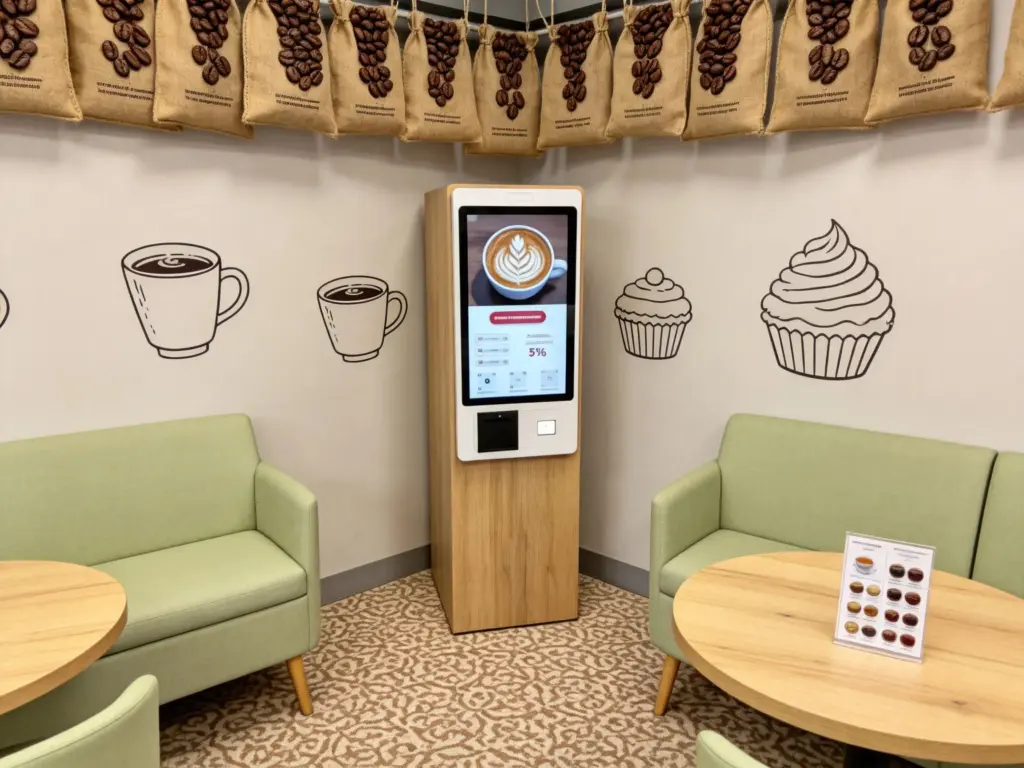
Kiosk Layan Diri Pembayaran menyelesaikan masalah kesakitan operasi harian ini dengan baik. Ia menggabungkan pemilihan makanan, semakan pesanan dan pembayaran bebas dalam satu peranti skrin sentuh padat. Selain itu, ia mengurangkan kerja balas yang berulang dan memberikan yang jelas, harga telus untuk setiap tetamu. Panduan ini merangkumi ciri teras, langkah operasi penuh, faedah perniagaan dan soalan kerap tentang Kiosk Layan Diri ini.
Ciri Bersepadu Teras Kiosk Layan Diri Pembayaran
Kios Layan Diri ini membawa semua modul penting yang dibina untuk aliran kerja pembayaran makanan segera.
1. Antara muka pesanan dan pembayaran gabungan
Skrin memaparkan menu makanan penuh bersama ringkasan pesanan langsung. Pengguna menambah makanan dan melaraskan butiran sebelum melompat terus ke halaman pembayaran tanpa menukar peranti.
2. Sokongan pembayaran selamat berbilang saluran
Kiosk menyokong imbasan mudah alih, kad tanpa sentuh dan modul input tunai. Setiap transaksi berjalan melalui saluran yang disulitkan untuk melindungi data pembayaran pengguna pada setiap masa.
3. Diskaun automatik dan pengiraan kombo
Bahagian belakang menyegerakkan promosi kedai harian secara automatik. Ia sepadan dengan kupon dan tawaran himpunan yang layak kemudian mengemas kini jumlah akhir yang perlu dibayar dalam masa nyata.
4. Penyegerakan data dapur dan bahagian belakang masa nyata
Setelah pembayaran selesai, data pesanan dihantar serta-merta ke skrin paparan dapur. Pengurus kedai juga menarik rekod jualan dari jauh melalui sistem Kiosk Layan Diri yang disambungkan.
5. Panel sentuh mesra pengguna berbilang bahasa
Pengguna mengetik butang sudut untuk menukar bahasa paparan. Ikon besar dan teks pendek menggesa halangan pembelajaran yang lebih rendah untuk warga tua atau pelawat kali pertama.
Aliran Kerja Operasi Langkah demi Langkah untuk Kiosk Layan Diri
Setiap tetamu mengikut yang mudah, proses yang konsisten untuk menyelesaikan pesanan dan pembayaran di kiosk.
1. Aktifkan skrin pesanan utama
Ketik panel sentuh gelap untuk keluar dari mod siap sedia. Sistem memuatkan senarai makanan yang dikemas kini, item baharu dan tawaran kedai masa terhad dalam beberapa saat.
2. Pilih makanan dan edit pilihan yang diperibadikan
Semak imbas kumpulan makanan yang dikategorikan dan ketik item untuk menambahkannya pada troli anda. Ubah suai topping, saiz bahagian atau pilihan sampingan untuk memadankan permintaan citarasa peribadi.
3. Semak butiran pesanan penuh sebelum penyelesaian
Tatal melalui semua item yang dipilih dan semak subjumlah yang dikira. Alih keluar pilihan yang salah atau tambah snek tambahan sebelum membuka tetingkap pembayaran.
4. Pilih kaedah pembayaran dan selesaikan transaksi
Pilih saluran pembayaran pilihan anda daripada senarai skrin. Ikut gesaan pada skrin mudah untuk menyelesaikan pengimbasan, meleret atau memasukkan wang tunai untuk pembayaran.
5. Kumpul resit yang dicetak dan tunggu pengambilan makanan
Kiosk Layan Diri mencetak resit yang ditandakan dengan nombor pesanan unik anda. Simpan slip dan tunggu kakitangan menghubungi nombor anda di kaunter pengambilan khusus.
Kelebihan Utama untuk Kedai Menggunakan Kiosk Layan Diri Ini
Pemilik restoran memperoleh peningkatan operasi yang berkekalan selepas menggunakan terminal layan diri pembayaran.
1. Potong barisan menunggu pelanggan pada waktu puncak
Kiosk Layan Diri Berbilang memproses pesanan dan pembayaran secara bersebelahan. Mereka memecah trafik kaki yang padat dan meningkatkan perolehan pelanggan harian semasa waktu sibuk.
2. Alih keluar kesilapan pengebilan buatan manusia
Tetamu mengesahkan semua harga dan item secara visual pada skrin. Ini menghapuskan kesilapan salah komunikasi yang sering berlaku dengan pesanan balas lisan.
3. Kurangkan tekanan buruh berulang untuk kakitangan
Kiosk mengambil alih tugas pesanan dan pembayaran tanpa henti. Pekerja beralih fokus kepada penyediaan makanan, pembungkusan pesanan dan bimbingan pelanggan di tapak.
4. Seragamkan kualiti perkhidmatan merentas semua syif
Kios Layan Diri mengikut peraturan sistem tetap untuk harga dan promosi. Setiap pelanggan mendapat perkhidmatan konsisten yang sama tanpa mengira tahap pengalaman kakitangan.
5. Menyokong operasi harian yang stabil berjam-jam
Perkakasan gred komersial menahan habuk, kesan minyak dan kerap mengetuk. Kiosk mengekalkan tindak balas sentuhan yang lancar melalui peralihan perniagaan sehari penuh.
Petua Penyelenggaraan Harian untuk Memanjangkan Jangka Hayat Kiosk Layan Diri
Penjagaan biasa kecil memastikan kiosk pembayaran anda berjalan lancar selama bertahun-tahun perkhidmatan.
1. Lap skrin sentuh setiap hari perniagaan
Tanda minyak yang jelas dan percikan makanan dari permukaan paparan. Panel yang bersih menjamin pantas, pengecaman sentuhan yang tepat untuk setiap pengguna.
Semak sambungan rangkaian semasa pembukaan kedai
Wi-Fi yang lemah memecahkan penyegerakan data masa nyata antara Kiosk Layan Diri dan terminal dapur. Betulkan isyarat yang tidak stabil dengan segera untuk mengelakkan kelewatan pesanan.
3. Kosongkan kotak simpanan tunai mengikut jadual tetap
Kiosk berdaya tunai berhenti menerima bil setelah storan dalaman penuh. Jadualkan kutipan tunai harian untuk mengelakkan fungsi pembayaran terganggu.
4. Kemas kini kandungan menu semasa waktu luar sibuk
Laraskan harga, barisan produk atau promosi baharu apabila trafik pelanggan kekal rendah. Kemas kini jauh mengelakkan gangguan pesanan langsung dan aliran kerja pembayaran.
Soalan Lazim Mengenai Kiosk Layan Diri Pembayaran
Q1: Apakah tugas teras yang dikendalikan oleh Kiosk Layan Diri ini?
A1: Ia melengkapkan pesanan makanan penuh, penyesuaian, pengiraan diskaun dan bayaran bebas tanpa pengawasan berterusan kakitangan di kaunter.
S2: Adakah pembayaran diproses di Kiosk Layan Diri selamat?
A2: Ya. Semua modul pembayaran menggunakan penyulitan standard industri. Sistem ini merekodkan setiap jejak transaksi untuk keselamatan penuh dan semakan rekod yang mudah.
Q3: Bolehkah saya menyesuaikan pesanan makanan saya selepas membayar di kiosk?
A3: Pengubahsuaian jarang berfungsi selepas pembayaran. Sentiasa semak semula semua makanan dan tetapan tersuai sebelum anda mengesahkan dan menyerahkan transaksi anda.
Q4: Adakah Kiosk Layan Diri menyokong semua aktiviti diskaun kedai?
A4: Ia menyegerakkan promosi kedai terkini dalam masa nyata. Terminal menggunakan semua gabungan yang sah secara automatik, kupon dan potongan harga masa terhad.
S5: Adakah kiosk mudah untuk pengguna yang lebih tua dengan sedikit pengalaman teknologi?
A5: Ikon besar, teks mudah dan mod berbilang bahasa mengurangkan kesukaran operasi. Kebanyakan pengguna baharu menyelesaikan pembayaran penuh tanpa bantuan kakitangan tambahan.
Kesimpulan
Untuk membuat kesimpulan, Kiosk Layan Diri Pembayaran bertindak sebagai terminal pintar semua-dalam-satu yang dibina untuk perkhidmatan makanan segera. Ia menyepadukan pesanan, penyesuaian, pembayaran berbilang mod dan penyegerakan data masa nyata ke dalam satu peranti skrin sentuh. Ia memendekkan baris gilir pelanggan, mengurangkan kesilapan manual dan mengoptimumkan peruntukan buruh kedai untuk meningkatkan kecekapan operasi keseluruhan. Kiosk Layan Diri serba boleh ini telah menjadi peningkatan penting untuk susun atur kedai katering dan perkhidmatan pantas moden.
Jika anda bercadang untuk melengkapkan makanan segera atau tempat katering anda dengan stabil, Kiosk Layan Diri berfungsi sepenuhnya untuk menyelaraskan aliran kerja pembayaran harian, sila isi borang pertanyaan di laman web rasmi kami. Kongsi skala kedai anda, susun atur ruang dan ciri pembayaran yang diperlukan, dan pasukan profesional kami akan menyampaikan penyelesaian terminal layan diri tersuai yang dipadankan dengan permintaan perniagaan anda.





