
Các địa điểm bán đồ ăn nhanh đông đúc phải đối mặt với hàng dài người xếp hàng thanh toán mỗi bữa trưa và bữa tối cao điểm. Thanh toán tiền mặt và thẻ thủ công tạo ra dịch vụ chậm và đôi khi xảy ra lỗi thanh toán. Đội ngũ cửa hàng cần những công cụ đơn giản để cân bằng lượng khách hàng cao và chất lượng dịch vụ ổn định.
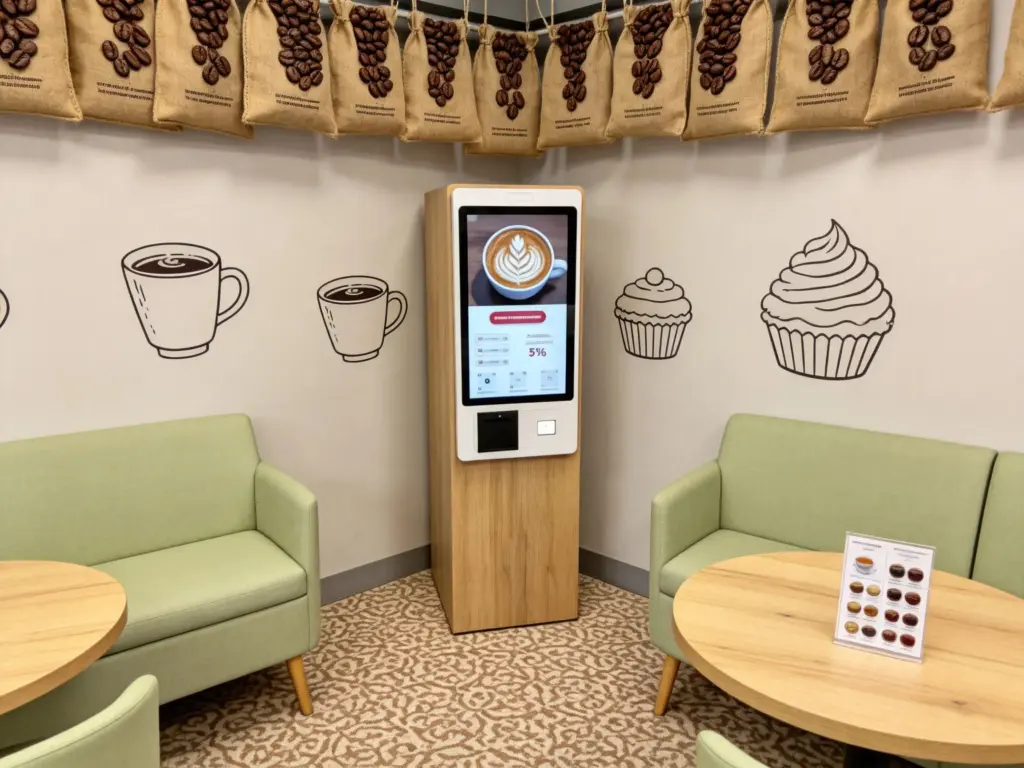
Kiosk tự phục vụ thanh toán giải quyết tốt những điểm khó khăn trong hoạt động hàng ngày này. Nó kết hợp lựa chọn thực phẩm, xem xét đơn hàng và thanh toán độc lập trong một thiết bị màn hình cảm ứng nhỏ gọn. Hơn thế nữa, nó cắt giảm công việc lặp đi lặp lại và mang lại kết quả rõ ràng, giá cả minh bạch cho mọi khách. Hướng dẫn này bao gồm các tính năng cốt lõi, đầy đủ các bước thao tác, lợi ích kinh doanh và các câu hỏi thường gặp về Kiosk tự phục vụ này.
Các tính năng tích hợp cốt lõi của Kiosk tự phục vụ thanh toán
Kiosk tự phục vụ này chứa tất cả các mô-đun thiết yếu được xây dựng cho quy trình thanh toán đồ ăn nhanh.
1. Giao diện đặt hàng và thanh toán kết hợp
Màn hình hiển thị đầy đủ thực đơn món ăn cùng với bản tóm tắt đơn hàng trực tiếp. Người dùng thêm bữa ăn và điều chỉnh chi tiết trước khi chuyển thẳng đến trang thanh toán mà không cần chuyển đổi thiết bị.
2. Hỗ trợ thanh toán an toàn đa kênh
Kiosk hỗ trợ quét di động, mô-đun đầu vào thẻ và tiền mặt không tiếp xúc. Mọi giao dịch đều chạy qua các kênh được mã hóa để bảo vệ dữ liệu thanh toán của người dùng mọi lúc.
3. Tự động tính chiết khấu và combo
Phần phụ trợ tự động đồng bộ hóa các chương trình khuyến mãi hàng ngày của cửa hàng. Nó khớp với các phiếu giảm giá đủ điều kiện và ưu đãi theo gói, sau đó cập nhật số tiền phải trả cuối cùng theo thời gian thực.
4. Đồng bộ hóa dữ liệu phụ trợ và nhà bếp theo thời gian thực
Sau khi thanh toán hoàn tất, dữ liệu đặt hàng gửi ngay đến màn hình hiển thị nhà bếp. Người quản lý cửa hàng cũng lấy hồ sơ bán hàng từ xa thông qua hệ thống Kiosk tự phục vụ được kết nối.
5. Bảng điều khiển cảm ứng thân thiện với người dùng đa ngôn ngữ
Người dùng chạm vào nút ở góc để chuyển đổi ngôn ngữ hiển thị. Các biểu tượng lớn và văn bản ngắn nhắc nhở giảm bớt rào cản học tập cho người lớn tuổi hoặc những người mới truy cập lần đầu.
Quy trình vận hành từng bước cho ki-ốt tự phục vụ
Mỗi khách đều làm theo một cách đơn giản, quy trình nhất quán để hoàn tất đơn hàng và thanh toán trên ki-ốt.
1. Kích hoạt màn hình đặt hàng chính
Nhấn vào bảng cảm ứng tối màu để thoát khỏi chế độ chờ. Hệ thống tải danh sách thực phẩm cập nhật, các mặt hàng mới và ưu đãi trong thời gian giới hạn của cửa hàng trong vòng vài giây.
2. Chọn bữa ăn và chỉnh sửa sở thích cá nhân
Duyệt qua các nhóm thực phẩm được phân loại và nhấn vào các mục để thêm chúng vào giỏ hàng của bạn. Sửa đổi lớp trên bề mặt, kích thước phần hoặc tùy chọn phụ để phù hợp với nhu cầu sở thích cá nhân.
3. Xem lại chi tiết đơn hàng đầy đủ trước khi giải quyết
Cuộn qua tất cả các mục đã chọn và kiểm tra tổng phụ được tính toán. Xóa các lựa chọn sai hoặc thêm đồ ăn nhẹ bổ sung trước khi mở cửa sổ thanh toán.
4. Chọn phương thức thanh toán và hoàn tất giao dịch
Chọn kênh thanh toán ưa thích của bạn từ danh sách màn hình. Làm theo lời nhắc đơn giản trên màn hình để hoàn tất quá trình quét, quẹt hoặc nhét tiền mặt để thanh toán.
5. Nhận biên lai đã in và chờ nhận bữa ăn
Kiosk tự phục vụ in biên lai được đánh dấu bằng số đơn đặt hàng duy nhất của bạn. Giữ phiếu và đợi nhân viên gọi đến số của bạn tại quầy đón riêng.
Ưu điểm chính cho các cửa hàng sử dụng ki-ốt tự phục vụ này
Chủ nhà hàng đạt được những cải tiến hoạt động lâu dài sau khi triển khai thiết bị đầu cuối tự phục vụ thanh toán.
1. Cắt giảm hàng đợi khách hàng vào giờ cao điểm
Nhiều ki-ốt tự phục vụ xử lý các đơn đặt hàng và thanh toán song song. Họ phân chia lượng người qua lại đông đúc và tăng doanh thu từ khách hàng hàng ngày trong những giờ cao điểm.
2. Loại bỏ các lỗi thanh toán do con người tạo ra
Khách xác minh tất cả giá cả và mặt hàng một cách trực quan trên màn hình. Điều này giúp loại bỏ các lỗi truyền đạt sai thường xảy ra khi ra lệnh bằng lời nói.
3. Giảm áp lực lao động lặp đi lặp lại cho nhân viên
Kiosk đảm nhận nhiệm vụ đặt hàng và thanh toán không ngừng nghỉ. Nhân viên chuyển trọng tâm sang việc chuẩn bị thức ăn, đóng gói đơn hàng và hướng dẫn khách hàng tận nơi.
4. Chuẩn hóa chất lượng dịch vụ ở mọi ca
Kiosk tự phục vụ tuân theo các quy tắc hệ thống cố định về giá cả và khuyến mãi. Mọi khách hàng đều nhận được dịch vụ nhất quán như nhau bất kể trình độ kinh nghiệm của nhân viên.
5. Hỗ trợ hoạt động hàng ngày ổn định trong thời gian dài
Phần cứng cấp thương mại chống bụi, vết dầu và gõ thường xuyên. Kiosk duy trì phản hồi cảm ứng mượt mà trong suốt ca làm việc cả ngày.
Mẹo bảo trì hàng ngày để kéo dài tuổi thọ của kiosk tự phục vụ
Chăm sóc thường xuyên nhỏ giúp ki-ốt thanh toán của bạn hoạt động trơn tru trong nhiều năm phục vụ.
1. Lau màn hình cảm ứng mỗi ngày làm việc
Làm sạch vết dầu và vết thức ăn vương vãi trên bề mặt màn hình. Một bảng điều khiển sạch sẽ đảm bảo nhanh chóng, nhận dạng cảm ứng chính xác cho mọi người dùng.
Kiểm tra kết nối mạng lúc khai trương cửa hàng
Wi-Fi yếu làm gián đoạn quá trình đồng bộ hóa dữ liệu theo thời gian thực giữa Kiosk tự phục vụ và thiết bị đầu cuối nhà bếp. Khắc phục ngay tín hiệu không ổn định để tránh tình trạng chậm trễ đơn hàng.
3. Đổ hết hộp đựng tiền theo lịch trình cố định
Các ki-ốt hỗ trợ tiền mặt ngừng chấp nhận hóa đơn khi bộ nhớ trong đầy. Lên lịch thu tiền mặt hàng ngày để tránh tình trạng chức năng thanh toán bị gián đoạn.
4. Cập nhật nội dung thực đơn trong giờ thấp điểm
Điều chỉnh giá, dòng sản phẩm mới hoặc chương trình khuyến mãi khi lưu lượng khách hàng ở mức thấp. Cập nhật từ xa tránh làm gián đoạn quy trình đặt hàng và thanh toán trực tiếp.
Câu hỏi thường gặp về Kiosk tự phục vụ thanh toán
Q1: Kiosk tự phục vụ này xử lý công việc cốt lõi nào?
A1: Nó hoàn thành việc đặt hàng thực phẩm đầy đủ, tùy biến, tính toán chiết khấu và thanh toán độc lập mà không cần sự giám sát thường xuyên của nhân viên tại quầy.
Q2: Các khoản thanh toán được xử lý trên Kiosk tự phục vụ có an toàn không?
A2: Đúng. Tất cả các mô-đun thanh toán đều sử dụng mã hóa tiêu chuẩn ngành. Hệ thống ghi lại mọi dấu vết giao dịch để đảm bảo an toàn tuyệt đối và kiểm tra hồ sơ dễ dàng.
Q3: Tôi có thể điều chỉnh đơn hàng sau khi thanh toán tại ki-ốt không??
A3: Các sửa đổi hiếm khi có tác dụng sau khi thanh toán. Luôn kiểm tra kỹ tất cả các bữa ăn và cài đặt tùy chỉnh trước khi bạn xác nhận và gửi giao dịch của mình.
Q4: Kiosk tự phục vụ có hỗ trợ tất cả các hoạt động giảm giá của cửa hàng không?
A4: Nó đồng bộ các chương trình khuyến mãi mới nhất của cửa hàng trong thời gian thực. Thiết bị đầu cuối tự động áp dụng tất cả các combo hợp lệ, phiếu giảm giá và giảm giá trong thời gian giới hạn.
Q5: Kiosk có dễ dàng sử dụng cho người dùng lớn tuổi có ít kinh nghiệm về công nghệ không?
A5: Các biểu tượng lớn, chế độ văn bản đơn giản và đa ngôn ngữ độ khó hoạt động thấp hơn. Hầu hết người dùng mới hoàn tất thanh toán đầy đủ mà không cần thêm nhân viên trợ giúp.
Phần kết luận
Để kết luận, Kiosk tự phục vụ thanh toán hoạt động như một thiết bị đầu cuối thông minh tất cả trong một được xây dựng cho dịch vụ thức ăn nhanh. Nó tích hợp đặt hàng, tùy biến, thanh toán đa chế độ và đồng bộ hóa dữ liệu theo thời gian thực vào một thiết bị màn hình cảm ứng duy nhất. Nó rút ngắn hàng đợi của khách hàng, cắt giảm các lỗi thủ công và tối ưu hóa việc phân bổ lao động tại cửa hàng để nâng cao hiệu quả hoạt động tổng thể. Kiosk tự phục vụ linh hoạt này đã trở thành một bản nâng cấp quan trọng cho cách bố trí cửa hàng phục vụ nhanh và phục vụ ăn uống hiện đại.
Nếu bạn dự định trang bị cho địa điểm bán đồ ăn nhanh hoặc phục vụ ăn uống của mình hệ thống ổn định, Các ki-ốt tự phục vụ có đầy đủ chức năng để hợp lý hóa quy trình thanh toán hàng ngày, vui lòng điền vào mẫu yêu cầu trên trang web chính thức của chúng tôi. Chia sẻ quy mô cửa hàng của bạn, bố trí không gian và các tính năng thanh toán cần thiết, và đội ngũ chuyên nghiệp của chúng tôi sẽ cung cấp các giải pháp thiết bị đầu cuối tự phục vụ tùy chỉnh phù hợp với nhu cầu kinh doanh của bạn.





