
忙しいファストフード店では、ランチやディナーのラッシュのたびにレジに長い列ができます. 手動の現金およびカード決済によりサービスが遅くなり、請求ミスが発生する場合があります. 店舗チームには、高い顧客の流れと安定したサービス品質のバランスをとるためのシンプルなツールが必要です.
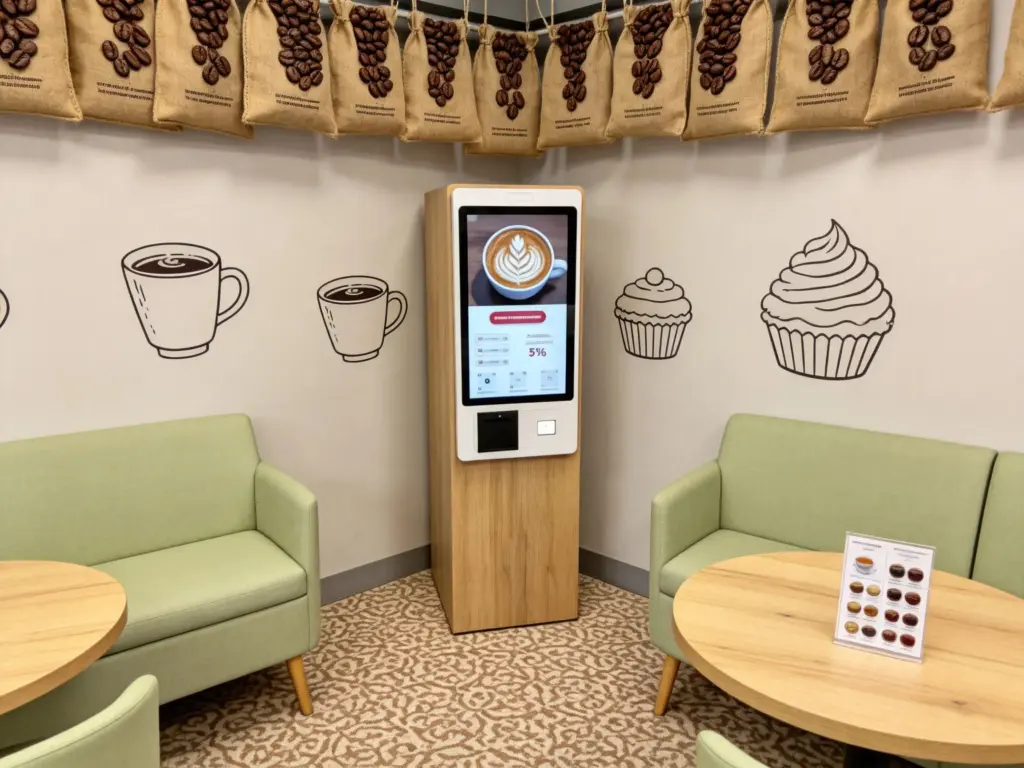
支払いセルフサービス キオスクは、これらの日常業務の問題点をうまく解決します. It combines food selection, order review and independent payment in one compact touchscreen device. さらに, it cuts down repetitive counter work and delivers clear, transparent pricing for every guest. This guide covers core features, 完全な操作手順, business benefits and frequent questions about this Self-Service Kiosk.
Core Integrated Features of the Payment Self-Service Kiosk
This Self-Service Kiosk carries all essential modules built for fast food payment workflows.
1. Combined ordering and checkout interface
The screen displays full food menus alongside a live order summary. Users add meals and adjust details before jumping straight to the payment page without switching devices.
2. Multi-channel secure payment support
The kiosk supports mobile scan, contactless card and cash input modules. Every transaction runs through encrypted channels to protect user payment data at all times.
3. Auto discount and combo calculation
The backend syncs daily store promotions automatically. It matches eligible coupons and bundle offers then updates the final payable amount in real time.
4. Real-time kitchen and backend data sync
Once payment completes, order data sends instantly to kitchen display screens. Store managers also pull sales records remotely through the connected Self-Service Kiosk system.
5. Multi-language user-friendly touch panel
Users tap a corner button to switch display languages. Large icons and short text prompts lower learning barriers for elderly or first-time visitors.
Step-by-Step Operation Workflow for the Self-Service Kiosk
Every guest follows a simple, consistent process to finish orders and payment on the kiosk.
1. Activate the main ordering screen
Tap the dark touch panel to exit standby mode. The system loads updated food lists, new items and limited-time store offers within seconds.
2. Select meals and edit personalized preferences
Browse categorized food groups and tap items to add them to your cart. Modify toppings, portion sizes or side options to match personal taste demands.
3. Review full order details before settlement
Scroll through all selected items and check calculated subtotals. Remove wrong selections or add extra snacks before opening the payment window.
4. Pick payment method and complete transactions
Choose your preferred payment channel from the screen list. Follow simple on-screen prompts to finish scanning, swiping or inserting cash for checkout.
5. Collect printed receipt and wait for meal pickup
The Self-Service Kiosk prints a receipt marked with your unique order number. Keep the slip and wait for staff to call your number at the dedicated pickup counter.
Key Advantages for Stores Using This Self-Service Kiosk
Restaurant owners gain lasting operational improvements after deploying payment self-service terminals.
1. Cut peak-hour customer waiting queues
Multiple Self-Service Kiosks process orders and payments side by side. They split heavy foot traffic and raise daily customer turnover during busy hours.
2. Remove human-made billing mistakes
Guests verify all prices and items visually on screen. This eliminates miscommunication errors that often happen with verbal counter ordering.
3. Reduce repetitive labor pressure for staff
The kiosk takes over non-stop ordering and checkout tasks. Employees shift focus to food preparation, order packing and on-site customer guidance.
4. Standardize service quality across all shifts
The Self-Service Kiosk follows fixed system rules for pricing and promotions. Every customer gets the same consistent service regardless of staff experience levels.
5. Support long-hour stable daily operation
Commercial-grade hardware resists dust, oil stains and frequent tapping. The kiosk maintains smooth touch response through full-day business shifts.
Daily Maintenance Tips to Extend Self-Service Kiosk Lifespan
Small regular care keeps your payment kiosk running smoothly for years of service.
1. Wipe the touch screen every business day
Clear oil marks and food splatters off the display surface. A clean panel guarantees fast, accurate touch recognition for every user.
Check network connection at store opening
Weak Wi-Fi breaks real-time data sync between the Self-Service Kiosk and kitchen terminals. Fix unstable signals right away to avoid order delays.
3. Empty cash storage boxes on a fixed schedule
Cash-enabled kiosks stop accepting bills once internal storage fills up. Schedule daily cash collection to prevent interrupted payment functions.
4. Update menu content during off-peak hours
Adjust prices, new product lines or promotions when customer traffic stays low. Remote updates avoid disrupting live ordering and payment workflows.
FAQs About the Payment Self-Service Kiosk
Q1: What core job does this Self-Service Kiosk handle?
A1: It completes full food ordering, カスタマイズ, discount calculation and independent payment without constant staff supervision at counters.
第2四半期: Are payments processed on the Self-Service Kiosk safe?
A2: はい. All payment modules use industry-standard encryption. The system logs every transaction trace for full security and easy record checking.
Q3: Can I adjust my food order after paying on the kiosk?
A3: Modifications rarely work post-payment. Always double-check all meals and custom settings before you confirm and submit your transaction.
Q4: Does the Self-Service Kiosk support all store discount activities?
A4: It syncs the latest store promotions in real time. The terminal automatically applies all valid combos, coupons and limited-time price cuts.
Q5: Is the kiosk easy for older users with little tech experience?
A5: The large icons, simple text and multi-language modes lower operation difficulty. Most new users finish full payment without extra staff help.
結論
結論としては, the Payment Self-Service Kiosk acts as an all-in-one smart terminal built for fast food service. It integrates ordering, カスタマイズ, multi-mode payment and real-time data synchronization into a single touchscreen device. It shortens customer queues, cuts manual errors and optimizes store labor allocation to lift overall operational efficiency. This versatile Self-Service Kiosk has become a vital upgrade for modern catering and quick-service store layouts.
If you plan to equip your fast food or catering venue with stable, fully functional Self-Service Kiosks to streamline daily checkout workflows, 公式サイトのお問い合わせフォームにご記入ください. 店舗規模を共有する, space layout and required payment features, and our professional team will deliver customized self-service terminal solutions matched to your business demands.





