
Outdoor touch screen monitors are now widely used in självbetjäningskiosker, parking terminals, EV charging stations, transportation ticketing machines, industrial control stations, and smart city infrastructure. While these applications improve efficiency and user experience, they also expose electronic equipment to some of the harshest environmental conditions.
Regn, damm, direct sunlight, fuktighet, salt luft, and temperature fluctuations can quickly damage standard commercial displays. Choosing an IP65 rated touch screen monitor is therefore not only about waterproofing—it is about ensuring long-term reliability, readability, and performance in real-world outdoor environments.
This guide explains the key factors to consider when selecting outdoor pekskärmar and how to avoid common deployment mistakes.
Defining IP65 and IP67 Ratings for Touch Screens
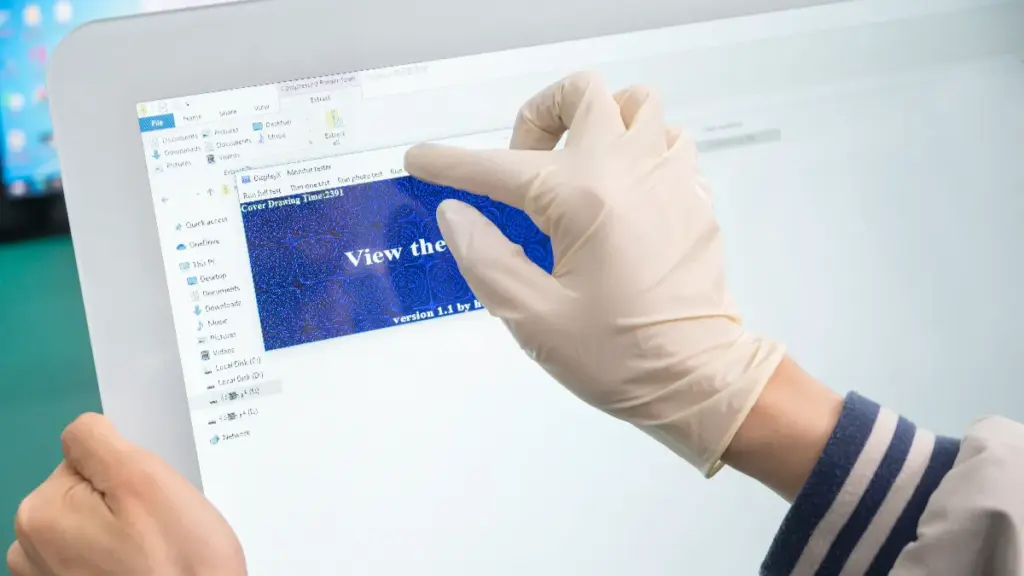
Both ratings guarantee a completely dust-tight enclosure. The divergence lies entirely in water exposure: IP65 handles rain and low-pressure jets, while IP67 survives temporary submersion.
Understanding the IEC 60529 Rating Structure
De IEC 60529 standard classifies ingress protection using a simple two-digit format, known as IPXY. These digits specify exactly how well an enclosure defends internal electronics against solid particles and liquids. The IP (Ingress Protection) rating is an international standard used to classify how well electronic devices resist dust and water intrusion.
The first digit measures defense against solid objects. In both IP65 and IP67 ratings, this first digit is a “6,” indicating a completely dust-tight enclosure that blocks all fine particulates.
The second digit measures liquid protection, which is where these two ratings diverge in their engineering requirements and real-world capabilities.
IP65: Resistance to Low-Pressure Water Jets
A “5” rating signifies protection against water projected from a 6.3 mm nozzle in any direction. These monitors comfortably withstand typical outdoor weather patterns and routine maintenance, making them highly effective for exposed public deployments.
- Vattentålighet: Comfortably withstands rain, sleet, wind-driven moisture, and moderate hose-down cleaning.
- Installation limits: Strictly water-resistant; operators must never submerge these units or install them in areas prone to standing water.
- Typical applications: Ideal for public transit signage, drive-thru menus, and semi-sheltered information kiosks.
IP67: Protection Against Temporary Immersion
A “7” rating guarantees the enclosure can survive temporary immersion in up to 1 meter of water for 30 minuter. Manufacturers achieve this benchmark by radically upgrading the mechanical design to prevent leak paths and air pockets that could compromise internal electronics during submersion.
- Hardware upgrades: Achieved using heavy-duty gaskets, bonded glass, and specialized IP67-rated connectors.
- Submersion defense: Engineered explicitly to block leak paths and air pockets under water pressure.
- Required applications: Necessary for extreme environments like ship decks, flood-prone ground installations, and heavy construction equipment.
If you’re comparing different protection levels for outdoor equipment, our detailed guide on IP65 vs IP66 vs IP67 vs IP68 vs IP69K explains the differences and helps you choose the right rating for your application.
Key Differences for Outdoor Applications
Both IP ratings provide maximum dust defense, making them equally suitable for sandy, high-particulate, or polluted urban areas. The decision between the two comes down entirely to water risk and budget constraints at the installation site.
- IP65 efficiency: Offers a cost-effective solution for general weather exposure and standard cleaning routines.
- IP67 durability: Requires more robust mechanical sealing, increasing upfront costs but preventing catastrophic failure in flooding scenarios.
- Selection criteria: Depends entirely on the realistic risk of pooling water or accidental submersion at the deployment location.
Waterproofing and Dustproof Design Essentials

Effective IP65 outdoor touch monitors rely on integrated mechanical and sealing strategies to block dust and water jets while maintaining optical performance and touch accuracy.
| Design Element | Core Objective | Technical Implementation |
|---|---|---|
| Gasket Integration | Maintain barrier integrity | EPDM/silicone with 20–50% compression |
| Front Glass Stack | Eliminate condensation | Flat-glass with optical bonding |
| Touch Controllers | Reject false inputs | Firmware tuned for water and gloves |
| Enclosure Pressure | Equalize internal stress | IP65-rated membrane breather vents |
System-Level Sealing and Gasket Strategies
A reliable IP65 rating demands zero direct water paths from the outside to internal cavities. We secure the enclosure through precise compression mechanics and specialized hardware interfaces. Proper component selection prevents micro-leaks caused by temperature cycling and mechanical vibration.
- Gasket Material: Utilize continuous EPDM or silicone gaskets with 20–50% compression to ensure long-term barrier integrity.
- Geometry Rules: Locate gaskets on the dry side of fasteners and avoid sharp corners that create leak vulnerabilities.
- Connector Sealing: Protect external I/O points using IP65-rated cable glands and sealed circular connectors.
Front Panel Architecture and Cover Glass Integration
The display face takes the heaviest environmental abuse from rain, sun, and public interaction. Engineers must eliminate overlapping bezels where water and dirt can accumulate. A unified front assembly simplifies the primary seal and enhances both durability and visual clarity.
- Surface Geometry: Implement flat-glass designs to establish a single, clean perimeter sealing interface.
- Optical Stack: Apply optical bonding between the touch sensor and LCD to eliminate condensation-prone air gaps.
- Glass Specifications: Specify tempered glass with a minimum 6H hardness, utilizing oleophobic coatings to handle outdoor contamination.
Touch Sensor Tuning for Wet Environments
Water drops register as false inputs on standard capacitive screens. Outdoor displays require specific hardware and software configurations to differentiate between a user’s finger, a wet glove, and a stream of rainwater rolling down the glass.
- Sensor Technology: Leverage Projected Capacitive (PCAP) sensors that function reliably behind thick, fully sealed cover lenses.
- Water Rejection: Configure controller IC firmware to actively reject large-area capacitive signatures caused by water droplets.
- Handskstöd: Adjust signal-to-noise thresholds to maintain touch accuracy when users wear protective gloves.
Internal Thermal and Pressure Management
A perfectly sealed box acts as a pressure cooker under direct sun. Temperature swings expand and contract the internal air, putting massive mechanical stress on gaskets. Managing this pressure without breaking the IP65 seal requires specific venting and passive cooling architectures.
- Pressure Equalization: Integrate IP65-rated membrane breather vents to equalize internal pressure and reduce stress on structural seals.
- Heat Dissipation: Employ passive heat spreaders and external heatsink fins to dissipate solar and electronic heat loads.
- Air Filtration: Design filterless boundaries or position serviceable filters strictly outside the main IP65 perimeter to exclude fine dust.
Housing Materials and Mechanical Construction
Enclosure material dictates long-term survival in corrosive outdoor air. Even the best gaskets fail if the surrounding metal pits, rusts, or warps. The physical shape of the housing must actively direct water away from critical joints.
- Base Material: Select corrosion-resistant aluminum or stainless steel (304/316) for the primary enclosure.
- Corrosion Prevention: Avoid dissimilar metal contact to prevent galvanic corrosion in persistent wet conditions.
- Water Shedding: Incorporate drainage slopes and eliminate recessed areas to prevent water pooling near critical joints.
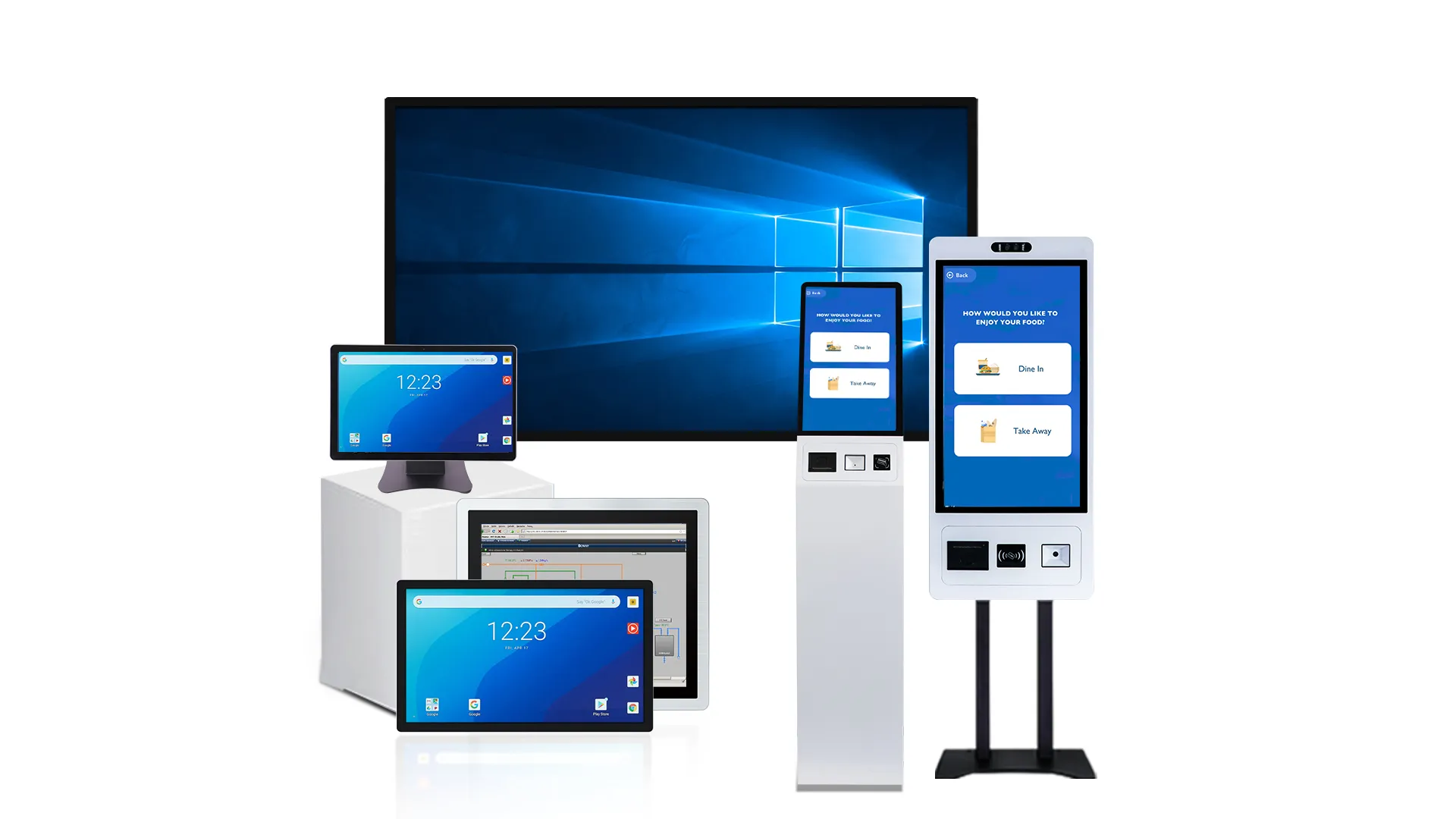
Premium Industrial Touch Monitors Delivered Fast
Anti-Glare (AG) vs Anti-Reflective (AR) Coating
Visibility is one of the biggest challenges for outdoor touch screen monitors.
Even a fully waterproof display becomes ineffective if users cannot read the content under bright sunlight.
To improve readability, manufacturers commonly use Anti-Glare (AG) and Anti-Reflective (AR) coatings.
What Is Anti-Glare (AG) Coating?
AG coatings use a microscopic surface texture to scatter reflected light.
Advantages include:
- Reduced glare from sunlight
- Improved visibility in changing lighting conditions
- Lower eye fatigue
- Better touch interaction outdoors
Dock, because the surface diffuses light, image sharpness may be slightly reduced.
What Is Anti-Reflective (AR) Coating?
AR coatings reduce reflection by increasing light transmission through the glass.
Benefits include:
- Higher optical clarity
- Better contrast
- Improved color accuracy
- Sharper image quality
AR technology is particularly effective for displays installed in direct sunlight.
| Särdrag | Anti-Glare (AG) | Anti-Reflective (AR) |
|---|---|---|
| Reflection Reduction | Bra | Excellent |
| Image Sharpness | Bra | Excellent |
| Färgnoggrannhet | Bra | Excellent |
| Sunlight Readability | Very Good | Excellent |
| Fingerprint Visibility | Lägre | Högre |
Thermal Management for Direct Sunlight Exposure

Direct sunlight and sealed IP65 enclosures create a thermal trap. Managing this requires passive heat spreaders, active firmware regulation, and optical enhancements to prevent irreversible LCD blackout.
Passive Cooling and Heat Dissipation Techniques
Sealed outdoor monitors cannot rely on external airflow to cool internal components. Heat must escape through continuous conduction paths built directly into the hardware architecture.
- High-conductivity chassis: Aluminum or steel housings act as primary heat spreaders, pulling thermal loads away from sensitive internal zones.
- Thermally coated PCBs: Direct conduction paths route heat specifically away from high-brightness LED backlights and drive electronics.
- Rear housing fins: Finned exterior surfaces increase the available area for natural convection without compromising the sealed IP65 barrier.
Typical operating temperature ranges include:
| Type | Operating Temperature |
|---|---|
| Commercial Monitor | 0°C to 40°C |
| Industrial Monitor | -20°C till 60 °C |
| Outdoor Industrial Monitor | -30°C till 70 °C |
Active Thermal Regulation in Sealed Environments
When ambient temperatures peak and passive cooling reaches its physical limit, sealed monitors rely on internal active regulation to survive the solar load.
- Internal fan circulation: Closed-loop fans move air inside the enclosure to equalize temperatures and eliminate localized hot spots directly behind the LCD panel.
- Automated firmware controls: System logic automatically throttles CPU performance and dims backlight brightness when internal temperatures approach critical operating limits.
- Embedded thermal sensors: Hardware monitors trigger software alarms or force controlled system shutdowns before heat causes irreversible LCD blackout.
Optical Stack Enhancements for Solar Load Reduction
The front glass takes the direct hit from solar irradiance. Modifying the optical stack physically reduces how much heat enters and stays inside the monitor.
- UV-resistant PCAP glass: Thick capacitive glass prevents material degradation and offers higher thermal mass than standard plastic touch films.
- Optisk bindning: Injecting optical resin between the touch glass and LCD eliminates insulating air gaps. This reduces internal reflections and cuts moisture condensation risks during rapid temperature swings.
- Surface treatments: Antireflex (AR) and anti-glare (AG) coatings maximize contrast. Better contrast means you can run the backlight at a lower brightness, directly cutting internal heat generation.
| Application Environment | Recommended Brightness |
|---|---|
| Indoor Commercial Use | 250–500 nits |
| Semi-Outdoor Areas | 700–1000 nits |
| Direct Sunlight | 1000–1500+ nits |
System-Level Integration and Placement Strategies
The monitor is only one part of the thermal equation. How you mount and schedule the display determines its long-term survival in direct sun.
- External ventilation paths: Surrounding kiosks and mounting enclosures must feature separate heat rejection surfaces that bypass the completely sealed monitor housing.
- Mechanical sun shades: Visors or overhead canopies physically block direct solar irradiance on the front glass, significantly lowering peak thermal stress during midday hours.
- Smart brightness scheduling: Tying backlight intensity to ambient light sensors reduces the thermal load automatically during peak heat hours or low-light conditions.
Protecting Electronics from Humidity and Corrosion
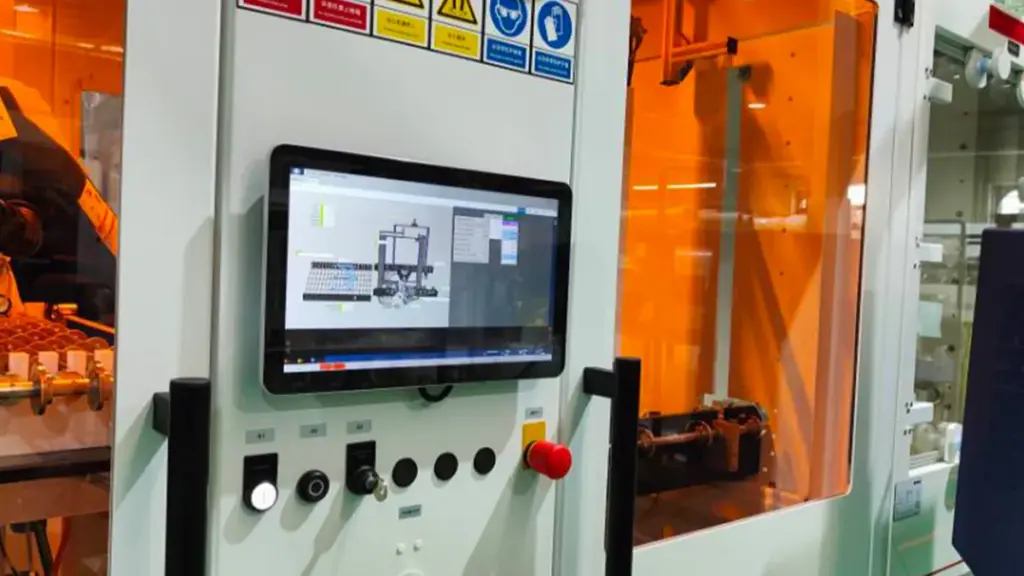
An IP rating blocks liquid water, but humidity diffuses through microscopic gaps over time. True protection requires a multi-layered defense across enclosures, ports, and internal PCBs.
Enclosure Sealing and Material Strategies
A front-panel IP rating tells only half the story. Moisture often attacks outdoor displays from the rear and edges, meaning you need a comprehensive barrier strategy to stop vapor before it enters the chassis.
- Full-body ratings: Utilize full IP65, IP66, or IP67 enclosures to restrict moisture access from the rear and edges rather than relying on a sealed bezel alone.
- Seal longevity: Implement continuous, closed-cell, UV-resistant gaskets between the cover glass, bezel, and housing to maintain long-term seal integrity under thermal stress.
- Joint design: Eliminate overlapping sheet-metal seams and narrow gaps to prevent water from entering through capillary action.
Securing I/O Ports and Cable Entries
Cables act like highways for moisture. A perfectly sealed housing fails immediately if water wicks along a wire directly into the main electronics compartment.
- Hardware selection: Deploy IP65 to IP67-rated connectors, such as sealed M12, HDMI, or USB bulkheads.
- Jacket compression: Use appropriately rated cable glands with compression seals to block moisture wicking along cable jackets.
- Gravity routing: Route external wiring downward with drip loops to keep standing water away from connector interfaces.
PCB-Level and Internal Component Defenses
Even the best enclosures occasionally experience internal dew formation. When vapor turns to liquid inside the chassis, the bare electronics must survive the exposure without shorting out.
- Surface treatments: Apply conformal coatings like acrylic, silicone, or polyurethane to circuit boards to guard against corrosive condensation.
- Oxidation prevention: Select moisture-resistant component packaging and use gold-plated contacts on internal harnesses to minimize oxidation.
- Layout spacing: Maintain adequate creepage and clearance distances on PCBs to reduce the risk of leakage currents when thin moisture films form.
Managing Internal Condensation and Vapor
Rapid temperature drops force humid air inside a sealed display to reach its dew point. Controlling this vapor requires a precise mix of pressure equalization and thermal engineering.
- Pressure equalization: Integrate IP-rated breather membranes that equalize enclosure pressure and slow moisture diffusion without letting liquid enter.
- Passive dehumidification: Place internal desiccant packs inside the housing for deployments in persistently humid or coastal climates.
- Dew point control: Incorporate internal heaters or engineered thermal paths to keep critical electronics slightly above the ambient dew point, preventing condensation buildup.
Maintenance Tips for Outdoor Touch Screen Monitors
Routine maintenance prevents water ingress and thermal failure, extending the lifecycle of outdoor touch displays in harsh environments.
Proper Cleaning Procedures and Agents
Cleaning outdoor screens requires careful handling to avoid pushing water past gaskets or scratching anti-glare coatings. Abrasive materials or harsh chemicals strip surface treatments and degrade structural adhesives.
- Power management: Power off the monitor before cleaning to prevent accidental touches and electrical risks.
- Approved materials: Use a damp, lint-free microfiber cloth paired with plain water or manufacturer-approved screen cleaners.
- Chemical restrictions: Avoid ammonia-based solutions, strong solvents, and spraying liquids directly onto the display to protect anti-glare coatings.
Preserving Water and Dust Seals
The IP65 rating relies entirely on physical seals. Continuous UV exposure and severe temperature cycling cause rubber and silicone components to harden, shrink, or crack over time.
- Visual inspection: Inspect front bezels, rear gaskets, and cable grommets regularly for cracks, brittleness, or UV degradation.
- Drainage check: Ensure drainage paths remain clear so standing water cannot pool at the bottom edge of the monitor.
- Preventative action: Replace hardened or deformed gaskets immediately to sustain the designated IP65 protection rating.
Thermal and Environmental Management
Outdoor enclosures depend on passive cooling and pressure equalization to survive extreme temperatures. Blocked airflow paths trap internal heat, causing LCD blackout and rapid component failure.
- Airflow paths: Clear dust, sand, and debris from ventilation pathways, passive cooling fins, and breather membranes.
- Physical shielding: Inspect sunshades and canopies designed to reduce direct solar load and limit UV damage to internal components.
- Humidity tracking: Watch for internal condensation or fogging inside the enclosure, which signals an immediate need for moisture control intervention.
Electrical Safety and Cable Inspections
Constant exposure to wind, vibration, and public traffic stresses external connections. Weak electrical infrastructure leaves the hardware vulnerable to grid instability and localized lightning strikes.
- Hardware condition: Check power, video, and network cables for frayed outer jackets, loose connections, or corroded metal contacts.
- Voltage defense: Install surge protectors or Uninterruptible Power Supplies (UPS) to guard against lightning strikes and unstable power grids.
- Physical security: Apply adequate cable strain relief to prevent accidental disconnections caused by heavy winds, vibrations, or vandalism.
Maintaining Touch Calibration and Software
Accurate touch response drops if physical sensor alignment shifts or firmware becomes outdated. Operating systems require regular updates to maintain compatibility with industrial touch controllers.
- Alignment resets: Recalibrate the touchscreen every three to six months to ensure precise input alignment across the display.
- Input discipline: Verify that users interact with the screen using bare fingers, compatible gloves, or designated styluses to prevent glass scratches.
- System updates: Keep touch drivers and firmware updated, testing new software in a staging environment before deploying to active outdoor terminals.
Ready to Scale Your Outdoor Project with TouchWo?
Choosing an IP65 rated touch monitor involves much more than selecting a waterproof display. Long-term success depends on enclosure design, läsbarhet i solljus, thermal management, humidity protection, and overall system durability.
På TouchWo, we design and manufacture industrial touch monitors and touch all-in-one PCs built for demanding commercial and industrial environments. Our solutions support outdoor kiosks, transportsystem, industriell automation, smart city projects, EV charging stations, and self-service terminals worldwide.
From high-brightness sunlight-readable displays to customized IP65 touch screen solutions, our team helps customers develop reliable systems that perform consistently in real-world outdoor conditions.
Whether you are launching a new outdoor kiosk project or upgrading existing infrastructure, TouchWo can help you find the right touch display solution for long-term success.
Contact TouchWo today to discuss your project requirements and discover the ideal outdoor touch screen monitor for your application.
Slutliga tankar
Generic outdoor displays often promote lower upfront costs, but they rapidly succumb to moisture corrosion and thermal failure in harsh environments. Relying on strict Quality Factory Standard IP65 construction provides the structural resilience necessary to safeguard your network against extreme weather and expensive field replacements. Investing in precision-sealed hardware ensures continuous uptime and protects your brand reputation in high-traffic public spaces.
Verify this durability firsthand before committing to a full-scale digital signage deployment. We recommend starting with a sample order to test the optical performance and weatherproof sealing at your specific installation site. Contact our engineering team to define your OEM specifications and secure the correct hardware architecture for your next outdoor project.
Vanliga frågor
What does an IP65 rating mean for a touch monitor?
An IP65 rating means the monitor’s enclosure is completely dust-tight (indicated by the ‘6’) and protected against low-pressure water jets from any direction (indicated by the ‘5’). It is ideal for outdoor locations exposed to rain, wind-blown debris, och stänk, but it cannot be submerged or pressure-washed.
Can an IP65 monitor be used in heavy rain?
Ja, an IP65 monitor can handle heavy rain if properly installed with downward-facing cable routing and correct mounting. But it is not engineered for continuous, high-intensity driving rain without shelter. For fully unsheltered environments with extreme weather, an IP66 or IP67 rating provides a larger safety margin.
What is the difference between IP65 and IP67 for outdoor kiosks?
Both ratings guarantee complete protection against dust. The main difference is liquid protection: IP65 protects against low-pressure water jets and rain, while IP67 protects against temporary immersion in water up to 1 meter deep for 30 minuter. Neither rating covers high-pressure cleaning.
How do you prevent condensation inside an outdoor touch screen?
Condensation is managed through a combination of optical bonding, which eliminates the air gap between the touch glass and LCD, and internal environmental controls. Manufacturers use internal heaters with humidistats to keep air above the dew point, alongside pressure-equalizing breather vents and desiccants to manage trapped moisture.
Are IP65 monitors resistant to dust and salt air?
IP65 enclosures physically block all dust and salt particles from entering the internal components. But the IP rating itself does not certify resistance to the corrosive effects of salt air. Coastal or marine deployments require extra features like marine-grade coatings, stainless steel housings, and conformal-coated PCBs to prevent long-term corrosion.
Does IP65 protect against high-pressure water jets?
Inga. The IP65 testing standard specifically uses low-pressure directional water jets. Using commercial pressure washers or high-pressure lance cleaning on an IP65 monitor can drive water past the seals and damage the unit. Wash-down environments require IP66 or IP69K ratings.
What is the best way to clean an IP65 rated industrial screen?
Första, power down the screen and remove loose grit with a dry, soft microfiber cloth to avoid scratching. For stubborn dirt or oils, use a lightly dampened microfiber cloth with distilled water or a mild neutral soap solution. Never spray liquids directly onto the screen, and avoid harsh chemicals like ammonia or strong solvents.





