
การเลือกสิ่งที่ถูกต้อง VESA mount for a touch monitor is essential for achieving stable installation, accurate touch performance, and long-term system reliability. Selecting the wrong mount can lead to screen vibration, mechanical stress, installation delays, and unnecessary maintenance costs, especially in kiosks, อุปกรณ์อุตสาหกรรม, and other commercial applications.
This guide helps you evaluate VESA compatibility, load capacity, mounting structure, and application requirements before purchase. By understanding the key selection criteria and common installation mistakes, you can reduce integration risks, simplify deployment, and build touch monitor systems that remain stable throughout their service life.
Why VESA Mount Selection Matters for Touch Monitors
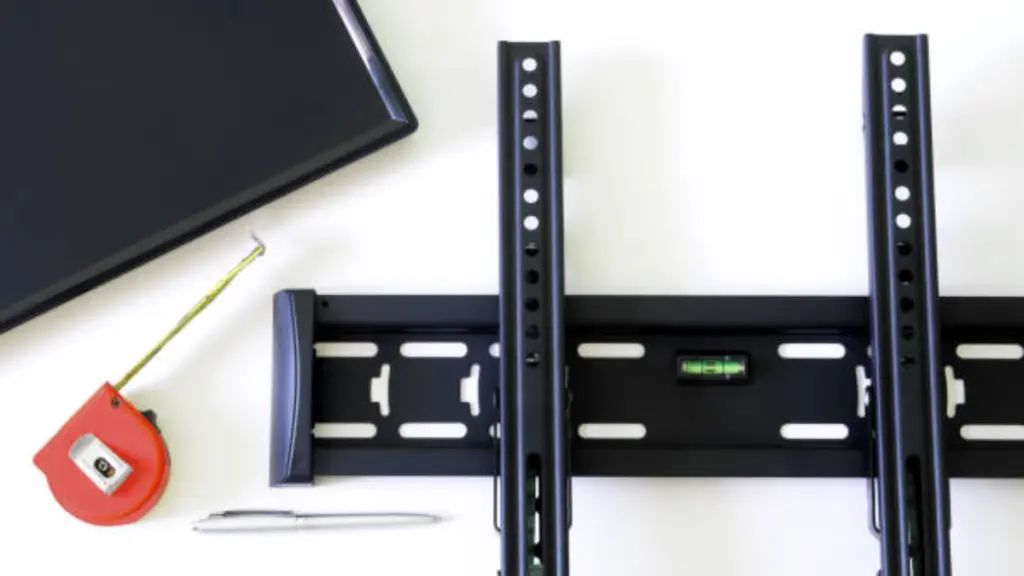
Selecting a VESA mount involves more than matching mounting holes. Stability, ความเข้ากันได้, and installation design all influence how a touch monitor performs throughout its service life.
Ensuring Basic Mechanical Compatibility
Mechanical compatibility is the first requirement for a successful installation. Even a high-quality touch monitor cannot perform reliably if the mount does not match its physical specifications.
Before selecting a mount, buyers should confirm the monitor’s VESA hole pattern, net weight, and mounting hardware requirements. These basic specifications determine whether the display can be installed securely and operate safely over time.
- VESA Pattern Match: Confirm the mounting holes on the monitor match the supported pattern, เช่น 75 × 75 mm or 100 × 100 มม.
- Load Capacity: Select a mount with a weight rating higher than the monitor’s net weight, excluding the original stand.
- Mounting Hardware: Use the recommended screw size and length to prevent loose installation or internal damage.
Choosing compatible hardware at the beginning helps avoid installation delays, unnecessary modifications, and future maintenance issues.
Maintaining Stability During Touch Interaction
Unlike standard displays, จอภาพสัมผัส experience continuous physical interaction. Every tap, ปัด, or press transfers force to the mounting structure, making rigidity just as important as compatibility.
A stable VESA mount minimizes vibration and prevents screen movement during operation. This improves touch accuracy, creates a better user experience, and reduces long-term mechanical stress on both the monitor and the mounting system.
สำหรับ ซุ้มบริการตนเอง, industrial HMIs, and POS terminals, selecting a rigid mounting solution is often more important than choosing one with the widest adjustment range.
Improving Installation Efficiency and Long-Term Serviceability
Successful touch monitor installation also depends on how easily the display integrates with the overall system. Buyers should evaluate mechanical clearance, cable routing, and future maintenance before purchasing a mount.
Considering these details before purchase makes system integration more efficient and helps reduce service costs throughout the equipment’s operating life.
Key VESA Standards, Hole Patterns, and Load Considerations
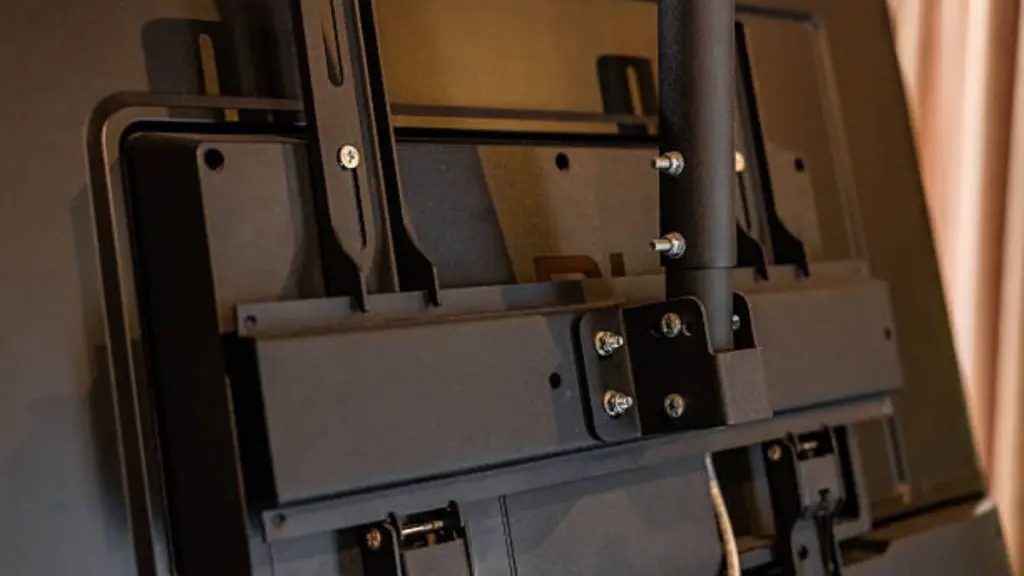
Selecting a VESA mount requires more than matching mounting holes. Buyers should also evaluate VESA standards, load capacity, and installation hardware to ensure reliable performance throughout the monitor’s service life.
VESA Standards and Hole Patterns
ที่ VESA Mounting Interface Standard (มิส) defines mounting hole patterns for displays of different sizes and weights. Following these standards simplifies product selection and helps ensure compatibility between the monitor and the mounting system.
| VESA MIS Category | Common Hole Patterns | Typical Applications |
|---|---|---|
| MIS-D | 75 × 75 มม, 100 × 100 มม | Desktop touch monitors and POS terminals |
| MIS-E | 200 × 100 มม, 200 × 200 มม | Commercial displays and self-service kiosks |
| MIS-F | 400 × 400 มม, 600 × 400 mm and larger | Large interactive displays and digital signage |
Understanding Static and Dynamic Load
Weight capacity is especially important for จอภาพสัมผัส because they experience continuous physical interaction. Unlike conventional displays, every tap or swipe creates additional force on the mounting structure.
Static load refers to the monitor’s net weight without its original stand, while dynamic load includes the repeated force generated during normal operation. To maintain long-term stability, the mount should support at least 20–30% more than the monitor’s net weight. This safety margin helps reduce vibration, prevents gradual sagging, and improves touch accuracy over time.
Mounting Hardware and Installation Verification
Even when the VESA pattern and load rating are correct, installation details can still affect system reliability. Proper screws, spacers, and final compatibility checks help prevent common installation problems and simplify future maintenance.
Before purchasing a mount, confirm the following:
- Mounting Hardware: Use the recommended screw type and length to ensure secure installation without damaging internal components.
- Rear Housing Clearance: Check whether recessed mounting holes require spacers to create a flat mounting surface.
- Port Accessibility: Ensure the mounting plate does not block power, ยูเอสบี, video ports, or ventilation openings.
- Installation Orientation: Verify the mount supports the required landscape or portrait configuration for the application.
Custom Industrial Touchscreens You Can Trust
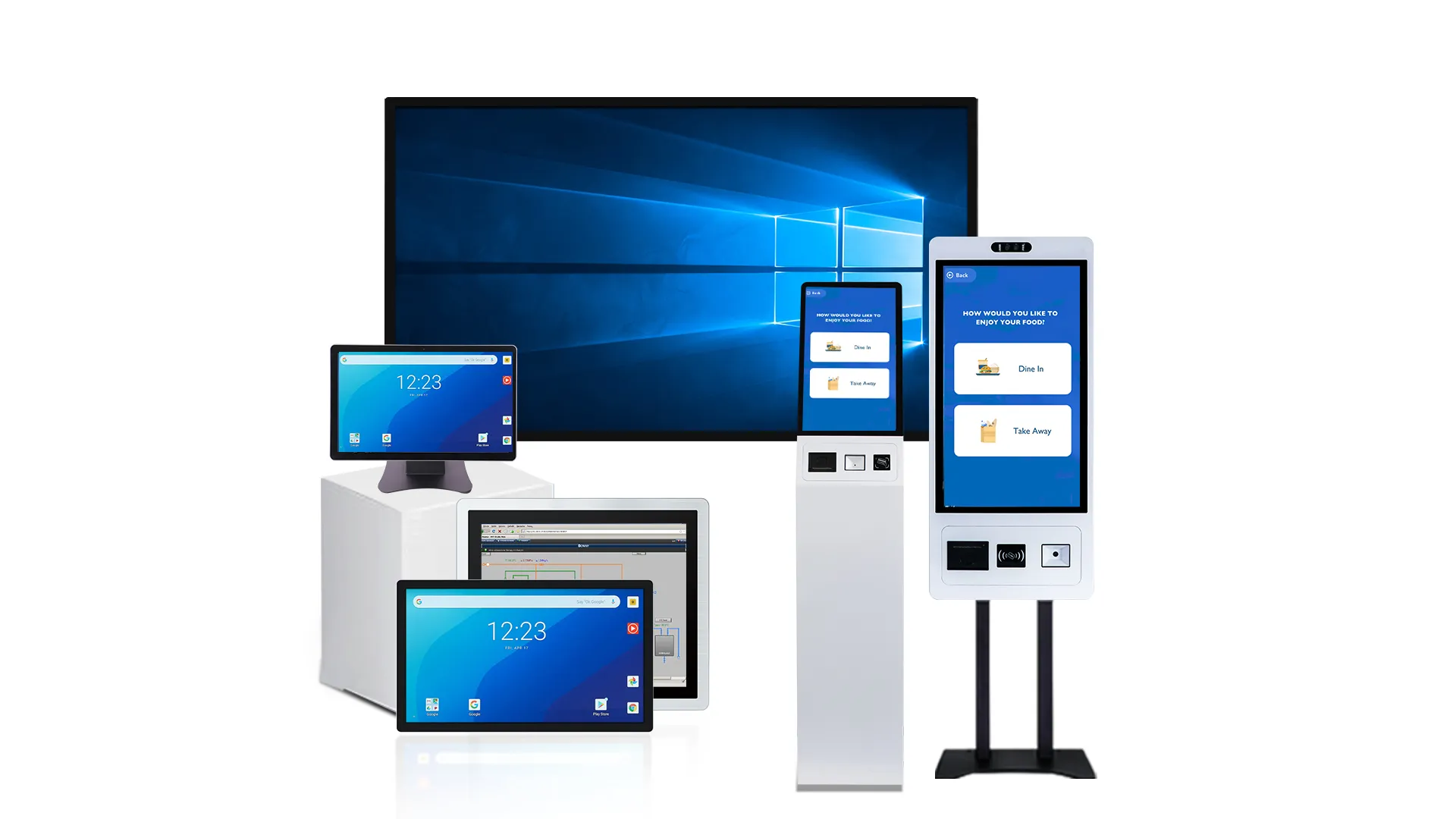
How Screen Size, น้ำหนัก, and Use Scenario Affect Mount Choice
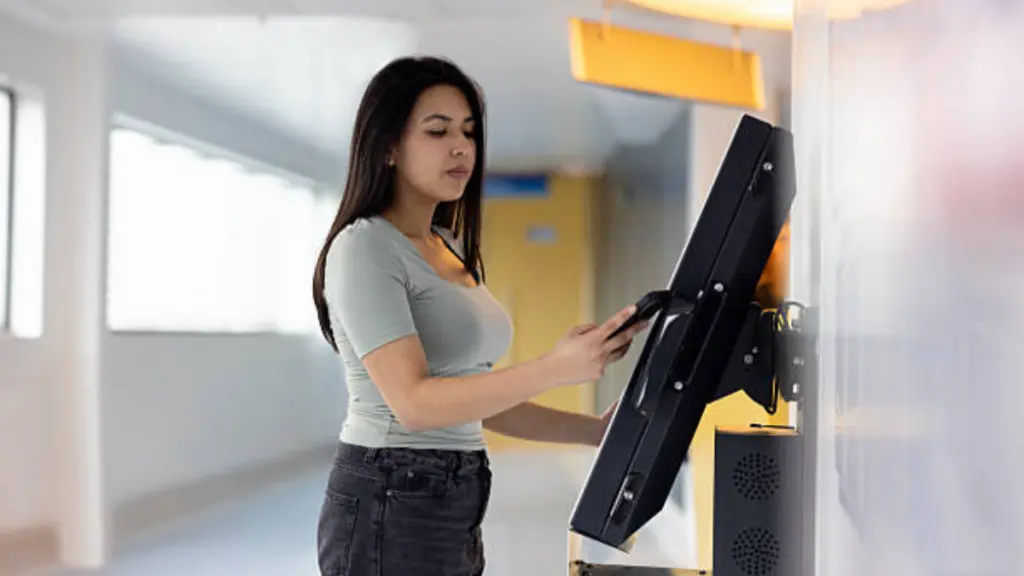
Different applications require different VESA mounts. Besides compatibility, ขนาดหน้าจอ, น้ำหนัก, and installation environment all influence long-term stability and usability.
Screen Size and Weight Influence Mount Stability
ขนาดหน้าจอ and monitor weight work together to determine how stable a mounting system will be. Although two displays may share the same VESA pattern, a larger or heavier model creates greater leverage during touch operation and places more stress on the mounting structure.
As screen size increases, the distance between the user’s touch point and the mounting surface becomes longer. This additional leverage can cause vibration or slight movement if the mount lacks sufficient rigidity. Likewise, heavier monitors require higher load capacity to maintain long-term stability.
When selecting a mount, always compare the monitor’s net weight with the mount’s rated capacity. For interactive applications, allowing an additional safety margin helps the mount resist continuous touch forces without sagging over time.
Choosing a Mount Based on the Installation Scenario
Installation environment often determines which mounting solution performs best. Different applications require different levels of rigidity, flexibility, and adjustment.
| แอปพลิเคชัน | Recommended Mount Characteristics |
|---|---|
| จุดขาย & สำนักงาน | Rigid desk mounts with minimal vibration during touch operation |
| ตู้บริการตนเอง | Fixed or low-profile wall mounts for maximum stability and security |
| Medical Workstations | Articulating arms with smooth movement and reliable positioning |
| Industrial HMIs | Heavy-duty mounts designed to withstand vibration and frequent operation |
Considering Monitor Depth and Movement Requirements
Besides screen size, monitor depth also affects mounting performance. A deeper enclosure moves the center of gravity farther away from the mounting plate, increasing the load on joints and articulated arms. ส่งผลให้, the monitor may feel less stable during repeated touch interaction.
If the display requires frequent adjustment, choose a mount with strong joints and smooth movement that can hold its position without drifting. For fixed installations, shorter mounting arms generally provide better rigidity and reduce vibration.
Considering these factors together helps buyers select a mounting solution that remains stable throughout the product’s service life instead of only meeting basic installation requirements.
Common Mounting Mistakes Buyers Should Avoid in Real Projects
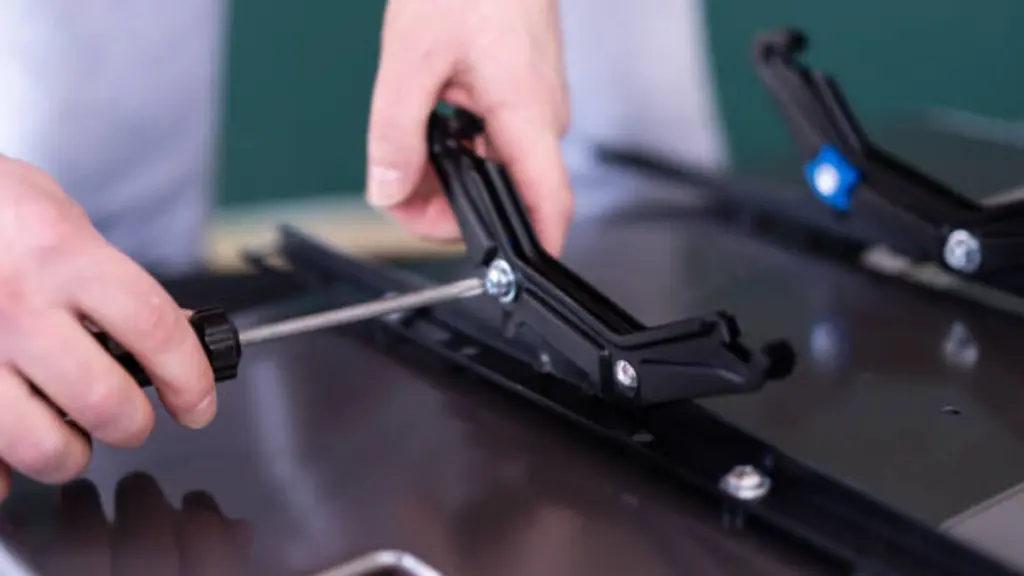
Mounting failures in touch monitor installations often come from small but repeated errors in specification, structure, and planning. These issues usually appear after deployment and increase long-term maintenance cost.
Mismatched Specifications and Hardware Selection Errors
Many installation failures start from incorrect assumptions about compatibility between the monitor and the mount system. Even small mismatches can lead to instability or hardware damage during operation.
- VESA Mismatch: Using a mount that does not match the exact hole pattern creates insecure installation and alignment issues.
- Incorrect Load Rating: Ignoring the monitor’s net weight often leads to sagging or long-term structural stress.
- Fastener Errors: Wrong screw length or type can damage internal components or fail to secure the display properly.
Touch Interaction and Ergonomic Design Issues
A touch monitor is not a static display. Continuous physical interaction creates forces that standard mounting setups often fail to handle.
- Poor Positioning: Incorrect height or angle forces unnatural user posture and reduces usability.
- Low Rigidity Mounts: Weak arms or brackets create wobble, reducing touch accuracy and user confidence.
- Limited Adjustment Range: Insufficient tilt or swivel options can cause glare and restrict multi-user usability.
Structural and Environmental Installation Risks
Even with correct hardware, poor installation environment can reduce system reliability over time. Mechanical stress, airflow issues, and space limitations are common hidden risks.
- Cable Stress Points: Poor routing creates strain on connectors during movement.
- Weak Mounting Surfaces: Installing on non-structural walls leads to long-term safety risks.
- Blocked Ventilation: Poor enclosure planning increases heat buildup and shortens component lifespan.
- Insufficient Clearance: Lack of space limits motion range and complicates maintenance access.
You can learn more about ข้อผิดพลาดในการติดตั้ง Touch Monitor ทั่วไปในโปรเจ็กต์คีออสก์ in our dedicated article.
How Integrators Should Confirm Mechanical Compatibility Before Purchase
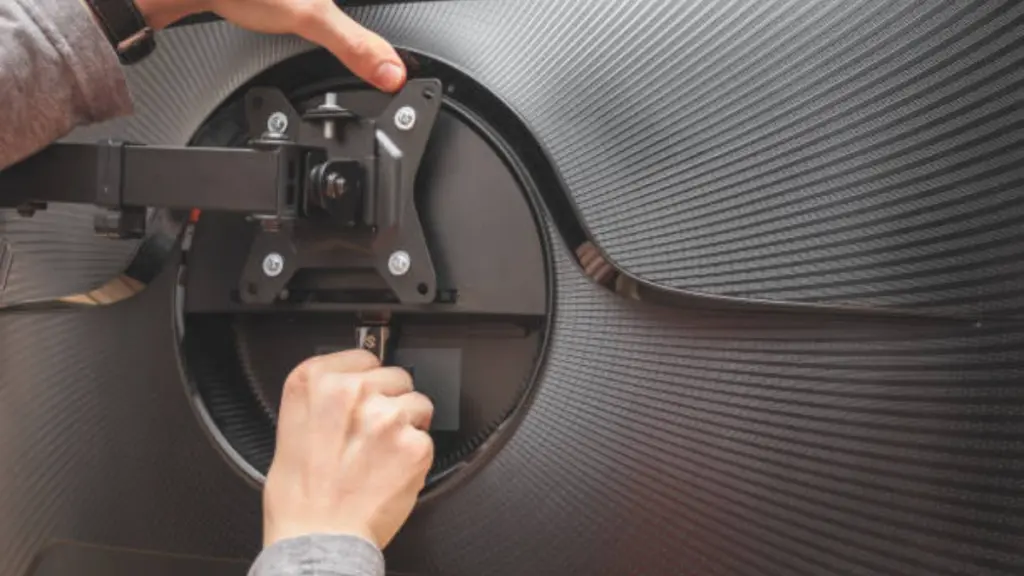
Integrators should verify VESA pattern, monitor weight, rear structure, and mounting stability before selecting a touch monitor VESA mount to avoid installation issues and ensure long-term reliability.
Verify Core Mechanical Fit: VESA Pattern and Load Capacity
Mechanical fit determines whether the monitor and mount can physically work together without stress or misalignment.
- VESA Accuracy: Confirm hole spacing using center-to-center measurement (เช่น, 100×100 mm) to prevent installation misalignment.
- Load Safety Margin: Select a mount rated 20–30% above the monitor’s net weight to handle continuous touch forces.
- Fastener Compatibility: Match screw type and length precisely to avoid internal damage or weak fixation.
Evaluate Rear Structure and Mounting Clearance
Rear panel geometry can affect installation stability even when VESA dimensions match correctly.
- Rear Geometry: Check curves, recesses, or protrusions that may interfere with flat mounting contact.
- Spacer Requirement: Use standoffs when needed to maintain even pressure and prevent housing stress.
- Service Clearance: Ensure ports, vents, and connectors remain accessible after installation.
Validate Stability and Cable Behavior in Real Use Conditions
Touch monitors must remain stable under repeated physical interaction and continuous movement.
- Dynamic Stability: Ensure the mount resists wobble and maintains accuracy during repeated touch input.
- Position Holding: Confirm articulated arms do not drift or sink under sustained load.
- Cable Flex Space: Provide enough slack to prevent strain on power, ยูเอสบี, and video connections during motion.
Ready to Partner with TouchWo
Partnering with TouchWo means your enclosures and systems are mechanically ready. This requires mastering VESA standards for design, hardware selection, and long-term serviceability.
Ensure Mechanical and Design Readiness
System design must support stable integration from the beginning to avoid structural and service issues later in deployment.
- Design Integration: Embed mounting structure and spacing directly into enclosure design to ensure stable installation.
- Load Management: Reinforce support areas to handle both static weight and repeated touch interaction stress.
- Service Planning: Reserve internal space for cable routing and future maintenance access.
Standardize Mounting Hardware and Procedures
Consistent installation quality depends on unified hardware selection and clear field processes.
- Mount Selection: Use VESA-compliant mounts with sufficient safety margin for continuous interaction environments.
- Structural Rigidity: Prefer stable mounting systems that reduce movement during touch operation.
- Installation Control: Apply unified steps for fasteners, torque control, and stability verification.
Align with Application-Specific Requirements
Different environments require different mechanical priorities to ensure stable performance under real operating conditions.
- ใช้ในอุตสาหกรรม: Focus on vibration resistance and strong structural support for continuous operation.
- ขายปลีก & Kiosk Use: Prioritize secure mounting and stable user interaction in public environments.
- Medical Use: Ensure easy cleaning, flexible positioning, and safe cable management.
Plan for Long-Term Serviceability and Upgrades
Design decisions should support maintenance efficiency and future system upgrades without major structural changes.
- การออกแบบโมดูลาร์: Enable quick monitor replacement without full system disassembly.
- Standard Compatibility: Maintain VESA compliance to support future hardware upgrades.
- Documentation Control: Provide clear installation and hardware reference guides for field teams.
คำถามที่พบบ่อย
What is a VESA mount for a touch monitor?
A VESA mount for a touch monitor is a standardized 4-hole mounting interface on the back of the display that allows it to be securely attached to compatible arms, stands, ซุ้ม, or wall mounts. It ensures cross-brand compatibility and provides the necessary stability to handle the forces from user interaction.
How do I choose the right VESA pattern size for a touch monitor?
To choose the right VESA pattern, first identify the monitor’s pattern by checking its specifications or measuring the distance between the mounting holes in millimeters (เช่น, 100 x 100 มม). แล้ว, select a mount that supports that exact pattern and is rated to hold the monitor’s weight with at least a 20-25% safety margin to ensure stability during touch input.
Can any VESA bracket support a touch monitor?
เลขที่. While many brackets may fit the VESA pattern, a mount for a touch monitor must also offer sufficient rigidity and a high enough weight capacity to handle the dynamic forces of repeated touching without wobbling or drifting. Brackets designed for touch applications often feature stronger joints and locking mechanisms.
What weight and load factors should I check for a touch monitor mount?
Check the monitor’s weight without its stand and select a mount with a maximum weight capacity that is at least 20-30% higher. This safety margin accounts for the dynamic load and torque created by users pushing on the screen, which a standard, non-touch monitor does not experience.
How do system integrators avoid mounting compatibility problems?
Integrators prevent issues by verifying the VESA pattern, weight capacity, and screw requirements before installation. They also check for physical obstructions like recessed mounting areas or blocked ports, and they select mounts specifically designed to be rigid enough for interactive use.
Why does a touch monitor need stronger mounting support?
A touch monitor requires stronger support because user interaction applies direct, repeated force to the screen. This creates dynamic loads and torque that can cause weaker mounts to flex, loosen, or drift. A robust mount ensures the screen remains stable and usable as a reliable input device.
ความคิดสุดท้าย
While generic mounts offer lower upfront costs, our Quality Factory Standard for touch applications is the only way to safeguard your project against installation failures and a poor user experience. A wobbly screen doesn’t just feel cheap; it undermines the reliability of your entire system and leads to costly service calls.
Don’t guess on mechanical compatibility—verify it. ทัชโว recommends discussing your project’s specific enclosure and integration requirements with our engineers. Contact our team to review your drawings or explore custom OEM solutions.





