
ร้านอาหารบุฟเฟ่ต์ประสบความสำเร็จด้วยประสิทธิภาพและความเป็นอิสระของลูกค้า, และสถานีบริการตนเองได้กลายเป็นรากฐานสำคัญของประสบการณ์นี้. These stations let diners customize orders, pay quickly, and check menu details without waiting for staff—boosting satisfaction and reducing operational costs. Yet the success of these stations hinges on one critical component: a reliable touch screen that can handle the unique demands of buffet environments.A Buffet Self-Service หน้าจอสัมผัส is engineered to withstand high traffic, food spills, and constant use—unlike standard consumer-grade screens.
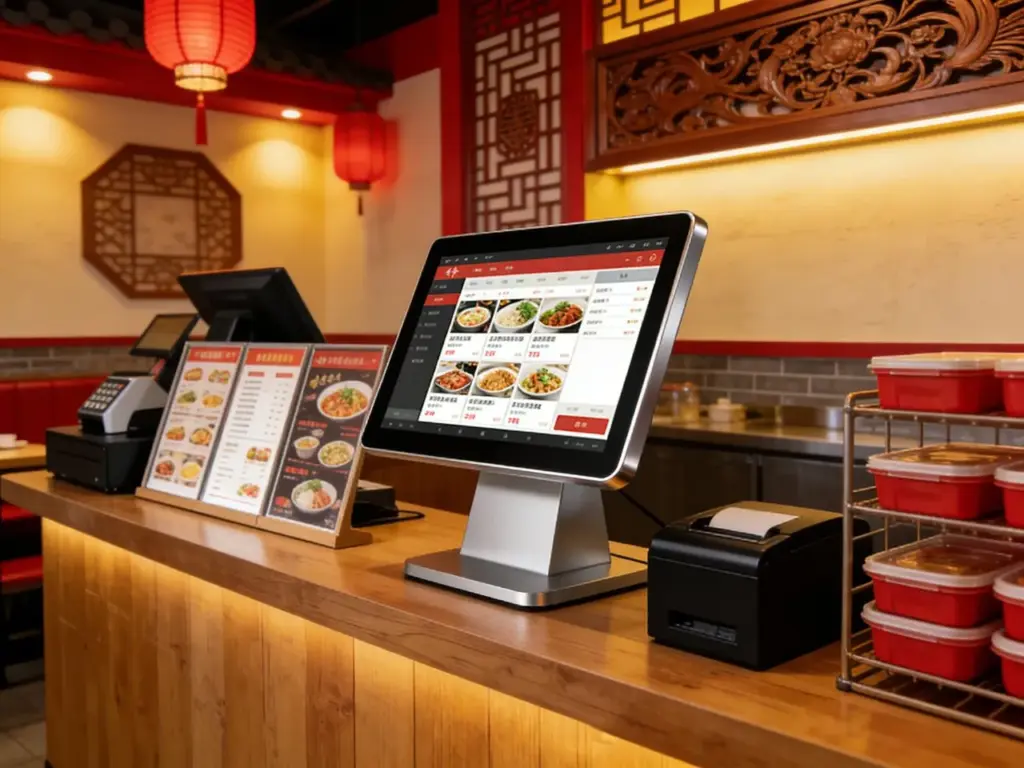
This guide breaks down the key features of top-performing models, critical factors for buffet compatibility, เคล็ดลับการติดตั้ง, and FAQs to help you choose the perfect touch screen for your self-service stations. Whether you run a casual brunch buffet or a premium international eatery, these insights will help you power your self-service stations for maximum efficiency.
Key Features of Buffet Self-Service Touch Screens
1. Food-Safe Durability for Buffet Environments
Buffet spaces are messy—touch screens must resist spills, จาระบี, and frequent contact:
IP65 or higher splash resistance: Shields against sauce, น้ำผลไม้, and food debris that often splatter on self-service stations.
9H tempered scratch-resistant glass: Withstands scratches from utensils, fingernails, and accidental bumps during peak dining hours.
Stain-resistant coating: Prevents grease and food residue from bonding to the screen, making cleaning quick and easy.
ทนต่ออุณหภูมิ: Operates reliably between 0°C to 60°C, handling hot buffet areas and cold dessert stations alike.
This durability ensures the screen stays functional and hygienic, even in the busiest buffet settings.
2. Fast Touch Responsiveness for High Traffic
Buffet diners want quick, seamless interactions—laggy screens lead to long lines and frustrated customers:
Low-latency touch (≤1ms response time): Taps and swipes register instantly, letting diners select dishes, customize portions, and pay in seconds.
รองรับมัลติทัช: Enables gestures like swipe-to-browse menu categories and pinch-to-zoom for dish details (เช่น, รายการส่วนผสม, allergen info).
ความเข้ากันได้แบบสัมผัสถุงมือ: Works with latex or nitrile gloves, perfect for staff assisting diners or diners handling food items.
จอแสดงผลป้องกันแสงสะท้อน: Cuts through bright buffet lighting and sunlight, ensuring the screen remains visible from all angles.
Responsive touch keeps self-service stations moving, even during weekend brunch rushes or dinner peaks.
3. Buffet-Specific Functionality & บูรณาการ
The best touch screens sync with your buffet’s operations to streamline service:
Customizable menu layouts: Lets you highlight daily specials, seasonal dishes, and limited-time offers with one-tap shortcuts.
Allergen & dietary filter tools: Diners can filter menus by gluten-free, วีแก้น, or nut-free options—critical for modern buffet patrons.
Payment integration: Supports touchless payments (เอ็นเอฟซี, แอปเปิล เพย์, Google จ่าย) and cashless transactions for fast checkout.
การซิงค์สินค้าคงคลัง: Connects to your POS system to update menu items in real time (เช่น, mark a dish as “sold out” instantly).
These features turn a basic touch screen into a powerful tool for buffet management.
4. ติดตั้งง่าย & Mounting Flexibility
Buffet spaces have diverse layouts—touch screens need versatile mounting options:
Countertop, ติดผนัง, or freestanding mounts: Adapts to small condiment stations, large ordering kiosks, or dessert bar self-service spots.
Slim profile design: Fits into compact spaces without crowding buffet tables or blocking food displays.
Tool-free assembly: Most models come with quick-connect hardware, so you can install them in 30 minutes or less with basic tools.
Cable management systems: Hides wires to keep self-service stations neat and prevent tripping hazards in busy buffet aisles.
Top Buffet Self-Service Touch Screen Models
1. Elo 17” Compact Touch Screen (Ideal for Condiment & Dessert Stations)
A space-saving option for small self-service spots in your buffet:
ขนาด & fit: 17-inch display with a slim 1.2-inch profile, perfect for condiment bars or dessert topping stations.
Key features: IP65 splash resistance, 9H scratch-resistant glass, gloved-touch support, and allergen filter integration.
ดีที่สุดสำหรับ: Casual buffets, brunch spots, or cafes with small self-service zones.
Extra perks: เคลือบป้องกันแสงสะท้อน, countertop mount included, และ 24/7 สนับสนุนการดำเนินงาน.
2. ViewSonic 21.5” FHD Touch Screen (Perfect for Main Order Stations)
A high-performance model for busy buffet ordering and payment stations:
ขนาด & fit: 21.5-inch FHD display with a wide 178° viewing angle, ideal for main self-service order kiosks.
Key features: รองรับมัลติทัช, touchless payment integration, inventory sync with POS systems, และต้านทานการสั่นสะเทือน.
ดีที่สุดสำหรับ: Premium international buffets, hotel brunch services, or large-scale dining halls.
Extra perks: Built-in speakers for order confirmations, wall-mounted or freestanding options, and 3-year warranty.
3. Planar 19” Industrial Touch Screen (Budget-Friendly Option)
A cost-effective choice for buffet owners looking to upgrade without overspending:
ขนาด & fit: 19-inch display with universal mounting holes, compatible with most buffet self-service station designs.
Key features: IP65 spill resistance, 7H scratch-resistant glass, basic menu customization, and cashless payment support.
ดีที่สุดสำหรับ: New buffet businesses, small diners, or replacing outdated self-service screens.
Extra perks: Energy-efficient design, easy-to-clean surface, and 2-year manufacturer warranty.
4. NEC 24” Ultra-Wide Touch Screen (For Extensive Buffet Menus)
A large-format option for buffets with diverse menu offerings (เช่น, international cuisines):
ขนาด & fit: 24-inch ultra-wide display with slim bezels, maximizing menu space for multiple dish categories.
Key features: 4K resolution for crisp dish images, advanced dietary filter tools, real-time inventory sync, and weather resistance for outdoor buffets.
ดีที่สุดสำหรับ: Luxury hotel buffets, outdoor catering events, or buffets with extensive menu selections.
Extra perks: การปรับความสว่างอัตโนมัติ, waterproof casing, and professional installation support.
How to Choose the Right Buffet Self-Service Touch Screen
1. Assess Your Buffet’s Needs & Layout
Start by mapping your self-service stations to find the perfect screen size and type:
Station purpose: Condiment stations need compact screens, while main order kiosks require larger, จอแสดงผลความละเอียดสูง.
Traffic volume: High-traffic areas (เช่น, weekend brunch stations) need durable, high-response screens to handle constant use.
Space constraints: Measure your station’s counter space or wall area to avoid overcrowding food displays or walkways.
2. Verify Compatibility with Your POS System
Ensure the touch screen syncs with your existing buffet management tools:
Check POS integration lists: Most touch screen manufacturers list compatible POS systems (เช่น, ขนมปังปิ้ง, สี่เหลี่ยม, โคลเวอร์) on their websites.
Test menu sync: Load your buffet menu into the screen’s software to ensure all dishes, ราคา, and allergen info display correctly.
Confirm payment compatibility: Test touchless payment options to ensure they process quickly and reliably during peak hours.
3. Prioritize Food Safety & Hygiene Features
Buffets are held to strict hygiene standards—choose a screen that supports easy cleaning:
Opt for IP65+ splash resistance: This protects the screen from food spills and makes it safe to wipe down with sanitizing wipes.
Look for non-porous surfaces: Avoid screens with textured coatings that can trap food debris and bacteria.
Choose easy-to-clean designs: Screens with seamless edges and no crevices are simpler to sanitize between shifts.
FAQs About Buffet Self-Service Touch Screens
ไตรมาสที่ 1: Can Buffet Self-Service Touch Screens handle food spills and grease?
A1: ใช่! All recommended models have IP65 or higher splash resistance, which protects against sauce, น้ำผลไม้, and grease spills. The screens can be wiped clean with sanitizing wipes without damage.
ไตรมาสที่ 2: Do these touch screens work with gloves on?
A2: อย่างแน่นอน. The touch screens are optimized for gloved operation, supporting latex, ไนไตรล์, and food-service gloves. Staff and diners can use the screens without removing gloves, maintaining hygiene and speed.
ไตรมาสที่ 3: How durable are Buffet Self-Service Touch Screens for daily use?
A3: They are built for high-traffic buffet environments, with 9H scratch-resistant glass and vibration resistance. Most models have a lifespan of 5–7 years, even with 12+ hours of daily use during peak dining times.
ไตรมาสที่ 4: Can I customize the menu layout on the touch screen?
A4: ใช่! All top models let you customize menu layouts to highlight specials, filter dietary options, and update prices in real time. You can also add dish images and allergen info to enhance the diner experience.
คำถามที่ 5: ฉันจำเป็นต้องติดตั้งหน้าจอสัมผัสแบบมืออาชีพหรือไม่?
A5: No—most models come with universal mounting hardware and step-by-step instructions. You can install them yourself in 30–60 minutes with basic tools like a screwdriver. Professional installation is optional for large, freestanding kiosks.
คำถามที่ 6: Can the touch screen sync with my buffet’s inventory system?
A6: ใช่! Premium models integrate with most POS and inventory management systems, letting you mark dishes as “sold out” in real time and track popular menu items to optimize your buffet offerings.
คำถามที่ 7: Are these touch screens suitable for outdoor buffets?
A7: Some models (like the NEC 24” Ultra-Wide) are weather-resistant and work for outdoor buffets. Look for screens with IP67 or higher waterproofing and UV-resistant displays for outdoor use.
บทสรุป
The right Buffet Self-Service Touch Screen transforms your restaurant’s efficiency, enhances the diner experience, and reduces operational costs. By prioritizing durability, การตอบสนอง, and buffet-specific functionality, you can choose a screen that fits your station’s layout, syncs with your POS system, and stands up to the chaos of peak dining hours. Whether you need a compact screen for condiment stations or a large display for main order kiosks, the models highlighted here deliver reliable performance for any buffet setting.
Ready to upgrade your buffet’s self-service stations with the perfect touch screen? Fill out the form on our website to share your buffet’s layout, traffic volume, and menu needs. Our restaurant tech experts will recommend the best compatible model, ให้คำแนะนำในการติดตั้ง, and answer any questions to ensure a smooth upgrade. Let’s make your buffet’s self-service stations faster, more efficient, and customer-friendly—start today!
Do you want me to help you create a free buffet self-service touch screen buying checklist to simplify your selection process?





