
ビュッフェ レストランは効率性と顧客の自主性によって成功します, そしてセルフサービスステーションはこの体験の基礎となっています. これらのステーションでは、ダイナーが注文をカスタマイズできます, すぐに支払う, スタッフを待たずにメニューの詳細を確認できるため、満足度の向上と運営コストの削減が可能. しかし、これらのステーションの成功は、1 つの重要な要素にかかっています。: a reliable touch screen that can handle the unique demands of buffet environments.A Buffet Self-Service タッチスクリーン is engineered to withstand high traffic, food spills, and constant use—unlike standard consumer-grade screens.
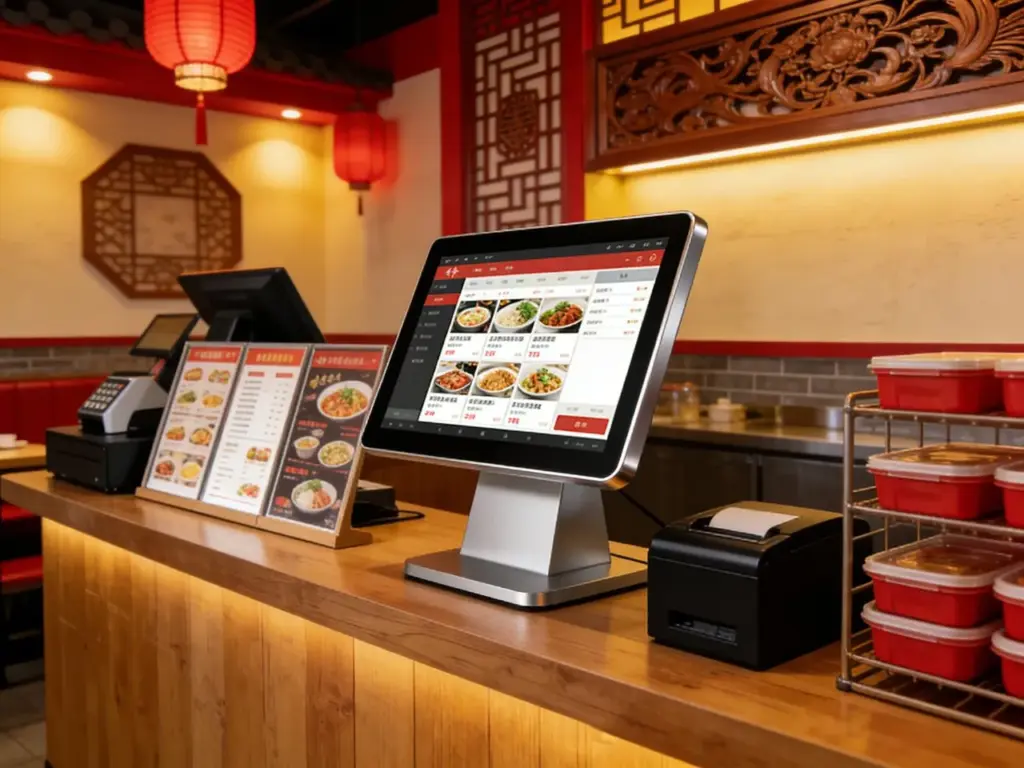
This guide breaks down the key features of top-performing models, critical factors for buffet compatibility, インストールのヒント, and FAQs to help you choose the perfect touch screen for your self-service stations. Whether you run a casual brunch buffet or a premium international eatery, these insights will help you power your self-service stations for maximum efficiency.
Key Features of Buffet Self-Service Touch Screens
1. Food-Safe Durability for Buffet Environments
Buffet spaces are messy—touch screens must resist spills, グリース, and frequent contact:
IP65 or higher splash resistance: Shields against sauce, ジュース, and food debris that often splatter on self-service stations.
9H tempered scratch-resistant glass: Withstands scratches from utensils, fingernails, and accidental bumps during peak dining hours.
Stain-resistant coating: Prevents grease and food residue from bonding to the screen, making cleaning quick and easy.
温度許容差: Operates reliably between 0°C to 60°C, handling hot buffet areas and cold dessert stations alike.
This durability ensures the screen stays functional and hygienic, even in the busiest buffet settings.
2. Fast Touch Responsiveness for High Traffic
Buffet diners want quick, seamless interactions—laggy screens lead to long lines and frustrated customers:
Low-latency touch (≤1ms response time): Taps and swipes register instantly, letting diners select dishes, customize portions, and pay in seconds.
マルチタッチのサポート: Enables gestures like swipe-to-browse menu categories and pinch-to-zoom for dish details (例えば, 成分リスト, allergen info).
グローブタッチ対応: Works with latex or nitrile gloves, perfect for staff assisting diners or diners handling food items.
アンチグレアディスプレイ: Cuts through bright buffet lighting and sunlight, ensuring the screen remains visible from all angles.
Responsive touch keeps self-service stations moving, even during weekend brunch rushes or dinner peaks.
3. Buffet-Specific Functionality & 統合
The best touch screens sync with your buffet’s operations to streamline service:
Customizable menu layouts: Lets you highlight daily specials, seasonal dishes, and limited-time offers with one-tap shortcuts.
Allergen & dietary filter tools: Diners can filter menus by gluten-free, ビーガン, or nut-free options—critical for modern buffet patrons.
Payment integration: Supports touchless payments (NFC, Apple Pay, Google Pay) and cashless transactions for fast checkout.
インベントリの同期: Connects to your POS system to update menu items in real time (例えば, mark a dish as “sold out” instantly).
These features turn a basic touch screen into a powerful tool for buffet management.
4. 簡単な取り付け & Mounting Flexibility
Buffet spaces have diverse layouts—touch screens need versatile mounting options:
Countertop, 壁掛け式, or freestanding mounts: Adapts to small condiment stations, large ordering kiosks, or dessert bar self-service spots.
Slim profile design: Fits into compact spaces without crowding buffet tables or blocking food displays.
Tool-free assembly: Most models come with quick-connect hardware, so you can install them in 30 minutes or less with basic tools.
Cable management systems: Hides wires to keep self-service stations neat and prevent tripping hazards in busy buffet aisles.
Top Buffet Self-Service Touch Screen Models
1. Elo 17” Compact Touch Screen (Ideal for Condiment & Dessert Stations)
A space-saving option for small self-service spots in your buffet:
サイズ & fit: 17-inch display with a slim 1.2-inch profile, perfect for condiment bars or dessert topping stations.
Key features: IP65 splash resistance, 9H scratch-resistant glass, gloved-touch support, and allergen filter integration.
こんな方に最適: Casual buffets, brunch spots, or cafes with small self-service zones.
Extra perks: アンチグレアコーティング, countertop mount included, そして 24/7 運用サポート.
2. ViewSonic 21.5” FHD Touch Screen (Perfect for Main Order Stations)
A high-performance model for busy buffet ordering and payment stations:
サイズ & fit: 21.5-inch FHD display with a wide 178° viewing angle, ideal for main self-service order kiosks.
Key features: マルチタッチのサポート, touchless payment integration, inventory sync with POS systems, および振動抵抗.
こんな方に最適: Premium international buffets, hotel brunch services, or large-scale dining halls.
Extra perks: Built-in speakers for order confirmations, wall-mounted or freestanding options, and 3-year warranty.
3. Planar 19” Industrial Touch Screen (Budget-Friendly Option)
A cost-effective choice for buffet owners looking to upgrade without overspending:
サイズ & fit: 19-inch display with universal mounting holes, compatible with most buffet self-service station designs.
Key features: IP65 spill resistance, 7H scratch-resistant glass, basic menu customization, and cashless payment support.
こんな方に最適: New buffet businesses, small diners, or replacing outdated self-service screens.
Extra perks: エネルギー効率の高い設計, easy-to-clean surface, and 2-year manufacturer warranty.
4. NEC 24” Ultra-Wide Touch Screen (For Extensive Buffet Menus)
A large-format option for buffets with diverse menu offerings (例えば, international cuisines):
サイズ & fit: 24-inch ultra-wide display with slim bezels, maximizing menu space for multiple dish categories.
Key features: 4K resolution for crisp dish images, advanced dietary filter tools, real-time inventory sync, and weather resistance for outdoor buffets.
こんな方に最適: Luxury hotel buffets, outdoor catering events, or buffets with extensive menu selections.
Extra perks: 自動明るさ調整, waterproof casing, and professional installation support.
How to Choose the Right Buffet Self-Service Touch Screen
1. Assess Your Buffet’s Needs & Layout
Start by mapping your self-service stations to find the perfect screen size and type:
Station purpose: Condiment stations need compact screens, while main order kiosks require larger, 高解像度ディスプレイ.
Traffic volume: High-traffic areas (例えば, weekend brunch stations) need durable, high-response screens to handle constant use.
Space constraints: Measure your station’s counter space or wall area to avoid overcrowding food displays or walkways.
2. Verify Compatibility with Your POS System
Ensure the touch screen syncs with your existing buffet management tools:
Check POS integration lists: Most touch screen manufacturers list compatible POS systems (例えば, トースト, 四角, クローバー) on their websites.
Test menu sync: Load your buffet menu into the screen’s software to ensure all dishes, 価格, and allergen info display correctly.
Confirm payment compatibility: Test touchless payment options to ensure they process quickly and reliably during peak hours.
3. Prioritize Food Safety & Hygiene Features
Buffets are held to strict hygiene standards—choose a screen that supports easy cleaning:
Opt for IP65+ splash resistance: This protects the screen from food spills and makes it safe to wipe down with sanitizing wipes.
Look for non-porous surfaces: Avoid screens with textured coatings that can trap food debris and bacteria.
Choose easy-to-clean designs: Screens with seamless edges and no crevices are simpler to sanitize between shifts.
FAQs About Buffet Self-Service Touch Screens
Q1: Can Buffet Self-Service Touch Screens handle food spills and grease?
A1: はい! All recommended models have IP65 or higher splash resistance, which protects against sauce, ジュース, and grease spills. The screens can be wiped clean with sanitizing wipes without damage.
第2四半期: Do these touch screens work with gloves on?
A2: 絶対に. The touch screens are optimized for gloved operation, supporting latex, ニトリル, and food-service gloves. Staff and diners can use the screens without removing gloves, maintaining hygiene and speed.
Q3: How durable are Buffet Self-Service Touch Screens for daily use?
A3: They are built for high-traffic buffet environments, with 9H scratch-resistant glass and vibration resistance. Most models have a lifespan of 5–7 years, even with 12+ hours of daily use during peak dining times.
Q4: Can I customize the menu layout on the touch screen?
A4: はい! All top models let you customize menu layouts to highlight specials, filter dietary options, and update prices in real time. You can also add dish images and allergen info to enhance the diner experience.
Q5: タッチスクリーンの取り付けには専門業者が必要ですか??
A5: No—most models come with universal mounting hardware and step-by-step instructions. You can install them yourself in 30–60 minutes with basic tools like a screwdriver. Professional installation is optional for large, freestanding kiosks.
Q6: Can the touch screen sync with my buffet’s inventory system?
A6: はい! Premium models integrate with most POS and inventory management systems, letting you mark dishes as “sold out” in real time and track popular menu items to optimize your buffet offerings.
Q7: Are these touch screens suitable for outdoor buffets?
A7: Some models (like the NEC 24” Ultra-Wide) are weather-resistant and work for outdoor buffets. Look for screens with IP67 or higher waterproofing and UV-resistant displays for outdoor use.
結論
The right Buffet Self-Service Touch Screen transforms your restaurant’s efficiency, enhances the diner experience, and reduces operational costs. By prioritizing durability, 応答性, and buffet-specific functionality, you can choose a screen that fits your station’s layout, syncs with your POS system, and stands up to the chaos of peak dining hours. Whether you need a compact screen for condiment stations or a large display for main order kiosks, the models highlighted here deliver reliable performance for any buffet setting.
Ready to upgrade your buffet’s self-service stations with the perfect touch screen? Fill out the form on our website to share your buffet’s layout, traffic volume, and menu needs. Our restaurant tech experts will recommend the best compatible model, provide installation tips, and answer any questions to ensure a smooth upgrade. Let’s make your buffet’s self-service stations faster, より効率的な, and customer-friendly—start today!
Do you want me to help you create a free buffet self-service touch screen buying checklist to simplify your selection process?





