
ساعات الذروة لتناول وجبة الإفطار للوجبات السريعة تكون فوضوية, مع شغف العملاء بسرعة, أوامر مريحة قبل العمل, مدرسة, أو المهمات. أصبحت أكشاك قائمة الإفطار بمثابة شريان الحياة لهذه اللحظات المزدحمة, السماح للعملاء بتخطي الطوابير الطويلة وطلب وجباتهم الصباحية المفضلة بشكل مستقل. ومع ذلك، فإن نجاح هذه الأكشاك يعتمد على عنصر واحد بالغ الأهمية: شاشة تعمل باللمس تناسب تصميم الكشك, يتعامل مع حركة المرور العالية, ويعمل بسلاسة مع برنامج قائمة الإفطار. ويكافح العديد من مشغلي الوجبات السريعة للعثور عليه شاشات تعمل باللمس التي تناسب أكشاك الإفطار الخاصة بهم - إما أن الحجم خاطئ, المتانة غير متوفرة للاندفاع الصباحي, أو أن استجابة اللمس بطيئة للغاية بالنسبة للعملاء الذين نفد صبرهم. تعمل شاشة اللمس في كشك قائمة الإفطار على حل نقاط الألم هذه, مع نماذج مصممة خصيصًا لأبعاد أكشاك الوجبات السريعة, استخدام حركة المرور العالية, والوظائف الخاصة بالإفطار.
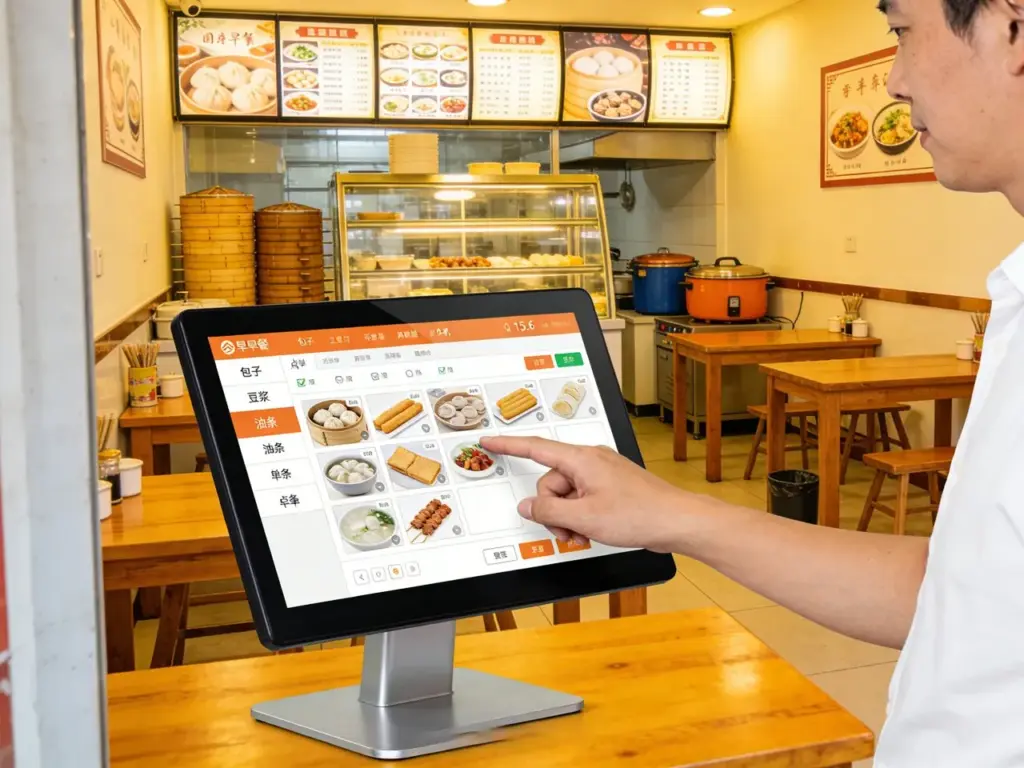
يشرح هذا الدليل كيفية اختيار المقاس المناسب, يسلط الضوء على أفضل النماذج المتوافقة, يحدد عوامل الملاءمة الرئيسية, ويجيب على الأسئلة الشائعة الشائعة لمساعدتك في ترقية أكشاك الإفطار الخاصة بك لتحقيق أقصى قدر من الكفاءة ورضا العملاء.
العوامل الرئيسية لاختيار شاشة اللمس المناسبة لكشك قائمة الإفطار
1. حجم الشاشة & توافق الكشك (حاسمة بالنسبة للملاءمة)
الخطوة الأولى للعثور على شاشة تعمل باللمس متوافقة هي مطابقة حجمها مع تصميم كشك الإفطار الخاص بك:
أحجام أكشاك الإفطار الشائعة: تستخدم معظم أكشاك وجبات الإفطار السريعة شاشات تعمل باللمس مقاس 15 إلى 24 بوصة, مع موديلات مقاس 15-17 بوصة مثالية لأكشاك سطح العمل (مساحات صغيرة) وخيارات مقاس 19-24 بوصة للأكشاك الأرضية القائمة بذاتها (رؤية عالية).
قم بالقياس بعناية: قياس فتح شاشة الكشك (عرض, ارتفاع, عمق) لضمان ملاءمة شاشة اللمس بشكل مريح، تجنب الشاشات الصغيرة جدًا (ترك الفجوات) أو كبيرة جدًا (تتطلب تعديلات).
تصميم الحافة: تعمل الحواف الرفيعة على زيادة مساحة عرض القائمة إلى أقصى حد, مما يتيح لك احتواء المزيد من عناصر الإفطار (على سبيل المثال, الفطائر, البوريتو, قهوة) على الشاشة دون ازدحام.
توجيه: تستخدم معظم أكشاك الإفطار الاتجاه الأفقي لتخطيطات القائمة الأوسع, لكن بعض نماذج كونترتوب تعمل مع الصورة (مثالية للمساحات الضيقة).
الحصول على الحجم الصحيح يضمن احترافًا, ملاءمة سلسة لا تعطل تصميم الكشك أو تدفق العملاء.
2. المتانة للاندفاع في وجبة الإفطار ذات حركة المرور العالية
تواجه أكشاك وجبات الإفطار السريعة الاستخدام المستمر، حيث يجب أن تصمد شاشة اللمس لديك في وجه اندفاع الصباح:
زجاج مقاوم للخدش: 9زجاج مقسى على شكل حرف H يقاوم الخدوش الناتجة عن أظافر الأصابع, مفاتيح, أو المطبات العرضية (شائع خلال ساعات الذروة).
دفقة & مقاومة الانسكاب: تحمي الشاشات الحاصلة على تصنيف IP65 من القهوة, عصير, أو انسكابات الشراب - وهو أمر بالغ الأهمية لطلبات الإفطار حيث تتكرر المشروبات.
مقاومة الاهتزاز: يتعامل مع التنصت المستمر على العشرات من العملاء في الساعة دون تأخير أو ضرر.
24/7 مصداقية: اختر الشاشات ذات العمر الافتراضي الطويل (5– 7 سنوات) لتجنب الاستبدالات المتكررة, حتى مع 12+ ساعات من الاستخدام اليومي خلال ساعات الإفطار.
تضمن المتانة بقاء كشكك جاهزًا للعمل أثناء نوبات العمل الصباحية الأكثر ازدحامًا, تقليل وقت التوقف عن العمل وفقدان المبيعات.
3. المس الاستجابة لطلبات الإفطار السريعة
عملاء الإفطار في عجلة من أمرهم - يجب أن تكون شاشة اللمس الخاصة بك سريعة ودقيقة:
لمسة الكمون المنخفض (≥1 مللي ثانية): الصنابير تسجيل على الفور, السماح للعملاء باختيار عناصر القائمة, تخصيص الطلبات (على سبيل المثال, شراب إضافي, لا البصل), والدفع بسرعة.
دعم اللمس المتعدد: لتمكين الإيماءات مثل التمرير السريع للتمرير (لقوائم الإفطار الطويلة) وقرصة للتكبير (للحصول على تفاصيل القائمة).
التوافق مع القفازات: يعمل مع قفازات اللاتكس أو النتريل (المستخدمة من قبل الموظفين مساعدة العملاء) والأصابع الرطبة (من المشروبات الباردة).
شاشة مضادة للوهج: يقطع من خلال إضاءة المطعم الساطعة أو ضوء الشمس (لأكشاك القيادة), التأكد من أن قائمة الإفطار مرئية من جميع الزوايا.
سريع, تعمل اللمسة سريعة الاستجابة على إبقاء الخطوط متحركة وإسعاد العملاء أثناء فترات الذروة الصباحية الحساسة للوقت.
4. وظائف خاصة بالإفطار & اندماج
يجب أن تعزز شاشة اللمس, لا تعيق, عمليات قائمة الإفطار الخاصة بك:
توافق برامج القائمة: يعمل مع أنظمة نقاط البيع للوجبات السريعة الشهيرة (على سبيل المثال, نخب, مربع) وبرنامج قائمة الإفطار لتسهيل مزامنة الطلب.
تخطيطات القائمة للتخصيص: يتيح لك تسليط الضوء على عروض الإفطار الخاصة (على سبيل المثال, مجموعات الصباح, عناصر محدودة الوقت) مع اختصارات بنقرة واحدة.
تكامل الدفع: يدعم الدفع بدون لمس (NFC, أجر أبل, جوجل الدفع) من أجل الخروج السريع - وهو أمر بالغ الأهمية لعملاء الإفطار المزدحمين.
تعديل السطوع: يضبط تلقائيًا على إضاءة الصباح (باهتة لساعات مبكرة, أكثر إشراقا في منتصف الصباح) لتحسين الرؤية.
أفضل شاشات اللمس المتوافقة مع قائمة الإفطار
1. شاشة Elo مقاس 15 بوصة تعمل باللمس لأكشاك الإفطار على سطح المنضدة
مدمج, خيار موثوق به لأكشاك كونترتوب الصغيرة (مثالية للمقاهي أو سلاسل الوجبات السريعة ذات المساحة المحدودة):
مقاس & ملائم: 15-شاشة بوصة, يناسب فتحات كشك كونترتوب القياسية; تصميم نحيف (1.2 بوصة سميكة) لتوفير المساحة.
الميزات الرئيسية: 9ح زجاج مقاوم للخدش, مقاومة الانسكاب IP65, لمسة الكمون المنخفض, والتوافق مع أنظمة Toast/Square POS.
الأفضل ل: أكشاك كونترتوب في المقاهي, أماكن صغيرة للوجبات السريعة, أو نوافذ القيادة التي تركز على طلبات الإفطار.
امتيازات اضافية: طلاء مضاد للوهج, سطوع قابل للتخصيص, و 24/7 دعم العملية.
2. شاشة لمس فيوسونيك FHD مقاس 21.5 بوصة للأكشاك القائمة بذاتها
مثالية للأكشاك القائمة بذاتها ذات حركة المرور العالية (شائع في سلاسل الوجبات السريعة الكبيرة أثناء فترة الإفطار):
مقاس & ملائم: 21.5-شاشة فل اتش دي بوصة, يناسب معظم فتحات الأكشاك القائمة بذاتها; زاوية مشاهدة واسعة (178°) لمشاهدتها من قبل العديد من العملاء.
الميزات الرئيسية: دعم اللمس المتعدد, مقاومة رذاذ IP65, مقاومة الاهتزاز, والتكامل السلس مع برنامج قائمة الإفطار.
الأفضل ل: أكشاك قائمة بذاتها في ماكدونالدز, دانكن, أو غيرها من سلاسل الوجبات السريعة الكبيرة التي تقدم كميات كبيرة من وجبات الإفطار.
امتيازات اضافية: استجابة سريعة للمس (.50.5 مللي ثانية), مكبرات صوت مدمجة لتأكيد الطلب, وسهلة التركيب.
3. شاشة لمس صناعية مسطحة مقاس 19 بوصة (صديقة للميزانية)
خيار فعال من حيث التكلفة لمشغلي الوجبات السريعة بميزانية محدودة, دون التضحية بالجودة أو الملاءمة:
مقاس & ملائم: 19-شاشة بوصة, متوافق مع كل من الأكشاك المنضدية والأكشاك الصغيرة القائمة بذاتها; فتحات تركيب عالمية لسهولة التركيب.
الميزات الرئيسية: 7ح زجاج مقاوم للخدش, مقاومة الانسكاب IP65, والتوافق مع معظم أنظمة نقاط البيع.
الأفضل ل: المشغلين المهتمين بالميزانية, إعدادات الكشك الجديدة, أو استبدال الشاشات القديمة في أكشاك الإفطار الموجودة.
امتيازات اضافية: تصميم موفر للطاقة, عرض مضاد للوهج, وضمان لمدة 3 سنوات.
4. شاشة لمس فائقة الاتساع مقاس 24 بوصة من NEC لقوائم الإفطار الكبيرة
مثالية للأكشاك التي تقدم قوائم إفطار واسعة النطاق (على سبيل المثال, وجبات التحرير والسرد, الوظائف الإضافية, مشروبات):
مقاس & ملائم: 24-شاشة عريضة للغاية بوصة, يناسب الأكشاك الكبيرة القائمة بذاتها; حواف رفيعة لزيادة مساحة القائمة.
الميزات الرئيسية: 9ح الزجاج المقسى, مقاومة IP65, إيماءات اللمس المتعدد, والتكامل مع أنظمة نقاط البيع المتقدمة.
الأفضل ل: سلاسل الوجبات السريعة التي تقدم عروض إفطار متنوعة (على سبيل المثال, بوريتو الإفطار, معجنات, العصائر) التي تتطلب المزيد من العقارات القائمة.
امتيازات اضافية: 4دقة K للحصول على صور قائمة واضحة, تعديل السطوع التلقائي, والمتانة على المدى الطويل.
كيفية التأكد من أن شاشة كشك قائمة الإفطار الخاصة بك تناسب شاشة اللمس
1. قم بقياس فتحة شاشة الكشك الخاص بك بشكل صحيح
تجنب مشاكل الملاءمة عن طريق أخذ قياسات دقيقة:
عرض & ارتفاع: قياس الأبعاد الداخلية لفتحة شاشة الكشك (وليس الإطار الخارجي) للتأكد من أن شاشة اللمس تناسب بشكل مريح.
عمق: تحقق من العمق الداخلي للكشك للتأكد من أن شاشة اللمس لا تبرز كثيرًا (حاسمة لنماذج كونترتوب).
فتحات التركيب: لاحظ موضع فتحات التثبيت على الكشك — اختر شاشة تعمل باللمس مع أنماط فتحات متطابقة لسهولة التركيب.
استشر الشركة المصنعة: إذا كنت غير متأكد, قم بمشاركة نموذج الكشك الخاص بك مع مورد شاشة اللمس لتأكيد التوافق.
2. اختبار التوافق مع برنامج قائمة الإفطار الخاص بك
تأكد من أن شاشة اللمس تعمل بسلاسة مع أنظمتك الحالية:
تكامل نقاط البيع: اختبر شاشة اللمس مع نظام نقاط البيع للوجبات السريعة للتحقق من مزامنة الطلب, معالجة الدفع, وتحديثات القائمة.
اختبار تخطيط القائمة: قم بتحميل قائمة الإفطار الخاصة بك على شاشة اللمس للتأكد من ملاءمة جميع العناصر (لا يوجد نص متداخل أو خيارات قطع).
اختبار الاستجابة للمس: محاكاة استخدام الصباح المزدحم (صنابير سريعة, الضربات الشديدة) لضمان مواكبة الشاشة لتفاعلات العملاء السريعة.
3. اختر نوع التثبيت الصحيح
قم بمطابقة تركيب شاشة اللمس مع تصميم الكشك الخاص بك:
أكشاك كونترتوب: اختر المدمجة, شاشات تعمل باللمس مثبتة على الحائط أو على سطح الطاولة مع جوانب نحيفة لتوفير المساحة.
أكشاك قائمة بذاتها: اختر شاشات اللمس المزودة بفتحات تثبيت VESA لتثبيتها بشكل آمن في إطار الكشك.
أكشاك القيادة: اختر مقاومة للطقس (IP65+) نماذج مع شاشات مضادة للوهج للرؤية في الهواء الطلق.
يضمن التثبيت المناسب بقاء شاشة اللمس آمنة أثناء الاستخدام عالي الحركة.
الأسئلة الشائعة حول شاشات اللمس في كشك قائمة الإفطار
س1: كيف أعرف ما إذا كانت شاشة اللمس في كشك قائمة الإفطار ستناسب الكشك الخاص بي?
أ1: قم بقياس فتحة شاشة الكشك الخاص بك (عرض, ارتفاع, عمق) ومقارنتها بأبعاد شاشة اللمس. تسرد معظم النماذج أحجام الفتح المتوافقة, والخيارات العالمية تناسب تصميمات الأكشاك القياسية. يمكن لخبرائنا المساعدة في مطابقة نموذج الكشك الخاص بك مع الشاشة الصحيحة.
Q2: هل يمكن لشاشة اللمس التعامل مع انسكابات القهوة أو الشراب؟?
A2: نعم! تتمتع جميع الطرز الموصى بها بمقاومة رذاذ الماء بمعيار IP65, مما يحمي من انسكابات السوائل (قهوة, عصير, شراب) شائع أثناء طلبات الإفطار. يمكن مسح الشاشة وتنظيفها بسهولة دون أي ضرر.
س3: هل شاشة اللمس سريعة بما يكفي لوجبة الإفطار المزدحمة؟?
A3: قطعاً. تتميز شاشات اللمس بزمن وصول منخفض (≥1 مللي ثانية) واستجابة اللمس المتعدد, السماح للعملاء باختيار العناصر, تخصيص الطلبات, وادفع في ثوانٍ — مع الحفاظ على حركة الخطوط خلال ساعات الذروة في الصباح.
س 4: هل تعمل شاشات اللمس هذه مع برنامج قائمة الإفطار الحالي الخاص بي?
A4: تتوافق معظم الطرز مع أنظمة نقاط البيع الشهيرة للوجبات السريعة (نخب, مربع, البرسيم) وبرامج قائمة الإفطار. يمكننا التحقق من التوافق مع برنامجك المحدد قبل الشراء.
س5: يمكن للموظفين استخدام شاشة اللمس بالقفازات?
A5: نعم. تم تحسين شاشات اللمس للتشغيل بالقفازات, دعم اللاتكس, النتريل, وقفازات خدمة الطعام. يمكن للموظفين مساعدة العملاء دون إزالة قفازاتهم, الحفاظ على النظافة والسرعة.
س6: ما المدة التي تدوم فيها شاشات اللمس في كشك قائمة الإفطار؟?
أ6: لقد تم تصميمها للاستخدام عالي الحركة, مع عمر 5-7 سنوات. يضمن الزجاج المقاوم للخدش والغطاء المتين تحمل الاستخدام اليومي أثناء فترات الإفطار.
س7: هل أحتاج إلى تركيب احترافي لشاشة اللمس?
أ7: لا - تأتي معظم الطرز مزودة بأجهزة تثبيت عامة وأدلة خطوة بخطوة. يمكنك تثبيتها بنفسك خلال 30-60 دقيقة باستخدام الأدوات الأساسية. للأكشاك الكبيرة القائمة بذاتها, التثبيت الاحترافي اختياري ولكن يوصى به.
خاتمة
إن العثور على شاشة اللمس المناسبة لكشك قائمة الإفطار للوجبات السريعة هو أمر مناسب تمامًا, متانة, والاستجابة. تناسب خيارات شاشة لمس كشك قائمة الإفطار الموضحة هنا معظم أنواع الأكشاك — سطح العمل, قائما بذاته, خدمة الطلب من السيارة - وهي مصممة للتعامل مع الفوضى التي تحدث في الصباح. من خلال التركيز على توافق الحجم, مقاومة الانسكاب, استجابة سريعة للمس, وتكامل القائمة, يمكنك ترقية الأكشاك الخاصة بك لخدمة العملاء بشكل أسرع, تقليل وقت التوقف عن العمل, وتعزيز الرضا خلال ساعات الإفطار الأكثر ازدحامًا.
على استعداد للعثور على شاشة اللمس المثالية لقائمة الإفطار في Kiosk لموقع الوجبات السريعة الخاص بك? املأ النموذج الموجود على موقعنا الإلكتروني لمشاركة نموذج الكشك الخاص بك, أبعاد فتح الشاشة, واحتياجات قائمة الإفطار. سيوصي خبراء تكنولوجيا الأكشاك لدينا بأفضل شاشة تعمل باللمس متوافقة, تقديم نصائح التثبيت, والإجابة على أي أسئلة لضمان الترقية السلسة. دعونا نجعل وجبة الإفطار الخاصة بك أكثر كفاءة وربحية - ابدأ اليوم!





