
ファストフードの朝食ラッシュアワーは混沌としている, 顧客は早く食べたいと思っています, 仕事前に便利な注文, 学校, または用事. 朝食メニューのキオスクは、忙しい瞬間のライフラインとなっています, 顧客が長い行列をスキップして、自分で好きな朝食を注文できるようにする. Yet the success of these kiosks hinges on one critical component: a touch screen that fits the kiosk’s design, handles high traffic, and works seamlessly with breakfast menu software.Many fast-food operators struggle to find タッチスクリーン that fit their breakfast kiosks—either the size is wrong, the durability is lacking for morning rushes, or the touch responsiveness is too slow for impatient customers. The Breakfast Menu Kiosk Touch Screen solves these pain points, with models tailored to fast-food kiosk dimensions, high-traffic use, and breakfast-specific functionality.
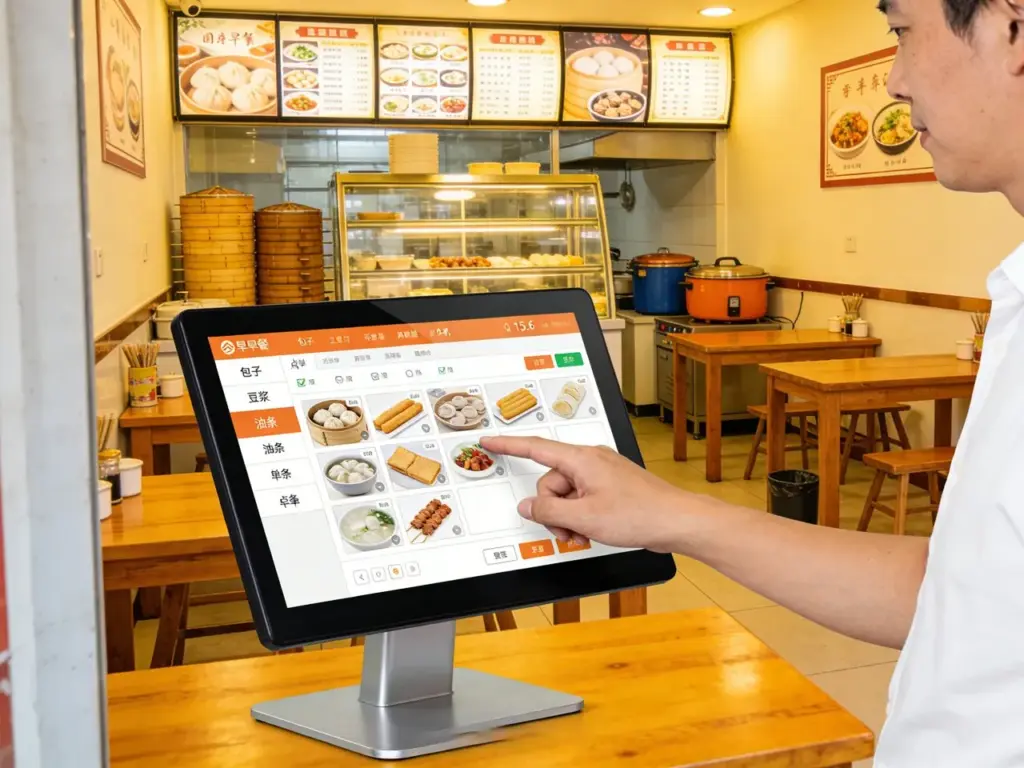
This guide breaks down how to choose the right fit, highlights top compatible models, outlines key fit factors, and answers common FAQs to help you upgrade your breakfast kiosks for maximum efficiency and customer satisfaction.
Key Factors to Choose a Fitting Breakfast Menu Kiosk Touch Screen
1. 画面サイズ & Kiosk Compatibility (Critical for Fit)
The first step to finding a compatible touch screen is matching its size to your breakfast kiosk’s design:
Common breakfast kiosk sizes: Most fast-food breakfast kiosks use 15–24-inch touch screens, with 15–17-inch models ideal for countertop kiosks (small spaces) and 19–24-inch options for freestanding floor kiosks (高い視認性).
Measure carefully: Measure the kiosk’s screen opening (width, height, 深さ) to ensure the touch screen fits snugly—avoid screens that are too small (leaving gaps) or too large (requiring modifications).
Bezel design: Slim bezels maximize the menu display area, letting you fit more breakfast items (例えば, pancakes, burritos, コーヒー) on the screen without overcrowding.
Orientation: Most breakfast kiosks use landscape orientation for wider menu layouts, but some countertop models work with portrait (ideal for narrow spaces).
Getting the size right ensures a professional, seamless fit that doesn’t disrupt the kiosk’s design or customer flow.
2. Durability for High-Traffic Breakfast Rushes
Fast-food breakfast kiosks face constant use—your touch screen must stand up to the morning rush:
傷つきにくいガラス: 9H tempered glass resists scratches from fingernails, キー, or accidental bumps (common during busy hours).
Splash & spill resistance: IP65-rated screens protect against coffee, ジュース, or syrup spills—critical for breakfast orders where drinks are frequent.
耐振動性: Handles the constant tapping of dozens of customers per hour without lag or damage.
24/7 信頼性: Choose screens with a long lifespan (5–7年) to avoid frequent replacements, even with 12+ hours of daily use during breakfast hours.
Durability ensures your kiosk stays operational during the busiest morning shifts, reducing downtime and lost sales.
3. Touch Responsiveness for Fast Breakfast Orders
Breakfast customers are in a hurry—your touch screen must be quick and accurate:
Low-latency touch (≤1ms): Taps register instantly, letting customers select menu items, 注文をカスタマイズする (例えば, 追加のシロップ, no onions), and pay quickly.
マルチタッチのサポート: Enables gestures like swipe-to-scroll (for long breakfast menus) and pinch-to-zoom (for menu details).
グローブタッチ対応: Works with latex or nitrile gloves (used by staff assisting customers) and wet fingers (from cold drinks).
アンチグレアディスプレイ: Cuts through bright restaurant lighting or sunlight (for drive-thru kiosks), ensuring the breakfast menu is visible at all angles.
速い, responsive touch keeps lines moving and customers happy during time-sensitive morning rushes.
4. Breakfast-Specific Functionality & 統合
The touch screen should enhance, not hinder, your breakfast menu operations:
Menu software compatibility: Works with popular fast-food POS systems (例えば, トースト, 四角) and breakfast menu software for easy order syncing.
Customizable menu layouts: Lets you highlight breakfast specials (例えば, morning combos, limited-time items) with one-tap shortcuts.
Payment integration: Supports touchless payment (NFC, Apple Pay, Google Pay) for quick checkout—critical for busy breakfast customers.
Brightness adjustment: Auto-adjusts to morning lighting (dimmer for early hours, brighter for mid-morning) to improve visibility.
Top Compatible Breakfast Menu Kiosk Touch Screens
1. Elo 15” Touchscreen for Countertop Breakfast Kiosks
A compact, reliable option for small countertop kiosks (perfect for coffee shops or fast-food chains with limited space):
サイズ & fit: 15-インチディスプレイ, fits standard countertop kiosk openings; slim design (1.2 inches thick) to save space.
Key features: 9H scratch-resistant glass, IP65 spill resistance, low-latency touch, and compatibility with Toast/Square POS systems.
こんな方に最適: Countertop kiosks in cafes, small fast-food spots, or drive-thru windows focused on breakfast orders.
Extra perks: アンチグレアコーティング, customizable brightness, そして 24/7 運用サポート.
2. ViewSonic 21.5” FHD Touch Screen for Freestanding Kiosks
Ideal for high-traffic freestanding kiosks (common in large fast-food chains during breakfast rushes):
サイズ & fit: 21.5-inch FHD display, fits most freestanding kiosk openings; wide viewing angle (178°) for multiple customers to view.
Key features: マルチタッチのサポート, IP65 splash resistance, 耐振動性, and seamless integration with breakfast menu software.
こんな方に最適: Freestanding kiosks in McDonald’s, Dunkin’, or other large fast-food chains with high breakfast volume.
Extra perks: Fast touch response (≤0.5ms), built-in speakers for order confirmations, and easy mounting.
3. Planar 19” Industrial Touch Screen (Budget-Friendly)
A cost-effective option for fast-food operators on a budget, without sacrificing quality or fit:
サイズ & fit: 19-インチディスプレイ, compatible with both countertop and small freestanding kiosks; universal mounting holes for easy installation.
Key features: 7H scratch-resistant glass, IP65 spill resistance, and compatibility with most POS systems.
こんな方に最適: Budget-conscious operators, new kiosk setups, or replacing old screens in existing breakfast kiosks.
Extra perks: エネルギー効率の高い設計, アンチグレアディスプレイ, and 3-year warranty.
4. NEC 24” Ultra-Wide Touch Screen for Large Breakfast Menus
Perfect for kiosks with extensive breakfast menus (例えば, combo meals, add-ons, 飲み物):
サイズ & fit: 24-inch ultra-wide display, fits large freestanding kiosks; slim bezels to maximize menu space.
Key features: 9H tempered glass, IP65 resistance, multi-touch gestures, and integration with advanced POS systems.
こんな方に最適: Fast-food chains with diverse breakfast offerings (例えば, breakfast burritos, ペストリー, smoothies) that require more menu real estate.
Extra perks: 4K resolution for crisp menu images, auto-brightness adjustment, and long-term durability.
How to Ensure Your Breakfast Menu Kiosk Touch Screen Fits
1. Measure Your Kiosk’s Screen Opening Correctly
Avoid fit issues by taking precise measurements:
Width & height: Measure the inner dimensions of the kiosk’s screen opening (not the outer frame) to ensure the touch screen fits snugly.
Depth: Check the kiosk’s internal depth to ensure the touch screen doesn’t protrude too far (critical for countertop models).
Mounting holes: Note the position of mounting holes on the kiosk—choose a touch screen with matching hole patterns for easy installation.
Consult the manufacturer: If you’re unsure, share your kiosk model with the touch screen supplier to confirm compatibility.
2. Test Compatibility with Your Breakfast Menu Software
Ensure the touch screen works seamlessly with your existing systems:
POS統合: Test the touch screen with your fast-food POS system to verify order syncing, 支払い処理, and menu updates.
Menu layout test: Load your breakfast menu on the touch screen to ensure all items fit (no overlapping text or cut-off options).
Touch responsiveness test: Simulate busy morning use (quick taps, スワイプ) to ensure the screen keeps up with fast customer interactions.
3. Choose the Right Mounting Type
Match the touch screen’s mounting to your kiosk’s design:
Countertop kiosks: Opt for compact, wall-mounted or tabletop touch screens with slim profiles to save space.
自立型キオスク: Choose touch screens with VESA mounting holes for secure attachment to the kiosk’s frame.
Drive-thru kiosks: Select weather-resistant (IP65+) models with anti-glare displays for outdoor visibility.
Proper mounting ensures the touch screen stays secure during high-traffic use.
FAQs About Breakfast Menu Kiosk Touch Screens
Q1: How do I know if a Breakfast Menu Kiosk Touch Screen will fit my kiosk?
A1: Measure your kiosk’s screen opening (width, height, 深さ) and compare it to the touch screen’s dimensions. Most models list compatible opening sizes, and universal options fit standard kiosk designs. Our experts can help match your kiosk model to the right screen.
第2四半期: Can the touch screen handle coffee or syrup spills?
A2: はい! All recommended models have IP65 splash resistance, which protects against liquid spills (コーヒー, ジュース, syrup) common during breakfast orders. The screen can be wiped clean easily without damage.
Q3: Is the touch screen fast enough for busy breakfast rushes?
A3: 絶対に. The touch screens have low latency (≤1ms) and responsive multi-touch, letting customers select items, 注文をカスタマイズする, and pay in seconds—keeping lines moving during peak morning hours.
Q4: Do these touch screens work with my existing breakfast menu software?
A4: Most models are compatible with popular fast-food POS systems (トースト, 四角, クローバー) and breakfast menu software. We can verify compatibility with your specific software before you buy.
Q5: Can staff use the touch screen with gloves?
A5: はい. The touch screens are optimized for gloved operation, supporting latex, ニトリル, and food-service gloves. Staff can assist customers without removing their gloves, maintaining hygiene and speed.
Q6: How long do Breakfast Menu Kiosk Touch Screens last?
A6: They’re built for high-traffic use, with a lifespan of 5–7 years. The scratch-resistant glass and durable housing ensure they hold up to daily use during breakfast rushes.
Q7: タッチスクリーンの取り付けには専門業者が必要ですか??
A7: No—most models come with universal mounting hardware and step-by-step guides. You can install them yourself in 30–60 minutes with basic tools. For large freestanding kiosks, professional installation is optional but recommended.
結論
Finding the right touch screen for your fast-food breakfast menu kiosk is all about fit, 耐久性, and responsiveness. The Breakfast Menu Kiosk Touch Screen options highlighted here fit most kiosk types—countertop, freestanding, drive-thru—and are designed to handle the chaos of morning rushes. By focusing on size compatibility, spill resistance, fast touch response, and menu integration, you can upgrade your kiosks to serve customers faster, ダウンタイムを削減する, and boost satisfaction during the busiest breakfast hours.
Ready to find the perfect Breakfast Menu Kiosk Touch Screen for your fast-food location? Fill out the form on our website to share your kiosk model, screen opening dimensions, and breakfast menu needs. Our kiosk tech experts will recommend the best compatible touch screen, provide installation tips, and answer any questions to ensure a smooth upgrade. Let’s make your breakfast rush more efficient and profitable—start today!





