
W świecie kioski publiczne, Technologia ekranu dotykowego jest podstawą interaktywnych doświadczeń użytkownika. Wybór odpowiedniego interfejsu dotykowego może mieć wpływ na dokładność, trwałość, konserwacja, i zadowolenie użytkowników. Wśród wiodących technologii, Powierzchniowa fala akustyczna (PIŁA) I Podczerwony (I) ekrany dotykowe są powszechnie stosowane. Obydwa mają unikalne zalety i ograniczenia. W tym artykule omówiono te dwie technologie dotykowe i przedstawiono wskazówki dotyczące wyboru najlepszego rozwiązania dla projektów kiosku.
Jak działają technologie SAW i dotyk na podczerwień
PIŁA (Powierzchniowa fala akustyczna) wykrywa dotyk, wykrywając zaabsorbowane fale dźwiękowe na szkle. Podczerwony (I) wykrywa dotyk, gdy obiekt blokuje nad nim siatkę światła.
Powierzchniowa fala akustyczna (PIŁA) Działanie
Technologia SAW wykorzystuje fale ultradźwiękowe do wykrywania dotyku. Przetworniki umieszczone na krawędziach szklanego panelu generują fale akustyczne o wysokiej częstotliwości, które przemieszczają się po powierzchni ekranu. Gdy palec lub rysik zetknie się z urządzeniem, pochłania część tej energii falowej. Przetworniki odbiorcze po przeciwnej stronie natychmiast wykrywają ten spadek amplitudy. Sterownik oblicza dokładne współrzędne X i Y na podstawie czasu wystąpienia zakłócenia. Ponieważ ta metoda nie wymaga żadnych powłok ani folii na widocznym obszarze, pozwala na wyjątkową przejrzystość optyczną.
Podczerwony (I) Obsługa siatki
Technologia dotykowa na podczerwień wykorzystuje ramkę wokół wyświetlacza zawierającą rzędy diod LED podczerwieni i przeciwległe fotodetektory. Taka konfiguracja tworzy niewidzialną siatkę wiązek światła tuż nad szklaną powierzchnią. Dowolny nieprzezroczysty przedmiot, od gołego palca po dłoń w rękawiczce lub długopis, fizycznie łamie belki w swoim miejscu. Sterownik identyfikuje konkretne wiązki X i Y, które zostały przerwane, i dokonuje triangulacji dokładnego punktu dotyku. Ponieważ po prostu wykrywa przerwę w ścieżce światła, Podczerwień współpracuje z niemal każdym obiektem i nie wymaga żadnego fizycznego nacisku na ekran.
Podstawowe rozróżnienia w wyczuwaniu i środowisku
| Funkcja | PIŁA | Podczerwony (I) |
|---|---|---|
| Metoda wykrywania | Fale ultradźwiękowe pochłaniane w dotyku | Przerwanie siatki światła podczerwonego |
| Dotknij obiektu | Palec lub miękki rysik | Dowolny przedmiot (palec, dłoń w rękawiczce, igła) |
| Typ powierzchni | Czyste szkło | Szkło lub akryl z ramką IR |
| Wyświetlaj przejrzystość | Wysoki (bez dodatkowych warstw) | Wysoki, ale możliwe jest lekkie zablokowanie ramy |
| Wielodotykowy | Ograniczony | Doskonały, skalowalne do dużych ekranów |
Zasadnicza różnica polega na tym, jak każda technologia rejestruje dotyk: SAW wyczuwa absorpcję energii bezpośrednio na powierzchni szkła, podczas gdy podczerwień wykrywa obiekt zakłócający siatkę świetlną nad powierzchnią. To rozróżnienie stwarza dla każdego z nich inną wrażliwość na środowisko.
- Technologia SAW może zostać zakłócona przez zanieczyszczenia pochłaniające energię akustyczną, jak ciężkie kropelki wody, lub przez silne wibracje zakłócające fale.
- Technologia IR jest wrażliwa na silne źródła światła otoczenia, jak bezpośrednie światło słoneczne, co może przeciążyć fotodetektory. Kurz lub zanieczyszczenia gromadzące się na ramce mogą również blokować wiązki światła, powodując fałszywe dotknięcia.
- Obie technologie zapewniają doskonałą jakość obrazu, ponieważ na wyświetlaczu nie ma warstw czujników. I, Jednakże, zazwyczaj wymaga bardziej widocznej ramki, w której mieszczą się elementy optyczne.
Kluczowe różnice w wydajności w środowiskach kiosków publicznych
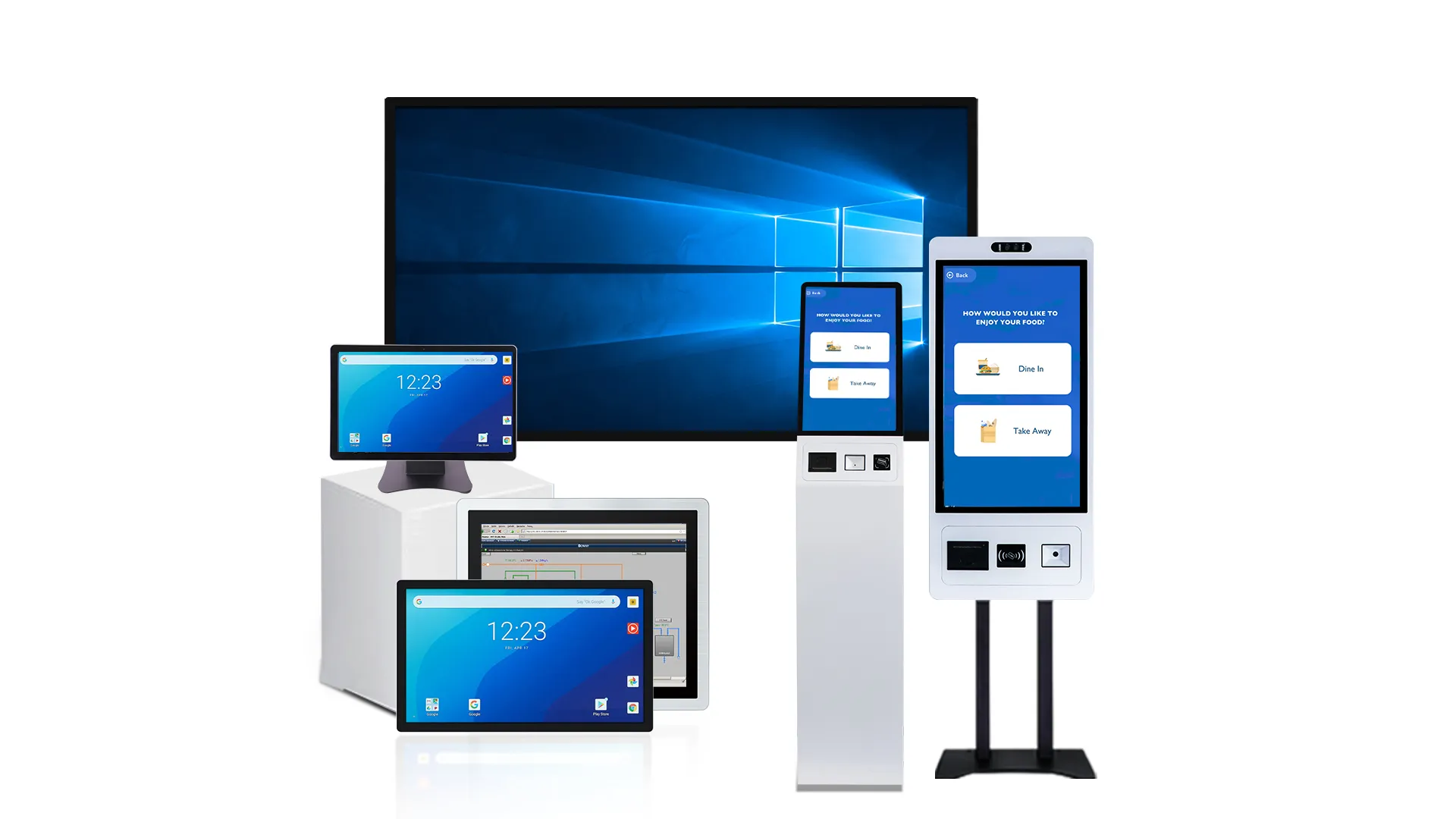
Ekrany SAW zapewniają wyjątkową przejrzystość w czystych kioskach wewnętrznych. Technologia IR zapewnia większą elastyczność, trwałość, i skalowalność dla wielkoformatowych lub wymagających zewnętrznych środowisk publicznych.
Wydajność optyczna i klarowność wizualna
Powierzchniowa fala akustyczna (PIŁA) ekrany wykorzystują całkowicie szklany panel bez nakładek. Taka konstrukcja zapewnia bardzo wysoką transmisję światła, między 89-92%, co zapewnia ostry i jasny obraz, idealny do kiosków wewnętrznych wyświetlających szczegółowe informacje. Podczerwony (I) technologia zapewnia również doskonałą klarowność. Jego mechanizm czujnikowy znajduje się w ramie, co pozostawia szybę całkowicie niezakłóconą i sprawia, że jest to doskonały wybór do wielkoformatowych rozwiązań Digital Signage.
Obie technologie oferują doskonałe wrażenia wizualne, Podczerwień często łatwiej utrzymuje stałą wydajność optyczną na bardzo dużych wyświetlaczach, jak te używane w interaktywnych katalogach lub ścianach wideo.
Reakcja na dotyk i obsługa wielodotyku
Technologia SAW zazwyczaj obsługuje tylko interakcje jedno- lub dwudotykowe. To jest całkowicie wystarczające dla prostych, zadania transakcyjne, takie jak zakup biletów, zameldowania, lub podstawowa nawigacja po menu. Dla kontrastu, Ekrany IR mogą obsługiwać 40 lub więcej jednoczesnych punktów dotyku. To sprawia, że są one o wiele lepsze w przypadku wszelkich aplikacji wymagających wielu użytkowników lub złożonych, interakcje oparte na gestach, takie jak powiększanie mapy.
Dla typowego użytkownika kiosku, obie technologie zapewniają natychmiastowy czas reakcji. Prawdziwą różnicą nie jest szybkość, ale zdolność do złożonych interakcji.
Elastyczność wprowadzania danych dla różnych użytkowników
Ekrany dotykowe SAW rejestrują dotyk, gdy obiekt pochłania fale akustyczne przemieszczające się po szybie. Najlepiej działają gołym palcem lub zaprojektowanym do tego celu miękkim rysikiem. Ekran dotykowy na podczerwień wykrywa dotyk, gdy nieprzezroczysty obiekt blokuje promienie podczerwieni wyświetlane na ekranie. Oznacza to, że można go aktywować dowolnym narzędziem, od palca w rękawiczce po kartę kredytową lub pasywny rysik.
Ta wszechstronność wejścia sprawia, że podczerwień jest bardziej praktycznym wyborem dla kiosków publicznych w służbie zdrowia, ustawienia przemysłowe, lub w miejscach o zimnej pogodzie, gdzie użytkownicy mogą nie mieć dostępnych gołych rąk.
Trwałość i odporność na środowisko
Zarówno technologie SAW, jak i IR są trwałe mechanicznie, ponieważ żadna z nich nie opiera się na plastikowej nakładce, która może z czasem ulec zużyciu. Sita SAW charakteryzują się dużą odpornością na zarysowania powierzchni, ale ich działanie może zostać pogorszone przez wodę, ciężki pył, lub zanieczyszczenia na szklanej powierzchni, ponieważ zanieczyszczenia te pochłaniają fale akustyczne. Technologia IR jest ogólnie bardziej niezawodna w środowiskach zewnętrznych lub zapylonych. Zanieczyszczenia na powierzchni ekranu nie zakłócają detekcji dotyku, chyba że fizycznie blokują wiązki na krawędzi ramki.
Skalowalność rozmiaru i konsekwencje kosztowe
Technologia SAW jest najpowszechniejsza i najbardziej opłacalna w przypadku małych i średnich wyświetlaczy, zazwyczaj w 10 do zakresu 32 cali. Poza tym, wzrasta złożoność produkcji. Ramki podczerwieni, z drugiej strony, skalowalne efektywnie i ekonomicznie do bardzo dużych rozmiarów — do 98 cali lub nawet więcej. To sprawia, że podczerwień jest domyślnym standardem dla ścian interaktywnych, duże katalogi, i wspólne pokazy.
Do kiosku wewnętrznego o standardowej wielkości, SAW może stanowić bardziej ekonomiczną opcję. Ale do każdego projektu wielkoformatowego lub plenerowego, IR zazwyczaj zapewnia lepszy całkowity koszt posiadania.
Zyskaj trwałość, Niestandardowe ekrany dotykowe dostarczane szybko
Dokładność, Trwałość, i odporność na zanieczyszczenia w porównaniu
Wybór pomiędzy SAW a IR sprowadza się do kluczowego kompromisu: SAW zapewnia większą precyzję na wrażliwej powierzchni, podczas gdy podczerwień zapewnia solidną skalowalność w przypadku wrażliwych komponentów ramy.
Dotknij Dokładność
Powierzchniowa fala akustyczna (PIŁA) technologia zapewnia wysoką dokładność dotyku, wskazując dokładne miejsce, w którym fale ultradźwiękowe są pochłaniane na szkle. Dzięki temu idealnie nadaje się do zastosowań wymagających precyzji, wprowadzanie jednym dotknięciem. Podczerwony (I) jest również dokładny, ale lepiej nadaje się do użytku ogólnego, szczególnie na większych wyświetlaczach, gdzie ogólny zasięg i skalowalność są ważniejsze niż dokładna precyzja opuszki palca. Do kiosków lub dużych ekranów, Efektywne skalowanie w podczerwieni, ale dla szczegółowej interakcji, Metoda SAW zapewnia wyraźną przewagę.
Trwałość i niezawodność
Podczas gdy ekrany dotykowe SAW charakteryzują się trwałością, powierzchnia całkowicie szklana, ich słabym punktem są przetworniki montowane na krawędzi. Komponenty te mogą być podatne na uderzenia i mogą wymagać sporadycznej ponownej kalibracji w celu utrzymania wydajności. Ekrany dotykowe na podczerwień są często uważane za bardziej niezawodne w trudnych warunkach, ponieważ elementy wykrywające są wbudowane w ramę, bezpiecznej odległości od aktywnego obszaru wyświetlania. Głównym punktem awarii systemu IR nie jest sam ekran, ale fizyczne uszkodzenie lub niewspółosiowość ramy, co zakłóca siatkę świetlną i uniemożliwia jej prawidłowe działanie.
Odporność na zanieczyszczenia
Technologia SAW nie jest odporna na zanieczyszczenia powierzchniowe. Woda, brud, lub nawet ciężki tłuszcz może zakłócać fale akustyczne przemieszczające się po szybie, powodując problemy z dotykiem. Dla kontrastu, Ekrany dotykowe na podczerwień są podatne na zanieczyszczenia, które fizycznie blokują wiązki światła podczerwonego. Na przykład gromadzenie się kurzu na ramce, błędy, lub nawet ulewny deszcz może prowadzić do fałszywych lub fantomowych dotknięć. Krytyczny kompromis jest jasny: SAW jest wrażliwy na wszystko, co znajduje się na jego powierzchni, podczas gdy podczerwień jest wrażliwa na wszystko, co zakłóca jej wiązki.
Konserwacja, Czyszczenie, oraz rozważania dotyczące kosztów cyklu życia

Całkowity koszt SAW jest związany z ciągłym czyszczeniem powierzchni i kosztowną wymianą paneli. Koszt IR wynika z konserwacji ramki, ale korzyści wynikają z tańszego, naprawy modułowe.
Odrębne wymagania dotyczące czyszczenia dla pił SAW i pił. I
Zasadnicza różnica w sposobie działania powierzchniowej fali akustycznej (PIŁA) i podczerwień (I) technologie dyktują całkowicie odrębne protokoły czyszczenia. Funkcjonalność ekranu SAW zależy od całkowicie nieskazitelnej powierzchni szkła. Jakikolwiek brud, smar, lub nawet zaschnięte pozostałości cieczy mogą absorbować lub rozpraszać fale ultradźwiękowe przemieszczające się po szkle, co prowadzi bezpośrednio do błędów dotyku lub martwych stref.
Dla kontrastu, Wydajność ekranu IR jest powiązana z jego ramką. Smugi na szkle nie mają żadnego znaczenia dla jego funkcji dotykowej. Prawdziwymi punktami awarii są kurz, owady, ani żadnych zanieczyszczeń, które fizycznie blokują wiązki światła podczerwonego emitowane i odbierane w ramie. Oznacza to, że rutynowa konserwacja SAW obejmuje częste wycieranie całej powierzchni aktywnego ekranu zatwierdzonymi środkami czyszczącymi, podczas gdy konserwacja podczerwieni skupia się na okresowym czyszczeniu ramki sprężonym powietrzem lub wacikami, aby siatka świetlna była niezakłócona.
Profile konserwacji i typowe tryby awarii
Systemy SAW i IR zawodzą na bardzo różne sposoby, co ma wpływ na ich profile usług. Dla SAW-a, głównym problemem jest integralność samego szkła. Konserwacja polega na sprawdzeniu panelu pod kątem głębokich zadrapań lub odprysków, ponieważ mogą one trwale przerwać ścieżkę fali akustycznej. Krytyczna porażka, jak uszkodzenie spowodowane ostrym przedmiotem lub trwałe zanieczyszczenie utwardzonym klejem, często wymaga wymiany całego panelu dotykowego i rzadko można go naprawić w terenie.
Konserwacja podczerwieni koncentruje się na utrzymaniu przejrzystości i wyrównania ramki. Wiele problemów, które wyglądają na awarie sprzętu, to po prostu przeszkody w wiązce, które technik może rozwiązać poprzez czyszczenie. Systemy podczerwieni są natomiast bardziej podatne na fałszywe dotknięcia spowodowane intensywnym bezpośrednim światłem słonecznym lub zanieczyszczeniami uwięzionymi w ramce, problemy te mają zazwyczaj charakter środowiskowy lub można je wyczyścić, nie są oznakami uszkodzonego elementu.
Trwałość, Użyteczność, i dopasowanie do środowiska
Wybór pomiędzy tymi technologiami często sprowadza się do środowiska operacyjnego. Technologia SAW sprawdza się najlepiej w czystości, kontrolowanych warunkach wewnętrznych, gdzie kluczową zaletą jest wysoka przejrzystość optyczna, a zanieczyszczenia są minimalne. Jego całkowicie szklana powierzchnia jest odporna na zużycie, ale użyteczność jest jego słabym punktem. Uszkodzenie szkła oznacza zazwyczaj konieczność wymiany całego zintegrowanego panelu dotykowego.
Technologia IR jest solidniejszym wyborem dla publiczności, przemysłowy, lub do użytku na zewnątrz. Ponieważ elementy reagujące na dotyk znajdują się w ramce, wyświetlacz może być chroniony przez grubą, szkło wandaloodporne bez wpływu na parametry użytkowe. Ta modułowość jest główną zaletą usług. Ramkę podczerwieni można często naprawić lub wymienić niezależnie od wyświetlacza i szkła ochronnego, co upraszcza i obniża koszty napraw w terenie.
Koszt cyklu życia i całkowity koszt posiadania (całkowity koszt posiadania) Kierowcy
Na długoterminowy koszt każdej technologii wpływają różne czynniki. Dla SAW-a, całkowity koszt posiadania (całkowity koszt posiadania) jest w dużym stopniu obciążona powtarzającymi się kosztami pracy potrzebnej do utrzymania czystości powierzchni. Pojedynczy przypadek uszkodzenia szkła może również skutkować kosztowną wymianą całego czujnika, czyniąc jego budżet mniej przewidywalnym.
Z podczerwienią, TCO kształtuje się pod wpływem konieczności okresowej konserwacji bezela. Jednak jego modułowa konstrukcja generalnie skutkuje niższymi średnimi kosztami napraw, ponieważ poszczególne elementy lub ramę można wymieniać. Ponadto, ryzyko starzenia się komponentów może być wyższe w przypadku specjalistycznych paneli SAW, potencjalnie zwiększając długoterminowe koszty wsparcia. Szersza dostępność i wymienność standardowych ramek IR często prowadzi do łatwiejszego w zarządzaniu i przewidywalnego budżetu na usługi w całym cyklu życia produktu.
Poza samą technologią dotykową, Jakość komponentów ma duży wpływ na długoterminowe koszty operacyjne. Wielu tanich dostawców kiosków obniża koszty sprzętu, korzystając z odnowionych paneli wyświetlaczy lub podzespołów zlecanych na zewnątrz.
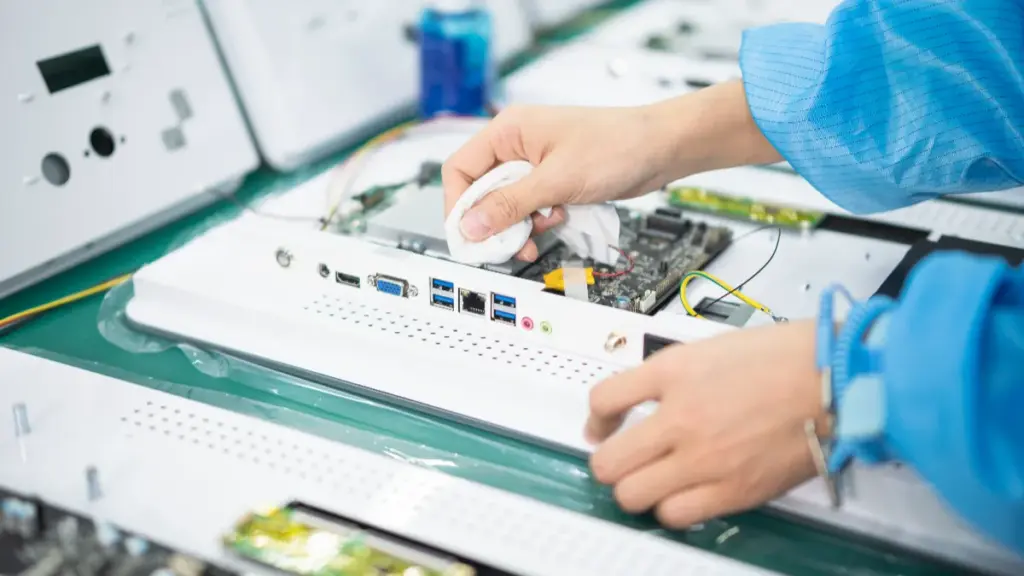
DotknijWo, profesjonalista Producent monitorów z ekranem dotykowym w Chinach, wykorzystuje oryginalne panele LCD klasy A pochodzące od wiodących producentów, takich jak BOE, AUO, i Innolux, pomagając klientom osiągnąć dłuższą żywotność wyświetlacza, lepsza jakość obrazu, i niższe stopy wymiany w całym cyklu życia kiosku.
Która technologia odpowiada różnym potrzebom projektu kiosku
Wybór pomiędzy powierzchniową falą akustyczną (PIŁA) i podczerwień (I) dotyk zależy od środowiska kiosku. SAW wyróżnia się w pomieszczeniach zamkniętych pod względem przejrzystości optycznej, podczas gdy wytrzymałość podczerwieni jest niezbędna do użytku na zewnątrz.
| Typ projektu kiosku | Preferowana technologia | Kluczowe powody |
|---|---|---|
|
Samoobsługa w pomieszczeniach zamkniętych (Sprzedaż detaliczna, Bankowy, Znalezienie drogi) |
Powierzchniowa fala akustyczna (PIŁA) |
|
|
Plenerowy & Pół-Outdoor (Bilety, Pompy paliwowe) |
Podczerwony (I) |
|
|
Wielkoformatowe wyświetlacze interaktywne (Muzea, Lobby) |
Podczerwony (I) |
|
|
Przemysłowy & Kioski magazynowe (Podłogi fabryczne) |
Podczerwony (I) |
|
|
Szkolenie komputerowe (CBT) & Edukacja |
Powierzchniowa fala akustyczna (PIŁA) |
|
Dlaczego Touchwo nadaje się do niestandardowych rozwiązań dotykowych w kioskach?
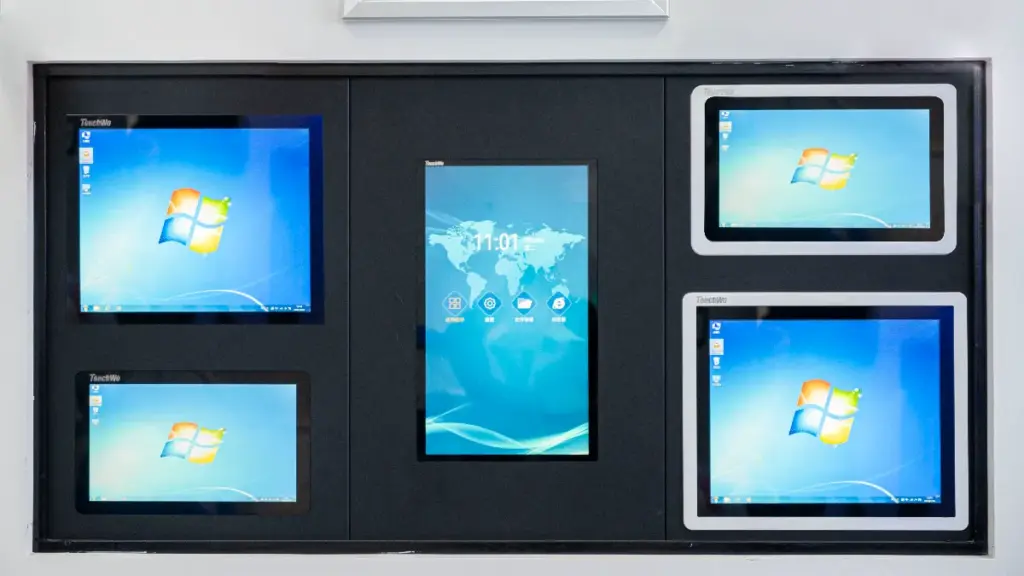
Elektronika Touchwo specjalizuje się w niestandardowych rozwiązaniach dotykowych dla przemysłu i handlu, oferując elastyczność, której nie mogą dorównać standardowi dostawcy.
Kluczowe zalety:
- Elastyczne dostosowywanie: Dostosuj rozmiar ekranu, interfejs, i czułość dotyku, aby dopasować je do wymagań konkretnego projektu.
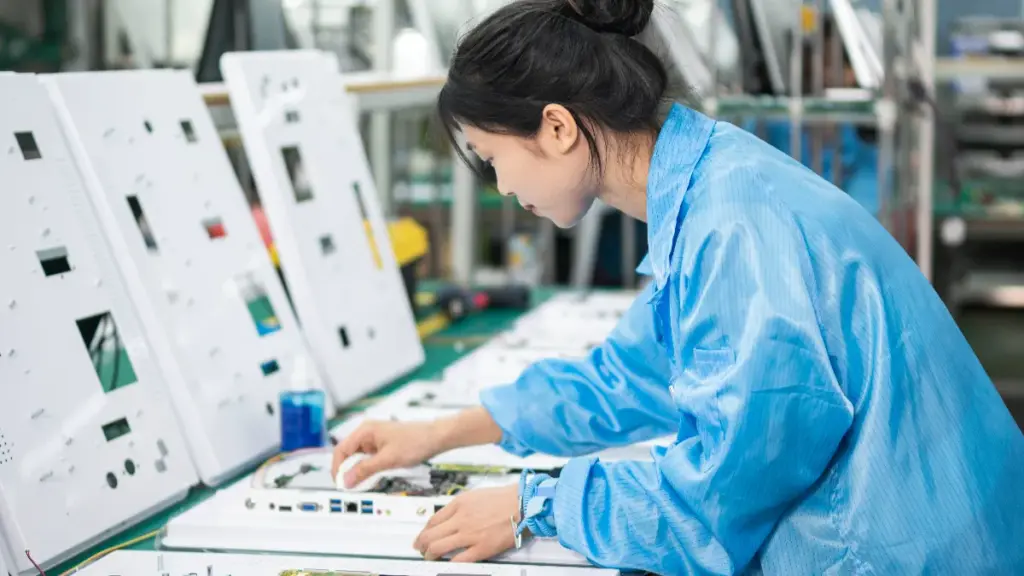
- Produkcja własna: Podstawowe komponenty stakie jak panele dotykowe SAW i IR, ramy aluminiowe, i tablice sterujące są produkowane wewnętrznie, zapewnienie jakości i niezawodności.
- Szybkie prototypowanie: Touchwo może dostarczyć próbki w środku 7 dni i pełna produkcja na zamówienie w ramach 2-6 tygodnie, w zależności od złożoności.
- Długoterminowe wsparcie: Dedykowane wsparcie techniczne po sprzedaży, w tym zdalna konfiguracja i części zamienne, gwarantuje, że kioski będą działać sprawnie przez lata.
Z doświadczeniem w dostarczaniu Mercedesa, Disneya, McDonald’s, i klienci zajmujący się robotyką, Touchwo łączy wiedzę techniczną z doświadczeniem wdrożeniowym w świecie rzeczywistym, co czyni go niezawodnym partnerem w projektach kiosków publicznych.
Ostatnie przemyślenia
Niezależnie od tego, czy budujesz samoobsługowy kiosk płatniczy, przemysłowy terminal kontrolny, inteligentna szafka, lub interfejs robota, wybór właściwej technologii dotykowej ma kluczowe znaczenie dla długoterminowej wydajności i niezawodności.
Z własną produkcją paneli dotykowych, elastyczne możliwości dostosowywania, szybkie terminy realizacji produkcji, oraz bogate doświadczenie w zastosowaniach przemysłowych i komercyjnych, TouchWo pomaga producentom OEM, integratorów systemów, i producenci kiosków opracowują rozwiązania dotykowe dostosowane do ich specyficznych wymagań projektowych.
Jeśli oceniasz SAW, podczerwony, lub projektowane pojemnościowe technologie dotykowe dla Twojego następnego projektu kiosku, nasz zespół inżynierów może pomóc Ci wybrać najbardziej odpowiednie rozwiązanie w oparciu o Twoje środowisko, budżet, i cele wydajnościowe.
Często zadawane pytania
Jaka jest różnica między ekranami dotykowymi SAW i ekranami dotykowymi na podczerwień?
SSAW wykorzystuje fale ultradźwiękowe na szklanej powierzchni, podczas gdy podczerwień wykrywa dotyk poprzez niewidzialną siatkę wiązek podczerwieni. SAW jest precyzyjny, ale wrażliwy na zanieczyszczenia, natomiast IR jest trwały i odporny na zanieczyszczenia.
Która technologia dotykowa jest lepsza dla kiosków publicznych?
Dla większości kiosków publicznych, podczerwony (I) jest bardziej praktycznym wyborem. Obsługuje szeroką gamę wejść, łącznie z rękami w rękawiczkach, i jest mniej podatny na zabrudzenia powierzchniowe. Technologia SAW zapewnia doskonałą przejrzystość optyczną, ale najlepiej nadaje się do kontrolowanych ustawień w pomieszczeniach, gdzie ekran można utrzymać w czystości, ponieważ zanieczyszczenia mogą zakłócać jego działanie.
Czy SAW jest dokładniejszy niż dotyk na podczerwień?
Tak, Technologia SAW jest na ogół dokładniejsza w przypadku precyzyjnych zadań i wybierania małych celów. Wykorzystuje ciągłe pole ultradźwiękowe do określenia współrzędnych dotykowych z dużą precyzją. Dotyk na podczerwień jest wystarczająco dokładny do ogólnego użytku w kioskach i dużych wyświetlaczach, ale o jego precyzji decyduje rozstaw wiązek światła w jego siatce.
Który ekran dotykowy działa lepiej w zakurzonych miejscach publicznych?
Podczerwony (I) ekrany dotykowe są bardziej niezawodne w zapylonym środowisku. Ponieważ wykrywanie dotyku następuje w ramce wokół wyświetlacza, kurz na powierzchni ekranu nie ma wpływu na wydajność. Dla kontrastu, Ekrany dotykowe SAW mogą działać nieprawidłowo, jeśli na szkle zgromadzi się kurz lub inne zanieczyszczenia, ponieważ zakłóca to ścieżkę fal ultradźwiękowych.
Czy ekrany dotykowe na podczerwień są lepszym wyborem dla dużych wyświetlaczy??
Tak, podczerwony (I) jest zazwyczaj preferowaną technologią w przypadku wyświetlaczy wielkoformatowych, takich jak tablice interaktywne lub rozwiązania Digital Signage. Ramki podczerwieni można skalować do bardzo dużych rozmiarów taniej niż w przypadku innych technologii. Ponadto, ponieważ IR nie wymaga nakładania na ekran, zapewnia maksymalną jasność i klarowność obrazu.
Jakie są główne problemy związane z konserwacją gry SAW vs. kioski na podczerwień?
Do kiosków SAW, Głównym wyzwaniem w utrzymaniu czystości jest utrzymanie szklanej powierzchni w doskonałej czystości, jak pył, płyny, a nawet głębokie zadrapania mogą obniżyć wydajność. Do kiosków na podczerwień, konserwacja koncentruje się na utrzymaniu ramy ramki bez przeszkód (jak brud lub owady) które mogą blokować wiązki światła i zapewniające, że czujniki nie zostaną przytłoczone bezpośrednim działaniem promieni słonecznych.




