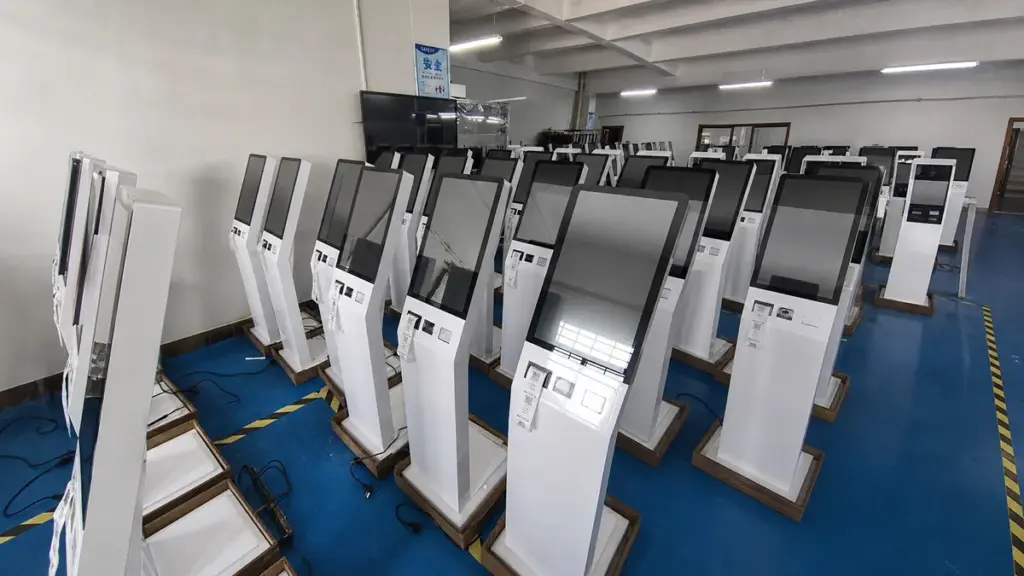
Restaurant kitchens thrive on speed, accuracy, and coordination. But outdated paper tickets or clunky non-touch displays often cause chaos: orders get lost, cooks misread details, and servers waste time checking statuses. These delays frustrate customers, slow down service, and cut into profits.
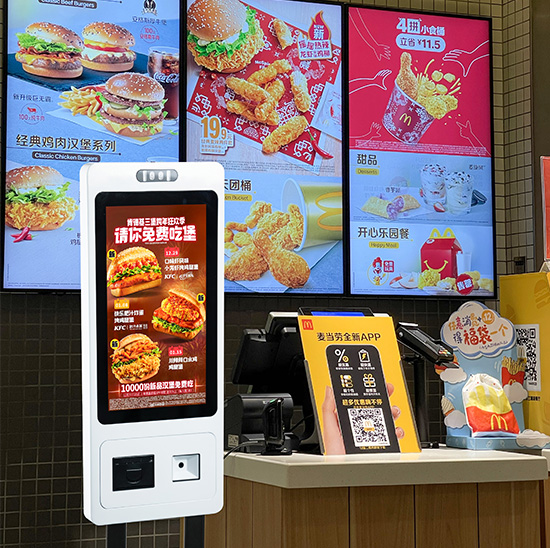
Kitchen Display Touch Screen solves these pain points. Designed specifically for the heat, grease, and chaos of commercial kitchens, these screens centralize orders, update statuses in real time, and keep staff aligned. Cooks tap to mark items as “in progress” or “complete,” while servers track orders instantly—no more running back and forth. They’re built to withstand splatters, high temps, and constant use, making them a workhorse for busy diners, fast-casual spots, and fine-dining restaurants alike. This article breaks down their key features, benefits, applications, and FAQs to show how they transform kitchen operations.
Core Features of High-Quality Kitchen Display Touch Screen
1. Heat, Grease, and Water Resistant Design
Kitchens are harsh environments—these screens are built to survive them:
IP65/IP67 rating: Sealed enclosures block grease, water splatters, and dust from seeping into internal components.
Heat-resistant materials: Withstand ambient temps up to 60°C (140°F), perfect for areas near grills or ovens.
Anti-grease coating: Repels oil and food residue, so a quick wipe with a damp cloth keeps the screen clean.
2. Real-Time Order Tracking & Status Updates
Speed and accuracy start with clear order visibility:
Instant order sync: Taps directly from POS systems to the screen—no more manual ticket printing or typos.
Color-coded statuses: Tap to mark orders “New,” “In Progress,” “Ready,” or “Delayed” for at-a-glance clarity.
Priority tagging: Highlight rush orders or special requests (e.g., “gluten-free”) with a single tap to avoid misses.
3. Intuitive Interface for Busy Staff
Cooks and prep teams don’t have time for complex tech:
Large, bold icons: Clear order details (item, modifiers, table number) are easy to read even through steam or from a distance.
Gloved-hand compatibility: Enhanced touch sensitivity works with latex, nitrile, or cut-resistant gloves—no need to remove PPE.
Customizable layouts: Arrange sections by station (grill, fryer, cold prep) to match your kitchen’s flow.
4. Seamless POS & Restaurant Software Integration
They work with your existing tools to avoid workflow disruptions:
Sync with leading POS systems: Integrate with Toast, Square, Clover, and Shopify POS for instant order transfer.
Kitchen management software (KMS) compatibility: Connect to tools like Toast Kitchen Display System or Lightspeed to track prep times and inventory.
Cloud-based updates: Push software patches or menu changes remotely—no need to shut down during service.
Key Benefits for Restaurants
1. Slash Order Delays & Mistakes
Faster, clearer order processing cuts errors and wait times:
Eliminate lost tickets: Digital orders stay on screen until marked complete, reducing “missing order” headaches.
Reduce misreads: Bold text and modifier flags (e.g., “no onions”) prevent costly mistakes like wrong dietary requests.
Speed up service: Studies show kitchens with touch displays reduce order-to-table time by 15–20% vs. paper tickets.
2. Improve Staff Coordination & Productivity
Less chaos means more efficient teams:
Server-kitchen alignment: Servers check order statuses via linked devices instead of yelling over the line.
Reduced prep waste: Clear portion and modifier details cut food waste from incorrect prep (e.g., over-slicing veggies for a canceled order).
Simplify training: New hires learn the intuitive interface in under 30 minutes—no complex manuals needed.
3. Enhance Customer Satisfaction
Smoother kitchen operations translate to happier diners:
Shorter wait times: Faster order processing gets food to tables quicker, cutting customer frustration.
Accurate orders: Fewer mistakes mean fewer returns and more positive reviews.
Transparent communication: Servers can update customers on order statuses in real time (e.g., “Your burger is almost ready”).
4. Lower Long-Term Costs
Durable design and efficiency save money over time:
Reduce paper costs: No more printing hundreds of tickets daily—cut paper and ink expenses by 80%.
Minimize downtime: Rugged build and self-diagnostic alerts (e.g., “Low connectivity”) reduce repair costs.
Extend lifespan: High-quality components last 3–5x longer than consumer-grade touchscreens.
Applications for Different Restaurant Types
1. Fast-Casual & Quick-Service Restaurants (QSRs)
For spots like Chipotle or McDonald’s, speed is critical:
Drive-thru order sync: Link screen to drive-thru systems to prioritize car orders during rushes.
Modifer clarity: Highlight customizations (e.g., “double meat, no cheese”) to avoid prep errors.
High-volume durability: Handle 100+ orders per hour without glitching.
2. Full-Service Diners & Casual Restaurants
For family diners or casual spots, organization matters:
Table number tagging: Group orders by table to streamline plating and delivery.
Course sequencing: Mark appetizers, mains, and desserts separately to ensure timed service.
Kitchen station separation: Split orders between grill, fryer, and salad stations for focused prep.
3. Fine-Dining Restaurants
For upscale spots, precision and customization are key:
Special request flags: Highlight “chef’s table” or dietary restrictions (e.g., “vegan, nut-free”) with unique colors.
Timed prep alerts: Tap to set reminders for dishes that need precise cooking (e.g., “steak medium-rare in 6 mins”).
Quiet operation: No loud ticket printers—keep the kitchen calm for plating.
FAQs About Kitchen Display Touch Screen
Q1: Will the screen work near hot grills or fryers?
A1: Yes. Most models handle ambient temps up to 60°C (140°F) and have heat-shielding frames. For extra-hot areas, we offer heat-resistant mounts.
Q2: Can it integrate with my existing POS system?
A2: Absolutely. It works with all leading POS tools (Toast, Square, Clover) and our team tests integration before installation to ensure smooth syncing.
Q3: How easy is it to clean during busy shifts?
A3: Very easy. The anti-grease coating lets staff wipe splatters with a damp cloth in 10 seconds—no need for special cleaners or downtime.
Q4: Do staff need tech experience to use it?
A4: No. The interface uses simple taps and color codes. New hires typically master basic functions in 15–30 minutes, and we provide quick-reference guides.
Q5: What warranty comes with the screen?
A5: All models include a 3-year warranty covering grease/water damage, touch responsiveness, and hardware defects. Extended 5-year warranties are available for high-volume kitchens.
Conclusion
Kitchen Display Touch Screens are a game-changer for modern restaurants. They cut order errors, speed up service, and align staff—all while withstanding the harsh conditions of commercial kitchens. Whether you run a busy QSR or an upscale diner, they deliver tangible ROI through happier customers, more efficient teams, and lower long-term costs.
Ready to transform your kitchen with a durable, intuitive touch screen? Fill out the form on our website to connect with our restaurant tech experts. We’ll assess your kitchen layout, verify POS integration, and recommend a customized solution—helping you streamline operations and boost profits. Let’s turn kitchen chaos into calm efficiency today!