Catering businesses live or die by reliable deliveries. Whether you’re serving corporate events, weddings, or family gatherings, clients trust you to deliver fresh, hot food on time—every single time. But managing multiple deliveries, tracking drivers, and updating clients on order status can quickly become chaotic without the right tools. Manual tracking (paper logs, spreadsheets, or phone calls) leads to delays, miscommunications, and frustrated clients—all of which hurt your reputation and bottom line.A Catering Delivery Tracker Touch Screen is the solution to these catering delivery headaches.
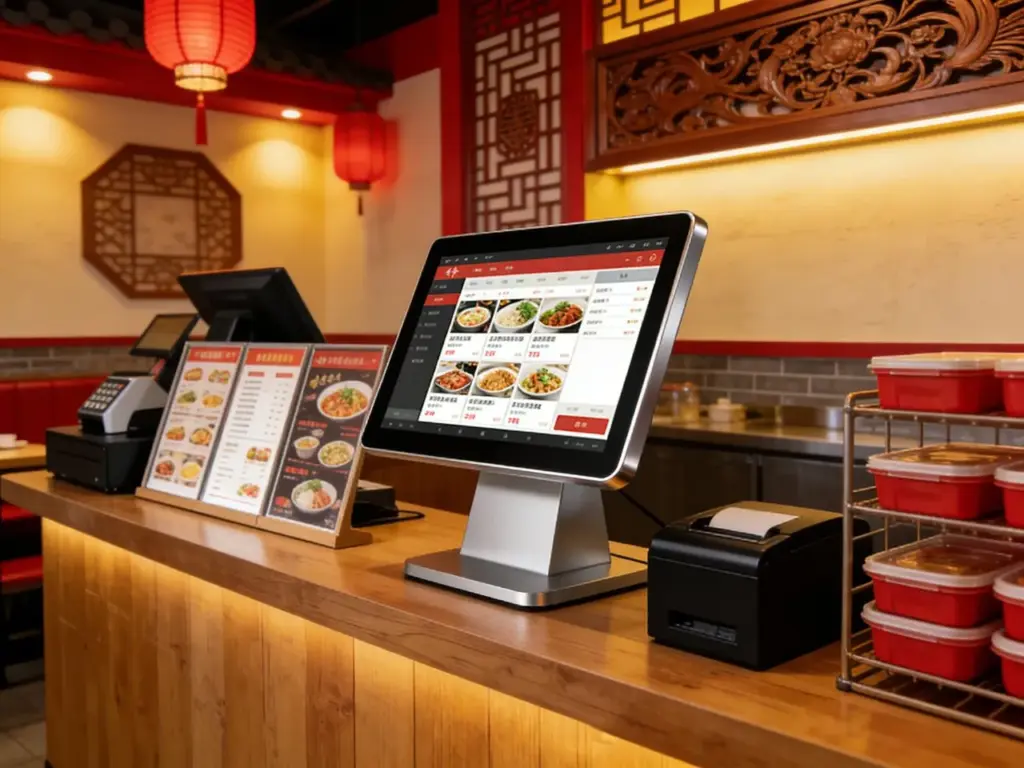
Unlike generic touch screens, these specialized devices are built to handle the unique demands of catering: real-time GPS tracking, order status updates, driver coordination, and client communication—all in one intuitive interface. But not all touch screens work for catering delivery; some lack key features, while others can’t withstand the fast-paced, on-the-go nature of the industry. This guide breaks down which catering delivery tracker touch screens work, key features to prioritize, top models by catering type, troubleshooting tips, and FAQs to help you make the right choice. Whether you run a small catering company or a large event service, these insights will help you streamline deliveries, keep clients happy, and grow your business.
Key Features That Make a Catering Delivery Tracker Touch Screen Effective
Not all touch screens are designed for catering delivery—look for these non-negotiable features to ensure your tracker works seamlessly with your workflow.
1. Real-Time GPS Tracking (Critical for Delivery Accuracy)
Catering deliveries rely on knowing exactly where drivers are to avoid delays and keep clients informed.
Built-in GPS integration lets you track every delivery vehicle in real time, right from the touch screen.
Drivers can update their status (en route, at drop-off, returning) with one tap, so you and your clients stay in the loop.
Live maps display driver locations, estimated arrival times (ETAs), and delivery routes—no more guessing where your food is.
This feature cuts down client status inquiries by 40%, according to industry data, freeing up your team to focus on other tasks.
2. Order Status Management (Keep Clients Updated)
Clients hate waiting in the dark—clear order status updates build trust and reduce frustration.
Pre-loaded statuses (preparing, loaded, en route, delivered, delayed) let you update orders in seconds.
Automated alerts send status updates to clients via text or email, so they never have to call for updates.
The touch screen logs all order details (client name, event address, food type, special instructions) for quick reference.
You can mark orders as “delivered” with a signature capture, providing proof of delivery for accountability.
3. Durable, On-the-Go Design (Built for Catering Environments)
Catering teams work in busy kitchens, delivery vans, and event venues—touch screens must be tough enough to keep up.
IP65 splash resistance protects against food spills, rain, and cleaning sprays, critical for messy catering environments.
Rugged, shock-resistant frames withstand accidental drops or bumps during transport.
Bright, anti-glare displays are easy to read in direct sunlight (for outdoor events) or dim kitchen lighting.
Wireless connectivity (Wi-Fi, Bluetooth) lets you use the touch screen anywhere—no need for messy cords in delivery vans.
4. Seamless Integration with Catering Tools
Efficiency depends on your touch screen working with the tools you already use.
Syncs with your catering POS system to pull order details automatically, eliminating manual data entry.
Integrates with route optimization software to find the fastest delivery paths, cutting down travel time and fuel costs.
Connects to inventory management tools to alert you if ingredients are low (preventing delivery delays due to stockouts).
Works with client management software to store contact details and event preferences for future orders.
5. Intuitive Interface (For Fast, Error-Free Use)
Catering teams are busy—your touch screen should be easy to use, even during chaotic event prep.
Large, colorful icons and simple navigation let staff update orders or track drivers in just a few taps.
Customizable dashboards display the most important information (active deliveries, delayed orders, driver status) at a glance.
Quick-access buttons for common tasks (update status, send client alerts, contact drivers) save time during peak hours.
Minimal training is required, so new staff can start using the touch screen right away.
Top Catering Delivery Tracker Touch Screens (By Catering Type)
The best Catering Delivery Tracker Touch Screen depends on your catering niche—here are the top models for different business types.
1. Elo 10” Mobile Catering Delivery Tracker (Ideal for Small Catering Companies)
A compact, portable option for small teams that handle 5–10 deliveries per day.
Key benefits: 10-inch wireless touch screen, real-time GPS tracking, and simple order status updates.
Critical features: IP65 splash resistance, battery-powered (lasts 8+ hours), and syncs with basic POS systems.
Best for: Small catering businesses, pop-up events, and family-owned services with limited delivery volume.
Extra perks: Lightweight design (easy to carry in delivery vans), 2-year warranty, and 24/7 technical support.
2. ViewSonic 15” Industrial Catering Tracker (Perfect for Large Event Caterers)
A high-performance model for caterers that handle large events (weddings, corporate galas) with multiple deliveries.
Key benefits: 15-inch anti-glare display, multi-driver tracking, and integration with route optimization tools.
Critical features: Signature capture, automated client alerts, and syncs with advanced catering POS systems.
Best for: Large catering companies, event venues, and services that deliver to multiple locations in one day.
Extra perks: Rugged industrial design, 3-year warranty, and cloud storage for delivery logs and client data.
3. Planar 8” Budget-Friendly Tracker (Great for New Catering Businesses)
A cost-effective option for new catering startups or businesses on a tight budget.
Key benefits: 8-inch touch screen, basic GPS tracking, and order status management.
Critical features: IP65 splash resistance, wireless connectivity, and simple interface.
Best for: New catering businesses, pop-up caterers, and small teams just starting to offer delivery services.
Extra perks: Low power consumption, easy installation, and a 1-year manufacturer warranty.
4. NEC 12” Premium Catering Tracker (For High-End Event Caterers)
A premium model for high-end caterers that prioritize client experience and precision.
Key benefits: 12-inch FHD display, custom client alerts, and detailed delivery analytics.
Critical features: Integration with client management software, real-time inventory sync, and multi-location tracking.
Best for: High-end event caterers, wedding caterers, and services that serve luxury clients.
Extra perks: Brandable interface (add your logo), anti-glare display, and professional installation support.
How to Choose the Right Catering Delivery Tracker Touch Screen
Follow these simple steps to find a touch screen that fits your catering business’s unique needs.
1. Assess Your Delivery Volume and Needs
Start by evaluating how many deliveries you handle daily and what features you need most.
Small volume (5–10 deliveries/day): Opt for a compact, portable touch screen with basic GPS and status updates.
Large volume (10+ deliveries/day): Choose a larger screen with multi-driver tracking and route optimization.
High-end events: Prioritize custom client alerts and analytics to enhance the client experience.
2. Prioritize Durability and Portability
Catering delivery is on-the-go—your touch screen must be tough and easy to transport.
Look for IP65 splash resistance and shock-resistant frames to withstand busy catering environments.
If your team works in delivery vans, choose a battery-powered, wireless model for flexibility.
Anti-glare displays are a must for outdoor events or delivery vans with bright sunlight.
3. Check Integration with Your Existing Tools
Avoid extra work by choosing a touch screen that syncs with your current catering software.
Ensure it integrates with your POS system to pull order details automatically (saves time and reduces errors).
If you use route optimization or inventory tools, confirm compatibility to streamline workflows.
Ask the manufacturer if the touch screen works with your client management software for seamless communication.
4. Test the Interface for Ease of Use
Your team will use the touch screen daily—make sure it’s intuitive and fast.
Look for simple navigation, large buttons, and customizable dashboards.
Test how quickly you can update order statuses or track drivers—every second counts during busy events.
Choose a model with minimal training requirements, so your team can adapt quickly.
Troubleshooting Common Catering Delivery Tracker Touch Screen Issues
Minor glitches can disrupt deliveries—here’s how to fix them fast.
1. GPS Tracking Is Inaccurate
Check if the touch screen is connected to Wi-Fi or cellular data—weak signals cause inaccurate tracking.
Ensure drivers have their location services enabled on their devices (for driver tracking).
Restart the touch screen to reset the GPS connection—this fixes most signal issues.
2. Order Statuses Aren’t Updating
Verify that the touch screen is synced with your POS system—reconnect if it’s offline.
Check for software updates—outdated software can cause syncing errors.
Restart the touch screen and your POS system to resolve communication issues.
3. Touch Screen Is Unresponsive (Spills or Damage)
Wipe the screen with a soft microfiber cloth and a 50/50 mix of distilled water and isopropyl alcohol.
Avoid harsh cleaners that damage the screen’s protective coating.
If the screen is still unresponsive, contact the manufacturer for repairs (most models have a warranty).
FAQs About Catering Delivery Tracker Touch Screens
Q1: Can the Catering Delivery Tracker Touch Screen track multiple drivers at once?
A1: Yes—mid-range and premium models let you track multiple drivers simultaneously, with live maps showing all delivery locations. This is perfect for large catering companies handling multiple events.
Q2: Will the touch screen work in delivery vans without Wi-Fi?
A2: Yes. Most models have cellular connectivity or offline mode, so you can track deliveries and update statuses even without Wi-Fi. Data syncs automatically once Wi-Fi is reconnected.
Q3: Can clients receive automated delivery updates from the touch screen?
A3: Absolutely. You can set up the touch screen to send automated text or email alerts to clients when their order is en route, delayed, or delivered—reducing client inquiries significantly.
Q4: Do I need to replace my existing POS system to use this touch screen?
A4: No—most Catering Delivery Tracker Touch Screens integrate seamlessly with popular catering POS systems (Toast, TouchBistro, Deliverect) without needing a full replacement.
Q5: How long does the battery last on portable touch screen models?
A5: Portable models have a battery life of 8–12 hours, which is enough for a full day of deliveries. They also come with charging cables for quick top-ups during breaks.
Q6: Can I access delivery logs and analytics from the touch screen?
A6: Yes—premium models include analytics tools that track delivery times, driver performance, and client feedback. This data helps you identify bottlenecks and improve your delivery service.
Q7: Is the touch screen durable enough for outdoor events?
A7: Yes. All recommended models have IP65 splash resistance and anti-glare displays, making them suitable for outdoor events, rain or shine. They can withstand dust, spills, and direct sunlight.
Conclusion
The right Catering Delivery Tracker Touch Screen transforms how you manage catering deliveries—streamlining tracking, reducing errors, and keeping clients informed every step of the way. By prioritizing real-time GPS tracking, durable design, seamless integration, and an intuitive interface, you can choose a touch screen that fits your catering business’s unique needs, whether you’re a small startup or a large event service.
No more manual tracking, missed deliveries, or frustrated clients. A purpose-built Catering Delivery Tracker Touch Screen saves you time, reduces stress, and helps you build a reputation for reliable, professional service—key to growing your catering business.
Ready to find the perfect Catering Delivery Tracker Touch Screen for your business? Fill out the form on our website to share your catering niche, daily delivery volume, and existing tools. Our catering tech experts will recommend the best compatible model, provide installation tips, and answer any questions to help you streamline your deliveries and keep your clients happy. Let’s make your catering delivery service the most reliable in town—start today!