
Casual dining restaurants thrive on quick, friendly service—yet long wait times are one of the biggest frustrations for guests. From waiting to order to waiting for food or the check, delays drive customers away and hurt repeat business. This leaves many restaurant owners asking: Can a Dining Wait Time Touch Screen actually cut down on wait times and improve the guest experience?
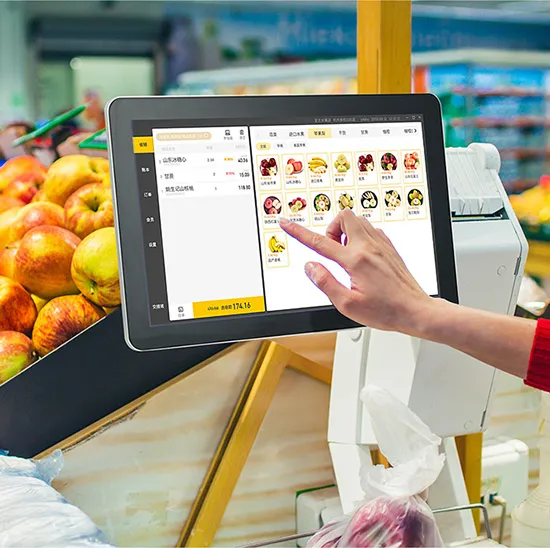
The answer is a resounding yes—when used strategically. Touch screens eliminate slow, manual processes that bog down service, from paper menus and handwritten orders to long waits for the check. They put control in guests’ hands and streamline staff workflows, cutting wait times at every stage of the dining experience. This guide breaks down how touch screens reduce wait times, key use cases, essential features, and FAQs to help you decide if they’re right for your casual dining spot. Whether you run a burger joint, pizza place, or family-style restaurant, these insights will help you speed up service and keep guests coming back.
How Dining Wait Time Touch Screens Cut Casual Dining Wait Times
Touch screens reduce wait times by streamlining three critical stages of the casual dining experience: ordering, food preparation, and checkout. Here’s exactly how they make a difference.
1. Faster Ordering (Cut Wait Time by 30–40%)
Traditional ordering—waiting for a server to take your order, write it down, and enter it into a POS—wastes precious minutes.
Dining Wait Time Touch Screens let guests browse menus and place orders themselves, without waiting for a server.
Intuitive interfaces with large icons, clear photos, and quick-add options make ordering fast (most guests complete orders in 2–3 minutes).
Orders send instantly to the kitchen, eliminating delays from handwritten notes or server input errors.
Servers are freed up to focus on other tasks (e.g., delivering food, refilling drinks) instead of taking orders.
2. Streamlined Food Preparation (Reduce Kitchen Wait Times)
Touch screens bridge the gap between guests, servers, and the kitchen, cutting down on food prep delays.
Orders appear on kitchen displays instantly, so chefs start preparing food faster—no more waiting for servers to deliver tickets.
Customization options (e.g., “no onions,” “extra sauce”) are clear and easy to read, reducing mistakes that lead to reorders.
Staff can update order status (e.g., “preparing,” “ready to serve”) on the touch screen, keeping guests informed and reducing “where’s my food?” questions.
3. Quick Checkout (Eliminate Wait Times for the Bill)
Waiting for the check and paying is one of the most common guest complaints—and touch screens fix this.
Guests can request the check, split bills, and pay directly on the touch screen, no server needed.
Multiple payment options (credit card, mobile pay) are available, making checkout fast and convenient.
After paying, guests can leave immediately, freeing up tables faster for the next group.
This cuts checkout wait times by 50% or more, especially during busy rushes.
Key Use Cases for Dining Wait Time Touch Screens in Casual Dining
Touch screens work in multiple areas of a casual dining restaurant, each reducing wait times in unique ways.
1. Self-Service Order Kiosks (Entry/Host Stand)
Self-service kiosks near the entrance let guests place orders as soon as they arrive.
Guests can browse the menu, place their order, and pay before being seated—cutting down on wait time for a server.
Kiosks can also handle waitlist management, letting guests check in and receive text alerts when their table is ready.
This is perfect for fast-casual spots or busy restaurants where seating and ordering delays pile up.
2. Tabletop Touch Screens (Dining Tables)
Tabletop touch screens put ordering, drink refills, and checkout directly at guests’ fingertips.
Guests can order appetizers, entrees, or drinks without flagging down a server—ideal during peak rushes.
They can request refills or extra napkins instantly, reducing wait times for small but important requests.
Checkout is seamless, letting guests pay and leave on their own schedule.
3. Server-Facing Touch Screens (Floor/Kitchen)
Server-facing touch screens streamline staff workflows, cutting down on internal delays.
Servers can enter orders directly at the table (instead of returning to a POS station), sending them to the kitchen faster.
They can check table status, update orders, and process payments on the go, reducing back-and-forth.
Kitchen staff use touch screens to view and update order status, keeping the entire team aligned.
Essential Features of a Dining Wait Time Touch Screen
To maximize wait time reduction, look for these key features in a touch screen for your casual dining restaurant.
1. Intuitive, Guest-Friendly Interface
Guests should be able to use the touch screen without help—complex menus slow down service.
Large, easy-to-read text and high-quality food photos help guests make choices quickly.
Simple navigation (no hidden menus) and quick-add buttons for popular items.
Clear customization options (e.g., dropdown menus for toppings) to avoid mistakes.
2. Fast Response Time
Laggy touch screens defeat the purpose—guests will get frustrated if taps don’t register instantly.
10ms or faster response time ensures smooth, quick interactions.
No lag when scrolling through menus or placing orders, even during busy periods.
3. Seamless POS Integration
Touch screens must sync with your existing POS system to avoid delays or errors.
Orders, payments, and table status update in real time across all devices (kiosks, tabletop, kitchen).
Inventory updates automatically when items are ordered, preventing “out of stock” surprises.
4. Durable, Easy-to-Clean Design
Casual dining can get messy—touch screens must stand up to spills and frequent cleaning.
Smooth, non-porous glass surfaces wipe clean with a damp cloth, no scrubbing required.
Spill-resistant (IP65 or higher) to protect against soda, food, or drink splatters.
Scratch-resistant glass to handle daily use (e.g., taps from utensils, bags, or hands).
5. Customizable Menus
Casual dining menus change often—touch screens should let you update them quickly.
Easy menu editing (add/remove items, adjust prices, update descriptions) without technical skills.
The ability to highlight specials or limited-time items to speed up guest choices.
Common Misconceptions About Touch Screens and Wait Times
Some restaurant owners worry touch screens won’t work for their casual dining spot—here’s the truth behind common myths.
1. “Touch Screens Will Replace Servers”
False. Touch screens complement servers, not replace them.
Servers are still needed for delivering food, refilling drinks, and providing personal service.
Touch screens free up servers to focus on guest experience, not administrative tasks.
Guests still appreciate human interaction—touch screens just cut down on wait times for routine tasks.
2. “Touch Screens Are Too Complicated for Guests”
False. Modern touch screens are designed for all ages and tech comfort levels.
Simple, intuitive interfaces mimic mobile apps most guests use daily.
Large icons and clear labels make navigation easy, even for older guests.
Staff can assist guests with questions quickly, but most will use the screens without help.
3. “Touch Screens Are Too Expensive for Small Casual Dining Spots”
False. Touch screens save money in the long run by reducing wait times and increasing table turns.
Faster service means more guests can be served each day, boosting revenue.
Reduced order errors cut down on food waste and rework.
Many touch screens are affordable and easy to install, even for small restaurants.
FAQs About Dining Wait Time Touch Screens
Q1: How much time can a Dining Wait Time Touch Screen save per guest?
A1: On average, touch screens cut 5–10 minutes per guest—from ordering to checkout. During busy rushes, this adds up to more table turns and higher revenue.
Q2: Do guests prefer touch screens over ordering from a server?
A2: Most guests do, especially during busy times. Touch screens let them order at their own pace, avoid waiting, and customize their meals easily. Servers can still assist for personal recommendations.
Q3: Can touch screens handle split bills?
A3: Yes. Most Dining Wait Time Touch Screens let guests split bills evenly or customize splits (e.g., “person 1 pays for appetizers, person 2 pays for entrees”) with a few taps.
Q4: Are touch screens easy to install in an existing restaurant?
A4: Yes. Most models are plug-and-play and integrate with existing POS systems. Basic installation takes a few hours, and staff can learn to use them in minutes.
Q5: Do touch screens work for all casual dining types (burgers, pizza, etc.)?
A5: Absolutely. They adapt to any casual dining menu—from burgers and fries to pizza and salads. Customizable menus let you tailor the interface to your offerings.
Q6: How do touch screens reduce food waste?
A6: Clear, accurate order entries reduce mistakes (e.g., wrong toppings, missed customizations) that lead to reorders. This cuts down on food waste and saves money.
Q7: Can I update the menu on the touch screen during service?
A7: Yes. You can add, remove, or edit items in minutes, even during busy service. This is perfect for daily specials or when ingredients run out.
Conclusion
Dining Wait Time Touch Screens are a game-changer for casual dining restaurants looking to cut wait times, improve guest satisfaction, and boost revenue. They streamline ordering, speed up kitchen prep, and simplify checkout—all while complementing your staff and enhancing the guest experience. By eliminating manual delays and putting control in guests’ hands, touch screens turn frustrated diners into happy, repeat customers.
You don’t need a large budget or complex setup to benefit from touch screens. Even small casual dining spots can use self-service kiosks or tabletop screens to reduce wait times and increase table turns. The right touch screen will fit seamlessly into your restaurant’s workflow, making service faster and more efficient.
If you’re ready to cut wait times and elevate your casual dining service with a Dining Wait Time Touch Screen, our team is here to help. Fill out the form on our website to share your restaurant’s size, menu type, and current wait time challenges. We will provide tailored recommendations, installation tips, and expert support to ensure you get a touch screen that works for your business. Let’s make your casual dining spot the go-to place for fast, friendly service—start today!





